
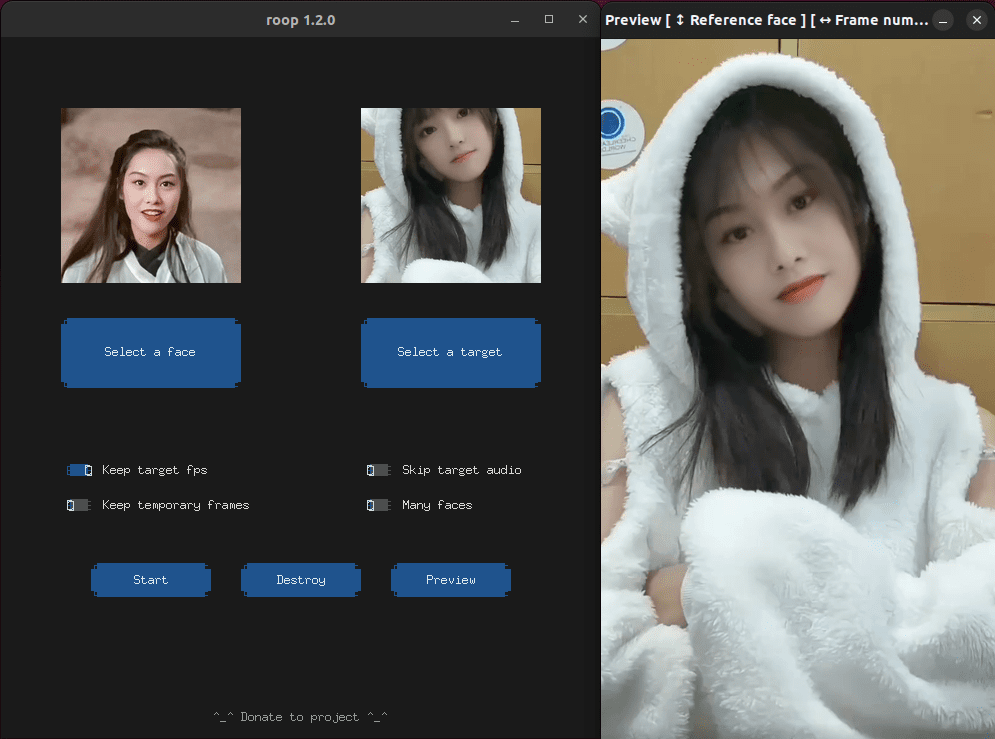
roop: one click face swap. 只用一张人脸图片,就能完成视频换脸。
- 项目地址: https://github.com/s0md3v/roop
- Colab 部署: https://github.com/dream80/roop_colab
本文是本地部署的实践记录。
环境基础
- OS: Ubuntu 22.04.2 LTS
- Kernel: 5.19.0
- CPU: Intel(R) Core(TM) i7-10750H
- GPU: NVIDIA GeForce RTX 2060
- RAM: 16.0 GiB
环境安装
Nvidia 驱动
1# 查看可用驱动信息
2ubuntu-drivers devices
3# 安装 Nvidia 驱动(可选提示 recommended 的)
4sudo apt install nvidia-driver-530
5# 查看 Nvidia 驱动(查看不了,可重登录或重启)
6nvidia-smi
Anaconda
- Anaconda: https://www.anaconda.com/download
1# 安装 Anaconda, 都 yes
2bash Anaconda3-2023.07-1-Linux-x86_64.sh
创建虚拟环境,
1conda create -n roop python=3.10 -y
2conda activate roop
roop 安装
获取代码,
1sudo apt install git -y
2git clone --depth 1 https://github.com/s0md3v/roop.git
安装依赖,
1cd roop
2pip install -r requirements.txt
3
4# 如遇错误,可依提示。例如:
5#  pip install -r requirements.txt --use-pep517
6# 如遇 dependency conflict,可修改依赖版本。例如:
7#  numpy>=1.23.5
8
9# 若配置镜像
10pip config set global.index-url http://mirrors.aliyun.com/pypi/simple
11pip config set install.trusted-host mirrors.aliyun.com
12cat ~/.config/pip/pip.conf
roop 体验
运行,
1cd roop
2python run.py --execution-provider cuda
3
4# 如果报错类似 ONNXRuntimeError CUBLAS_STATUS_ALLOC_FAILED,需减少执行线程
5#  https://github.com/s0md3v/roop/issues/413
6python run.py --execution-provider cuda --execution-threads 1
可见窗口,
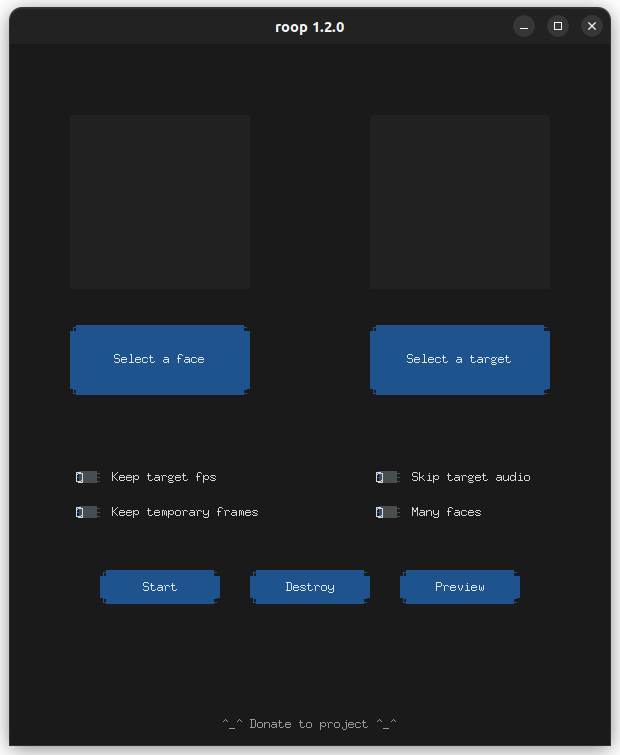
选择一张人脸图片、一个视频,就能完成转换了。
输出信息,
1$ python run.py --execution-provider cuda --execution-threads 1
2Applied providers: ['CUDAExecutionProvider', 'CPUExecutionProvider'], with options: {'CPUExecutionProvider': {}, 'CUDAExecutionProvider': {'device_id': '0', 'gpu_mem_limit': '18446744073709551615', 'gpu_external_alloc': '0', 'gpu_external_free': '0', 'gpu_external_empty_cache': '0', 'cudnn_conv_algo_search': 'EXHAUSTIVE', 'cudnn_conv1d_pad_to_nc1d': '0', 'arena_extend_strategy': 'kNextPowerOfTwo', 'do_copy_in_default_stream': '1', 'enable_cuda_graph': '0', 'cudnn_conv_use_max_workspace': '1', 'tunable_op_enable': '0', 'enable_skip_layer_norm_strict_mode': '0', 'tunable_op_tuning_enable': '0'}}
3# ...
4find model: /home/john/.insightface/models/buffalo_l/w600k_r50.onnx recognition ['None', 3, 112, 112] 127.5 127.5
5set det-size: (640, 640)
6inswapper-shape: [1, 3, 128, 128]
7100%|█████████████████████████████████████████████████████████████████████████████████████████| 336/336 [00:01<00:00, 185.49it/s]
8[ROOP.CORE] Creating temp resources...
9[ROOP.CORE] Extracting frames with 30.0 FPS...
10[ROOP.FACE-SWAPPER] Progressing...
11Processing: 100%|█| 336/336 [01:40<00:00,  3.33frame/s, memory_usage=04.94GB, execution_providers=['CUDAExecutionProvider'], exec
12[ROOP.CORE] Creating video with 30.0 FPS...
13[ROOP.CORE] Restoring audio...
14[ROOP.CORE] Processing to video succeed!
结语
roop 视频换脸,个人感觉效果还不错。
GoCoding 个人实践的经验分享,欢迎关注!