
效果如下 数据来源为uniCloud云数据库 照片来源为网络 代码来源为我的毕业设计
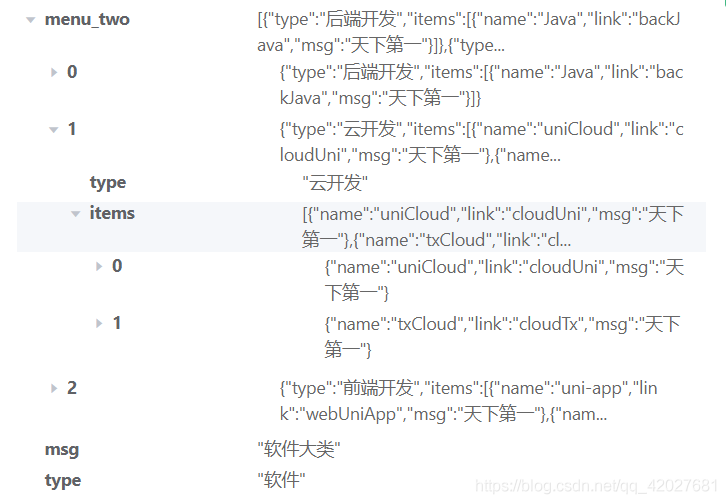
鼠标未放到软件上面之前
放到软件上面后 软件所在卡片 高亮显示 如果背景颜色是灰色 效果更加明显
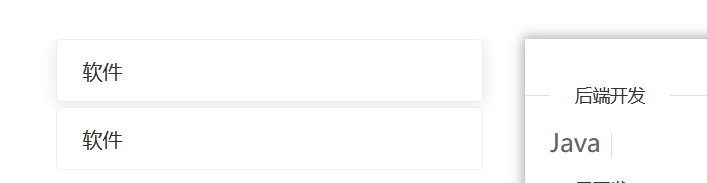
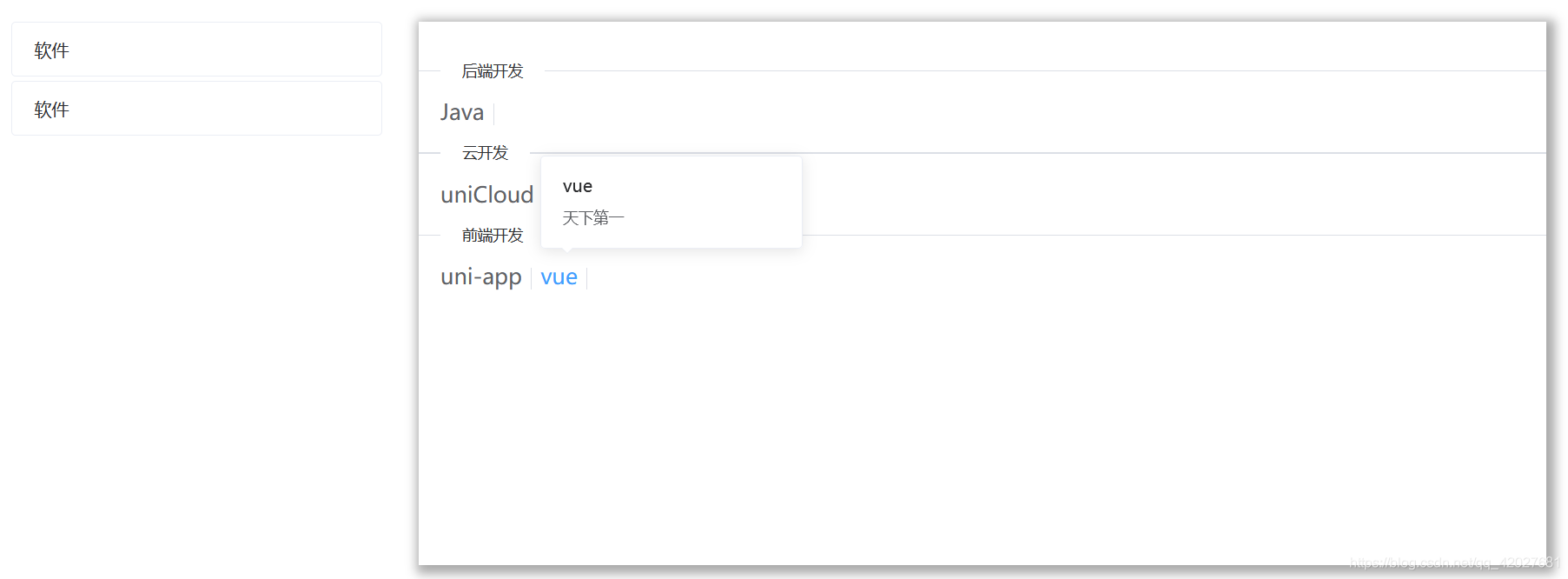

使用element ui的 卡片 走马灯 弹出框 文字链接 分割线
elementui文档地址 https://element.eleme.cn/#/zh-CN/component/installation
这里的
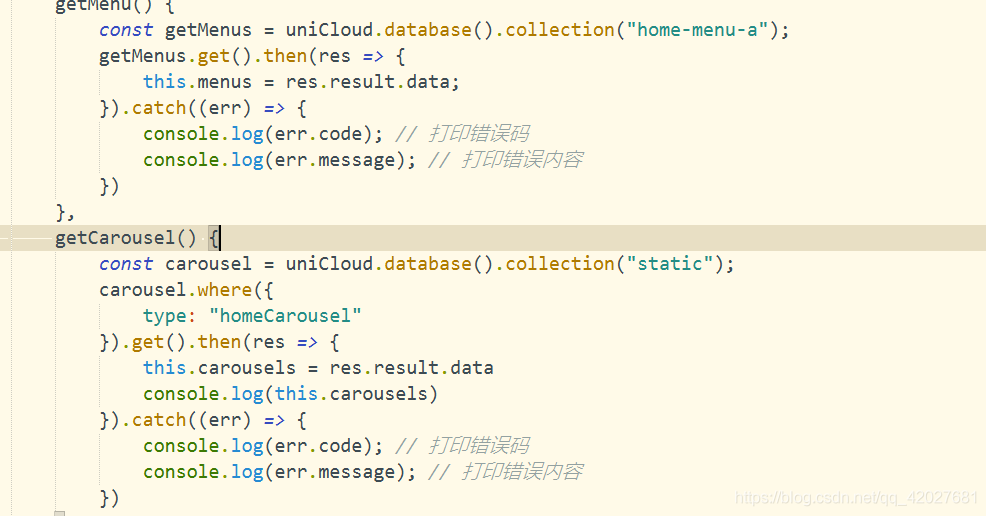 是数据来源 自行更换即可
完整代码如下
1<template> 2 <div> 3 <el-container> 4 <el-aside width="400px" style="position: relative;top: 20px;left: 15px;height: 500px;"> 5 <div style="height: 500px;"> 6 <div v-for="(item,index) in menus" :key="index"> 7 <div style="width: 340px;height: 49px;margin-left: 30px;line-height: 10px;" 8 @mouseover="showMsg(item.menu_two)" @mouseleave="unShow"> 9 <el-card shadow="hover" style="width: 340px;height: 49px;line-height: 10px;"> 10 {{item.type}} 11 </el-card> 12 </div> 13 <div style="margin-top: 5px;"></div> 14 </div> 15 </div> 16 </el-aside> 17 <el-main> 18 <div v-show="isShow" class="show-menu" @mouseover="isShow_o=true" @mouseleave="unShows()"> 19 <span> </span> 20 <div v-for="(item,index) in meunItems" :key="index"> 21 <el-divider content-position="left">{{item.type}}</el-divider> 22 <div style="margin-left: 20px;"> 23 <el-popover v-for="(items,indexs) in item.items" :key="indexs" placement="top-start" 24 :title="items.name" width="200" trigger="hover" :content="items.msg" > 25 <el-link slot="reference" :underline="false" style="font-size: 20px;">{{items.name}} 26 <el-divider v-if="indexs!=item.items.length-1" direction="vertical"></el-divider> 27 </el-link> 28 </el-popover> 29 </div> 30 </div> 31 </div> 32 <el-carousel height="500px" v-show="!isShow"> 33 <el-carousel-item v-for="(item,index) in carousels" :key="index"> 34 <el-image :src="item.url" style="width: 100%;height: 500px;"></el-image> 35 <!-- <h3 class="small">{{ item }}</h3> --> 36 </el-carousel-item> 37 </el-carousel> 38 </el-main> 39 </el-container> 40 </div> 41</template> 42 43<script> 44 export default { 45 name: 'homeMsg', 46 data() { 47 return { 48 carousels: [], 49 isShow: false, 50 menus: [], 51 meunItems: [], 52 isShow_o: false, 53 timer_a: "", 54 timer_b: "" 55 } 56 }, 57 mounted() { 58 this.getMenu() 59 this.getCarousel() 60 }, 61 methods: { 62 showMsg(item) { 63 this.isShow = true; 64 this.meunItems = item 65 clearTimeout(this.timer_a) 66 clearTimeout(this.timer_b) 67 }, 68 unShow() { 69 this.timer_b = setTimeout(() => { 70 if (!this.isShow_o) { 71 this.isShow = false 72 } 73 }, 1000) 74 }, 75 unShows() { 76 this.isShow_o = false; 77 this.timer_a = setTimeout(() => { 78 this.isShow = false 79 }, 1000) 80 }, 81 getMenu() { 82 const getMenus = uniCloud.database().collection("home-menu-a"); 83 getMenus.get().then(res => { 84 this.menus = res.result.data; 85 }).catch((err) => { 86 console.log(err.code); // 打印错误码 87 console.log(err.message); // 打印错误内容 88 }) 89 }, 90 getCarousel() { 91 const carousel = uniCloud.database().collection("static"); 92 carousel.where({ 93 type: "homeCarousel" 94 }).get().then(res => { 95 this.carousels = res.result.data 96 console.log(this.carousels) 97 }).catch((err) => { 98 console.log(err.code); // 打印错误码 99 console.log(err.message); // 打印错误内容 100 }) 101 } 102 } 103 } 104</script> 105 106<style> 107 .el-carousel__item h3 { 108 color: #475669; 109 font-size: 14px; 110 opacity: 0.75; 111 line-height: 150px; 112 margin: 0; 113 } 114 115 .el-carousel__item:nth-child(2n) { 116 background-color: #99a9bf; 117 } 118 119 .el-carousel__item:nth-child(2n+1) { 120 background-color: #d3dce6; 121 } 122 123 .show-menu { 124 width: 100%; 125 height: 500px; 126 background-color: #ffffff; 127 box-shadow: darkgrey 3px 3px 10px 5px; 128 } 129</style> 130 131