
 在 Kubernetes 中,Service 是一种抽象的概念,它定义了每一组 Pod 的逻辑集合和访问方式,并提供一个统一的入口,将请求进行负载分发到后端的各个 Pod 上。Service 默认类型是 ClusterIP,集群内部的应用服务可以相互访问,但集群外部的应用服务无法访问。为此 Kubernetes 提供了 NodePorts,LoadBalancer 和 Ingress 三种外部访问 Kubernetes 集群的方式。
Ingress 是 Kubernetes 中的一个 API 对象(在1.19版本GA),它提供路由规则来管理外部用户对 Kubernetes 集群中服务的访问。Ingress Controller 是 Ingress API 的实际实现,通过和 Kubernetes API 交互,动态的去感知集群中 Ingress 规则变化,将外部流量路由到 Kubernetes 集群,同时提供负载平衡,并负责L4-L7网络服务。
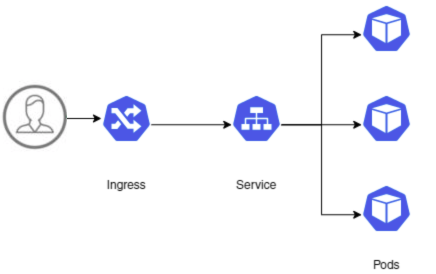
目前社区上的 Ingress Controller 有十几种,如 Nginx Ingress、Kong、Traefik、Istio Ingress、APISIX 等,可根据自己的功能需求选型。
Nginx Ingress
Nginx Ingress 是由 Kubernetes SIGs 小组开发的。顾名思义,它基于 nginx,并补充了一组用于实现额外功能的 Lua 插件。由于 nginx 的普及以及在用作控制器时对其进行的最小改动,对于大部分人来说,它可能是最简单,最直接的选择。
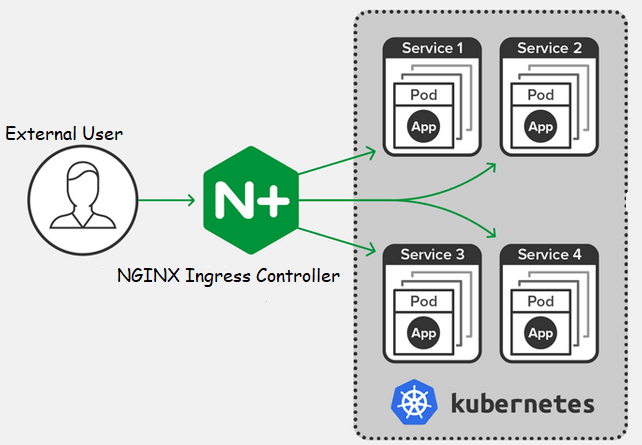
Nginx Ingress 安装非常简单,在裸机上部署的 kubernetes 集群,使用 NodePort
1kubectl apply -f https://raw.githubusercontent.com/kubernetes/ingress-nginx/controller-v0.42.0/deploy/static/provider/baremetal/deploy.yaml
其他环境查看社区文档。
1[root@k8s-test01 ~]# kubectl get po,svc -n ingress-nginx
2NAME                                            READY   STATUS      RESTARTS   AGE
3pod/ingress-nginx-admission-create-xtjfl        0/1     Completed   0          97m
4pod/ingress-nginx-admission-patch-wx2jt         0/1     Completed   0          97m
5pod/ingress-nginx-controller-848bfcb64d-6spj4   1/1     Running     0          97m
6
7NAME                                         TYPE        CLUSTER-IP      EXTERNAL-IP   PORT(S)                 AGE
8service/ingress-nginx-controller             NodePort    10.254.14.4     <none>        80:80/TCP,443:443/TCP   97m
9service/ingress-nginx-controller-admission   ClusterIP   10.254.94.128   <none>        443/TCP                 97m
10[root@k8s-test01 ~]#
创建一个 ingress 示例
1[root@k8s-test01 ~]# cat ingress-nginx-demo.yaml
2---
3apiVersion: networking.k8s.io/v1
4kind: Ingress
5metadata:
6  name: ingress-wildcard-host
7  annotations:
8    kubernetes.io/ingress.class: nginx
9spec:
10  rules:
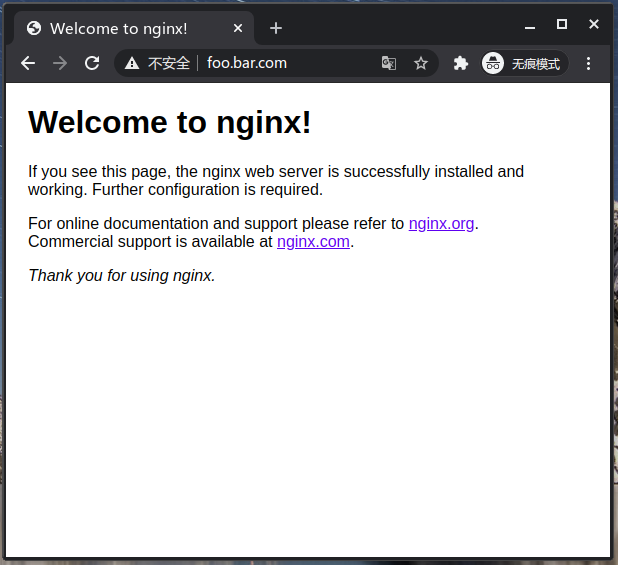
11  - host: "foo.bar.com"
12    http:
13      paths:
14      - pathType: Prefix
15        path: "/"
16        backend:
17          service:
18            name: nginx
19            port:
20              number: 80
21[root@k8s-test01 ~]# kubectl describe ingress ingress-wildcard-host
22Name:             ingress-wildcard-host
23Namespace:        default
24Address:          172.31.9.226
25Default backend:  default-http-backend:80 (<error: endpoints "default-http-backend" not found>)
26Rules:
27  Host         Path  Backends
28  ----         ----  --------
29  foo.bar.com
30               /   nginx:80 (192.168.47.155:80)
31Annotations:   kubernetes.io/ingress.class: nginx
32Events:
33  Type    Reason  Age                  From                      Message
34  ----    ------  ----                 ----                      -------
35  Normal  Sync    103s (x2 over 111s)  nginx-ingress-controller  Scheduled for sync
36[root@k8s-test01 ~]# kubectl get po -o wide | grep nginx
37nginx-546585459c-zxfmh   1/1     Running     0          94m   192.168.47.155   k8s-test02   <none>           <none>
38[root@k8s-test01 ~]#
- NGINX Ingress Controller 提供了有三种方式配置 NGINX :
- ConfigMap:使用 ConfigMap 在 NGINX 中设置全局配置。
- Annotations:在特定 Ingress 规则的特定配置。
- Custom template:当需要更具体的设置(如打开文件缓存)时,可以使用自定义 nginx 模板。
配置 SSL
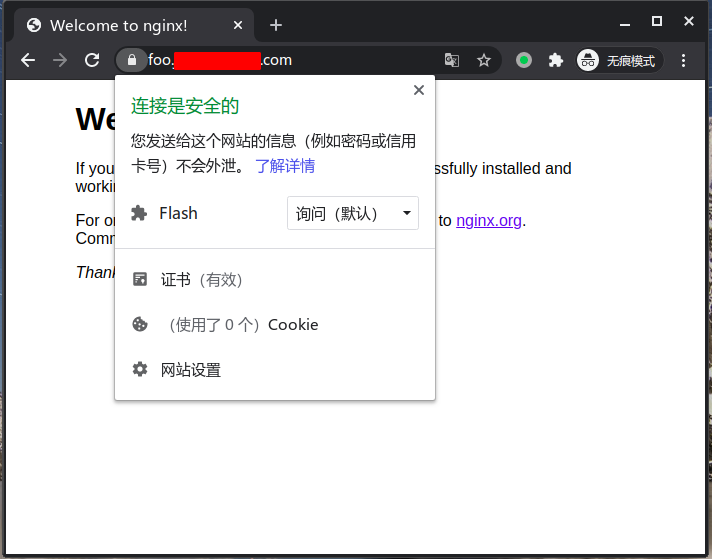
通过 Annotations 来配置某一个 ingress 使用 SSL。
创建secret
1kubectl create secret tls ingress-cert --key=fullchain.com.key --cert=fullchain.cer
创建Ingress
1[root@k8s-test01 cert]# cat ingress-nginx-demo.yaml
2---
3apiVersion: networking.k8s.io/v1
4kind: Ingress
5metadata:
6  name: ingress-wildcard-host
7  annotations:
8    kubernetes.io/ingress.class: nginx
9    ingress.kubernetes.io/force-ssl-redirect: "true"
10    kubernetes.io/tls-acme: "true"
11spec:
12  rules:
13  - host: "foo.xxx.com"
14    http:
15      paths:
16      - pathType: Prefix
17        path: "/"
18        backend:
19          service:
20            name: nginx
21            port:
22              number: 80
23  tls:
24   - secretName: ingress-cert
25[root@k8s-test01 cert]# kubectl create -f  ingress-nginx-demo.yaml
26ingress.networking.k8s.io/ingress-wildcard-host created
27
配置ModSecurity防火墙与OWASP规则
ModSecurity是一个免费、开源的 Apache 模块,用于入侵探测与拦截,目前已经支持 Nginx,可以充当 Web 应用防火墙(WAF),旨在增强 Web 应用程序的安全性和避免遭受来自已知与未知的攻击。而 OWASP 是安全社区开发和维护的一套免费的应用程序保护规则,是 MoodSecurity 的核心规则集。Nginx-ingress 集成了 ModSecurity 模块和 OWASP 规则,默认没有开启。
测试简单 XSS 攻击,没开启 Modsecurity 之前:
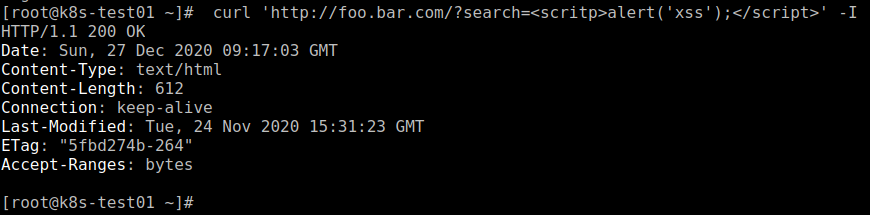
状态200,没有拦截。
开启 Modsecurity 模块
1[root@k8s-test01 ~]# cat ingress-nginx-demo.yaml
2---
3apiVersion: networking.k8s.io/v1
4kind: Ingress
5metadata:
6  name: ingress-wildcard-host
7  annotations:
8    kubernetes.io/ingress.class: nginx
9    nginx.ingress.kubernetes.io/enable-modsecurity: "true"
10    nginx.ingress.kubernetes.io/enable-owasp-modsecurity-crs: "true"
11    nginx.ingress.kubernetes.io/modsecurity-snippet: |
12      SecRuleEngine On
13      SecRequestBodyAccess On
14      SecAuditEngine RelevantOnly
15      SecAuditLogParts ABIJDEFHZ
16      SecAuditLog /var/log/nginx/modsec_audit.log
17      Include /etc/nginx/owasp-modsecurity-crs/nginx-modsecurity.conf
18spec:
19  rules:
20  - host: "foo.bar.com"
21    http:
22      paths:
23      - pathType: Prefix
24        path: "/"
25        backend:
26          service:
27            name: nginx
28            port:
29              number: 80
30[root@k8s-test01 ~]#
再进行 XSS 攻击测试

状态403,已拦截。
查看 Nginx 拦截日志
12020/12/27 09:37:56 [error] 3001#3001: *213189 [client 47.242.91.20] ModSecurity: Access denied with code 403 (phase 2). Matched "Operator `Ge' with parameter `5' against variable `TX:ANOMALY_SCORE' (Value: `5' ) [file "/etc/nginx/owasp-modsecurity-crs/rules/REQUEST-949-BLOCKING-EVALUATION.conf"] [line "80"] [id "949110"] [rev ""] [msg "Inbound Anomaly Score Exceeded (Total Score: 5)"] [data ""] [severity "2"] [ver "OWASP_CRS/3.3.0"] [maturity "0"] [accuracy "0"] [tag "application-multi"] [tag "language-multi"] [tag "platform-multi"] [tag "attack-generic"] [hostname "192.168.123.79"] [uri "/"] [unique_id "160906187674.566940"] [ref ""], client: 47.242.91.20, server: foo.bar.com, request: "HEAD /?search=<scritp>alert(xss);</script> HTTP/1.1", host: "foo.bar.com"
获取客户端真实IP
Nginx Ingress 部署使用 nodePort 模式, 在讲获取客户端真实 IP 之前,我们大概了解下 nodePort 模式的链路。从 Kubernetes 1.5 开始,NodePort 类型的 Services 的数据包默认进行源地址 NAT。
假设某一个 Pod 运行在 node1 节点,客户端访问 node2:nodeport,过程如下:
1            client
2             \ ^
3              \ \
4               v \
5   node 1 <--- node 2
6    | ^   SNAT
7    | |   --->
8    v |
9 endpoint
1、客户端发送数据包到 node2:nodePort 2、node2 使用它自己的 IP 地址替换数据包的源 IP 地址(SNAT) 3、node2 使用 pod IP 地址替换数据包的目的 IP 地址 4、数据包被路由到 node1,然后交给 endpoint 5、Pod 的回复被路由回 node2 6、Pod 的回复被发送回给客户端
所以 nodePort 模式下源地址被转换了(SNAT),服务端获取的并不是正确的客户端 IP,它们是集群的内部 IP。为什么会这样呢?原因是为了支持从任一节点IP+NodePort 都可以访问应用,而不得不做的 SNAT。
当然,Kubernetes 也提供了一个特性来保留客户端的源 IP 地址,通过设置 externalTrafficPolicy 的值为 Local,请求就只会被代理到本地 endpoints 而不会被转发到其它节点。这样就保留了最初的源 IP 地址。
1---
2# Source: ingress-nginx/templates/controller-service.yaml
3apiVersion: v1
4kind: Service
5metadata:
6  annotations:
7  labels:
8    helm.sh/chart: ingress-nginx-3.17.0
9    app.kubernetes.io/name: ingress-nginx
10    app.kubernetes.io/instance: ingress-nginx
11    app.kubernetes.io/version: 0.42.0
12    app.kubernetes.io/managed-by: Helm
13    app.kubernetes.io/component: controller
14  name: ingress-nginx-controller
15  namespace: ingress-nginx
16spec:
17  externalTrafficPolicy: Local
18  type: NodePort
19  ports:
20    - name: http
21      port: 80
22      protocol: TCP
23      targetPort: http
24      nodePort: 80
25    - name: https
26      port: 443
27      protocol: TCP
28      targetPort: https
29      nodePort: 443
30  selector:
31    app.kubernetes.io/name: ingress-nginx
32    app.kubernetes.io/instance: ingress-nginx
33    app.kubernetes.io/component: controller
但是,如果没有本地 endpoints,发送到这个节点的数据包将会被丢弃。即请求 node2:nodePort , 但 node2 上没有运行 Pod , 故本地没有 endpoints ,所以请 node2:nodePort 是失败的,node1:nodePort 正常。
1          client
2       ^ /   \
3      / /     \
4     / v       X
5   node 1     node 2
6    ^ |
7    | |
8    | v
9 endpoint
所以 Nginx Ingress如需获取客户端真实 IP 需要设置 externalTrafficPolicy 或设置容器网络使用主机模式 hostNetwork: true ,然后 daemonset 部署,或通过亲和性把 Pod 固定在某些节点,客户端访问 Pod 所在的节点,源 IP 地址便不会 SNAT。
Nginx Ingress 获取客户端真实 IP 的配置如下:
1---
2# Source: ingress-nginx/templates/controller-configmap.yaml
3apiVersion: v1
4kind: ConfigMap
5metadata:
6  labels:
7    helm.sh/chart: ingress-nginx-3.17.0
8    app.kubernetes.io/name: ingress-nginx
9    app.kubernetes.io/instance: ingress-nginx
10    app.kubernetes.io/version: 0.42.0
11    app.kubernetes.io/managed-by: Helm
12    app.kubernetes.io/component: controller
13  name: ingress-nginx-controller
14  namespace: ingress-nginx
15data:
16  server-tokens: "false"
17  forwarded-for-header: "X-Forwarded-For"
18  use-forwarded-headers: "true"
19  compute-full-forwarded-for: "true"
还可以通过http-snippet 获取 客户端真实 IP
1data:
2  server-tokens: "false"
3  http-snippet: |
4    real_ip_header X-Forwarded-For;
5    set_real_ip_from 0.0.0.0/0;
通过日志可以看到已经获取到真实的IP

当 Nginx Ingress 在转发请求时会通过 X-Forwarded-For 和 X-Real-IP 字段来记录客户端源 IP,后端可以通过此字段获得客户端真实源 IP,可以写一个简单的程序来验证下
1package main
2
3import (
4    "log"
5    "net"
6    "net/http"
7    "strings"
8)
9
10func myHandle(w http.ResponseWriter, r *http.Request) {
11    _, _ = w.Write([]byte(remoteIP(r)))
12}
13
14func main() {
15
16    serveMux := http.NewServeMux()
17    serveMux.HandleFunc("/", myHandle)
18
19    err := http.ListenAndServe("0.0.0.0:80", serveMux)
20    if err != nil {
21        log.Printf("http.ListenAndServe():%v\n", err)
22        return
23    }
24}
25func remoteIP(r *http.Request) string {
26    ip := r.Header.Get("X-Original-Forwarded-For")
27    log.Printf("X-Original-Forwarded-For : %s", r.Header.Get("X-Original-Forwarded-For"))
28    if ip != "" {
29        return ip
30    }
31
32    ip = r.Header.Get("X-Forwarded-For")
33    log.Printf("X-Forwarded-For: %s", r.Header.Get("X-Forwarded-For"))
34    if ip != "" {
35        return ip
36    }
37
38    ip = r.Header.Get("X-Real-Ip")
39    log.Printf("X-Real-Ip : %s", r.Header.Get("X-Real-Ip"))
40    if ip != "" {
41        return ip
42    }
43
44    if ip, _, err := net.SplitHostPort(strings.TrimSpace(r.RemoteAddr)); err == nil {
45        return ip
46    }
47
48    return ""
49}
程序运行日志
1[root@k8s-test01 ~]# kubectl cp app nginx-d8d5f47c9-n9bnm:/
2[root@k8s-test01 ~]# kubectl exec -it nginx-d8d5f47c9-n9bnm -- bash
3root@nginx-d8d5f47c9-n9bnm:/# ./app
42020/12/27 10:40:57 X-Original-Forwarded-For :
52020/12/27 10:40:57 X-Forwarded-For: 47.112.119.36
路由配置
通过 iris 框架写一个简单的测试程序
1func NewAPP() *iris.Application {
2    // 创建app结构体对象
3    app := iris.New()
4    // 配置字符编码
5    app.Configure(iris.WithConfiguration(iris.Configuration{
6        Charset: "UTF-8",
7    }))
8
9    // 配置日志
10    customLogger := logger.New(logger.Config{
11        //状态显示状态代码
12        Status: true,
13        // IP显示请求的远程地址
14        IP: true,
15        //显示http方法
16        Method: true,
17        // Path显示请求路径
18        Path: true,
19        // Query将url查询附加到Path。
20        Query: true,
21        //Columns:true,
22        // 如果不为空然后它的内容来自`ctx.Values(),Get("logger_message")
23        //将添加到日志中。
24        MessageContextKeys: []string{"logger_message"},
25        //如果不为空然后它的内容来自`ctx.GetHeader(“User-Agent”)
26        MessageHeaderKeys: []string{"User-Agent"},
27    })
28    // 捕获所有http错误:
29    app.OnAnyErrorCode(customLogger, func(ctx iris.Context) {
30        switch ctx.GetStatusCode() {
31        case 404:
32            ctx.Values().Set("logger_message", "a dynamic message passed to the logs")
33            ctx.Writef("My Custom 404 error page")
34        default:
35            ctx.Values().Set("logger_message", "a dynamic message passed to the logs")
36            ctx.Writef("%v unknown error page", ctx.GetStatusCode())
37        }
38    })
39    app.Use(customLogger)
40
41    // favicons
42    app.Favicon("./static/favicons/favicon.ico")
43
44    // static
45    app.HandleDir("/", "static")
46
47    return app
48}
入口程序
1func main() {
2    app := config.NewAPP()
3    resAPI := app.Party("/api/v1")
4    resAPI.Get("/namespaces",handle.GetNameSpace)
5    resAPI.Get("/ip",handle.GetIP)
6    resAPI.Get("/hostname",handle.GetHostname)
7    app.Run(iris.Addr("0.0.0.0:8080"), iris.WithoutServerError(iris.ErrServerClosed), iris.WithOptimizations)
8}
创建Ingress
1---
2apiVersion: networking.k8s.io/v1
3kind: Ingress
4metadata:
5  name: demo
6  annotations:
7    kubernetes.io/ingress.class: nginx
8    nginx.ingress.kubernetes.io/enable-modsecurity: "true"
9    nginx.ingress.kubernetes.io/enable-owasp-modsecurity-crs: "true"
10    nginx.ingress.kubernetes.io/modsecurity-snippet: |
11      SecRuleEngine On
12      SecRequestBodyAccess On
13      SecAuditEngine RelevantOnly
14      SecAuditLogParts ABIJDEFHZ
15      SecAuditLog /var/log/nginx/modsec_audit.log
16      Include /etc/nginx/owasp-modsecurity-crs/nginx-modsecurity.conf
17spec:
18  rules:
19  - host: "demo.bar.com"
20    http:
21      paths:
22      - pathType: Prefix
23        path: "/api/v1"
24        backend:
25          service:
26            name: demo
27            port:
28              number: 8080
29      - pathType: Prefix
30        path: "/"
31        backend:
32          service:
33            name: demo
34            port:
35              number: 8080
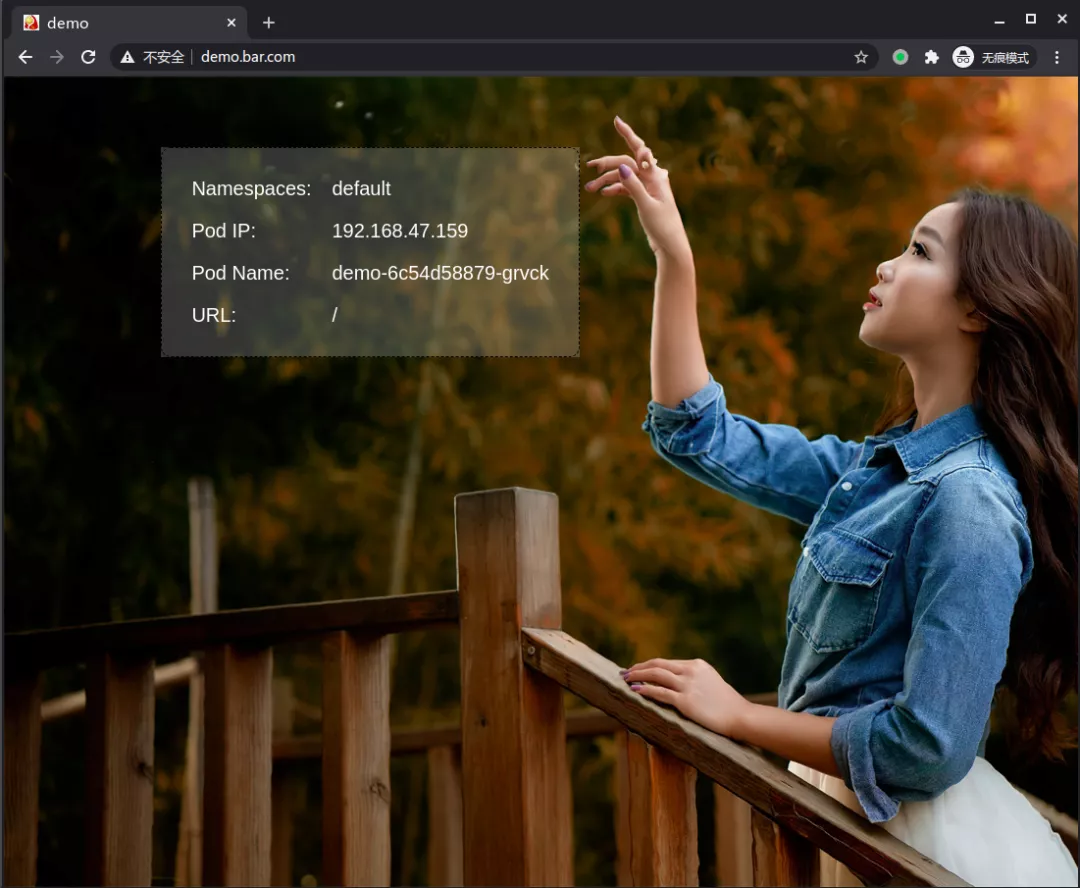
静态资源加一级路由测试,重写路径
1---
2apiVersion: networking.k8s.io/v1
3kind: Ingress
4metadata:
5  name: demo
6  annotations:
7    kubernetes.io/ingress.class: nginx
8    nginx.ingress.kubernetes.io/enable-modsecurity: "true"
9    nginx.ingress.kubernetes.io/enable-owasp-modsecurity-crs: "true"
10    nginx.ingress.kubernetes.io/modsecurity-snippet: |
11      SecRuleEngine On
12      SecRequestBodyAccess On
13      SecAuditEngine RelevantOnly
14      SecAuditLogParts ABIJDEFHZ
15      SecAuditLog /var/log/nginx/modsec_audit.log
16      Include /etc/nginx/owasp-modsecurity-crs/nginx-modsecurity.conf
17    nginx.ingress.kubernetes.io/app-root: /test/
18    nginx.ingress.kubernetes.io/rewrite-target: /$2
19    nginx.ingress.kubernetes.io/configuration-snippet: |
20      rewrite ^/css/(.*)$ /test/css/$1 redirect;
21      rewrite ^/js/(.*)$ /test/js/$1 redirect;
22      rewrite ^/img/(.*)$ /test/img/$1 redirect;
23spec:
24  rules:
25  - host: "demo.bar.com"
26    http:
27      paths:
28      - pathType: Prefix
29        path: "/api/v1"
30        backend:
31          service:
32            name: demo
33            port:
34              number: 8080
35      - pathType: Prefix
36        path: "/test(/|$)(.*)"
37        backend:
38          service:
39            name: demo
40            port:
41              number: 8080
显示正常。(这里的前端样式文件用的是相对路径)
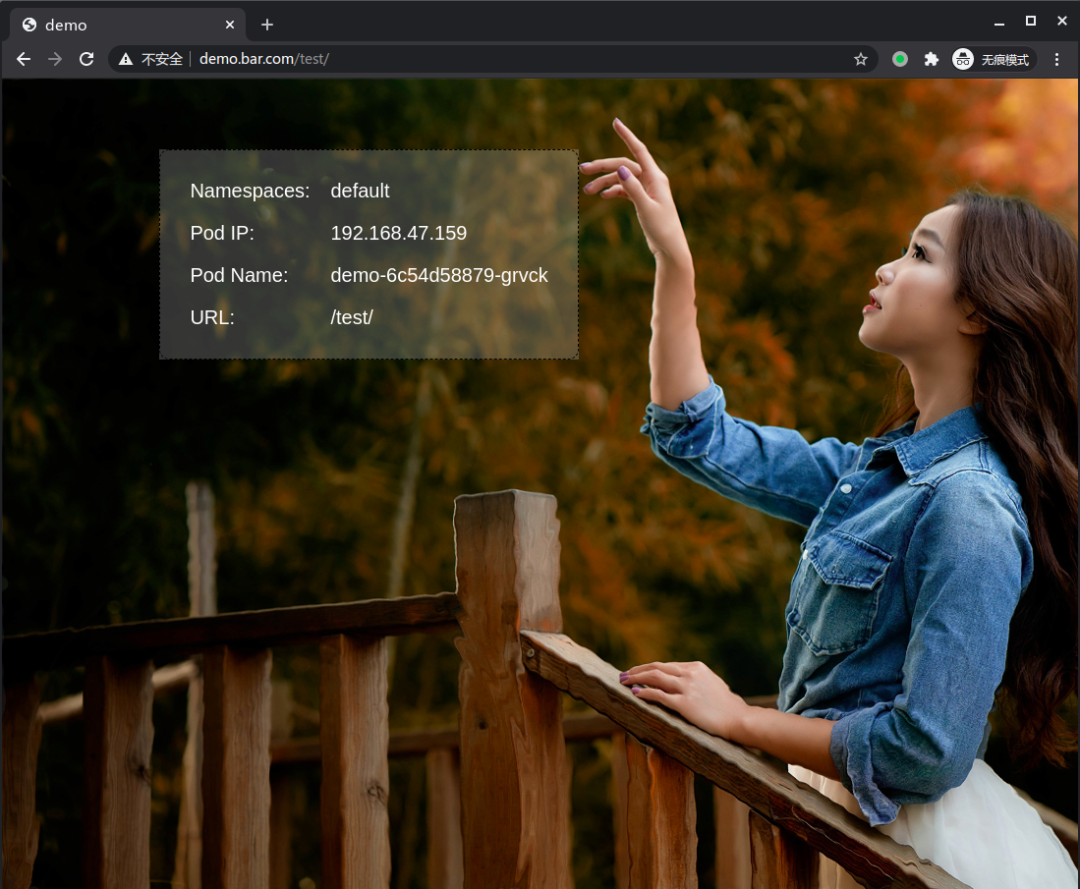
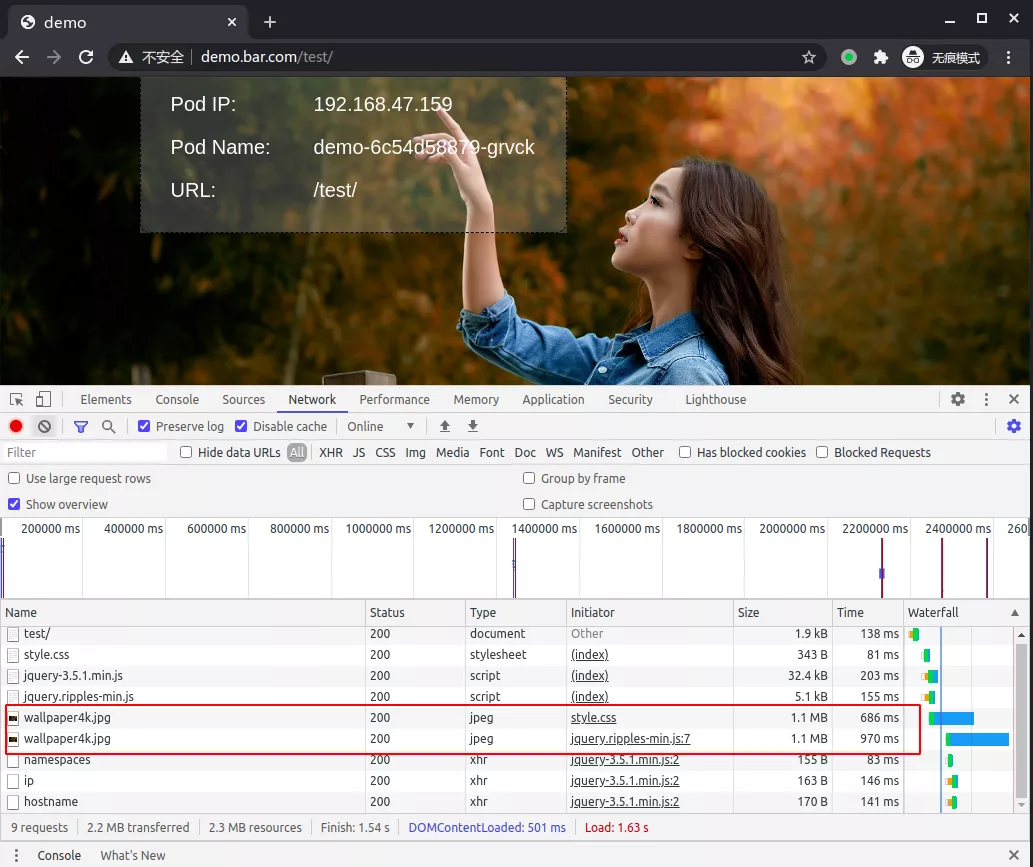
开启压缩
开启压缩前
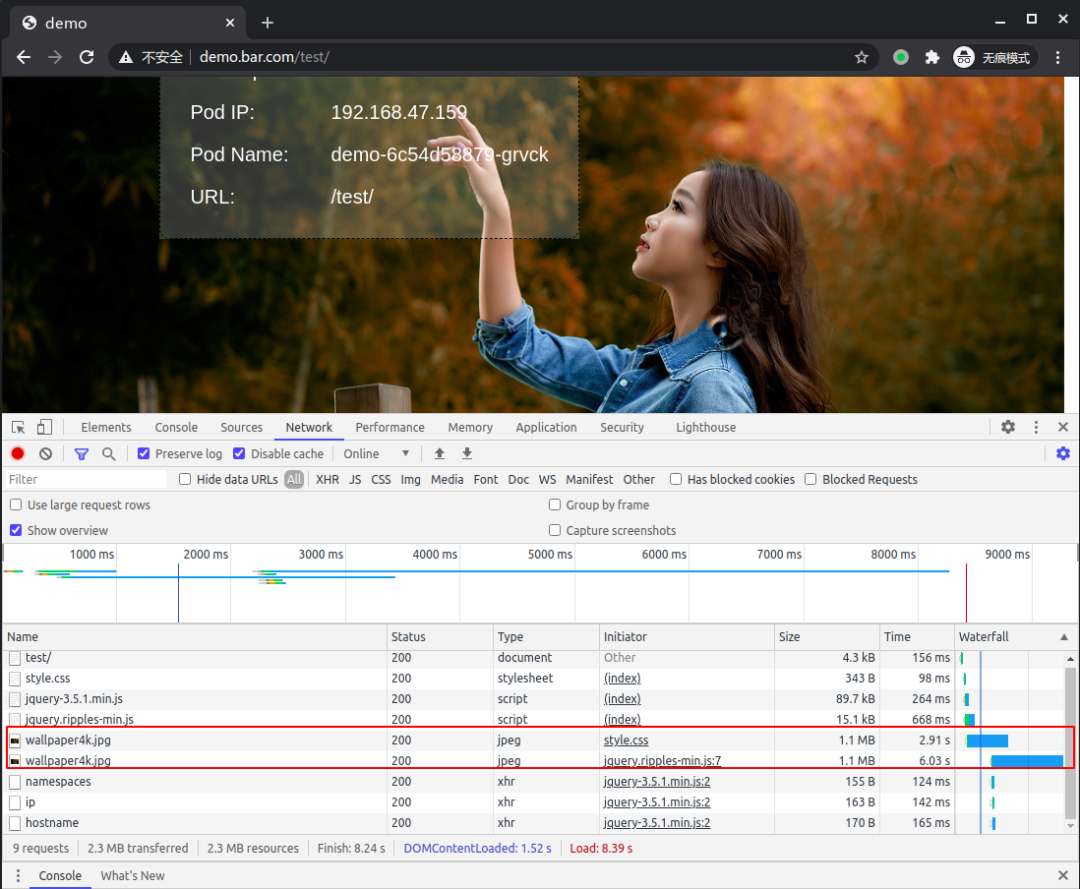
开启压缩
1    nginx.ingress.kubernetes.io/server-snippet: |
2        gzip on;
3        gzip_disable "MSIE [1-6]\.";
4        gzip_vary on;
5        gzip_proxied any;
6        gzip_comp_level 5;
7        gzip_min_length 512;
8        gzip_buffers 16 128k;
9        gzip_http_version 1.1;
10        gzip_types
11            application/json
12            application/javascript
13            application/xml
14            application/x-javascript
15            application/vnd.api+json
16            application/json
17            application/x-font-ttf
18            text/javascrip
19            text/css
20            text/plain
21            image/jpeg
22            image/png
23            image/jpg
24            image/svg+xml
25            image/x-icon;
其他
Nginx Ingress 的配置参数与 Nginx 相差无几,更多配置请参考官方文档:
https://kubernetes.github.io/ingress-nginx/user-guide/nginx-configuration/configmap/
感兴趣的读者可以关注下微信号