
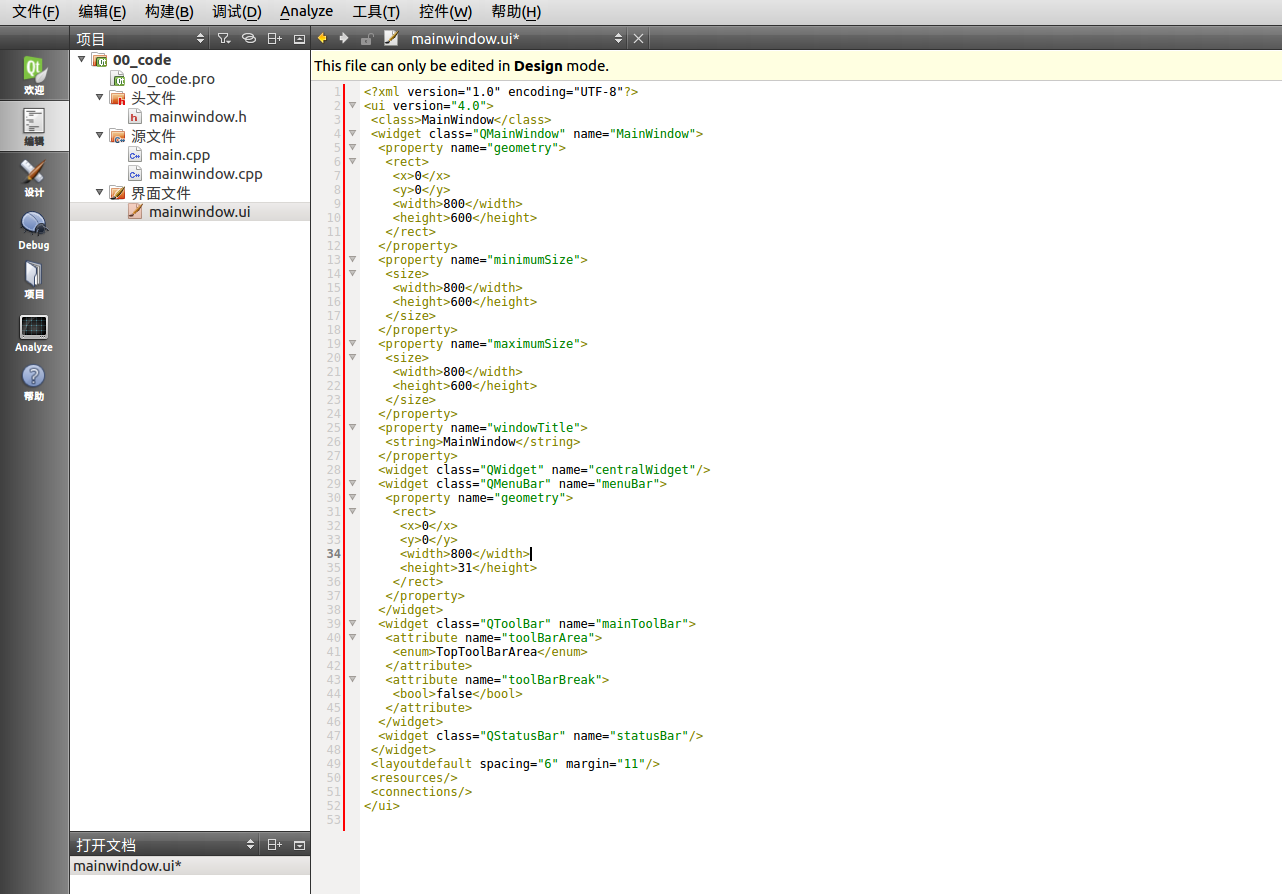
1、创建一个qmainwindow项目
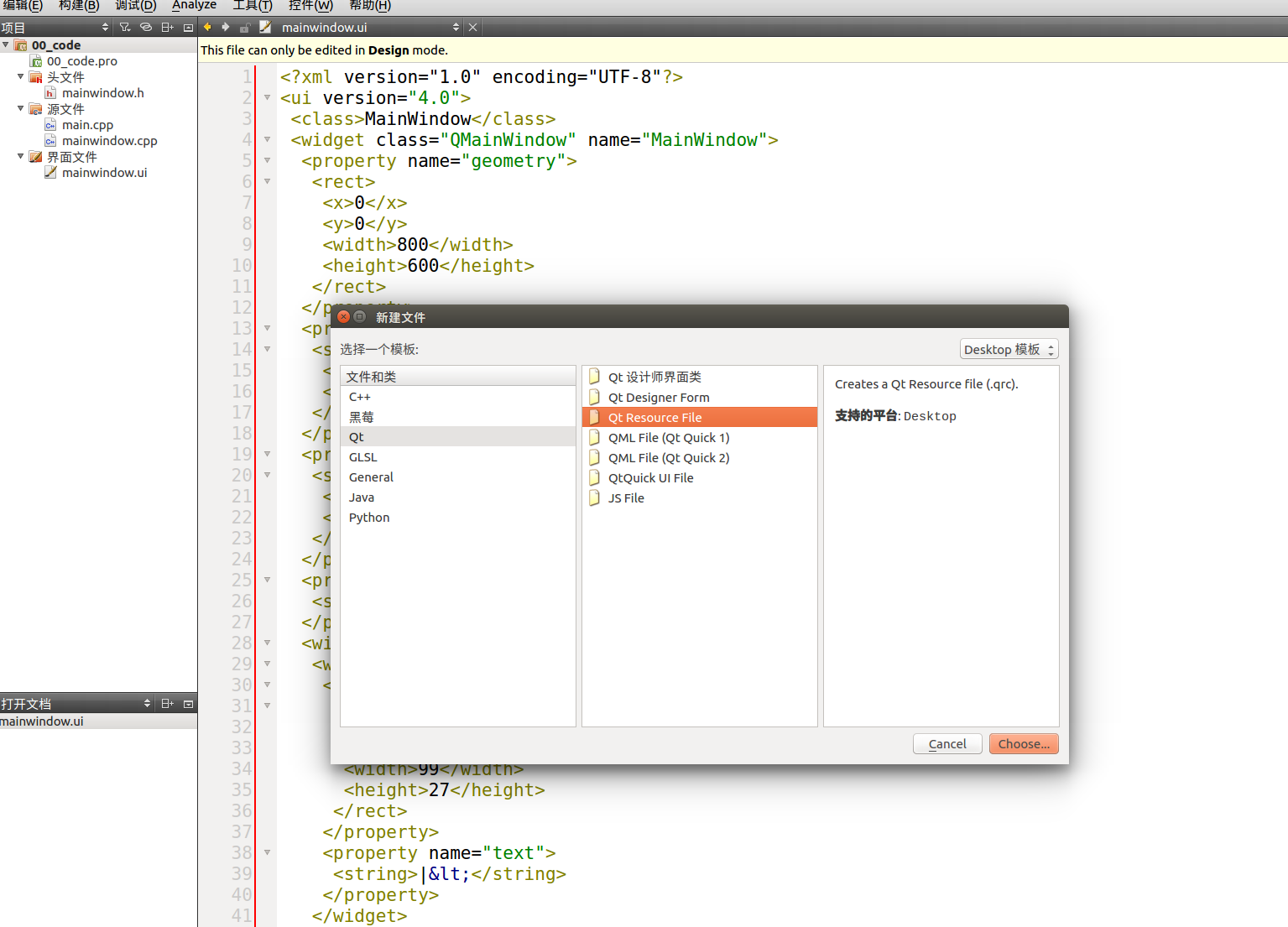
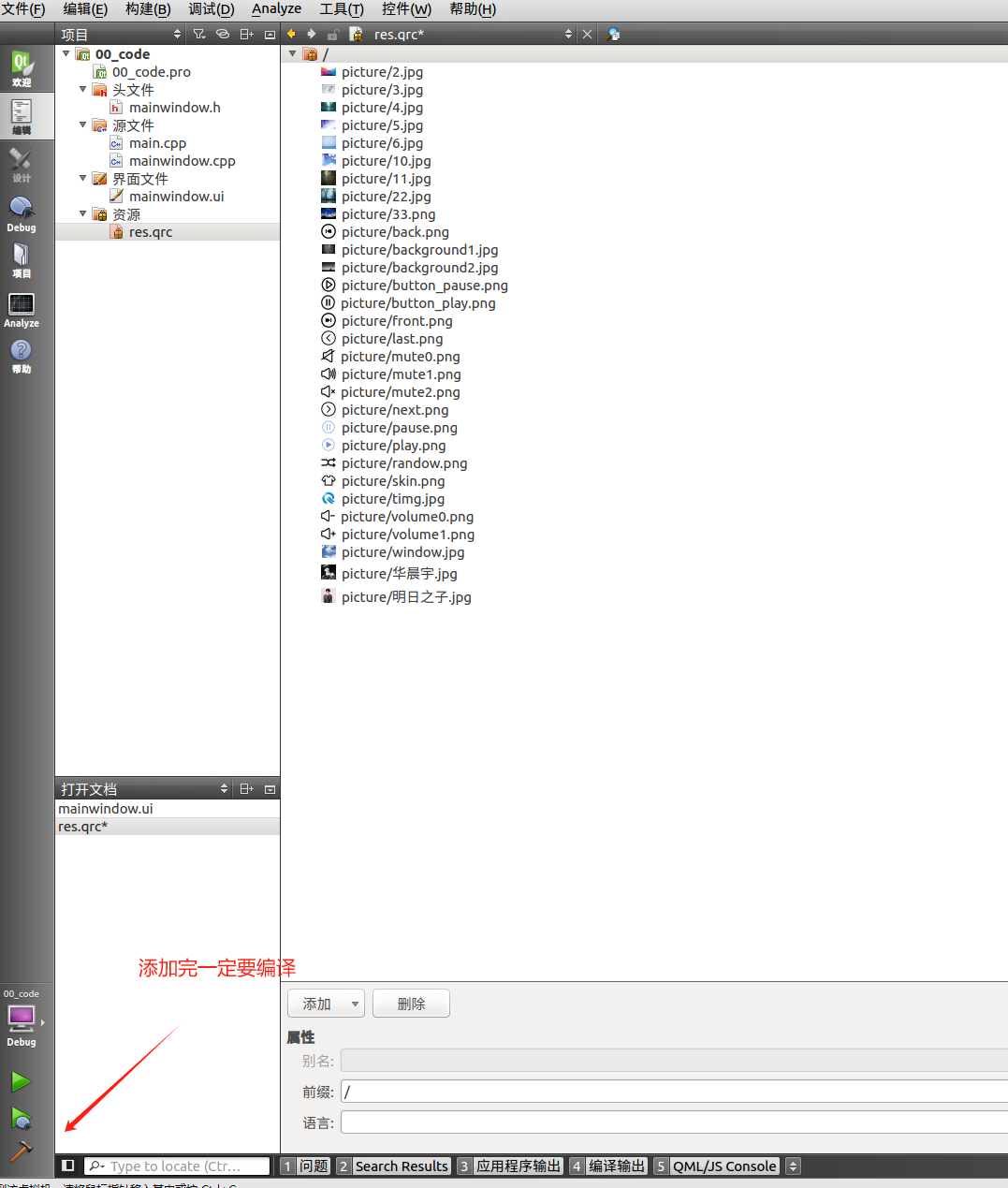
2、导入素材包


3、实现ui界面


 设置按钮的宽高
4、实现打开文件
1void MainWindow::readSongFlies(bool)
2{
3    files.clear(); // 先清空原有链表
4    songList->clear(); // 先清空原有链表
5    files = QFileDialog::getOpenFileNames(
6                            this,
7                            "选择文件",
8                            "/home",
9                            "Audio Files (*.wav *.mp3 *.ogg *.flac)");
10
11    // 添加新数据
12    for(int i=0;i<files.size();i++)
13    {
14        QString songfile = files.at(i); // 处理文件路径
15        QStringList songfileSplite = songfile.split("/");
16        QString name = songfileSplite.at(songfileSplite.size()-1);
17        songList->appendRow(new QStandardItem(name));
18    }
19    ui->songList->setModel(songList);
20}

5、双击歌曲名获取歌词并播放
5.1添加设计师类继承qwidget


5.2监听双击鼠标事件
1#include "mylistview.h"
2#include "ui_mylistview.h"
3#include<QDebug>
4MyListView::MyListView(QWidget *parent) :
5    QWidget(parent),
6    ui(new Ui::MyListView)
7{
8    ui->setupUi(this);
9    // 设置不可编译
10    ui->listView->setEditTriggers(QAbstractItemView::NoEditTriggers);
11    // 连接QListView的双击信号到槽函数
12    connect(ui->listView, &QListView::doubleClicked, this, &MyListView::getIndexData);
13}
14
15MyListView::~MyListView()
16{
17    delete ui;
18}
19
20void MyListView::setSongList(QStandardItemModel *&songList)
21{
22    ui->listView->setModel(songList);
23}
24
25void MyListView::getIndexData(const QModelIndex &index)
26{
27    // 获取当前双击的项目数据
28    QString songName = index.data().toString();
29    // 处理获取到的当前内容
30    emit selectSongName(songName);
31}
阶段效果


6、实现歌词展示
6.1读取歌词
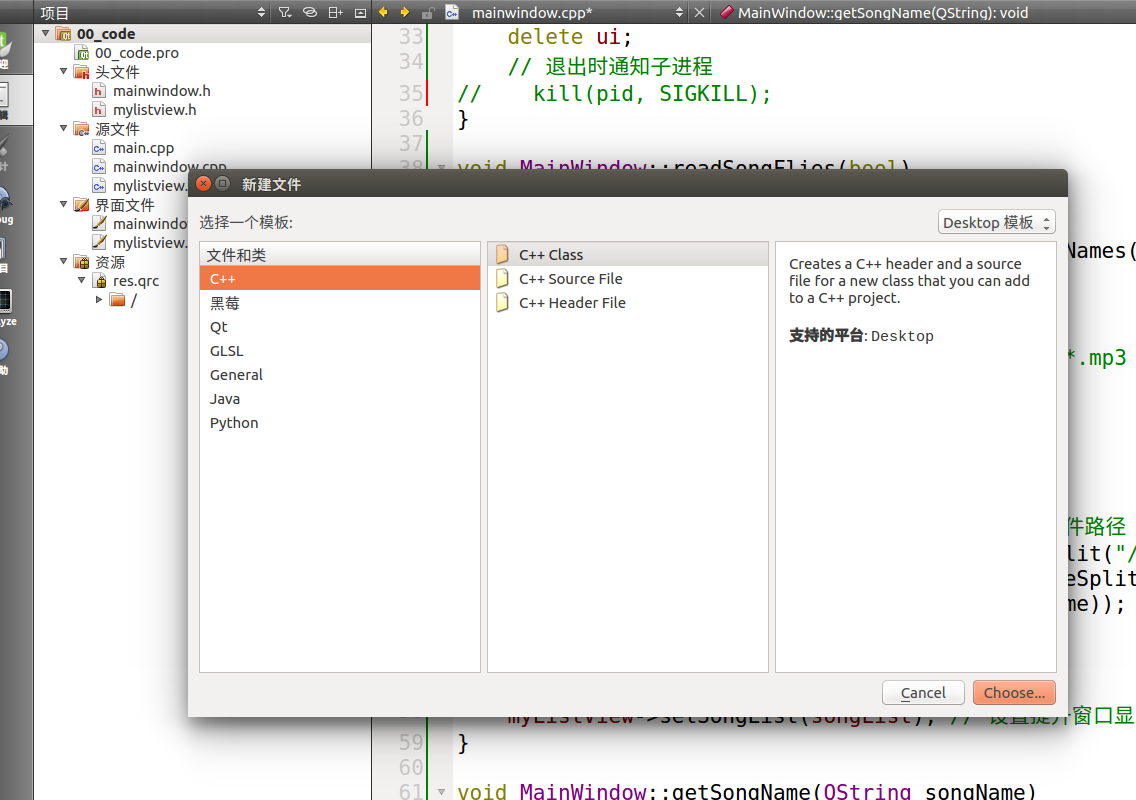
添加一个c++类处理歌词文件解析,返回对象
6.2解析歌曲头信息

1int MyLrcHandle::getLrcHead(QString data)
2{
3    // 切割歌词
4    QStringList lrcData = data.split("\n");
5
6    int i=0;
7    for(;i<lrcData.size();i++) // 歌曲头部信息
8    {
9        char key[10] = "";
10        char value[128] = "";
11        sscanf(lrcData.at(i).toStdString().c_str(), "[%[^:]:%[^]]",key, value);
12        if (strcmp(key, "ti") == 0) // 歌名
13        {
14            lrcdata->ti = value;
15        }
16        else if (strcmp(key, "ar") == 0) // 歌手
17        {
18            lrcdata->ar = value;
19        }
20        else if (strcmp(key, "al") == 0) // 专辑
21        {
22            lrcdata->al = value;
23        }
24        else if (strcmp(key, "by") == 0) // 制作
25        {
26            lrcdata->by = value;
27        }
28        else if (strcmp(key, "offset") == 0) // 延时
29        {
30            continue;
31        }
32        else if (isdigit(key[0])) // 识别到数字
33        {
34            break;
35        }
36        else
37        {
38            continue;
39        }
40    }
41    // 歌词信息
42    return 0;
43}
6.3展示歌词
1void MyLrcHandle::analyzeLrc(QString data)
2{
3    // 切割歌词
4    QStringList lrcData = data.split("\n");
5    int i=0;
6    for(;i<lrcData.size();i++)
7    {
8        char key[10] = "";
9        char value[128] = "";
10        sscanf(lrcData.at(i).toStdString().c_str(), "[%[^:]:%[^]]",key, value);
11        if (strcmp(key, "ti") == 0) // 歌名
12        {
13            lrcdata->ti = value;
14        }
15        else if (strcmp(key, "ar") == 0) // 歌手
16        {
17            lrcdata->ar = value;
18        }
19        else if (strcmp(key, "al") == 0) // 专辑
20        {
21            lrcdata->al = value;
22        }
23        else if (strcmp(key, "by") == 0) // 制作
24        {
25            lrcdata->by = value;
26        }
27        else if (strcmp(key, "offset") == 0) // 延时
28        {
29            continue;
30        }
31        else if (isdigit(key[0])) // 识别到数字
32        {
33            break;
34        }
35        else
36        {
37            continue;
38        }
39    }
40    // 歌词信息
41    for(;i<lrcData.size();i++)
42    {
43        QString str = lrcData.at(i);
44        if(str.isEmpty() || str.size()< 10) // 处理空行
45        {
46            continue;
47        }
48        // [03:34.64][02:34.71][01:05.83]我想就这样牵着你的手不放开(使用splite更方便)
49        char *tmp = const_cast<char*>(str.toUtf8().constData());
50        char *lrc = tmp;
51        while(*lrc == '[') // 如果第一个字符是 [ 跳过固定长度的字符
52            lrc += 10;
53        while(*tmp == '[') // 获取时间
54        {
55            int min=0,sec=0;
56            sscanf(tmp, "[%d:%d", &min, &sec);
57            // 存入qmap中qmap以秒数为key,歌词为value
58            lrcdata->lrc->push_back(MyLrc(min * 60 + sec, lrc));
59            tmp+=10;
60        }
61    }
62    // 对歌词排序
63    lrcdata->lrc->sort(CompareLrc());
64}
处理歌词最开始和结束的情况
1std::list<MyLrc>::iterator MainWindow::findPointFirst()
2{
3    std::list<MyLrc>::iterator tmpBegin = mLrc->getLrc()->begin();
4    std::list<MyLrc>::iterator tmpBegin2 = std::next(tmpBegin);
5    std::list<MyLrc>::iterator tmpEnd = mLrc->getLrc()->end();
6    std::list<MyLrc>::iterator tmpEnd2 = std::prev(tmpEnd); // 最后一行
7    std::list<MyLrc>::iterator tmpEnd3 = std::prev(tmpEnd2); // 倒数第二行
8
9    std::list<MyLrc>::iterator currentLrcPrev2 = std::prev(currentLrc);
10    std::list<MyLrc>::iterator currentLrcPrev3 = std::prev(currentLrcPrev2);
11
12    if(currentLrc == tmpBegin) // 如果是一行歌词
13        return tmpBegin;
14    else if(currentLrc == tmpBegin2) // 当前是第二行歌词
15        return tmpBegin;
16    else if(currentLrc == tmpEnd2) // 最后一行
17    {
18        tmpEnd2--;
19        tmpEnd2--;
20        tmpEnd2--;
21        tmpEnd2--;
22        return tmpEnd2;
23    }else if(currentLrc == tmpEnd3) // 倒数第二行
24    {
25        tmpEnd3--;
26        tmpEnd3--;
27        tmpEnd3--;
28        return tmpEnd3;
29    }
30    else
31    {
32        return currentLrcPrev3; // 其他情况显示当前歌词的前两行
33    }
34}
双击歌曲进行播放
 歌词部分初步完成。
播放音乐部分
1、使用有名管道对mplayer进行操作 定时对mplayer进行歌曲时间获取 (此处使用pthread处理)
1void *send_cmd(void *arg) // 定时发送获取时间操作
2{
3    DATA *data = (DATA *)arg;
4    MainWindow *w = data->w;
5    int fi_fd = w->fi_fd;
6    usleep(500000); // 等待0.5秒
7    while(1)
8    {
9        usleep(500000);
10        if(w->flag)
11        {
12            if(write(fi_fd,"get_time_pos\n", strlen("get_time_pos\n"))==-1)
13            {
14                perror("write");
15            }
16        }
17    }
18}
2、使用无名管道,将标准输出重定向到无名管道的输入
1void *recv_msg(void* arg)
2{
3    DATA* data = (DATA*)arg;
4    MainWindow* w = data->w;
5    int fd0 = w->fd0;
6    while(1)
7    {
8        char buf[64]="";
9        if(read(fd0, buf, sizeof(buf)) == -1)
10        {
11            perror("fail to read");
12        }
13        if(strncmp(buf,"ANS_LENGTH", strlen("ANS_LENGTH")) == 0) // 获取歌曲总时长
14        {
15            float stime = 0.0f;
16            sscanf(buf,"ANS_LENGTH=%f", &stime);
17            int totalTime =(int)stime;
18            if(totalTime > 0)
19            {
20                w->totalTime = totalTime;
21                int min = w->totalTime / 60;
22                int sec = w->totalTime % 60;
23                w->currentSongTime = QString("%1:%2").arg(min, 2, 10, QLatin1Char('0'))
24                                           .arg(sec, 2, 10, QLatin1Char('0'));
25            }
26        }
27        if(strncmp(buf,"ANS_TIME_POSITION", strlen("ANS_TIME_POSITION")) == 0) // 获取当前运行时间
28        {
29            float time = 0.0f;
30            sscanf(buf,"ANS_TIME_POSITION=%f", &time);
31//            qDebug() << time;
32            w->runTime=(int)time;
33        }
34    }
35}
总时长 * 拖拽到的百分比 - 当前运行时间 = 快进或快退(正数是快进,负数是快退)
1void MainWindow::dragProgress(int value)
2{
3    qDebug() << "dragProgress " << value;
4    // 重置当前歌词和时间
5    int tmpTime = (int)(value * 0.01 * totalTime); // 计算获取拖拽到的时间
6    QString cmd = QString("seek %1\n").arg(tmpTime - runTime); // 计算是进还是退
7    qDebug() << cmd;
8    if(write(fi_fd,cmd.toStdString().c_str(),strlen(cmd.toStdString().c_str())) == -1) // 控制mplayer快进秒数 如果是负数就快退
9    {
10        perror("write");
11    }
12    runTime = tmpTime;
13    // 找到大于该时间的第一个歌词
14    std::list<MyLrc>::iterator it = mLrc->getLrc()->begin();
15    for(;it != mLrc->getLrc()->end(); it++)
16    {
17        if((*it).second > runTime)
18            break;
19    }
20    currentLrc = it;
21    // 重置时间
22    minutes = runTime / 60;
23    seconds = runTime % 60;
24}
可以关闭mplayer标准异常文件描述符
美化程度请自行设置
