
使用qt做简单的登录窗口
环境:
- win10
- Qt5
创建项目:
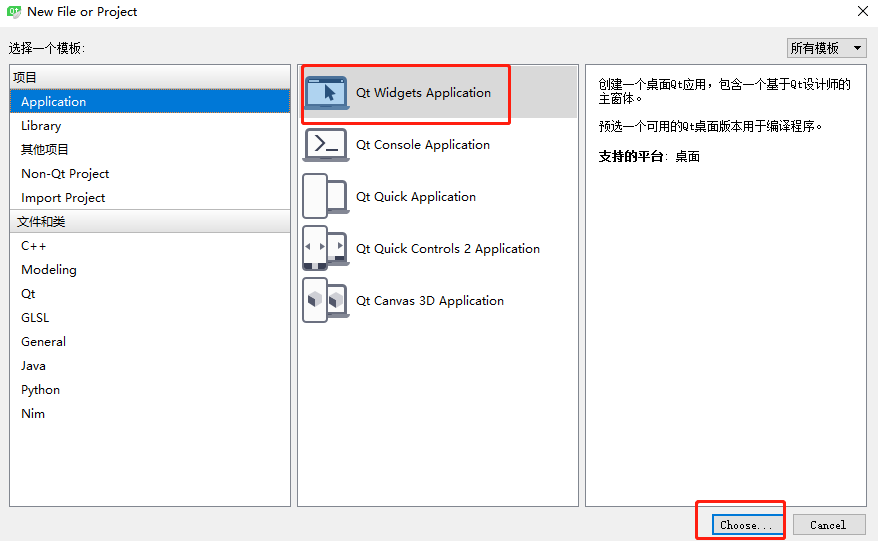
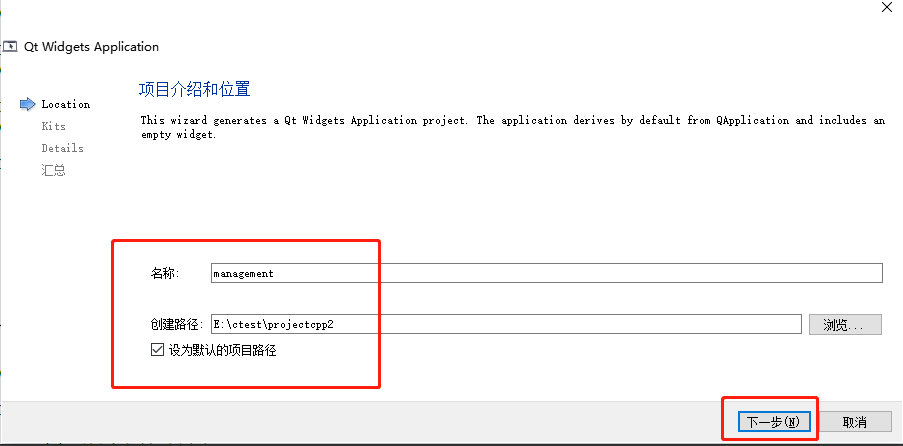
选择Widget类 勾选ui界面
因为我是用的默认类名所以类名是Widget 以下是Widget.h
1#ifndef WIDGET_H
2#define WIDGET_H
3
4#include <QWidget>
5namespace Ui {
6class Widget;
7}
8
9class Widget : public QWidget
10{
11    Q_OBJECT
12
13public:
14    explicit Widget(QWidget *parent = 0);
15    ~Widget();
16protected:
17    // 重写鼠标拖动事件
18    void mouseMoveEvent(QMouseEvent *event);
19    // 重写鼠标选中事件
20    void mousePressEvent(QMouseEvent *event);
21    // 重写鼠标离开事件
22    void mouseReleaseEvent(QMouseEvent *event);
23
24private:
25    Ui::Widget *ui;
26    QPoint mousePoint; // 记录鼠标坐标
27    bool mouse_press;  // 记录是否聚焦
28};
29
30#endif // WIDGET_H
Widget.cpp文件
1Widget::Widget(QWidget *parent) :
2    QWidget(parent),
3    ui(new Ui::Widget)
4{
5    ui->setupUi(this);
6    // 固定登录大小窗口
7    this->setFixedSize(400, 300);
8    // 信号槽监听关闭窗口
9    connect(ui->Logout,&QPushButton::clicked, this, &Widget::close);
10    // 设置登录窗口无边框
11    this->setWindowFlags(Qt::FramelessWindowHint);
12    // 监听勾选显示密码
13    connect(ui->DisplayPwd, &QCheckBox::clicked, this, [=](bool flag){
14        if(flag){
15            ui->PassWord->setEchoMode(QLineEdit::Normal);
16        }else{
17            ui->PassWord->setEchoMode(QLineEdit::Password);
18        }
19    });
20
21    // 监听点击登录
22    connect(ui->Login,&QPushButton::clicked, this, [&](bool){
23        // 展示其他界面
24        // this->XXXX.show();
25        // 收起登录界面
26        // this->hide();
27    });
28}
29
30Widget::~Widget()
31{
32    delete ui;
33}
34
35void Widget::mouseMoveEvent(QMouseEvent *event)
36{
37    if(mouse_press)
38    {
39        move(event->globalPos() - mousePoint);
40    }
41}
42
43void Widget::mousePressEvent(QMouseEvent *event)
44{
45    // 如果点击鼠标左键
46    if(event->button() == Qt::LeftButton){
47        mouse_press = true;
48        // 鼠标点击的位置 - 窗口坐标
49        mousePoint = event->globalPos() - this->pos();
50    }
51}
52
53void Widget::mouseReleaseEvent(QMouseEvent *event)
54{
55    mouse_press = false;
56}
ui界面
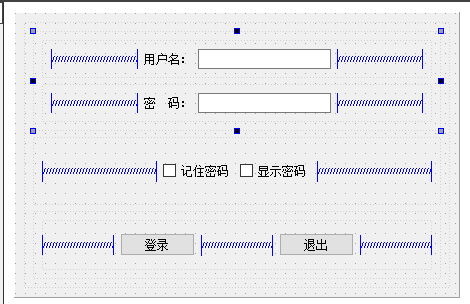
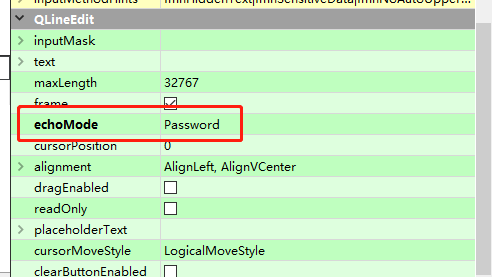
密码使用密文需要勾选ui界面选项
最终效果
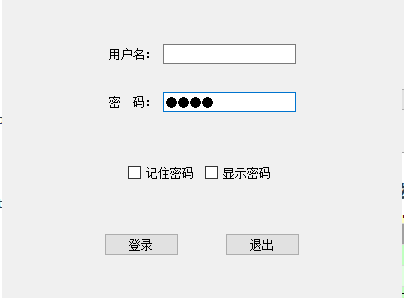
还可以点击勾选显示密码查看