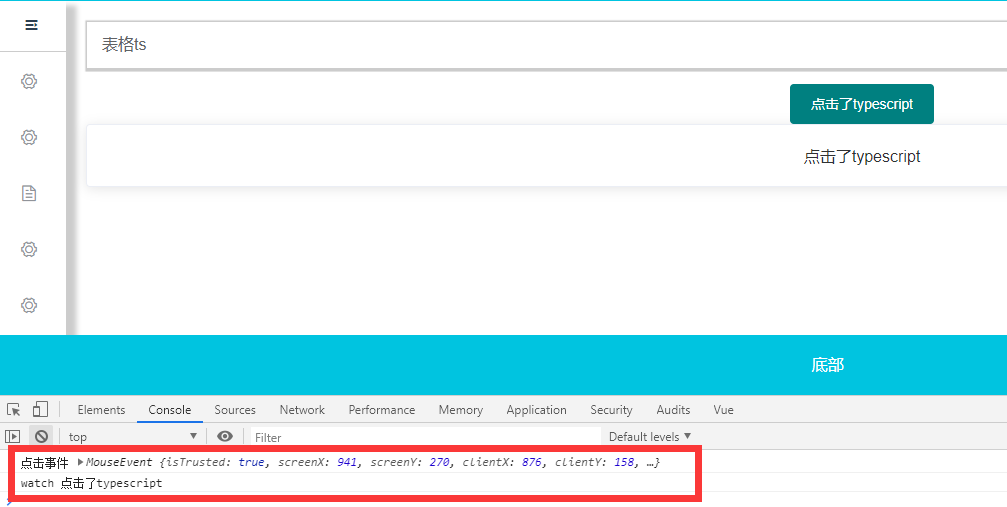
说明:
vue3.0搭建的项目,不过没有引入ts,后来需要用到一个插件是用ts写的,所以vue要用到ts。。。
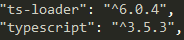
一、安装typescript及loader
npm install typescript ts-loader --save-dev
二、安装vue-property-decorator
npm install vue-property-decorator --save-dev

三、配置vue.config.js
1module.exports = {
2 configureWebpack: {
3    resolve: { extensions: [".ts", ".tsx", ".js", ".json"] },
4    module: {
5      rules: [
6        {
7          test: /\.tsx?$/,
8          loader: 'ts-loader',
9          exclude: /node_modules/,
10          options: {
11            appendTsSuffixTo: [/\.vue$/],
12          }
13        }
14      ]
15    }
16  }
17}
18
19
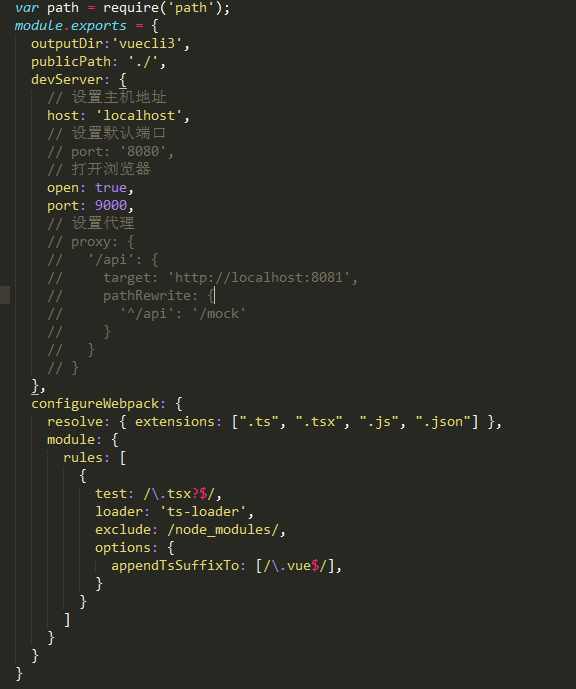
20var path = require('path');
21module.exports = {
22  outputDir:'vuecli3',
23  publicPath: './',
24  devServer: {
25    // 设置主机地址
26    host: 'localhost',
27    // 设置默认端口
28    // port: '8080',
29    // 打开浏览器
30    open: true,
31    port: 9000,
32    // 设置代理
33    // proxy: {
34    //   '/api': {
35    //     target: 'http://localhost:8081',
36    //     pathRewrite: {
37    //       '^/api': '/mock'
38    //     }
39    //   }
40    // }
41  },
42  configureWebpack: {
43    resolve: { extensions: [".ts", ".tsx", ".js", ".json"] },
44    module: {
45      rules: [
46        {
47          test: /\.tsx?$/,
48          loader: 'ts-loader',
49          exclude: /node_modules/,
50          options: {
51            appendTsSuffixTo: [/\.vue$/],
52          }
53        }
54      ]
55    }
56  }
57}
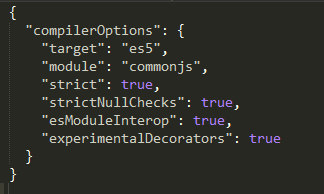
四、新建tsconfig.json放在项目根目录
1{
2  "compilerOptions": {
3    "target": "es5",
4    "module": "commonjs",
5    "strict": true,
6    "strictNullChecks": true,
7    "esModuleInterop": true,
8    "experimentalDecorators": true
9  }
10}
11
五、在src目录下新建vue-shim.d.ts文件
不加此文件会报错。。
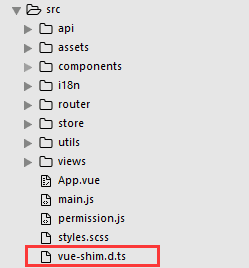
1declare module "*.vue" {
2  import Vue from "vue";
3  export default Vue;
4}
六、运行测试
1<template>
2	<div>
3    <el-button type="primary" @click="msgBtn">{{msg}}</el-button>
4    <el-card shadow="always">
5      {{test}}
6    </el-card>
7	</div>
8</template>
9<script lang='ts'>
10import { Component, Vue } from "vue-property-decorator";
11
12export default Vue.extend({
13  components: {
14    // TableCom
15  },
16  data() {
17    return {
18      msg:'typescript'
19    };
20  },
21  created(){
22    console.log('created',this.msg)
23  },
24  mounted() {
25    console.log('mounted')
26  },
27  computed:{
28    // test: {
29    //   // 需要标注有 `this` 参与运算的返回值类型
30    //   get(): string {
31    //     return this.msg
32    //   },
33    //   set(val: string) {
34    //     this.msg = val
35    //   }
36    // }
37    test(): any {
38      return this.msg
39    }
40  },
41  watch:{
42    msg(val:any){
43      console.log('watch',val)
44    }
45  },
46  methods:{
47    msgBtn(ev:any){
48      this.msg = "点击了typescript"
49      console.log('点击事件',ev)
50    }
51  }
52})
53
54</script>