
Hello,大家好,我是麦洛,今天带大家来了解一下SpringBoot如何继承Sentinel来实现接口流量控制
Sentinel控制台搭建
在我的上一篇文章阿里出品的Sentinel到底是个什么玩意?中,已经介绍过如何准备Sentinel控制台,大家可以直接参考;
Sentinel 客户端
项目搭建
首先我们来创建一个测试项目,这里初始化项目的url建议大家填写阿里云的地址,会有惊喜😅
1http://start.aliyun.com
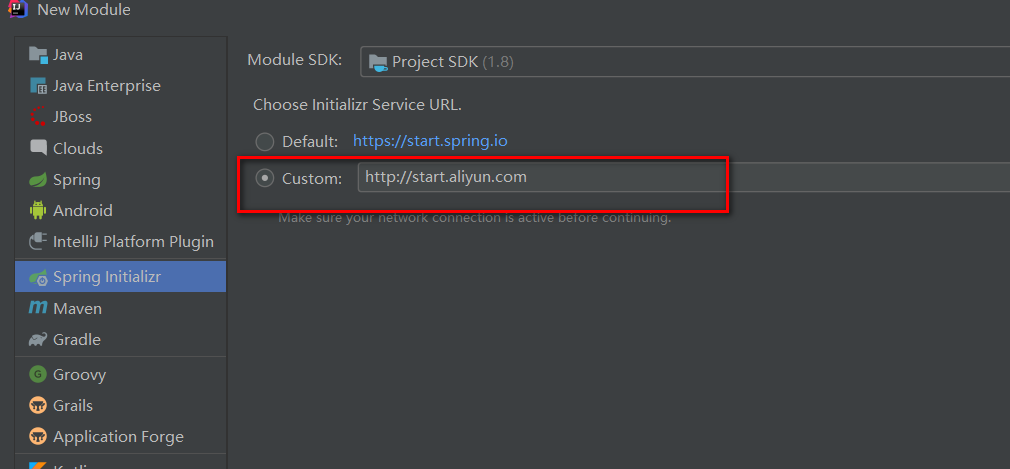
接下来就是常规操作,一路next,在下图的位置稍微注意一下
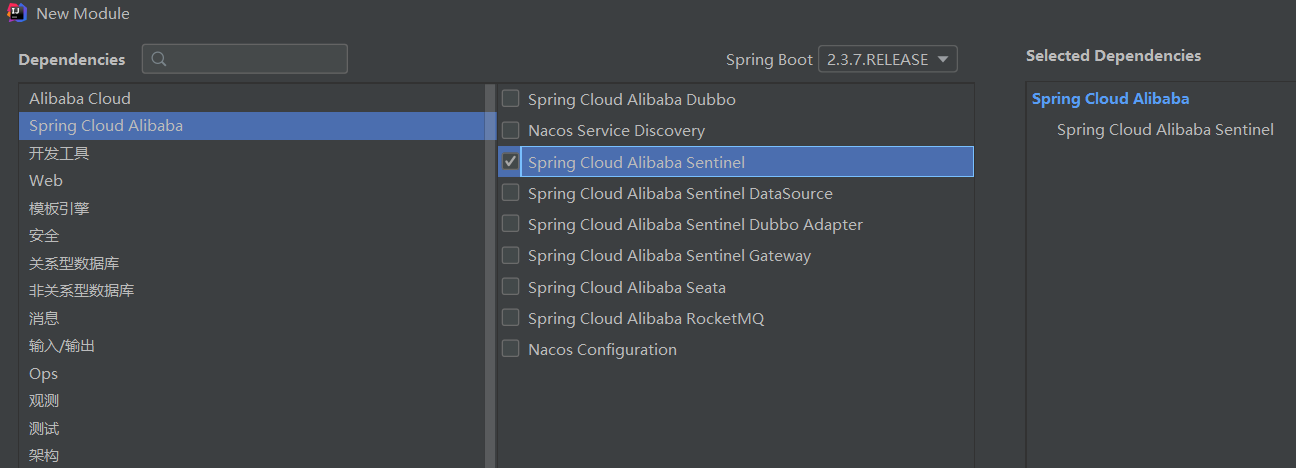
说明:
同大家以前创建项目一样,只需要在这里勾选Sentinel就可以啦🚀
项目创建好以后,我们发现pom文件中引入了下面的依赖
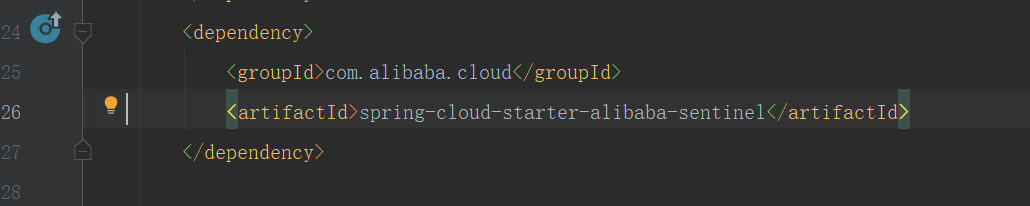
有的小伙伴看网上博客,也会有下面的方式,指定版本号
1 <!-- sentinel -->
2		<dependency>
3			<groupId>com.alibaba.cloud</groupId>
4			<artifactId>spring-cloud-starter-alibaba-sentinel</artifactId>
5			<version>2.1.0.RELEASE</version>
6		</dependency>
如果你使用我推荐的阿里云的Url,会发现Sentinel的版本号都定义父工程,Cloud的各个组件的兼容性就不要大家操心了
1 <dependencyManagement>
2        <dependencies>
3            <dependency>
4                <groupId>org.springframework.boot</groupId>
5                <artifactId>spring-boot-dependencies</artifactId>
6                <version>${spring-boot.version}</version>
7                <type>pom</type>
8                <scope>import</scope>
9            </dependency>
10            <dependency>
11                <groupId>com.alibaba.cloud</groupId>
12                <artifactId>spring-cloud-alibaba-dependencies</artifactId>
13                <version>${spring-cloud-alibaba.version}</version>
14                <type>pom</type>
15                <scope>import</scope>
16            </dependency>
17        </dependencies>
18    </dependencyManagement>
打开项目配置文件,会发现它已经为我们自动加好了配置,真的超级方便👏
1server.port=8083
2# 应用名称
3spring.application.name=springcloud-sentinel
4# Sentinel 控制台地址
5spring.cloud.sentinel.transport.dashboard=localhost:8080
6# 取消Sentinel控制台懒加载
7# 默认情况下 Sentinel 会在客户端首次调用的时候进行初始化,开始向控制台发送心跳包
8# 配置 sentinel.eager=true 时,取消Sentinel控制台懒加载功能
9spring.cloud.sentinel.eager=true
10# 如果有多套网络,又无法正确获取本机IP,则需要使用下面的参数设置当前机器可被外部访问的IP地址,供admin控制台使用
11# spring.cloud.sentinel.transport.client-ip=# sentinel 配置
12spring.application.name=frms
13spring.cloud.sentinel.transport.dashboard=localhost:8080
14spring.cloud.sentinel.transport.heartbeat-interval-ms=500
如何定义资源
编程式定义
官网提供的demo
1package com.milo.sentinel;
2
3import com.alibaba.csp.sentinel.Entry;
4import com.alibaba.csp.sentinel.SphU;
5import com.alibaba.csp.sentinel.slots.block.BlockException;
6import com.alibaba.csp.sentinel.slots.block.RuleConstant;
7import com.alibaba.csp.sentinel.slots.block.flow.FlowRule;
8import com.alibaba.csp.sentinel.slots.block.flow.FlowRuleManager;
9import org.springframework.boot.SpringApplication;
10import org.springframework.boot.autoconfigure.SpringBootApplication;
11
12import java.util.ArrayList;
13import java.util.List;
14
15/**
16 * 项目入口
17 * @author Milo Lee
18 * @date 2021-3-20 19:07
19 *
20 */
21@SpringBootApplication
22public class SentinelApplication {
23
24    public static void main(String[] args) {
25        SpringApplication.run(SentinelApplication.class, args);
26
27        // 配置规则.
28        initFlowRules();
29        while (true) {
30            // 1.5.0 版本开始可以直接利用 try-with-resources 特性
31            try (Entry entry = SphU.entry("HelloWorld")) {
32                // 被保护的逻辑
33                Thread.sleep(300);
34                System.out.println("hello world");
35            } catch (BlockException | InterruptedException ex) {
36                // 处理被流控的逻辑
37                System.out.println("blocked!");
38            }
39        }
40
41    }
42
43    private static void initFlowRules(){
44        List<FlowRule> rules = new ArrayList<>();
45        FlowRule rule = new FlowRule();
46        rule.setResource("HelloWorld");
47        rule.setGrade(RuleConstant.FLOW_GRADE_QPS);
48        // Set limit QPS to 20.
49        rule.setCount(20);
50        rules.add(rule);
51        FlowRuleManager.loadRules(rules);
52    }
53
54}
55
注解式定义
1@SpringBootApplication
2public class Application {
3
4    public static void main(String[] args) {
5        SpringApplication.run(ServiceApplication.class, args);
6    }
7}
8
9@Service
10public class TestService {
11
12    @SentinelResource(value = "sayHello")
13    public String sayHello(String name) {
14        return "Hello, " + name;
15    }
16}
17
18@RestController
19public class TestController {
20
21    @Autowired
22    private TestService service;
23
24    @GetMapping(value = "/hello/{name}")
25    public String apiHello(@PathVariable String name) {
26        return service.sayHello(name);
27    }
28}
@SentinelResource 注解用来标识资源是否被限流、降级。上述例子上该注解的属性 sayHello 表示资源名。
启动控制台
1java -Dserver.port=8080 -Dcsp.sentinel.dashboard.server=localhost:8080 -Dproject.name=sentinel-dashboard -jar sentinel-dashboard-1.8.1.jar
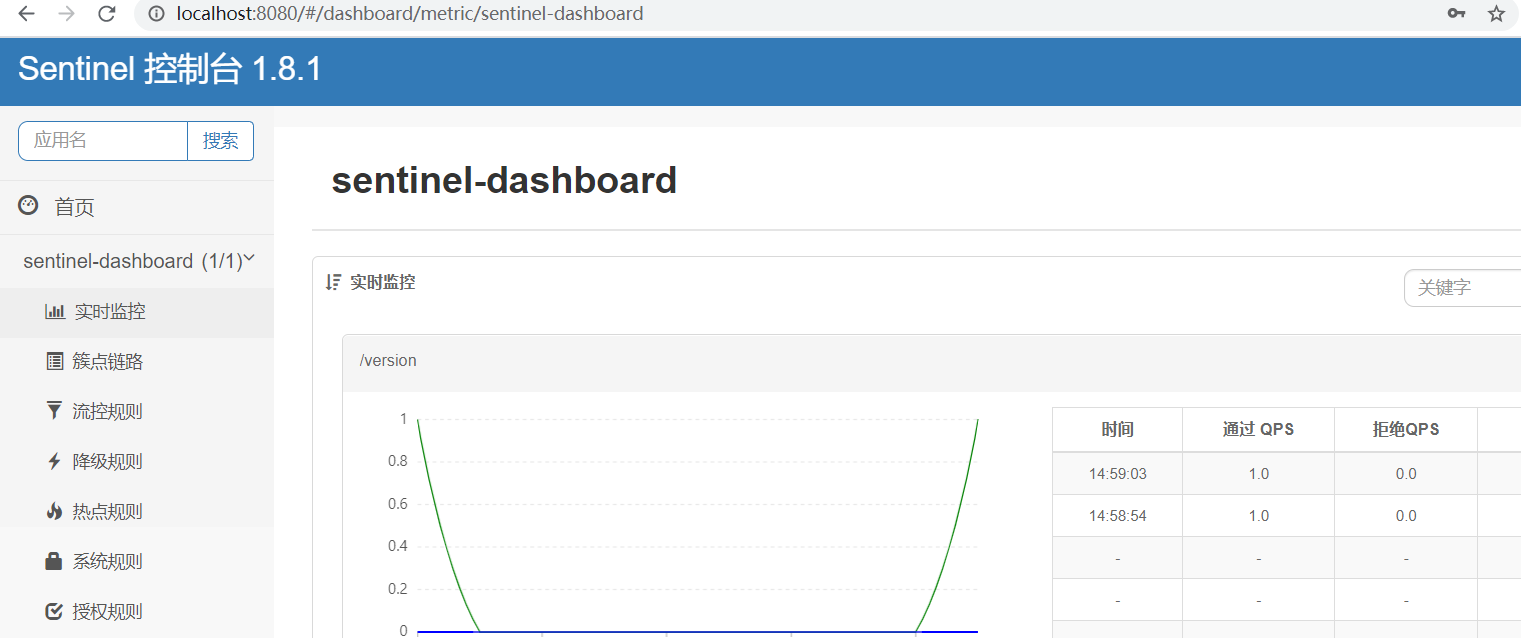
控制台操作介绍
控制台的操作我们用编程式定义的例子来演示,大家启动我们的服务
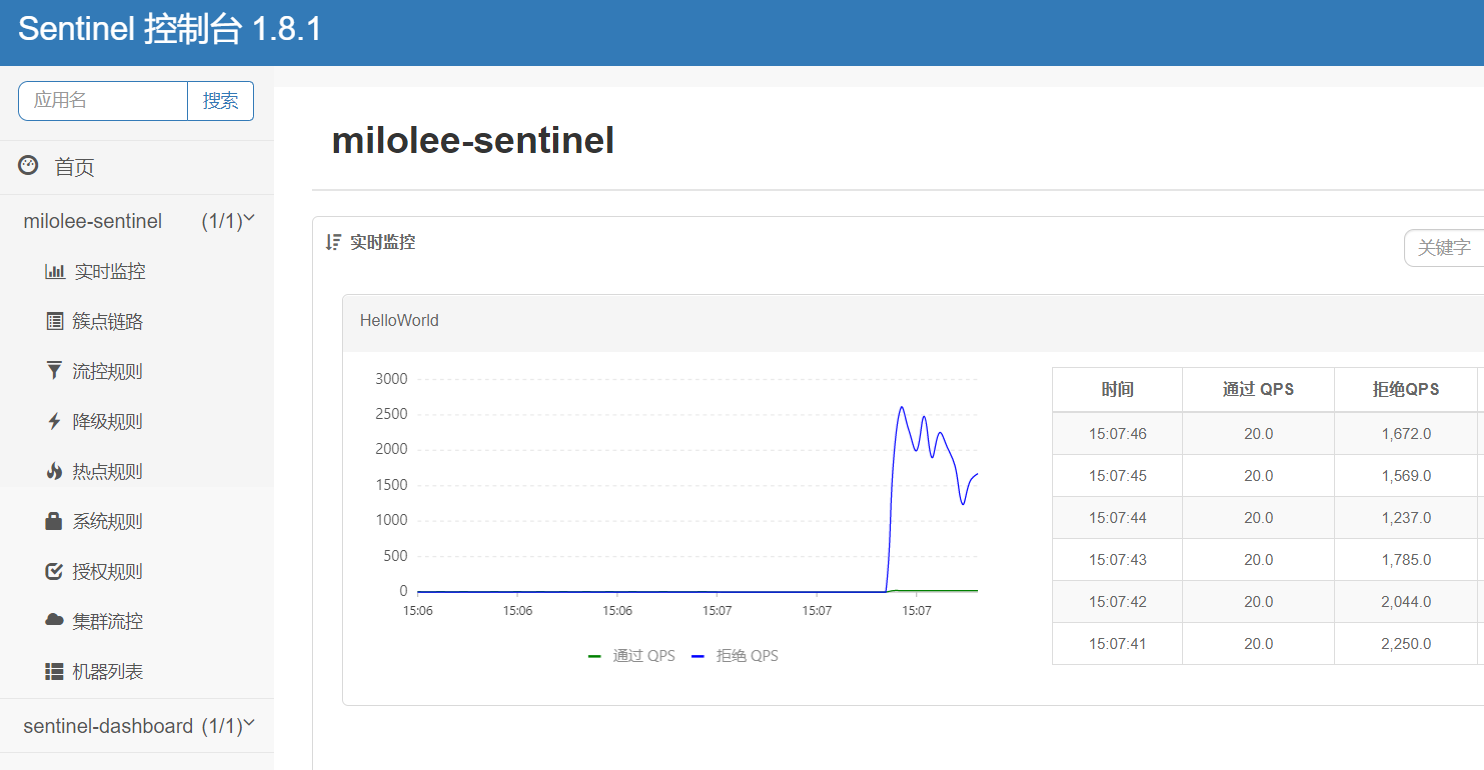
我们会发现除了sentinel-dashboard之外,多了一个milolee-sentinel,这个就是我们的服务,它的名称其实对应我们配置文件定义的应用名称:
1# 应用名称
2spring.application.name=milolee-sentinel
点击机器列表,这这里如果能发现你的机器,那就是成功上线了
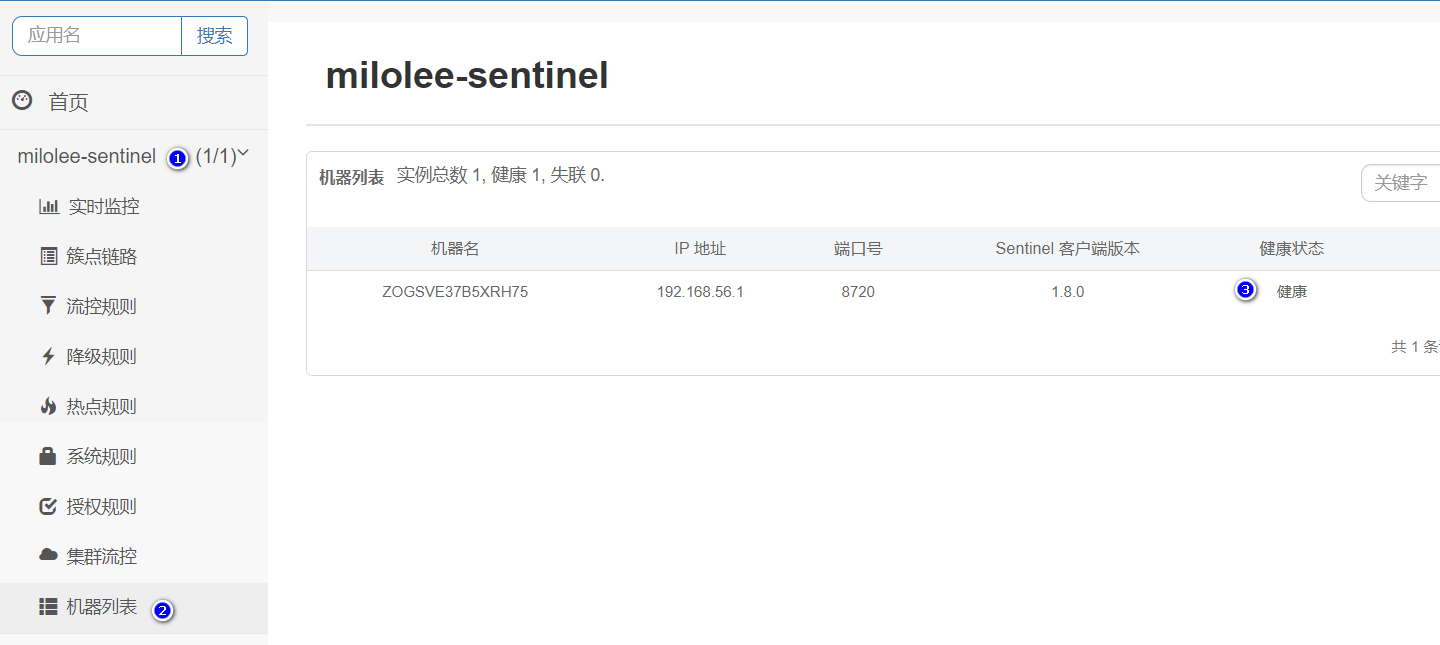
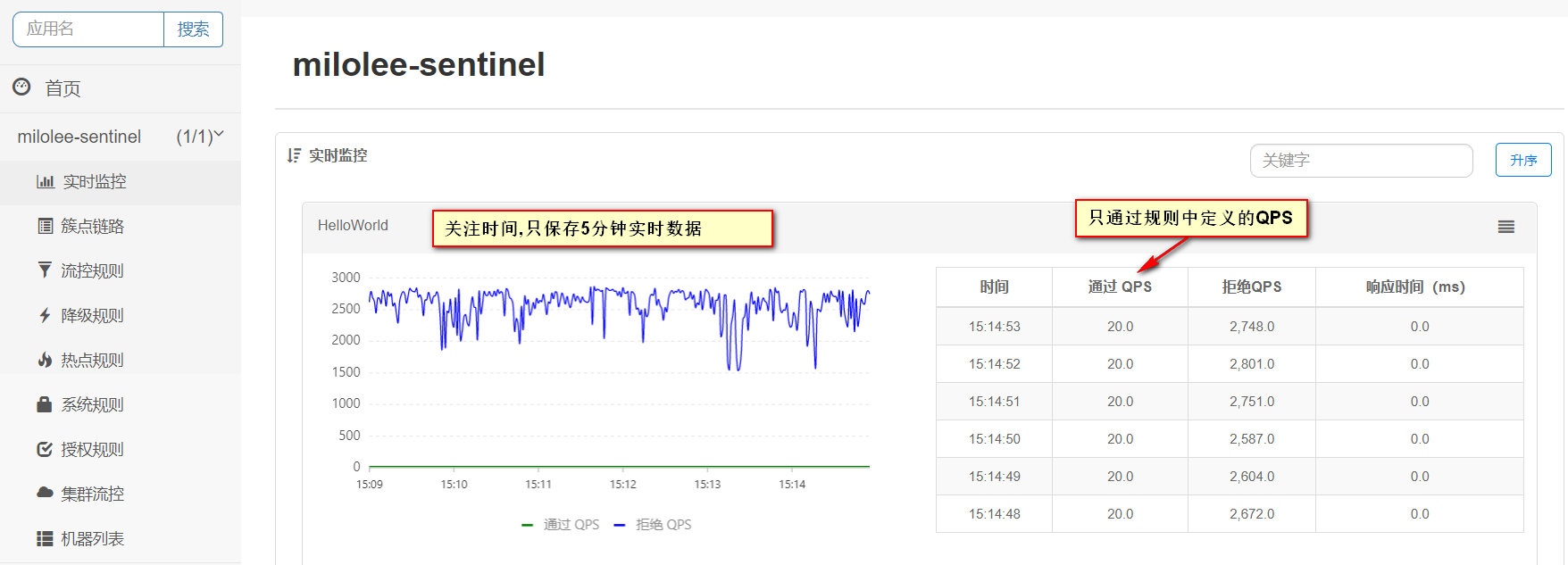
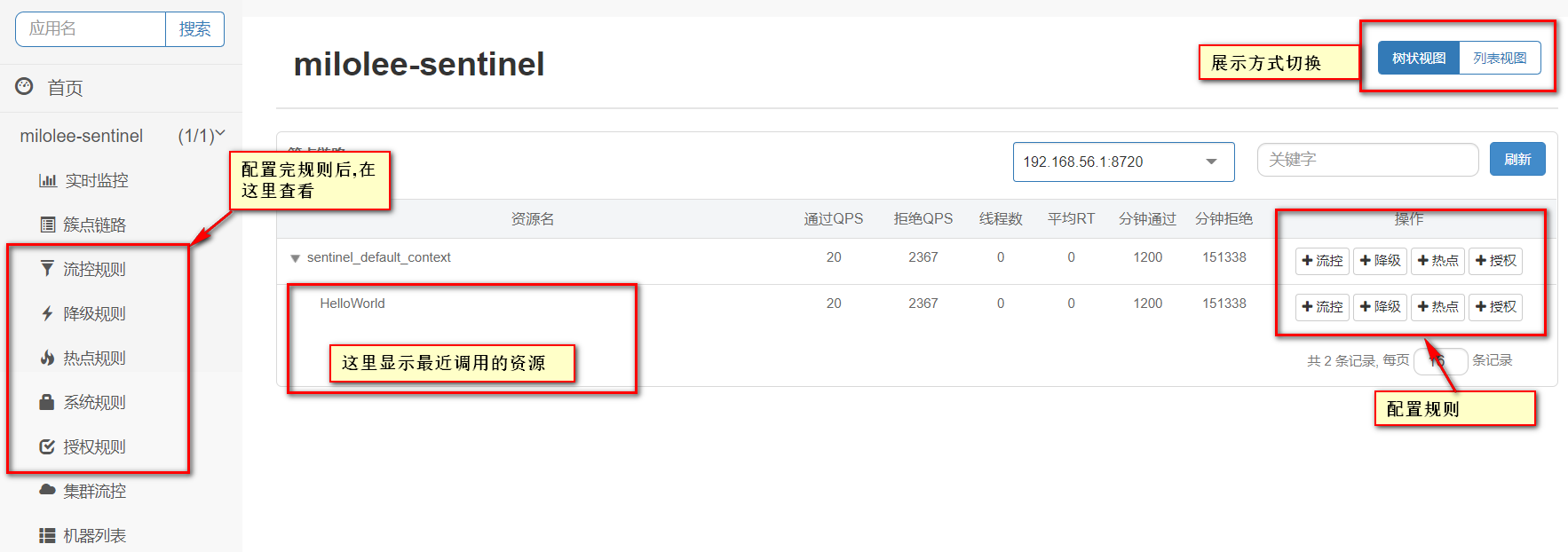
实时监控
簇点链路
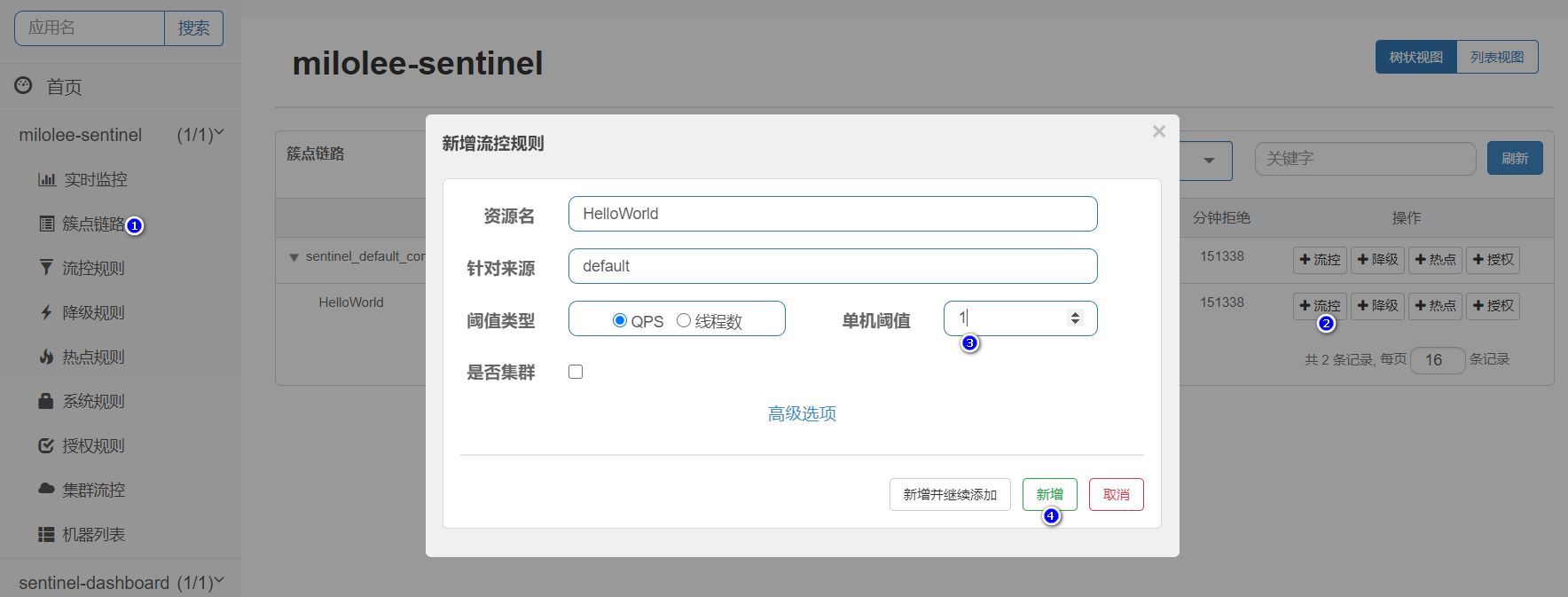
流控规则配置
给我们的资源HelloWorld配置流控规则,它的QPS(每秒请求数)为1,如图:
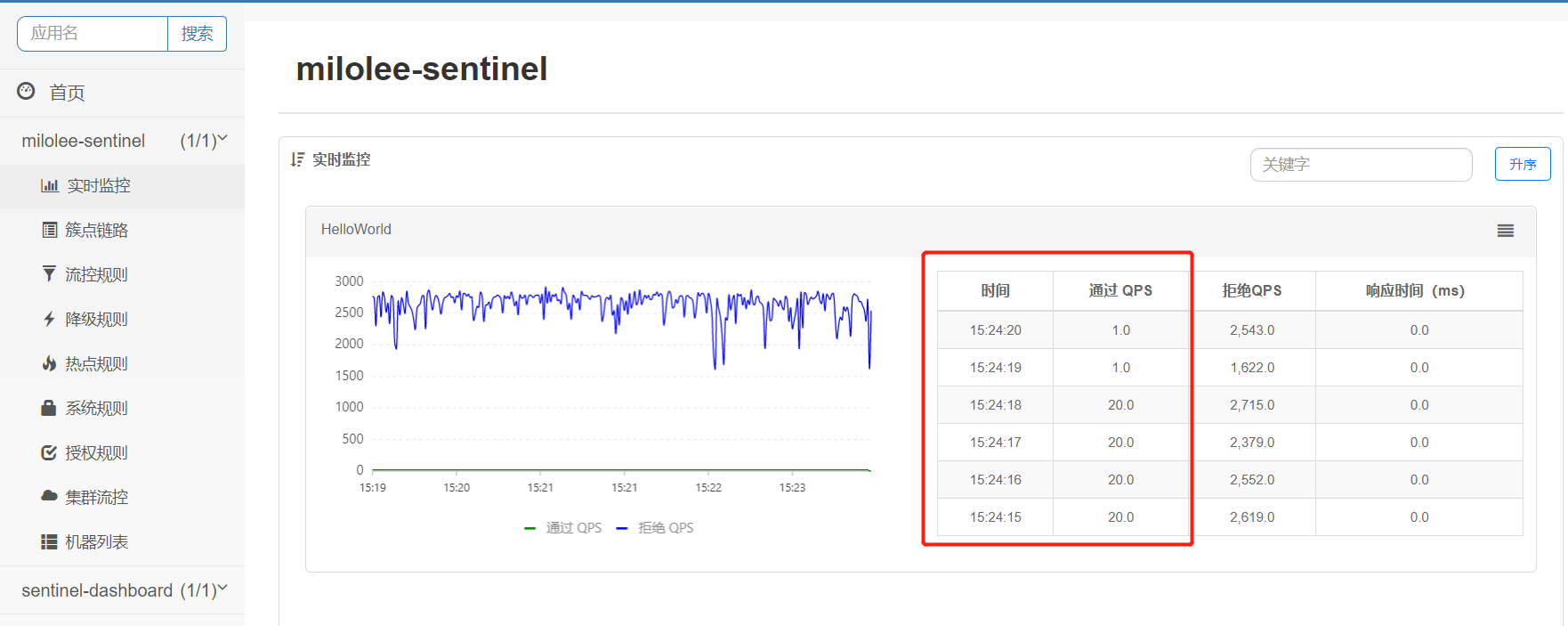
通过查看实时监控,我们发现已经生效
降级规则配置
给我们的资源HelloWorld添加一个降级规则配置,如果QPS大于1,且平均响应时间大于20ms,则接口下来接口在2秒钟无法访问,之后自动恢复。

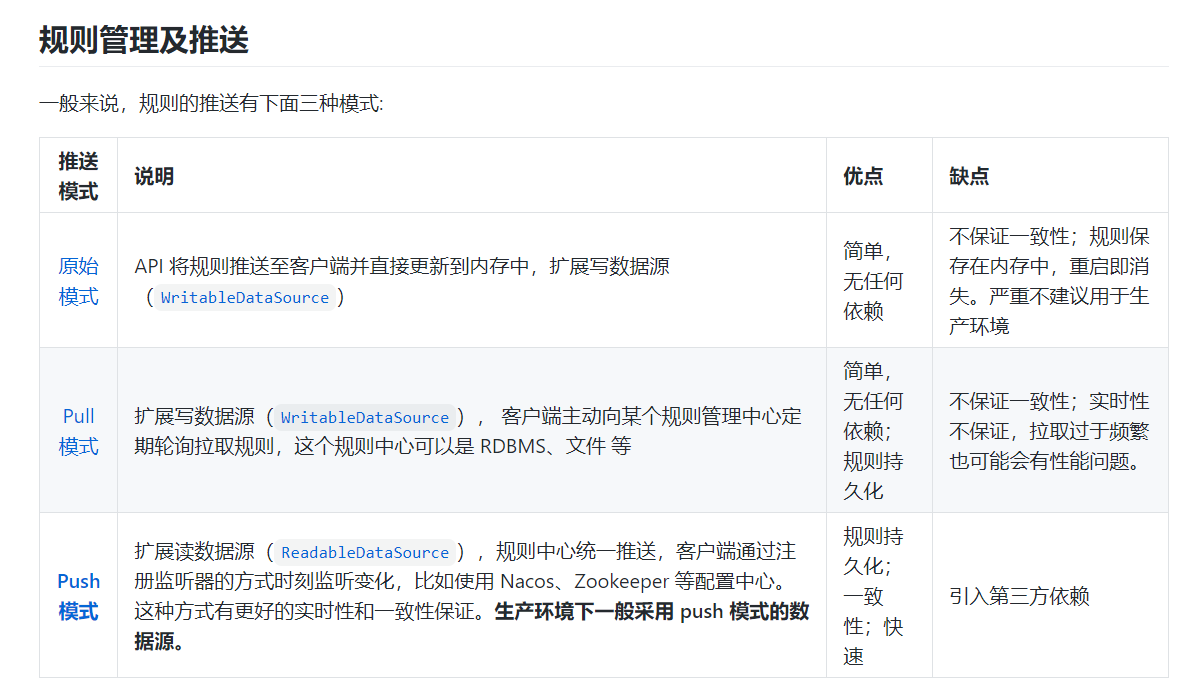
目前这些规则仅在内存态生效,应用重启之后,该规则会丢失。后续文章我们会继续学习动态规则
关于控制台的使用,大家可以参考官方文档,比较详细https://sentinelguard.io/zh-cn/docs/dashboard.html