
1.安装
yarn add react-transition-group
2.使用CSSTransition组件
1import React, {
2
3
4    PureComponent } from 'react';
5import {
6
7
8    CSSTransition } from 'react-transition-group';
9import './CSSTransition.css'; // 导入css文件
10
11export default class App extends PureComponent {
12
13
14
15  constructor(props) {
16
17
18
19    super(props);
20    this.state = {
21
22
23
24      isShow: true, // 用来标识是否显示
25    };
26  }
27  render() {
28
29
30
31    return (
32      <div>
33        <button
34          onClick={
35
36
37   (e) => this.setState({
38
39
40    isShow: !this.state.isShow })}
41          className='btn'
42        >
43          显示/隐藏
44        </button>
45        <CSSTransition
46          in={
47
48
49   this.state.isShow} {
50
51
52   /* true为显示,false标识隐藏 */}
53          classNames='box' {
54
55
56   /* 类名的开头,如:box-enter、box-enter-active等等*/}
57          appear={
58
59
60   true} {
61
62
63   /* 表示开启在页面一开始的时候的动画效果*/}
64          timeout={
65
66
67   3000} {
68
69
70   /* 类名切换的延迟,如:box-enter-active → box-enter-done。一般与动画过渡的时间一致*/}
71          unmountOnExit={
72
73
74   true} {
75
76
77   /*退出的时候,是否卸载这个dom*/}
78          {
79
80
81   /* 生命钩子函数 */}
82          onEnter={
83
84
85   (e) => console.log('准备进入')}
86          onEntering={
87
88
89   (e) => console.log('正在进入')}
90          onEntered={
91
92
93   (e) => console.log('进入完成')}
94          onExit={
95
96
97   (e) => console.log('准备退出')}
98          onExiting={
99
100
101   (e) => console.log('正在退出')}
102          onExited={
103
104
105   (e) => console.log('退出完成')}
106        >
107          <div
108            style={
109
110
111   {
112
113
114    width: '100px', height: '100px', backgroundColor: 'red' }}
115          ></div>
116        </CSSTransition>
117      </div>
118    );
119  }
120}
121
css:
1.box-enter,
2.box-appear {
3
4
5
6  opacity: 0;
7}
8.box-enter-active,
9.box-appear-active {
10
11
12
13  opacity: 1;
14  transition: opacity 3000ms;
15}
16
17.box-exit {
18
19
20
21  opacity: 1;
22}
23.box-exit-active {
24
25
26
27  opacity: 0;
28  transition: opacity 3000ms;
29}
30.box-exit-done {
31
32
33
34  opacity: 0;
35}
36.btn {
37
38
39
40  background-color: green;
41}
42
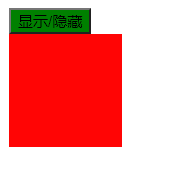
效果:
3.SwitchTransition组件的使用
1import React, {
2
3
4    PureComponent } from 'react';
5import {
6
7
8    SwitchTransition, CSSTransition } from 'react-transition-group';
9import './SwitchTransition.css';
10
11export default class App extends PureComponent {
12
13
14
15  constructor(props) {
16
17
18
19    super(props);
20    this.state = {
21
22
23
24      isOn: true,
25    };
26  }
27  render() {
28
29
30
31    return (
32      <div style={
33
34
35   {
36
37
38    textAlign: 'center', padding: '50px' }}>
39        <SwitchTransition mode='out-in'>
40          <CSSTransition
41            classNames='btn'
42            timeout={
43
44
45   1000}
46            key={
47
48
49   this.state.isOn ? 'on' : 'off'} // 由于我要进行切换效果,所以得绑定key,不需要in
50          >
51            <button onClick={
52
53
54   (e) => this.setState({
55
56
57    isOn: !this.state.isOn })}>
58              {
59
60
61   this.state.isOn ? 'on' : 'off'}
62            </button>
63          </CSSTransition>
64        </SwitchTransition>
65      </div>
66    );
67  }
68}
69
css
1.btn-enter {
2
3
4
5  opacity: 0;
6  transform: translateX(100%);
7}
8.btn-enter-active {
9
10
11
12  transform: translateX(0);
13  opacity: 1;
14  transition: all 1s;
15}
16
17.btn-exit {
18
19
20
21  transform: translateX(0);
22  opacity: 1;
23}
24.btn-exit-active {
25
26
27
28  transform: translateX(-100%);
29  opacity: 0;
30  transition: all 1s;
31}
32
效果:
4.TransitionGroup组件的使用
注:TransitionGroup标签的第一层包含的只有CSSTransition这个组件,包含其他的标签的话,控制台会报错!
1import React, {
2
3
4    PureComponent } from 'react';
5import {
6
7
8    TransitionGroup, CSSTransition } from 'react-transition-group';
9import './TransitionGroup.css';
10
11export default class App extends PureComponent {
12
13
14
15  constructor(props) {
16
17
18
19    super(props);
20    this.state = {
21
22
23
24      list: ['zs', 'lisi', 'wangwu'],
25    };
26  }
27  render() {
28
29
30
31    return (
32      <div>
33        <TransitionGroup>
34          {
35
36
37   this.state.list.map((item) => {
38
39
40
41            return (
42              <CSSTransition key={
43
44
45   item} classNames='list' timeout={
46
47
48   1000}>
49                <li>{
50
51
52   item}</li>
53              </CSSTransition>
54            );
55          })}
56        </TransitionGroup>
57        <button onClick={
58
59
60   (e) => this.add()}>添加</button>
61      </div>
62    );
63  }
64  add() {
65
66
67
68    const list = [...this.state.list];
69    console.log(list);
70    list.push('wjg' + list.length);
71    this.setState({
72
73
74
75      list,
76    });
77  }
78}
79
css
1.list-enter {
2
3
4
5  opacity: 0;
6}
7.list-enter-active {
8
9
10
11  opacity: 1;
12  transition: all 1s;
13}
14.list-enter-done {
15
16
17
18  color: red;
19}
20
本文分享 CSDN - 冬天爱吃冰淇淋。
如有侵权,请联系 support@oschina.cn 删除。
本文参与“OSC源创计划”,欢迎正在阅读的你也加入,一起分享。