
Zip和7-zip谁更强,如何选择?
一. 7z rar zip之间的区别
17z一般对应的软件是7zip
2zip对应的是winzip
3rar对应的 winrar
4只不过现在这几个软件基本互相支持。
57z压缩比率大些。zip次之,压缩比率越大,压缩的越小哦!!!
6
7zip格式比较常见,支持泛围广。windows操作系统不装任选第三方软件也可以打开zip格式。
8rar 和7z必须用解压缩软件才行。
二 使用jdk操作winzip文件解压缩
我们使用jdk自带的zip解决方案来测试winzip文件解压缩
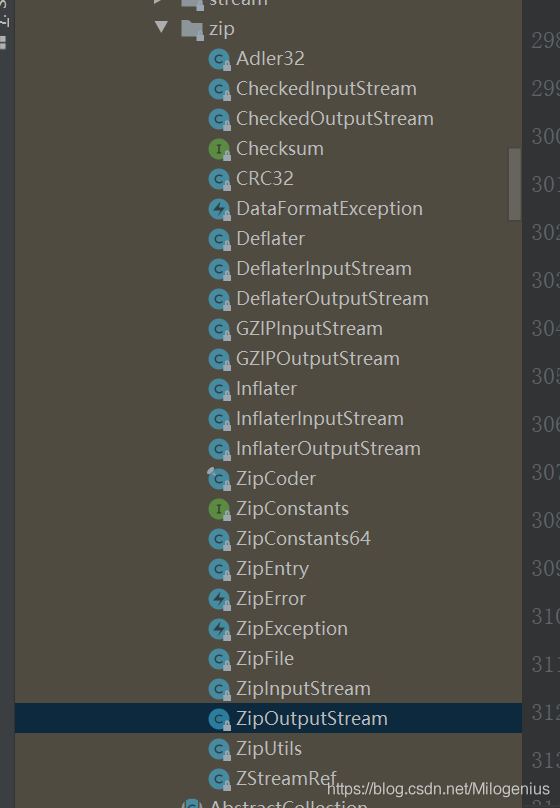
2.1 压缩zip文件
1    /**
2     * 压缩zip文件
3     * @param sourceFilePath
4     * @param zipFilePath
5     * @param fileName
6     * @return
7     */
8    public static String zip(String sourceFilePath, String zipFilePath, String fileName) {
9        File                sourceFile = new File(sourceFilePath);
10        FileInputStream     fis;
11        BufferedInputStream bis        = null;
12        FileOutputStream    fos;
13        ZipOutputStream     zos        = null;
14        if (!sourceFile.exists()) {
15            System.out.println("待压缩的文件目录:" + sourceFilePath + "不存在.");
16        } else {
17            try {
18                File zipFile = new File(zipFilePath + File.separator + fileName + ".zip");
19                if (zipFile.exists()) {
20                    System.out.println(zipFilePath + "目录下存在名字为:" + fileName + ".zip" + "打包文件.");
21                } else {
22                    File[] sourceFiles = sourceFile.listFiles();
23                    if (null == sourceFiles || sourceFiles.length < 1) {
24                        System.out.println("待压缩的文件目录:" + sourceFilePath + "里面不存在文件,无需压缩.");
25                    } else {
26                        fos = new FileOutputStream(zipFile);
27                        zos = new ZipOutputStream(new BufferedOutputStream(fos));
28                        byte[] bufs = new byte[1024 * 10];
29                        for (File file : sourceFiles) {
30                            //创建ZIP实体,并添加进压缩包
31                            ZipEntry zipEntry = new ZipEntry(file.getName());
32                            zos.putNextEntry(zipEntry);
33                            //读取待压缩的文件并写进压缩包里
34                            fis = new FileInputStream(file);
35                            bis = new BufferedInputStream(fis, 1024 * 10);
36                            int read = 0;
37                            while ((read = bis.read(bufs, 0, 1024 * 10)) != -1) {
38                                zos.write(bufs, 0, read);
39                            }
40                        }
41                    }
42                }
43                return zipFile.getAbsolutePath();
44            } catch (IOException e) {
45                e.printStackTrace();
46                return null;
47            } finally {
48                //关闭流
49                try {
50                    if (null != bis) bis.close();
51                    if (null != zos) zos.close();
52                } catch (IOException e) {
53                    e.printStackTrace();
54                }
55            }
56        }
57        return null;
58    }
测试一下:
1    public static void main(String[] args) {
2        //压缩文件
3        zip("E:\\excel", "E:\\excel", "excel");
4    }
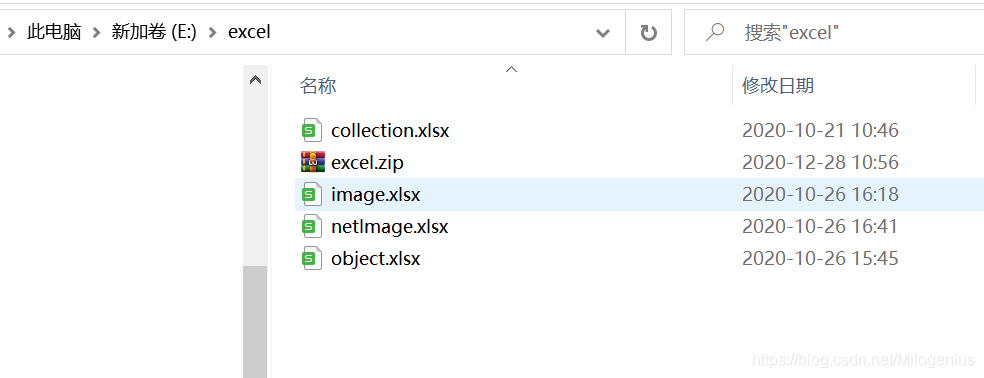
我需要压缩的目录

压缩后的结果:
2.2 解压zip文件
1    /**
2     * zip解压文件
3     *
4     * @param zipFilePath        压缩文件
5     * @param unzipFilePath      解压文件路径
6     * @param includeZipFileName 是否包含原文件名
7     */
8    public static String unZip(String zipFilePath, String unzipFilePath, boolean includeZipFileName) throws Exception {
9        if (StringUtils.isBlank(zipFilePath) || StringUtils.isBlank(unzipFilePath)) {
10            log.info("-> 必传参数为空");
11            return null;
12        }
13        File zipFile = new File(zipFilePath);
14        if (!zipFile.exists() || !zipFile.isFile()) {
15            log.info("-> 要解压的文件不存在");
16            return null;
17        }
18        log.info("-> 解压的文件大小: {}", zipFile.length());
19        //如果解压后的文件保存路径包含压缩文件的文件名,则追加该文件名到解压路径_
20        if (includeZipFileName) {
21            String fileName = zipFile.getName();
22            log.info("-> fileName: {}", fileName);
23            if (!fileName.isEmpty()) {
24                fileName = fileName.substring(0, fileName.lastIndexOf("."));
25                log.info("-> fileName: {}", fileName);
26            }
27            unzipFilePath = unzipFilePath + File.separator + fileName;
28        }
29        log.info("-> unzipFilePath: {}", unzipFilePath);
30        //创建解压缩文件保存的路径
31        File unzipFileDir = new File(unzipFilePath);
32        if (!unzipFileDir.exists() || !unzipFileDir.isDirectory()) {
33            boolean crtDir = unzipFileDir.mkdirs();
34            log.info("-> 创建存储解压后的路径{}", crtDir);
35        }
36        //开始解压
37        ZipEntry                        entry;
38        String                          entryFilePath, entryDirPath;
39        File                            entryFile, entryDir;
40        int                             index, count, bufferSize = 1024;
41        byte[]                          buffer                   = new byte[bufferSize];
42        BufferedInputStream             bis;
43        BufferedOutputStream            bos;
44        ZipFile                         zip                      = new ZipFile(zipFile, Charset.forName("gbk"));
45        Enumeration<? extends ZipEntry> entries                  = zip.entries();
46        //循环对压缩包里的每一个文件进行解压
47        while (entries.hasMoreElements()) {
48            entry = new ZipEntry(entries.nextElement());
49            //构建压缩包中一个文件解压后保存的文件全路径
50            entryFilePath = unzipFilePath + File.separator + entry.getName();
51            fileFullNames.add(entryFilePath);
52            entryDir = new File(entryFilePath);
53            //如果文件夹路径不存在,则创建文件夹
54            if (!(entryDir.exists() && entryDir.isDirectory())) {
55                entryDir.mkdirs();
56            }
57
58            //创建解压文件
59            entryFile = new File(entryFilePath);
60            if (entryFile.exists()) {
61                //删除已存在的目标文件
62                entryFile.delete();
63            }
64            //写入文件
65            bos = new BufferedOutputStream(new FileOutputStream(entryFile));
66            bis = new BufferedInputStream(zip.getInputStream(entry));
67            while ((count = bis.read(buffer, 0, bufferSize)) != -1) {
68                bos.write(buffer, 0, count);
69            }
70            bos.flush();
71            bos.close();
72
73            bis.close();
74        }
75        return unzipFilePath;
76    }
解压测试
1    public static void main(String[] args) {
2        //解压文件
3        try {
4            unZip("E:\\excel\\excel.zip", "E:\\excel\\jy", false);
5        } catch (Exception e) {
6            e.printStackTrace();
7        }
8    }
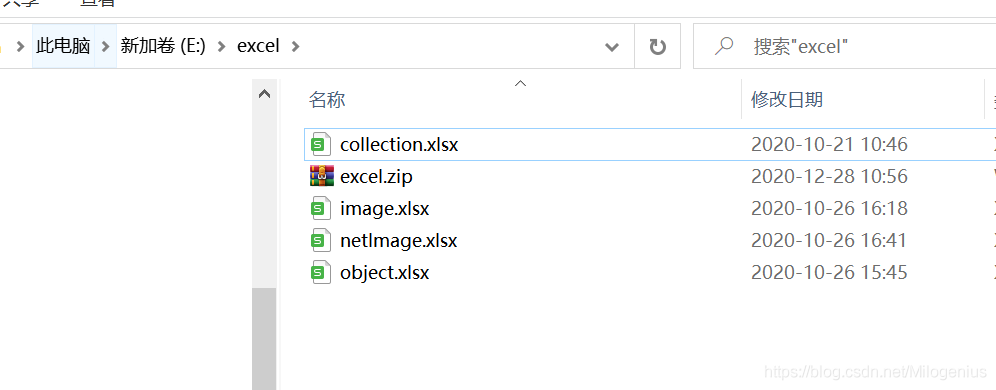
解压前:
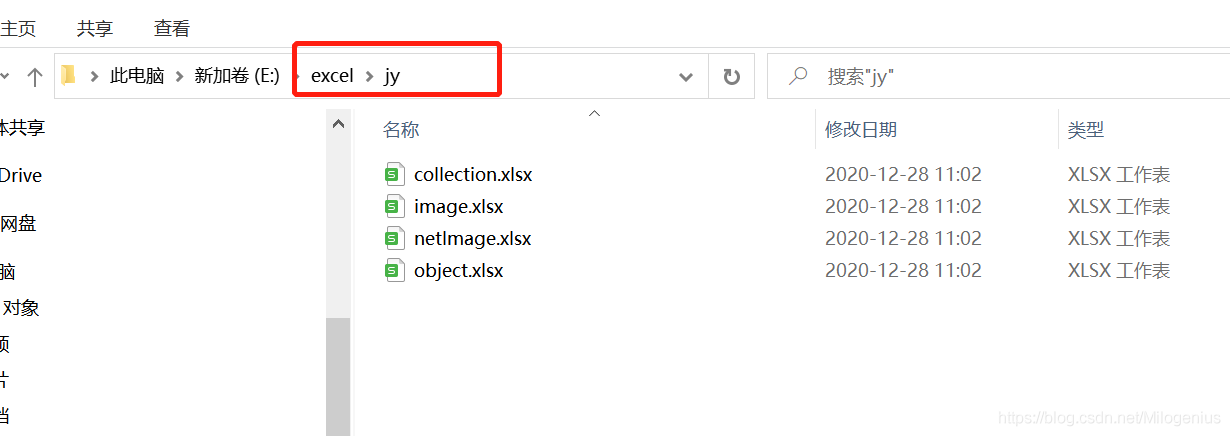
解压后:
三 使用commons-compress操作7zip文件解压缩
这里,我们使用apache-commons-compress软件库来进行7zip文件的解压缩

Apache Commons Compress库定义了一个用于处理ar,cpio,Unix转储,tar,zip,gzip,XZ,Pack200,bzip2、7z,arj,lzma,snappy,DEFLATE,lz4,Brotli,Zstandard,DEFLATE64和Z文件的API 。
此组件中的代码有很多渊源:
- 对bzip2,tar和zip的支持来自Avalon的Excalibur,但就Apache的生存而言,其最初来自Ant。tar包最初是Tim Endres的公共领域包。bzip2软件包基于Keiron Liddle和Julian Seward的 libbzip2所做的工作。它已通过以下方式迁移: Ant-> Avalon-Excalibur-> Commons-IO-> Commons-Compress。
- cpio软件包由Michael Kuss和jRPM 项目贡献。
3.1 maven依赖
1        <dependency>
2            <groupId>org.apache.commons</groupId>
3            <artifactId>commons-compress</artifactId>
4            <version>1.9</version>
5        </dependency>
3.2 压缩7zip文件
1    /**
2     * 7z文件压缩
3     *
4     * @param sourceFilePath  待压缩目录路径
5     * @param zipFilePath 生成的压缩包路径
6     * @param fileName 生成的压缩包目录
7     */
8
9    public static void compress7zip(String sourceFilePath, String zipFilePath, String fileName) throws Exception {
10        File input = new File(sourceFilePath);
11        if (!input.exists()) {
12            throw new Exception(input.getPath() + "待压缩文件不存在");
13        }
14        SevenZOutputFile out = new SevenZOutputFile(new File(zipFilePath));
15
16        compress(out, input, fileName);
17        out.close();
18    }
19
20        /**
21     * @param fileName 压缩文件名,可以写为null保持默认
22     */
23    //递归压缩
24    public static void compress(SevenZOutputFile out, File input, String fileName) throws IOException {
25
26        SevenZArchiveEntry entry = null;
27        //如果路径为目录(文件夹)
28        if (input.isDirectory()) {
29            //取出文件夹中的文件(或子文件夹)
30            File[] flist = input.listFiles();
31
32            if (flist.length == 0)//如果文件夹为空,则只需在目的地.7z文件中写入一个目录进入
33            {
34                /*entry = out.createArchiveEntry(input,name + "/");
35                out.putArchiveEntry(entry);*/
36            } else//如果文件夹不为空,则递归调用compress,文件夹中的每一个文件(或文件夹)进行压缩
37            {
38                for (int i = 0; i < flist.length; i++) {
39                    compress(out, flist[i], fileName + "/" + flist[i].getName());
40                }
41            }
42        } else//如果不是目录(文件夹),即为文件,则先写入目录进入点,之后将文件写入7z文件中
43        {
44            FileInputStream fos = new FileInputStream(input);
45            BufferedInputStream bis = new BufferedInputStream(fos);
46            entry = out.createArchiveEntry(input, fileName);
47            out.putArchiveEntry(entry);
48            int len = -1;
49            //将源文件写入到7z文件中
50            byte[] buf = new byte[1024];
51            while ((len = bis.read(buf)) != -1) {
52                out.write(buf, 0, len);
53            }
54            bis.close();
55            fos.close();
56            out.closeArchiveEntry();
57        }
58    }
3.3 解压7zip文件
1    /**
2     * 7Zzip解压文件
3     *
4     * @param zipFilePath        压缩文件
5     * @param unzipFilePath      解压文件路径
6     * @param includeZipFileName 是否包含原文件名
7     */
8    public static String un7zZip(String zipFilePath, String unzipFilePath, boolean includeZipFileName) throws Exception {
9        if (StringUtils.isBlank(zipFilePath) || StringUtils.isBlank(unzipFilePath)) {
10            log.info("-> 必传参数为空");
11            return null;
12        }
13        File zipFile = new File(zipFilePath);
14        if (!zipFile.exists() || !zipFile.isFile()) {
15            log.info("-> 要解压的文件不存在");
16            return null;
17        }
18        log.info("-> 解压的文件大小: {}", zipFile.length());
19        //如果解压后的文件保存路径包含压缩文件的文件名,则追加该文件名到解压路径_
20        if (includeZipFileName) {
21            String fileName = zipFile.getName();
22            log.info("-> fileName: {}", fileName);
23            if (!fileName.isEmpty()) {
24                fileName = fileName.substring(0, fileName.lastIndexOf("."));
25                log.info("-> fileName: {}", fileName);
26            }
27            unzipFilePath = unzipFilePath + File.separator + fileName;
28        }
29        log.info("-> unzipFilePath: {}", unzipFilePath);
30        //创建解压缩文件保存的路径
31        File unzipFileDir = new File(unzipFilePath);
32        if (!unzipFileDir.exists() || !unzipFileDir.isDirectory()) {
33            boolean crtDir = unzipFileDir.mkdirs();
34            log.info("-> 创建存储解压后的路径{}", crtDir);
35        }
36        //开始解压
37        String                          entryFilePath, entryDirPath;
38        SevenZFile zIn = new SevenZFile(zipFile);
39        SevenZArchiveEntry entry = null;
40        File file = null;
41
42        StringJoiner fileFullNames = new StringJoiner(",");
43        while ((entry = zIn.getNextEntry()) != null) {
44            if (!entry.isDirectory()) {
45                //构建压缩包中一个文件解压后保存的文件全路径
46                entryFilePath = unzipFilePath + File.separator + entry.getName();
47                //日志
48                fileFullNames.add(entryFilePath);
49
50
51                file = new File(entryFilePath);
52                if (!file.exists()) {
53                    new File(file.getParent()).mkdirs();//创建此文件的上级目录
54                }
55
56                //写文件
57                OutputStream out = new FileOutputStream(file);
58                BufferedOutputStream bos = new BufferedOutputStream(out);
59                int len = -1;
60                byte[] buf = new byte[1024];
61                while ((len = zIn.read(buf)) != -1) {
62                    bos.write(buf, 0, len);
63                }
64                // 关流顺序,先打开的后关闭
65                bos.close();
66                out.close();
67            }
68        }
69        log.info("-> 解压成功: {}", fileFullNames.toString());
70        return unzipFilePath;
71    }
四 zip和7zip压缩结果比对
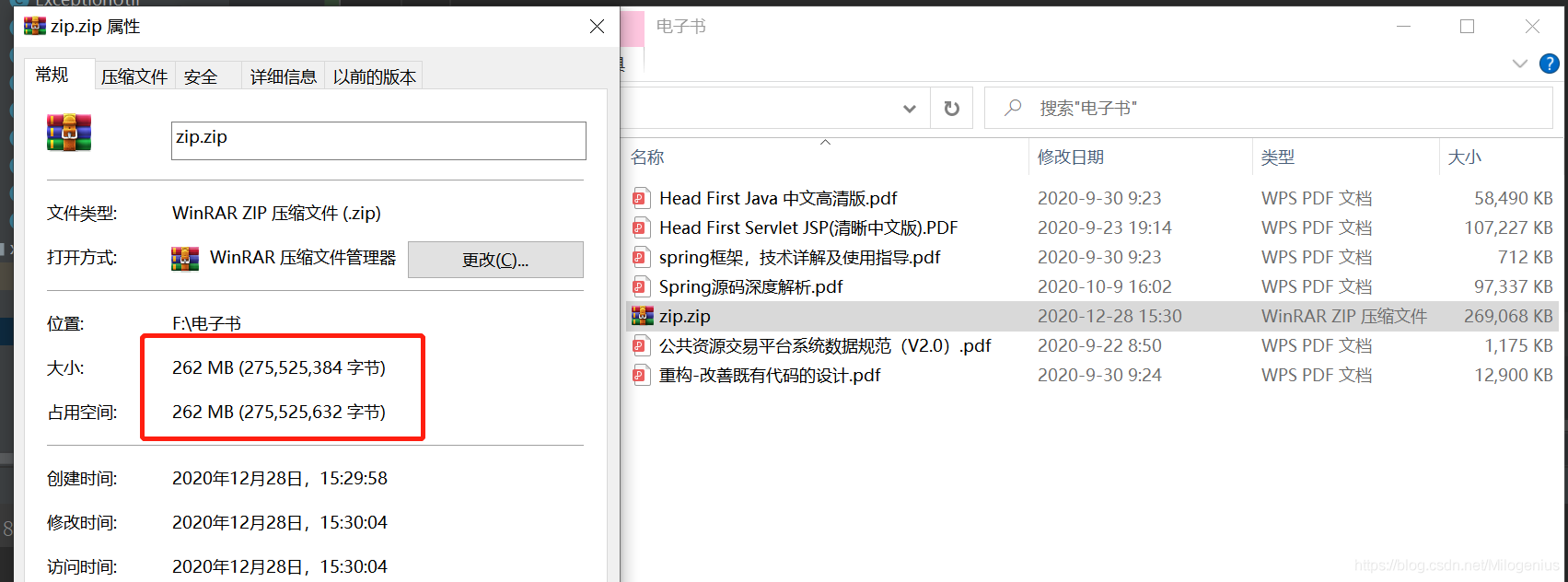
4.1 zip压缩
4.2 7zip压缩
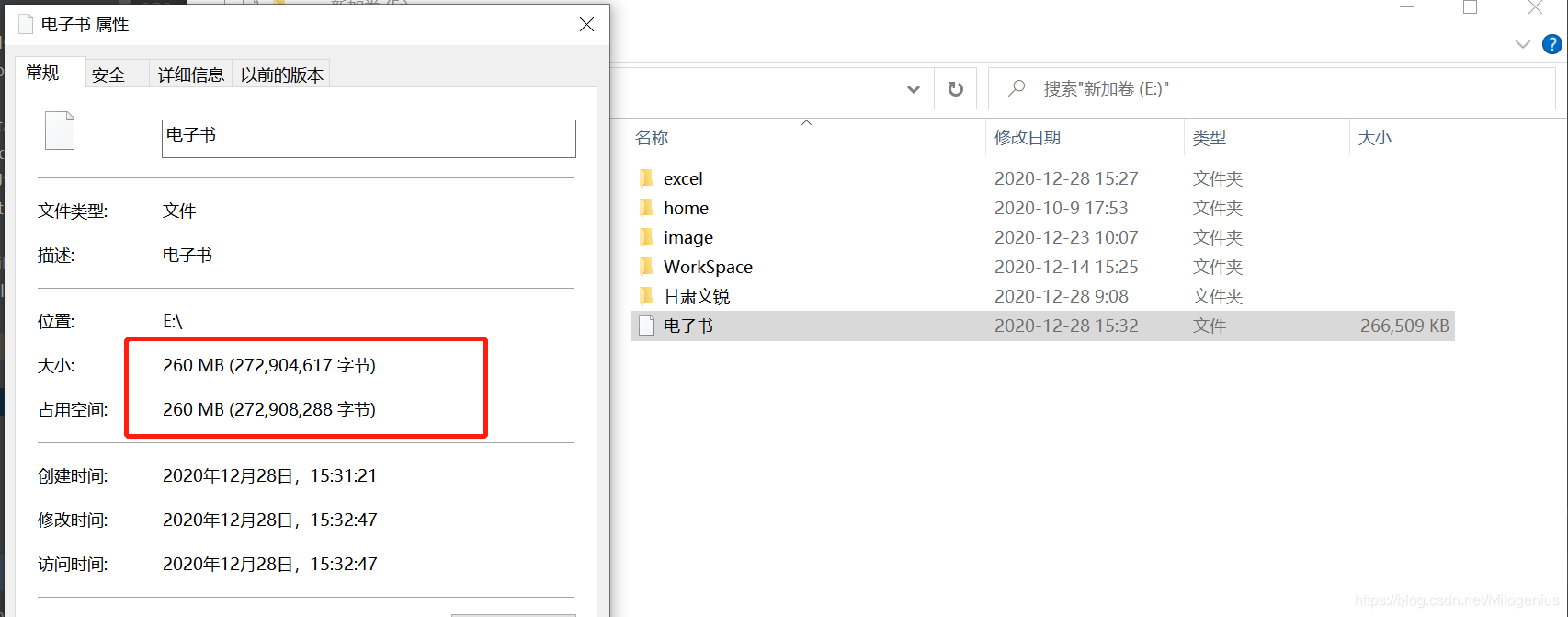
从结果来看,7z压缩方式压缩比更高,生成文件越小,感觉可能文件越大,效果越明显,如果只针对于我本次测试而言,我发现7z的压缩方式相对zip来说,速度慢很多,所以如果是小文件操作,还是推荐zip
五 Zip4j
这里推荐一款操作zip的明星库Zip4j,非常的方便好用,也是我同事推荐给我的!!!!
5.1 Zip4j介绍
Zip4j是用于zip文件或流的最全面的Java库。在撰写本文时,除其他一些功能外,它是唯一支持zip加密的Java库。它试图使处理zip文件/流变得更加容易。输入流和输出流不再笨拙的样板代码。正如你可以在下面的用法部分中看到,与zip文件的工作,现在即使是一个单一的代码行,比起这个。我的意思是不破坏Java的内置zip支持。实际上,该库依赖于Java的内置邮政编码,并且它本来应该更多。复杂如果我还必须编写压缩逻辑,那就很有挑战性。但老实说,使用zip文件或流可能是很多样板代码。该库的主要目的是通过在库中进行繁重的工作来为zip文件或流的所有常规操作提供一个简单的API,而不必让开发人员担心必须处理流等。
5.2 Zip4j特性
- 创建,添加,提取,更新,从zip文件中删除文件
- 支持流(ZipInputStream和ZipOutputStream)
- 读/写受密码保护的zip文件和流
- 支持AES和zip标准加密方法
- 支持Zip64格式
- 存储(无压缩)和放气压缩方法
- 从拆分的zip文件创建或提取文件(例如:z01,z02,... zip)
- 支持Unicode中的Unicode文件名和注释
- 进度监视器-用于集成到应用程序和面向用户的应用程序中
5.3 功能演示
1package com.milo.zip;
2
3import net.lingala.zip4j.ZipFile;
4import net.lingala.zip4j.exception.ZipException;
5import net.lingala.zip4j.model.ZipParameters;
6import net.lingala.zip4j.model.enums.AesKeyStrength;
7import net.lingala.zip4j.model.enums.EncryptionMethod;
8import org.junit.Test;
9
10import java.io.File;
11import java.util.Arrays;
12import java.util.List;
13
14/**
15 * @author Milo Lee
16 * @date 2020-12-28 15:47
17 */
18public class ZipTest {
19
20    /**
21     *创建zip文件,包含单个文件
22     */
23    @Test
24    public void test1(){
25        try {
26            //方式一
27            new ZipFile("F:\\电子书\\milolee.zip").addFile("F:\\电子书\\Head First Java 中文高清版.pdf");
28            //方式二
29            new ZipFile("F:\\电子书\\milolee.zip").addFile(new File("F:\\电子书\\Head First Java 中文高清版.pdf"));
30        } catch (ZipException e) {
31            e.printStackTrace();
32        }
33    }
34
35    /**
36     * 创建zip文件,包含多个文件
37     */
38    @Test
39    public void test2(){
40        try {
41            new ZipFile("F:\\电子书\\milolee.zip").addFiles(Arrays.asList(new File("F:\\电子书\\Head First Java 中文高清版.pdf"),
42                    new File("F:\\电子书\\Spring源码深度解析.pdf")));
43        } catch (ZipException e) {
44            e.printStackTrace();
45        }
46    }
47
48    /**
49     * 创建受密码保护的zip文件
50     */
51    @Test
52    public void test3(){
53        ZipParameters zipParameters = new ZipParameters();
54        zipParameters.setEncryptFiles(true);
55        zipParameters.setEncryptionMethod(EncryptionMethod.AES);
56        // Below line is optional. AES 256 is used by default. You can override it to use AES 128. AES 192 is supported only for extracting.
57        zipParameters.setAesKeyStrength(AesKeyStrength.KEY_STRENGTH_256);
58
59        List<File> filesToAdd = Arrays.asList(
60                new File("F:\\电子书\\Head First Java 中文高清版.pdf"),
61                new File("F:\\电子书\\Spring源码深度解析.pdf")
62        );
63
64        ZipFile zipFile = new ZipFile("F:\\电子书\\milolee.zip", "milolee".toCharArray());
65        try {
66            zipFile.addFiles(filesToAdd, zipParameters);
67        } catch (ZipException e) {
68            e.printStackTrace();
69        }
70    }
71
72    /**
73     * 解压zip
74     */
75    @Test
76    public void test4(){
77        try {
78            new ZipFile("F:\\电子书\\milolee.zip").extractAll("F:\\电子书\\jy");
79        } catch (ZipException e) {
80            e.printStackTrace();
81        }
82    }
83
84    /**
85     * 解压一个受密码保护的zip文件
86     */
87    @Test
88    public void test5(){
89        try {
90            new ZipFile("F:\\电子书\\milolee.zip", "milolee".toCharArray()).extractAll("F:\\电子书\\jy");
91        } catch (ZipException e) {
92            e.printStackTrace();
93        }
94    }
95}
96
更多功能,大家可以在github上面找到示例,自己动手测试