1、检查环境
1.1、linux版本
1[root@localhost ~]# cat /etc/redhat-release
2CentOS Linux release 7.7.1908 (Core)
1.2、SSE 4.2
1[root@localhost ~]# grep -q sse4_2 /proc/cpuinfo && echo "SSE 4.2 supported" || echo "SSE 4.2 not supported"
2SSE 4.2 supported
2、安装rpm包
2.1、下载
~~ https://repo.yandex.ru/clickhouse/rpm/stable/x86_64/ ~~
1wget https://repo.yandex.ru/clickhouse/rpm/stable/x86_64/clickhouse-client-20.3.9.70-2.noarch.rpm
2wget https://repo.yandex.ru/clickhouse/rpm/stable/x86_64/clickhouse-server-20.3.9.70-2.noarch.rpm
3wget https://repo.yandex.ru/clickhouse/rpm/stable/x86_64/clickhouse-common-static-dbg-20.3.9.70-2.x86_64.rpm
2.2、安装
1[root@localhost clickhouse]# rpm -ivh clickhouse-common-static-20.3.9.70-2.x86_64.rpm
2
3[root@localhost clickhouse]# rpm -ivh clickhouse-server-20.3.9.70-2.noarch.rpm
4Created symlink from /etc/systemd/system/multi-user.target.wants/clickhouse-server.service to /etc/systemd/system/clickhouse-server.service.
5Path to data directory in /etc/clickhouse-server/config.xml: /var/lib/clickhouse/
6
7[root@localhost clickhouse]# rpm -ivh clickhouse-client-20.3.9.70-2.noarch.rpm
3、启动&连接
3.1、启动服务
1[root@localhost clickhouse]# systemctl start clickhouse-server.service
2[root@localhost clickhouse]# systemctl status clickhouse-server.service
3.2、命令行连接
1[root@localhost clickhouse]# clickhouse-client
2ClickHouse client version 20.3.9.70 (official build).
3Connecting to localhost:9000 as user default.
4Connected to ClickHouse server version 20.3.9 revision 54433.
5
6localhost :) show databases;
7
8SHOW DATABASES
9
10┌─name────┐
11│ default │
12│ system  │
13└─────────┘
14
152 rows in set. Elapsed: 0.004 sec.
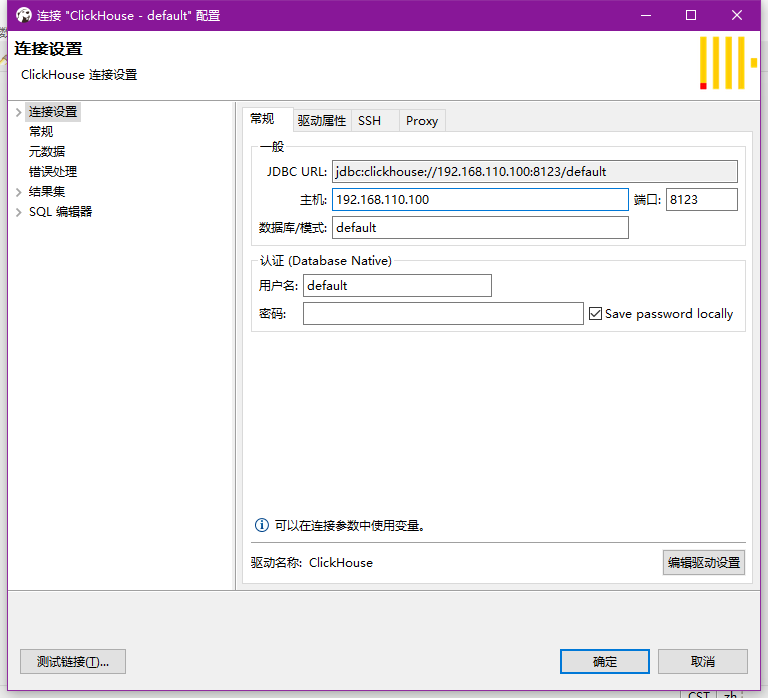
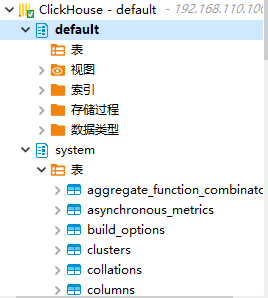
3.3、Dbeaver连接
默认监听的是localhost,需要修改为外网可访问的ip
1# 修改配置文件
2vim /etc/clickhouse-server/config.xml
3<listen_host>0.0.0.0</listen_host>
4
5# 重启服务
6systemctl restart clickhouse-server.service
默认没有密码