
在学习Lucene之前呢,我们当然首先要了解下什么是Lucene.
0x01 什么是Lucene ?
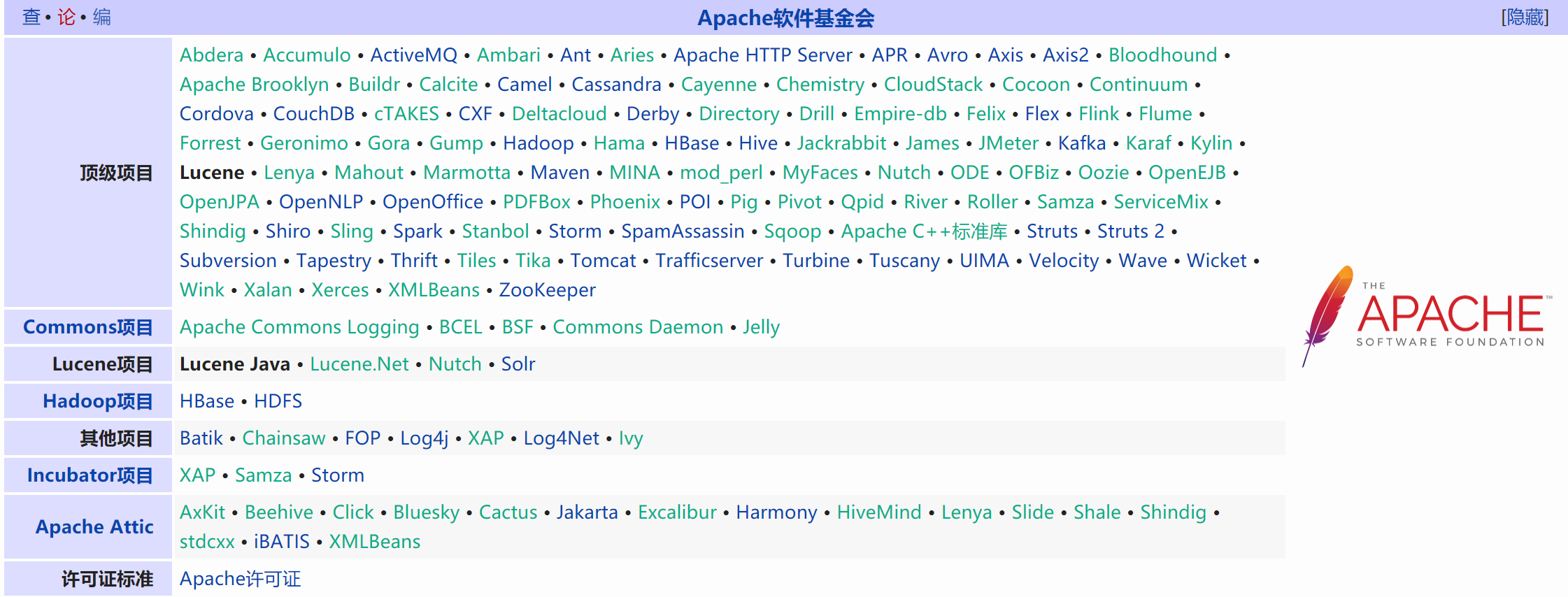
Lucene是一套用于全文检索和搜索的开放源代码程序库,由Apache软件基金会支持和提供。
Lucene提供了一个简单却强大的应用程序接口,能够做全文索引和搜索,在Java开发环境里Lucene是一个成熟的免费开放源代码工具;
就其本身而论,Lucene是现在并且是这几年,最受欢迎的免费Java信息检索程序库。
Lucene最初是由Doug Cutting所撰写的,他贡献出Lucene的目标是为各种中小型应用程序加入全文检索功能。
Tips: 摘要来自维基百科 https://zh.wikipedia.org/wiki/Lucene
这里我们只需要知道Lucene是目前最为流行的基于 Java 开源全文检索工具包。
0x02 Lucene 是用来做什么的?
基于Lucene的著名项目
项目名称
项目描述
Apache Nutch
提供成熟可用的网络爬虫
Apache Solr
基于Lucenne核心的高性能搜索服务器,提供JSON/Python/Ruby API
Elasticsearch
企业搜索平台,目的是组织数据并使其易于获取
DocFetcher
跨平台的本机文件搜索桌面程序
Lucene.NET
提供给.Net平台用户的Lucene类库的封装
Swiftype
基于Lucene的企业级搜索
Apache Lucy
为动态语言提供全文搜索的能力,是Lucene Java 库的C接口
其实我们不难发现主要用途
- 可以用来编写网络爬虫
- 也可以用来实现网站后台的全文检索。
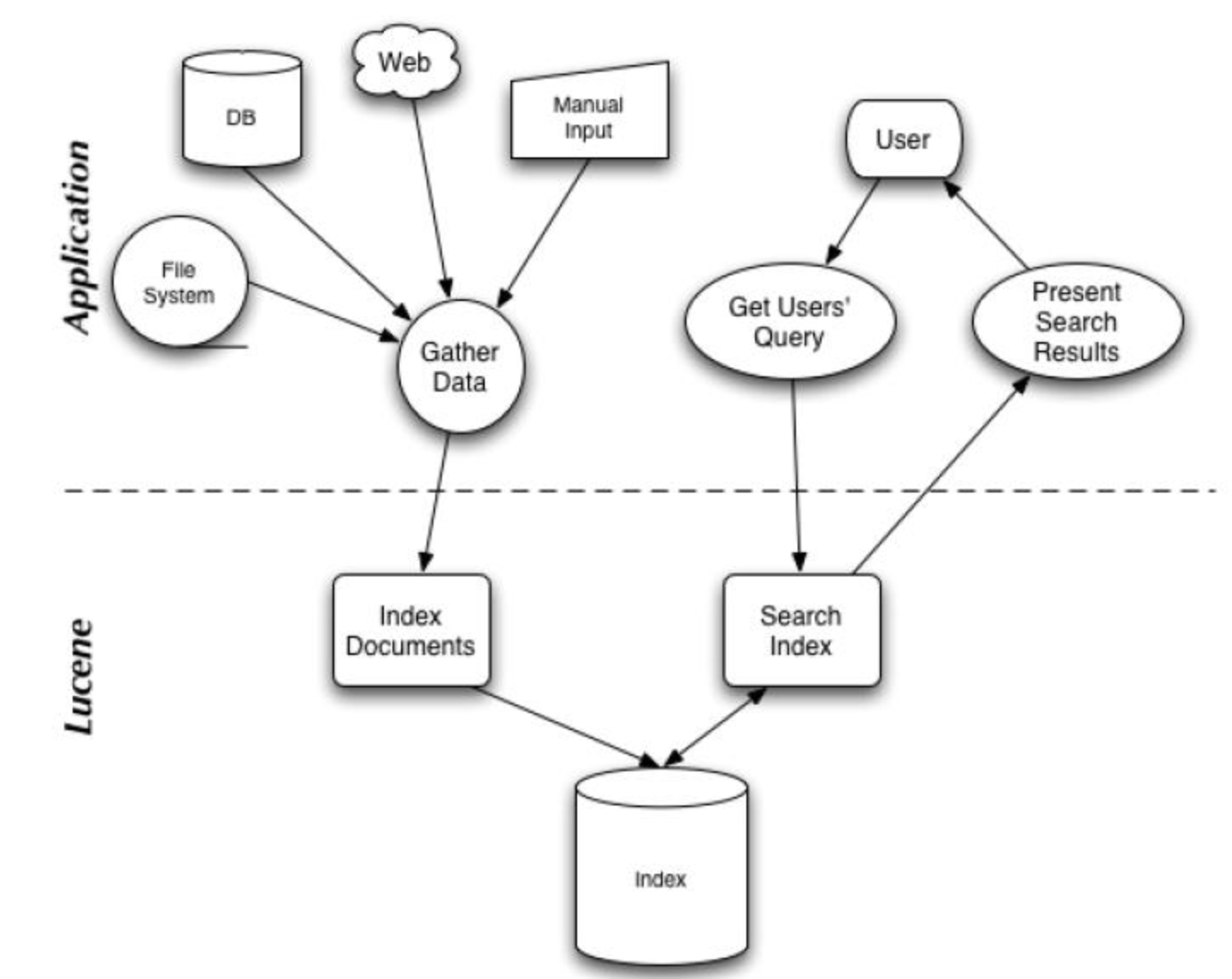
偶然发现这张图感觉挺不错的,在这里分享下:
搜索应用程序和 Lucene 之间的关系
Lucene 能够为文本类型的数据建立索引,所以你只要能把你要索引的数据格式转化的文本的,Lucene 就能对你的文档进行索引和搜索。
0x03 Lucene 软件包分析
Lucene 软件包的发布形式是一个 JAR 文件,下面我们分析一下这个 JAR 文件里面的主要的 JAVA 包,使读者对之有个初步的了解。
Package: org.apache.lucene.document
这个包提供了一些为封装要索引的文档所需要的类,比如 Document, Field。这样,每一个文档最终被封装成了一个 Document 对象。
Package: org.apache.lucene.analysis
这个包主要功能是对文档进行分词,因为文档在建立索引之前必须要进行分词,所以这个包的作用可以看成是为建立索引做准备工作。
Package: org.apache.lucene.index
这个包提供了一些类来协助创建索引以及对创建好的索引进行更新。这里面有两个基础的类:IndexWriter 和 IndexReader,
其中 IndexWriter 是用来创建索引并添加文档到索引中的,IndexReader 是用来删除索引中的文档的。
Package: org.apache.lucene.search
这个包提供了对在建立好的索引上进行搜索所需要的类。比如 IndexSearcher 和 Hits, IndexSearcher 定义了在指定的索引上进行搜索的方法,Hits 用来保存搜索得到的结果。
0x04 搭建Lucene 开发环境?
相信你和我一样已经控制不住自己的洪荒之力想要写个demo来跑跑了,但是在此之前我们还是要先搭建好开发环境。
1. 首先我们需要找到Lucene的官网
Lucene官网:https://lucene.apache.org/
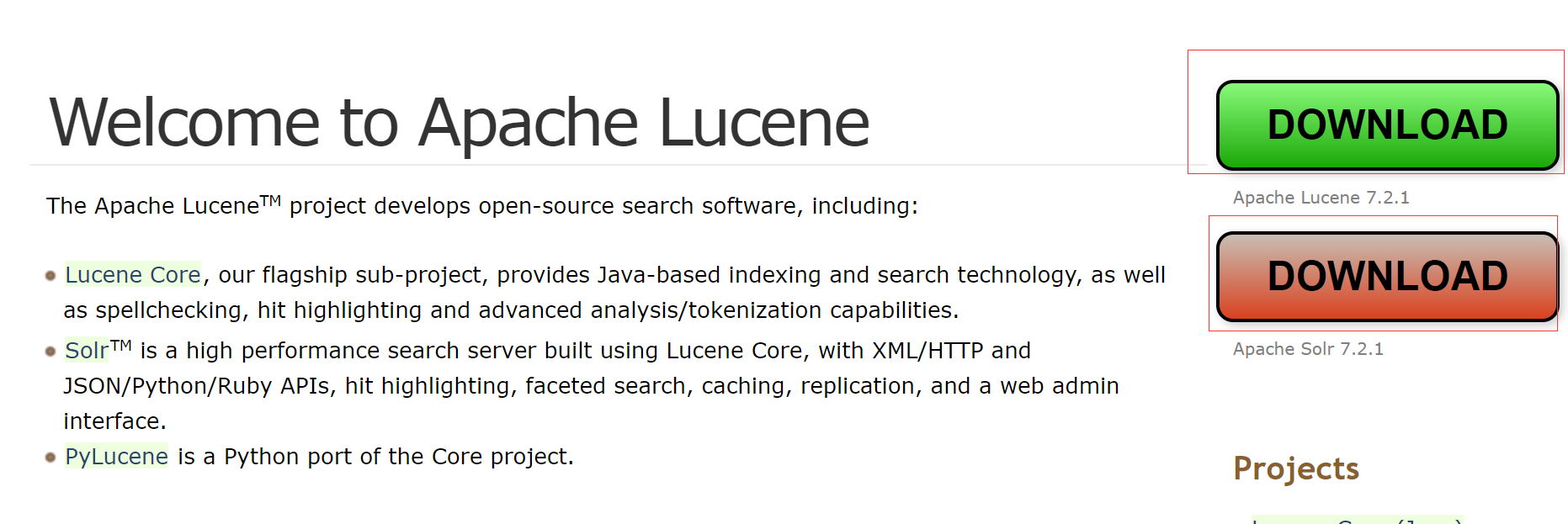
翻译内容如下:
Apache LuceneTM项目开发开源搜索软件,其中包括:
我们的旗舰子项目Lucene Core提供了基于Java的索引和搜索技术,以及拼写检查,高亮显示和高级分析/标记化功能。
SolrTM是一款使用Lucene Core构建的高性能搜索服务器,具有XML / HTTP和JSON / Python / Ruby API,高亮显示,多面搜索,缓存,复制和Web管理界面。
PyLucene是Core项目的Python端口。
2.点击上图中的Download 按钮,会跳转到这个下载页面

Tips: 这里存在很多镜像下载链接,我们选择推荐的下载链接下载即可。
0x05 Lucene Hello World Sample
文档资料相信你在其他网站已经看了不少,但是不写一个能跑起来的Hello World 对于初学者来说是非常痛苦的。
对于这个简单的例子,我们将从一些字符串中创建一个内存索引
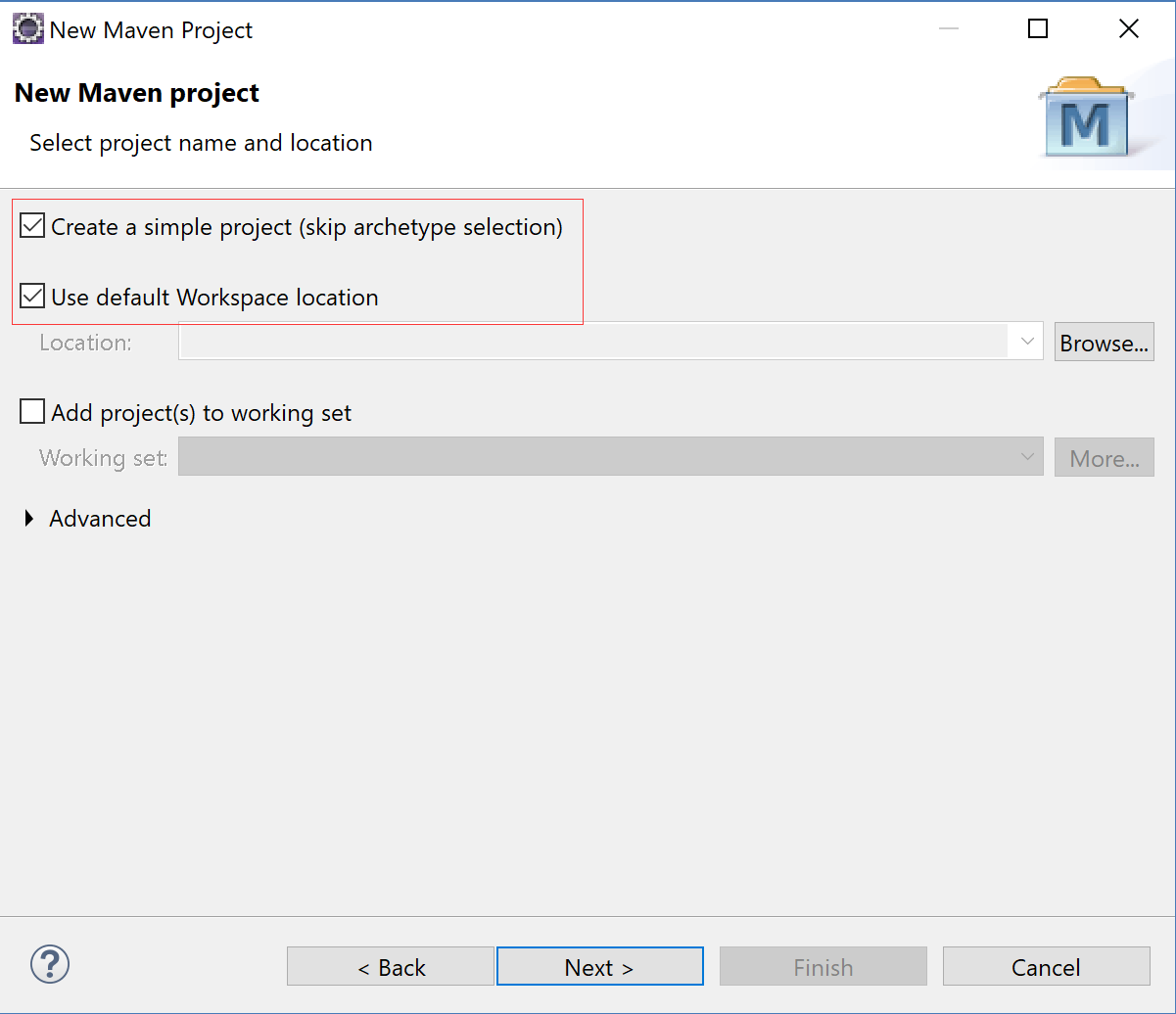
1.创建Maven 项目
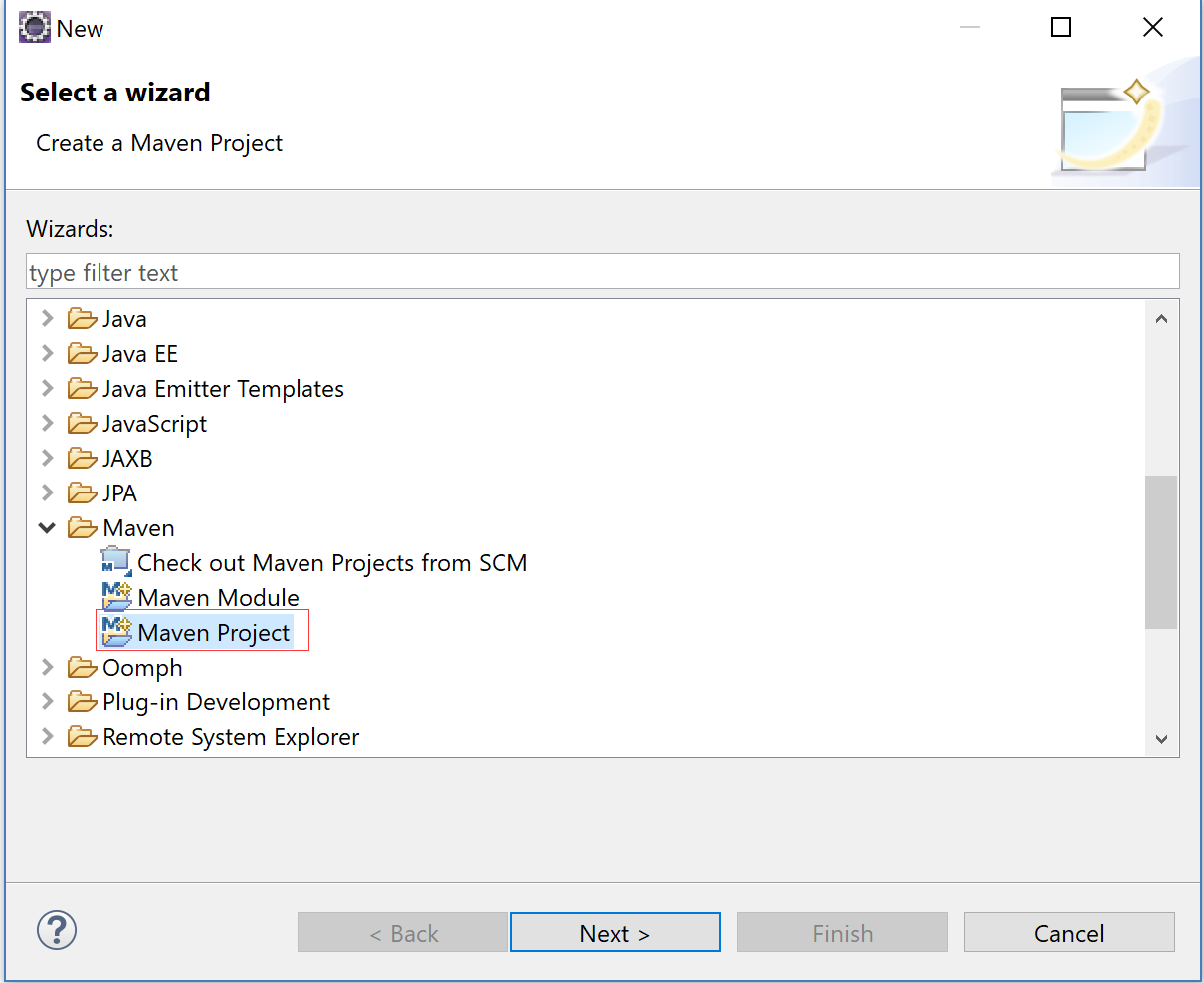
2.选择创建一个简单的Maven Project
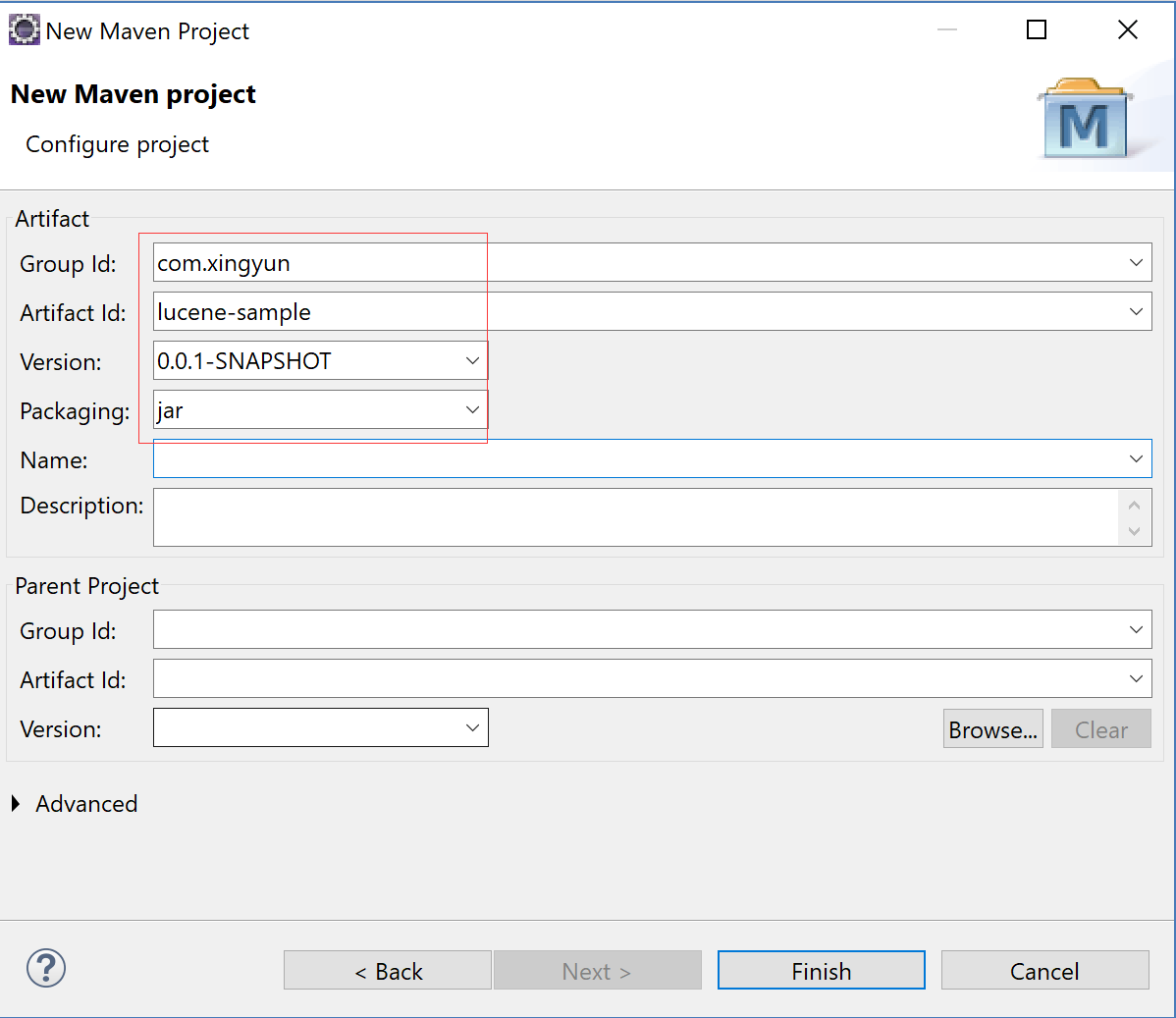
3. 配置工程信息
4. 点击完成
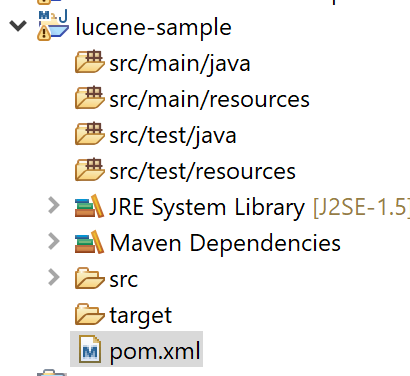
5. 配置POM.xml
1<project xmlns="http://maven.apache.org/POM/4.0.0" xmlns:xsi="http://www.w3.org/2001/XMLSchema-instance" xsi:schemaLocation="http://maven.apache.org/POM/4.0.0 http://maven.apache.org/xsd/maven-4.0.0.xsd">
2  <modelVersion>4.0.0</modelVersion>
3  <groupId>com.xingyun</groupId>
4  <artifactId>lucene-sample</artifactId>
5  <version>0.0.1-SNAPSHOT</version>
6  <packaging>jar</packaging>
7
8  <name>lucene-sample</name>
9
10    <properties>
11        <project.build.sourceEncoding>UTF-8</project.build.sourceEncoding>
12    </properties>
13
14    <build>
15      <plugins>
16          <plugin>
17              <groupId>org.codehaus.mojo</groupId>
18              <artifactId>exec-maven-plugin</artifactId>
19              <version>1.3.2</version>
20              <executions>
21                  <execution>
22                      <id>ex</id>
23                      <phase>package</phase>
24                      <goals>
25                          <goal>exec</goal>
26                      </goals>
27                      <configuration>
28                          <executable>java</executable>
29                          <arguments>
30                              <argument>-classpath</argument>
31                              <classpath />
32                              <argument>HelloLucene.HelloLucene</argument>
33                          </arguments>
34                      </configuration>
35                  </execution>
36              </executions>
37          </plugin>
38      </plugins>
39    </build>
40
41    <dependencies>
42        <dependency>
43            <groupId>org.apache.lucene</groupId>
44            <artifactId>lucene-core</artifactId>
45            <version>4.0.0</version>
46        </dependency>
47        <dependency>
48            <groupId>org.apache.lucene</groupId>
49            <artifactId>lucene-queries</artifactId>
50            <version>4.0.0</version>
51        </dependency>
52        <dependency>
53            <groupId>org.apache.lucene</groupId>
54            <artifactId>lucene-test-framework</artifactId>
55            <version>4.0.0</version>
56        </dependency>
57        <dependency>
58            <groupId>org.apache.lucene</groupId>
59            <artifactId>lucene-analyzers-common</artifactId>
60            <version>4.0.0</version>
61        </dependency>
62        <dependency>
63            <groupId>org.apache.lucene</groupId>
64            <artifactId>lucene-queryparser</artifactId>
65            <version>4.0.0</version>
66        </dependency>
67    </dependencies>
68</project>
6. 创建HelloLucene.java
1package com.xingyun;
2
3import java.io.IOException;
4import java.text.ParseException;
5
6import org.apache.lucene.analysis.standard.StandardAnalyzer;
7import org.apache.lucene.document.Document;
8import org.apache.lucene.document.Field;
9import org.apache.lucene.document.StringField;
10import org.apache.lucene.document.TextField;
11import org.apache.lucene.index.DirectoryReader;
12import org.apache.lucene.index.IndexReader;
13import org.apache.lucene.index.IndexWriter;
14import org.apache.lucene.index.IndexWriterConfig;
15import org.apache.lucene.queryparser.classic.QueryParser;
16import org.apache.lucene.search.IndexSearcher;
17import org.apache.lucene.search.Query;
18import org.apache.lucene.search.ScoreDoc;
19import org.apache.lucene.search.TopScoreDocCollector;
20import org.apache.lucene.store.Directory;
21import org.apache.lucene.store.RAMDirectory;
22import org.apache.lucene.util.Version;
23
24public class HelloLucene {
25
26    public static void main(String[] args) throws IOException, ParseException {
27
28        // 对于这个简单的例子,我们将从一些字符串中创建一个内存索引。
29        // 0. Specify the analyzer for tokenizing text.
30        // The same analyzer should be used for indexing and searching
31        StandardAnalyzer analyzer = new StandardAnalyzer(Version.LUCENE_40);
32
33        // 1. create the index
34        Directory index = new RAMDirectory();
35
36        IndexWriterConfig config = new IndexWriterConfig(Version.LUCENE_40, analyzer);
37
38        IndexWriter w = new IndexWriter(index, config);
39        addDoc(w, "Lucene in Action", "193398817");
40        addDoc(w, "Lucene for Dummies", "55320055Z");
41        addDoc(w, "Managing Gigabytes", "55063554A");
42        addDoc(w, "The Art of Computer Science", "9900333X");
43        w.close();
44
45        // 2. query
46        String querystr = args.length > 0 ? args[0] : "lucene";
47
48        // the "title" arg specifies the default field to use
49        // when no field is explicitly specified in the query.
50        Query q = null;
51        try {
52            q = new QueryParser(Version.LUCENE_40, "title", analyzer).parse(querystr);
53        } catch (org.apache.lucene.queryparser.classic.ParseException e) {
54            e.printStackTrace();
55        }
56
57        // 3. search
58        int hitsPerPage = 10;
59        IndexReader reader = DirectoryReader.open(index);
60        IndexSearcher searcher = new IndexSearcher(reader);
61        TopScoreDocCollector collector = TopScoreDocCollector.create(hitsPerPage, true);
62        searcher.search(q, collector);
63        ScoreDoc[] hits = collector.topDocs().scoreDocs;
64
65        // 4. display results
66        System.out.println("Found " + hits.length + " hits.");
67        for (int i = 0; i < hits.length; ++i) {
68            int docId = hits[i].doc;
69            Document d = searcher.doc(docId);
70            System.out.println((i + 1) + ". " + d.get("isbn") + "\t" + d.get("title"));
71        }
72
73        // reader can only be closed when there
74        // is no need to access the documents any more.
75        reader.close();
76    }
77
78    private static void addDoc(IndexWriter w, String title, String isbn) throws IOException {
79        Document doc = new Document();
80        doc.add(new TextField("title", title, Field.Store.YES));
81
82        // use a string field for isbn because we don't want it tokenized
83        doc.add(new StringField("isbn", isbn, Field.Store.YES));
84        w.addDocument(doc);
85    }
86
87}
7. 运行后,我们便可以得到索引集合中带有Lucene的所有内容
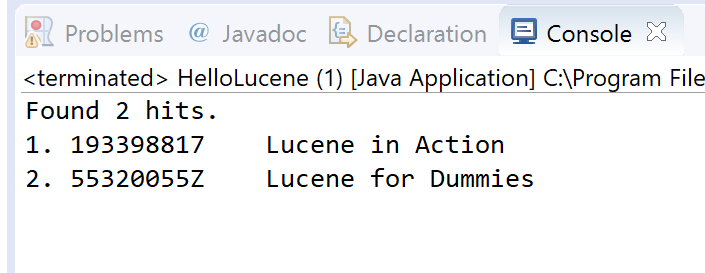
0x06 代码剖析
我们运行成功后,相信此时的你已经有心情和我一起来分析代码了吧。
1. 创建索引
1StandardAnalyzer analyzer = new StandardAnalyzer();
2Directory index = new RAMDirectory();
3
4IndexWriterConfig config = new IndexWriterConfig(analyzer);
5
6IndexWriter w = new IndexWriter(index, config);
7addDoc(w, "Lucene in Action", "193398817");
8addDoc(w, "Lucene for Dummies", "55320055Z");
9addDoc(w, "Managing Gigabytes", "55063554A");
10addDoc(w, "The Art of Computer Science", "9900333X");
11w.close();
我们需要虚构一些假的数据,通过上面的方式来对一些字符串和数字创建索引
addDoc 方法定义如下所示:
1private static void addDoc(IndexWriter w, String title, String isbn) throws IOException {
2  Document doc = new Document();
3  doc.add(new TextField("title", title, Field.Store.YES));
4  doc.add(new StringField("isbn", isbn, Field.Store.YES));
5  w.addDocument(doc);
6}
2. 查询
1String querystr = args.length > 0 ? args[0] : "lucene";
2Query q = new QueryParser("title", analyzer).parse(querystr);
3.搜索
1int hitsPerPage = 10;
2IndexReader reader = DirectoryReader.open(index);
3IndexSearcher searcher = new IndexSearcher(reader);
4TopDocs docs = searcher.search(q, hitsPerPage);
5ScoreDoc[] hits = docs.scoreDocs;
4.显示结果
1System.out.println("Found " + hits.length + " hits.");
2for(int i=0;i<hits.length;++i) {
3    int docId = hits[i].doc;
4    Document d = searcher.doc(docId);
5    System.out.println((i + 1) + ". " + d.get("isbn") + "\t" + d.get("title"));
6}
0x07 参考资料:
Lucene in 5 minutes:http://www.lucenetutorial.com/lucene-in-5-minutes.html
Lucene常识总结以及小demo总结 http://www.imooc.com/article/21946
Lucene 概述: https://www.ibm.com/developerworks/cn/java/j-lo-lucene1/
视频实战教程:
基于Lucene4.6+Solr4.6+Heritrix1.14+S2SH实战开发从无到有垂直搜索引擎
网盘地址:https://pan.baidu.com/s/1nwkAamt 密码: 9ang
备用地址(腾讯微云):http://url.cn/5CmEW7s 密码:p8TmhQ