
按日期对ES的index进行分割:
logstash配置:
1input{
2  file{
3    path => "/home/hottopic/logs/trend-shotting-api/metric/*"
4    type => "trend-shotting-api-metric"
5    start_position => "beginning"
6    codec => json {
7            charset => "UTF-8"
8        }
9  }
10}
11
12output{
13  if [type] == "trend-shotting-api-metric" {
14    elasticsearch {
15    hosts=> ["172.17.213.60:9200"]
16    index=> "trend-shotting-api-metrick.%{+YYYY-MM}"
17    }
18  }
19}
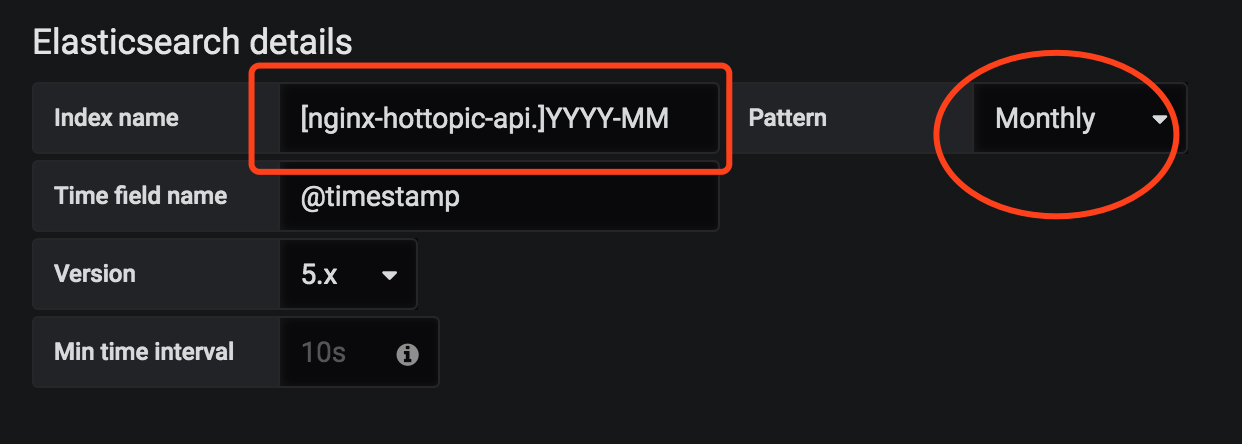
grafana源配置:(注意日期格式要统一,比如YYYY-MM或YYYY.MM)
配置Groub by -Terms时报错,提示需要设置fielddata=true,报错内容大概如下:
"Fielddata is disabled on text fields by default ... "
解决方法如下:
1curl -X PUT "localhost:9200/nginx/_mapping/doc" -H 'Content-Type: application/json' -d'
2{
3  "properties": {
4    "xforward": {
5      "type":     "text",
6      "fielddata": true
7    }
8  }
9}
10'
操作后仍然报错,于是
1curl -X PUT "localhost:9200/nginx/_mapping/doc?update_all_types" -H 'Content-Type: application/json' -d'
2{
3  "properties": {
4    "xforward": {
5      "type":     "text",
6      "fielddata": true
7    }
8  }
9}
10'
以上nginx为index名称 xforward为字段名称。
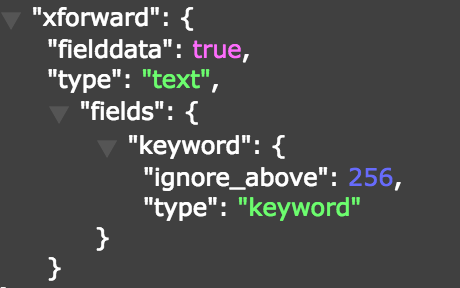
修改完后查看结果显示已修改成功
返回到Grafana进行再一次设置
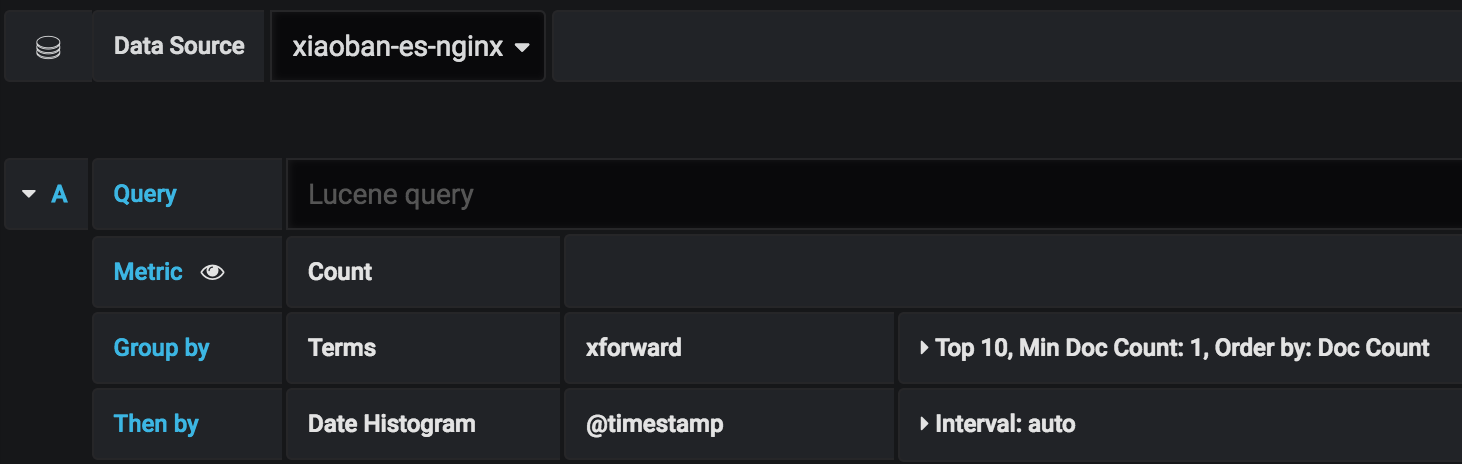
修改成功后,可以正常出图。