
0.参考文档
LTS 7.9.1 新特性:https://www.sonarqube.org/sonarqube-7-9-lts/
JDK11 下载地址: 链接:https://pan.baidu.com/s/1VGEUd2nPzsDeOE2Ycrcmqg 密码:gpx9
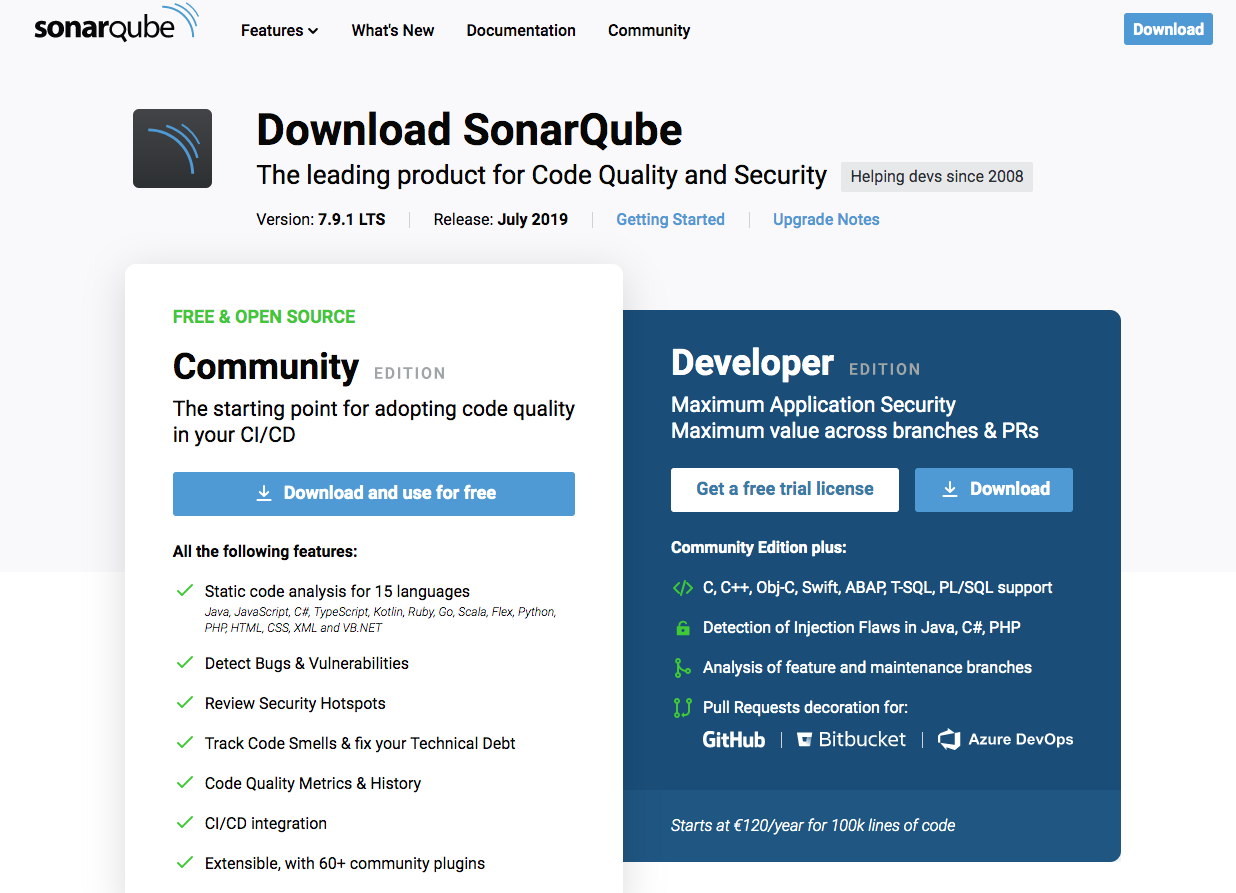
1.下载软件包
下载链接: https://www.sonarqube.org/downloads/
2.添加系统用户
1useradd sonarqube
2passwd sonarqube
3.优化系统参数
1sysctl -w  vm.max_map_count=262144
2sysctl -w fs.file-max=65536
3ulimit -u 4096 sonarqube
4ulimit -n 65536 sonarqube
4.解压安装包
1mv sonarqube-7.9.1.zip  /home/sonarqube/
2chown -R sonarqube:sonarqube /home/sonarqube/
3su - sonarqube
4yum -y install unzip
5unzip sonarqube-7.9.1.zip
5.更改配置文件
1vim sonarqube-7.9.1/conf/sonar.properties
2
3[sonarqube@localhost ~]$ grep -v "^#" sonarqube-7.9.1/conf/sonar.properties | grep -v "^$"
4sonar.jdbc.username=sonarqube
5sonar.jdbc.password=meiyoumima
6sonar.jdbc.url=jdbc:postgresql://127.0.0.1/sonarqube?currentSchema=my_schema
6.安装PostgreSQL#下载pg9.6 源
1yum install https://download.postgresql.org/pub/repos/yum/9.6/redhat/rhel-7-x86_64/pgdg-centos96-9.6-3.noarch.rpm
2yum install postgresql96-server postgresql96-contrib
3#初始化db
4/usr/pgsql-9.6/bin/postgresql96-setup initdb
5
6#启动服务、开机自启
7systemctl start postgresql-9.6
8systemctl enable postgresql-9.6
9
10#防火墙
11firewall-cmd --add-service=postgresql --permanent
12firewall-cmd --reload
13
14#登录数据库
15su - postgres
16psql -U postgres
17ALTER USER postgres with encrypted password 'xxxxxx';
18\q
19exit#创建sonarqube用户create user sonarqube with password 'xxxxx';create database sonarqube owner sonarqube;grant all  on database sonarqube to sonarqube;create schema my_schema;
20
21#开启远程访问
22vi /var/lib/pgsql/9.6/data/postgresql.conf   #listen_addresses = '*'
23vi /var/lib/pgsql/9.6/data/pg_hba.conf
24systemctl restart postgresql-9.6.service#pg_hba.conf
25
26# IPv4 local connections:
27host    all             all             0.0.0.0/0            trust
28# IPv6 local connections:
29host    all             all             ::1/128                 ident
30# Allow replication connections from localhost, by a user with the
31# replication privilege.
32#local   replication     postgres                                peer
33#host    replication     postgres        127.0.0.1/32            ident
34#host    replication     postgres        ::1/128                 ident
35host    all     all       0.0.0.0/0                ident
7.添加系统服务
1ln -s /home/sonarqube/sonarqube-7.9.1/bin/linux-x86-64/sonar.sh  /usr/bin/sonar
2
3vim /etc/init.d/sonarqube
4
5
6
7#!/bin/sh
8#
9# rc file for SonarQube
10#
11# chkconfig: 345 96 10
12# description: SonarQube system (www.sonarsource.org)
13#
14### BEGIN INIT INFO
15# Provides: sonar
16# Required-Start: $network
17# Required-Stop: $network
18# Default-Start: 3 4 5
19# Default-Stop: 0 1 2 6
20# Short-Description: SonarQube system (www.sonarsource.org)
21# Description: SonarQube system (www.sonarsource.org)
22### END INIT INFO
23
24/usr/bin/sonar $*
25
26
27
28chkconfig --add sonarqube
29chkconfig sonarqube on
30
31service sonarqube status
8.FAQ
1. JDK11错误: 需要安装JDK11
1[sonarqube@localhost linux-x86-64]$ ./sonar.sh  console
2Running SonarQube...
3wrapper  | --> Wrapper Started as Console
4wrapper  | Launching a JVM...
5jvm 1    | Wrapper (Version 3.2.3) http://wrapper.tanukisoftware.org
6jvm 1    |   Copyright 1999-2006 Tanuki Software, Inc.  All Rights Reserved.
7jvm 1    |
8jvm 1    | 20:46:06.753 [WrapperSimpleAppMain] WARN org.sonar.application.config.JdbcSettings - JDBC URL is recommended to have the property 'rewriteBatchedStatements=true'
9jvm 1    | 20:46:06.764 [WrapperSimpleAppMain] WARN org.sonar.application.config.JdbcSettings - JDBC URL is recommended to have the property 'useConfigs=maxPerformance'
10jvm 1    |
11jvm 1    | WrapperSimpleApp: Encountered an error running main: java.lang.IllegalStateException: SonarQube requires Java 11+ to run
12jvm 1    | java.lang.IllegalStateException: SonarQube requires Java 11+ to run
13jvm 1    |      at org.sonar.application.App.checkJavaVersion(App.java:93)
14jvm 1    |      at org.sonar.application.App.start(App.java:56)
15jvm 1    |      at org.sonar.application.App.main(App.java:98)
16jvm 1    |      at sun.reflect.NativeMethodAccessorImpl.invoke0(Native Method)
17jvm 1    |      at sun.reflect.NativeMethodAccessorImpl.invoke(NativeMethodAccessorImpl.java:62)
18jvm 1    |      at sun.reflect.DelegatingMethodAccessorImpl.invoke(DelegatingMethodAccessorImpl.java:43)
19jvm 1    |      at java.lang.reflect.Method.invoke(Method.java:498)
20jvm 1    |      at org.tanukisoftware.wrapper.WrapperSimpleApp.run(WrapperSimpleApp.java:240)
21jvm 1    |      at java.lang.Thread.run(Thread.java:748)
22wrapper  | <-- Wrapper Stopped
2.MySQL数据库不支持
