
一、围住神经猫游戏案例
游戏介绍:
点击圆圈即可将圆圈点亮,用橘色圆圈将蓝色圆圈全部围住游戏结束。
运行结果:
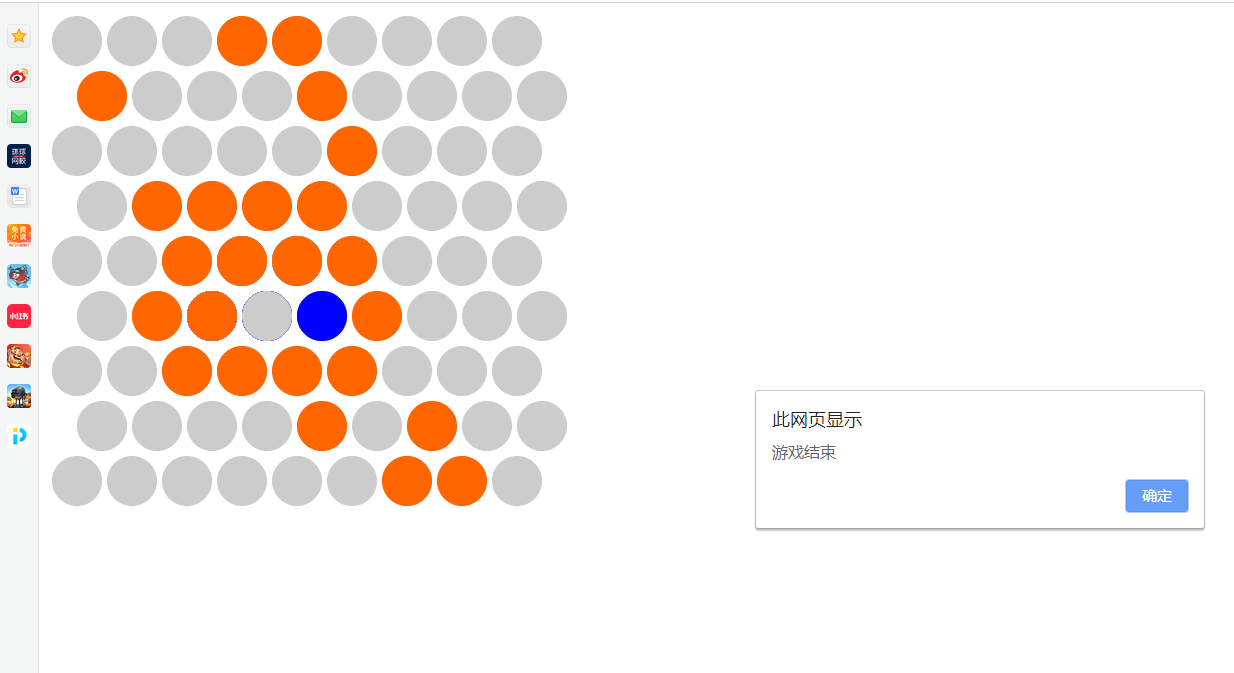
代码:
html代码—cat.html
1 <!DOCTYPE html>
2 <html>
3     <head>
4         <meta charset="UTF-8">
5         <title></title>
6         <script src="easeljs.min.js"></script>
7         <script src="Circle.js"></script>
8     </head>
9     <body>
10         <canvas id="gameView" width="800px" height="800px"></canvas>
11         <script src="app.js" type="text/javascript" charset="utf-8"></script>
12     </body>
13 </html>
html代码—cicrle.html
1function Circle(){
2    createjs.Shape.call(this);
3    this.setCircleType = function(type){
4        this._circleType = type;
5        switch (type){
6            //初始颜色
7            case Circle.TYPE_UNSELECTED:
8            this.setColor("#cccccc");
9                break;
10            //点击过的颜色
11            case Circle.TYPE_SELECTED:
12            this.setColor("#ff6600");
13            break;
14            //猫的颜色
15            case Circle.TYPE_CAT:
16            this.setColor("#0000ff");
17            break;
18        }
19    }
20    this.setColor = function(colorString){
21        this.graphics.beginFill(colorString);
22        this.graphics.drawCircle(0,0,25);
23        this.graphics.endFill();
24    }
25    this.getCircleType = function(){
26        return this._circleType;
27    }
28    this.setCircleType(1);
29}
30Circle.prototype = new createjs.Shape();
31//三种状态
32Circle.TYPE_UNSELECTED = 1;
33Circle.TYPE_SELECTED = 2;
34Circle.TYPE_CAT = 3;
js代码—app.js
1var stage = new createjs.Stage("gameView");
2createjs.Ticker.setFPS(30);
3createjs.Ticker.addEventListener("tick",stage);
4var gameView = new createjs.Container();
5gameView.x = 30;
6gameView.y = 30;
7stage.addChild(gameView);
8var circleArr = [[],[],[],[],[],[],[],[],[]];
9var currentCat;//保存这只猫
10
11var MOVE_NONE = -1,MOVE_LEFT = 0,MOVE_UP_LEFT = 1,MOVE_UP_RIGHT = 2,MOVE_RIGHT = 3,MOVE_DOWN_RIGHT = 4,MOVE_DOWN_LEFT = 5;
12//6个方向的参数
13function getMoveDir(cat){
14    //分别判断能走的位置
15    var distanceMap = [];
16    //left
17    var can = true;
18    for (var x = cat.indexX;x>=0;x--) {
19        if(circleArr[x][cat.indexY].getCircleType() == Circle.TYPE_SELECTED){
20            can = false;
21            distanceMap[MOVE_LEFT] = cat.indexX - x;
22            break;
23        }
24    }
25    if(can){
26        return MOVE_LEFT;
27    }
28    //left up
29    can =true;
30    var x = cat.indexX , y = cat.indexY;
31    while(true){
32        if(circleArr[x][y].getCircleType() == Circle.TYPE_SELECTED){
33            can = false;
34            distanceMap[MOVE_UP_LEFT] = can.indexY-y;
35            break;
36        }
37        if(y%2 == 0){
38            x--;
39        }
40        y--;
41        if(y<0 ||x<0){
42            break;
43        }
44    }
45    if(can){
46        return MOVE_UP_LEFT;
47    }
48
49    //right up
50    can =true;
51    var x = cat.indexX , y = cat.indexY;
52    while(true){
53        if(circleArr[x][y].getCircleType() == Circle.TYPE_SELECTED){
54            can = false;
55            distanceMap[MOVE_UP_RIGHT] = can.indexY-y;
56            break;
57        }
58        if(y%2 == 1){
59            x++;
60        }
61        y--;
62        if(y <0||x>8){
63            break;
64        }
65    }
66    if(can){
67        return MOVE_UP_RIGHT;
68    }
69    //right
70    can =true;
71    for (var x= cat.indexX;x<9;x++) {
72        if(circleArr[x][cat.indexY].getCircleType() == Circle.TYPE_SELECTED){
73            can =false;
74            distanceMap[MOVE_RIGHT] = x -cat.indexX;
75            break;
76        }
77    }
78    if(can){
79        return MOVE_RIGHT;
80    }
81    //ritht down
82    can = true;
83    x= cat.indexX,y = cat.indexY;
84    while(true){
85        if(circleArr[x][y].getCircleType() == Circle.TYPE_SELECTED){
86            can =false;
87            distanceMap[MOVE_DOWN_RIGHT] = y -cat.indexY;
88            break;
89        }
90        if(y%2 == 1){
91            x++;
92        }
93        y++;
94        if(y>8 ||x>8){
95            break;
96        }
97    }
98    if(can){
99        return MOVE_DOWN_RIGHT;
100    }
101    //left down
102    can = true;
103    x= cat.indexX,y = cat.indexY;
104    while(true){
105        if(circleArr[x][y].getCircleType() == Circle.TYPE_SELECTED){
106            can = false;
107            distanceMap[MOVE_DOWN_LEFT] = y -cat.index;
108            break;
109        }
110        if(y%2 == 0){
111            x--;
112        }
113        y++;
114        if(y>8 || x<0){
115            break;
116        }
117    }
118    if(can){
119        return MOVE_DOWN_LEFT;
120    }
121    var maxDir = -1,maxValue = -1;
122    for (var dir = 0;dir<distanceMap.length;dir++) {
123        if(distanceMap[dir]>maxValue){
124            maxValue = distanceMap[dir];
125            maxDir = dir;
126        }
127    }
128    if(maxValue > 1){
129        return maxDir;
130    }else{
131        return MOVE_NONE;
132    }
133}
134function circleClicked(event){
135    if(event.target.getCircleType() != Circle.TYPE_CAT){
136        event.target.setCircleType(Circle.TYPE_SELECTED);
137    }else{
138        return;
139    }
140    //判断是否被围住 游戏结束
141    if(currentCat.indexX == 0 ||currentCat.indexX == 8 ||currentCat.indexY==0 ||currentCat.indexY==8){
142        alert("游戏结束");
143        return;
144    }
145    var dir = getMoveDir(currentCat);
146    switch (dir){
147        //看是否还存在道路可走
148        case MOVE_LEFT:
149            currentCat.setCircleType(Circle.TYPE_UNSELECTED);
150            currentCat = circleArr[currentCat.indexX - 1][currentCat.indexY];
151            currentCat.setCircleType(Circle.TYPE_CAT)
152        break;
153        case MOVE_UP_LEFT:
154            currentCat.setCircleType(Circle.TYPE_UNSELECTED);
155            currentCat = circleArr[currentCat.indexY%2?currentCat.indexX:currentCat.indexX- 1][currentCat.indexY-1];
156            currentCat.setCircleType(Circle.TYPE_CAT)
157        break;
158        case MOVE_UP_RIGHT:
159            currentCat.setCircleType(Circle.TYPE_UNSELECTED);
160            currentCat = circleArr[currentCat.indexY%2?currentCat.indexX+1:currentCat.indexX][currentCat.indexY-1];
161            currentCat.setCircleType(Circle.TYPE_CAT)
162        break;
163        case MOVE_RIGHT:
164            currentCat.setCircleType(Circle.TYPE_UNSELECTED);
165            currentCat = circleArr[currentCat.indexX+1][currentCat.indexY];
166            currentCat.setCircleType(Circle.TYPE_CAT)
167        break;
168        case MOVE_DOWN_RIGHT:
169            currentCat.setCircleType(Circle.TYPE_UNSELECTED);
170            currentCat = circleArr[currentCat.indexY%2?currentCat.indexX+1:currentCat.indexX][currentCat.indexY+1];
171            currentCat.setCircleType(Circle.TYPE_CAT)
172        break;
173        case MOVE_DOWN_LEFT:
174            currentCat.setCircleType(Circle.TYPE_UNSELECTED);
175            currentCat = circleArr[currentCat.indexY%2?currentCat.indexX:currentCat.indexX-1][currentCat.indexY+1];
176            currentCat.setCircleType(Circle.TYPE_CAT)
177        break;
178        default:
179            alert("游戏结束");
180    }
181}
182
183function addCircles(){
184    //生成游戏背景
185    for (var indexY = 0; indexY <9;indexY++ ) {
186        for (var indexX = 0;indexX<9;indexX++) {
187            var c = new Circle();
188            gameView.addChild(c);
189            circleArr[indexX][indexY] = c;
190            c.indexX = indexX;
191            c.indexY = indexY;
192            c.x = indexY%2?indexX*55+25:indexX*55;
193            c.y = indexY * 55;
194            if(indexX == 4 && indexY == 4){
195                c.setCircleType(3);
196                currentCat = c;
197            }else if(Math.random() <0.1){
198                c.setCircleType(Circle.TYPE_SELECTED);
199            }
200            //添加事件
201            c.addEventListener("click",circleClicked);
202        }
203    }
204}
205addCircles();
二、看你有多色游戏
游戏介绍:
点击图片中不同颜色的色块,随着关卡进行色块越多,且难度会增大
运行结果:
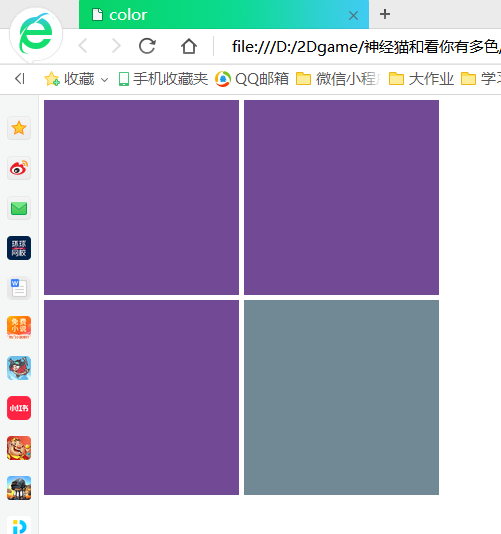
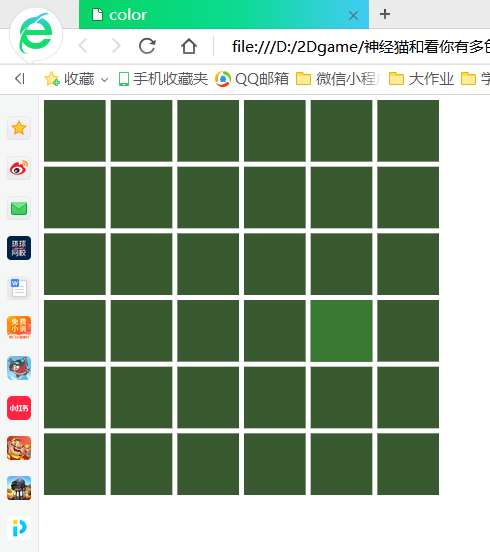
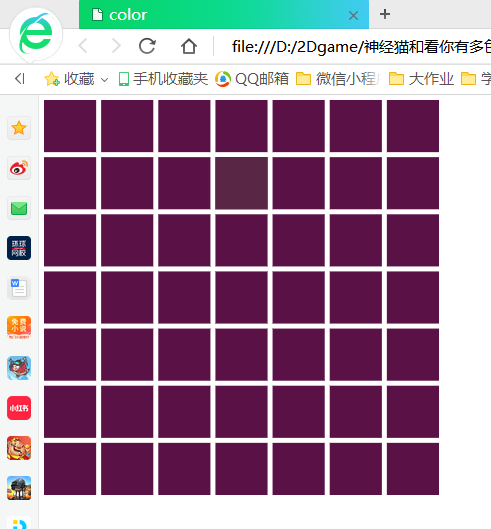
代码:
html代码
1<!DOCTYPE html>
2 <html lang="en">
3 <head>
4 <meta name="viewport" content="text/html; charset=utf-8" />
5 <title>color</title>
6 <script src="easeljs.min.js"></script>
7         <script src="Rect.js"></script>
8     </head>
9<style>
10    *{
11        margin: 0px;
12        padding: 0px;
13    }
14
15    #gameView{
16        margin: 5px;
17    }
18
19</style>
20     <body>
21         <div class="main">
22         <canvas id ="gameView"  width="400px" height="400px"></canvas>
23         </div>
24         <script src="appcolor.js"></script>
25     </body>
26 </html>
js代码—appcolor.js
1var stage= new createjs.Stage("gameView");
2createjs.Ticker.setFPS(30);
3createjs.Ticker.addEventListener("tick",stage);
4var gameView = new createjs.Container();
5stage.addChild(gameView);
6//n  列数 最少等于2
7var n = 2;
8function addRect(){
9    //随机生成一个颜色
10    var cl = parseInt(Math.random() * 1000000);
11    var color = "#"+cl;
12    //根据n 生成不同的颜色  n越大生成的颜色越接近
13    var lhh = cl+(10-n)*500;
14    var RectColor = "#"+lhh;
15    var x = parseInt(Math.random() * n);
16    var y = parseInt(Math.random() * n);
17    //渲染页面
18    for (var indexX = 0; indexX < n ;indexX++) {
19        for (var indexY = 0;indexY <n;indexY++) {
20            var r = new Rect(n,color,RectColor);
21            gameView.addChild(r);
22            r.x = indexX;
23            r.y = indexY;
24            if(r.x ==x &&r.y == y){
25                r.setRectType(2);
26            }
27            r.x = indexX * (400/n);
28            r.y = indexY * (400/n);
29            if(r.getRectType() == 2){
30                r.addEventListener("click",function(){
31                    if(n<7){
32                        ++n;
33                    }
34                    gameView.removeAllChildren();
35                    addRect()
36                })
37            }
38        }
39    }
40}
41addRect()
js代码—Rect.js
1function Rect(n,color,RectColor){
2    createjs.Shape.call(this);
3    this.setRectType = function(type){
4        this._RectType = type;
5        switch (type){
6            case 1:
7                this.setColor(color);
8                break;
9            case 2:
10            this.setColor(RectColor);
11                break;
12        }
13    }
14    this.setColor = function(colorString){
15        this.graphics.beginFill(colorString);
16        this.graphics.drawRect(0,0,400/n-5,400/n-5);
17        this.graphics.endFill();
18    }
19    this.getRectType = function(){
20        return this._RectType;
21    }
22    this.setRectType(1);
23
24}
25Rect.prototype = new createjs.Shape();