
1.NuGet上下载Vlc.DotNet.Wpf, 在https://github.com/ZeBobo5/Vlc.DotNet 上下载的源码都是最新版本的,里面有调用的示例,每个版本调用方法都不一样。 下面代码以2.2.1为例。
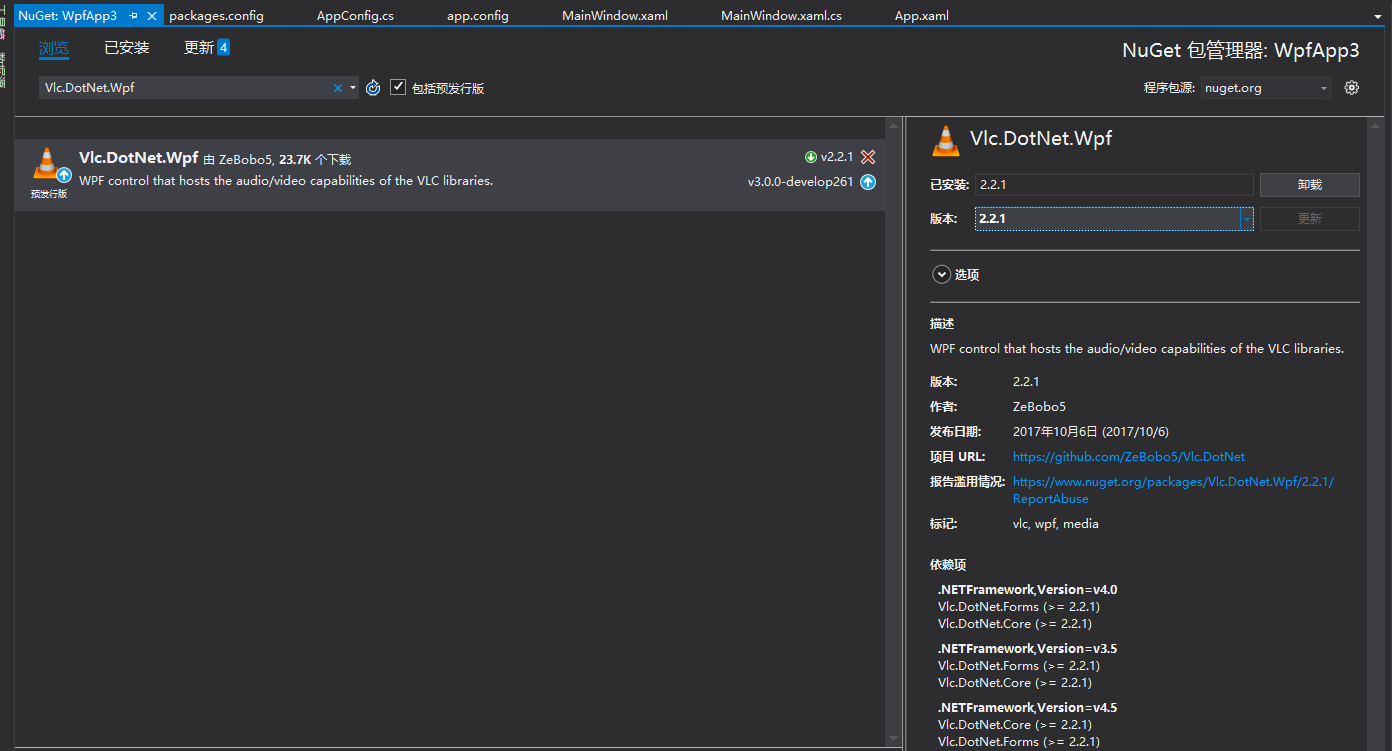
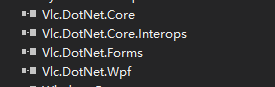
安装完成后,程序中会自动引用相关dll
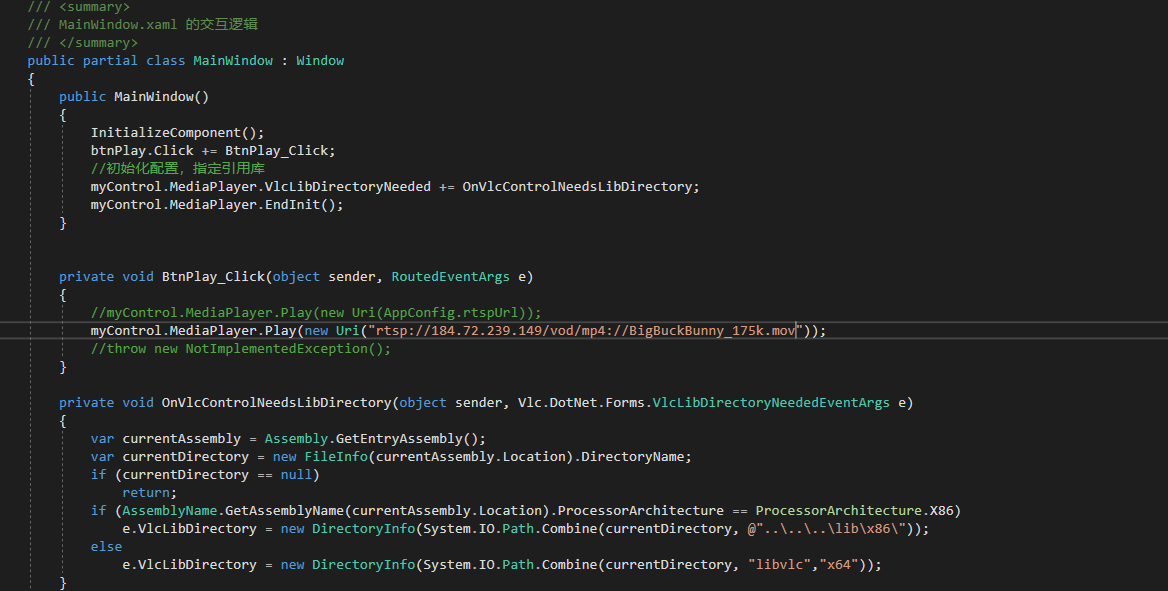
2. 播放视频相关代码
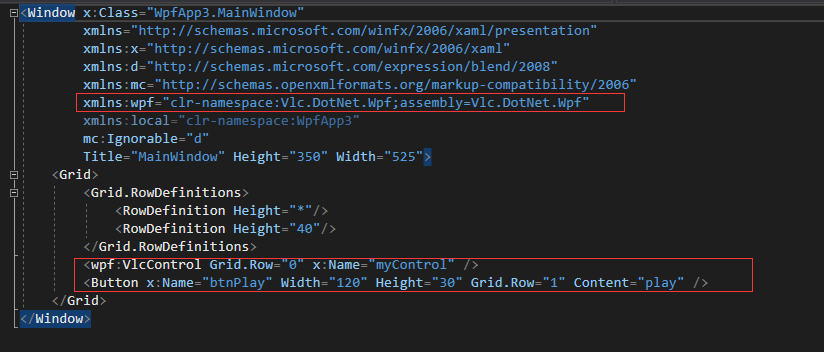
1<Grid>
2        <Grid.RowDefinitions>
3            <RowDefinition Height="*"/>
4            <RowDefinition Height="40"/>
5        </Grid.RowDefinitions>
6        <wpf:VlcControl Grid.Row="0" x:Name="myControl" />
7        <Button x:Name="btnPlay" Width="120" Height="30" Grid.Row="1" Content="play" />
8    </Grid>


1/// <summary>
2    /// MainWindow.xaml 的交互逻辑
3    /// </summary>
4    public partial class MainWindow : Window
5    {
6        public MainWindow()
7        {
8            InitializeComponent();
9            btnPlay.Click += BtnPlay_Click;
10            //初始化配置,指定引用库
11            myControl.MediaPlayer.VlcLibDirectoryNeeded += OnVlcControlNeedsLibDirectory;
12            myControl.MediaPlayer.EndInit();
13        }
14
15
16        private void BtnPlay_Click(object sender, RoutedEventArgs e)
17        {
18            //myControl.MediaPlayer.Play(new Uri(AppConfig.rtspUrl));
19            myControl.MediaPlayer.Play(new Uri("rtsp://184.72.239.149/vod/mp4://BigBuckBunny_175k.mov"));
20            //throw new NotImplementedException();
21        }
22
23        private void OnVlcControlNeedsLibDirectory(object sender, Vlc.DotNet.Forms.VlcLibDirectoryNeededEventArgs e)
24        {
25            var currentAssembly = Assembly.GetEntryAssembly();
26            var currentDirectory = new FileInfo(currentAssembly.Location).DirectoryName;
27            if (currentDirectory == null)
28                return;
29            if (AssemblyName.GetAssemblyName(currentAssembly.Location).ProcessorArchitecture == ProcessorArchitecture.X86)
30                e.VlcLibDirectory = new DirectoryInfo(System.IO.Path.Combine(currentDirectory, @"..\..\..\lib\x86\"));
31            else
32                e.VlcLibDirectory = new DirectoryInfo(System.IO.Path.Combine(currentDirectory, "libvlc","x64"));
33        }
34    }
View Code
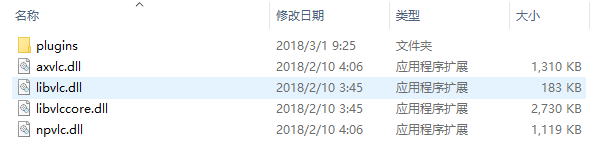
3.替换解码相关dll,代码中是在debug目录下新建libvlc目录,再建x64和x86两个子目录,分别存放相关dll,可以在vlc官网上下载最新exe安装后查找下图中的dll进行存放,这里注意官网上下载的默认的32程序,替换不对的话会出现下面的问题1.
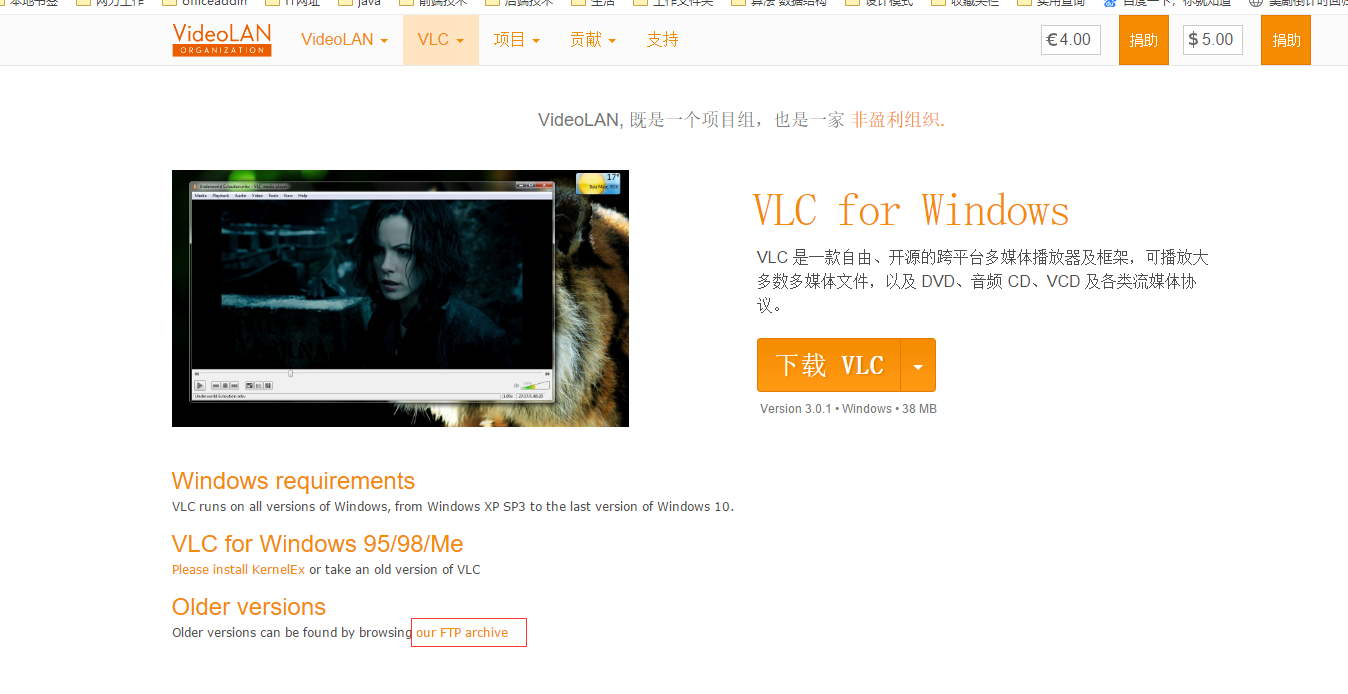
可以找到历史的版本有针对性的下载,如下图。http://download.videolan.org/pub/videolan/vlc/
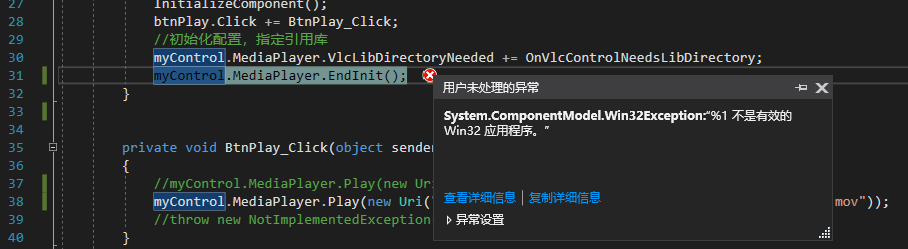
点击按钮播放后碰到的几个问题。
1.程序出错,不是有效的win32应用程序,原因:把32位的程序dll放到了第三步x64目录下面
2.输出窗口显示 线程已退出,视频无法播放。 这表明解码相关dll没有,注意下第三步重新下载替换。

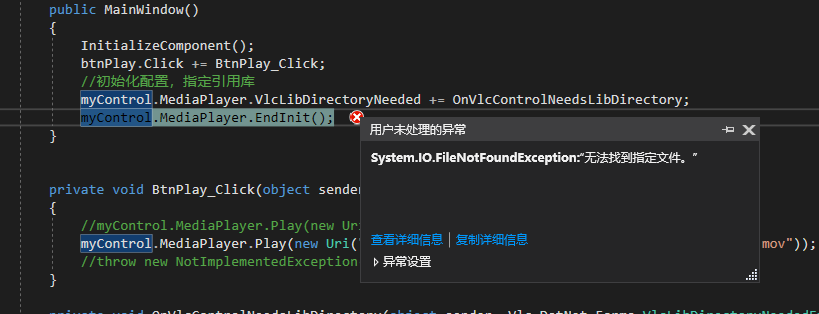
3.无法找到指定文件,问题是第三步里面的文件有缺失的。
最后再补几个可以测试的地址
http://download.blender.org/peach/bigbuckbunny\_movies/big\_buck\_bunny\_480p\_surround-fix.avi
rtsp://184.72.239.149/vod/mp4://BigBuckBunny_175k.mov
rtmp://live.hkstv.hk.lxdns.com/live/hks
附带2个demo连接