
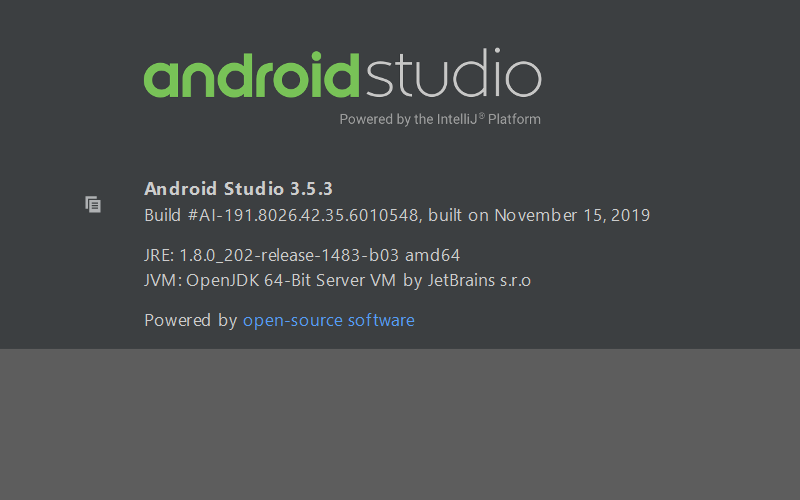
- 在安卓开发控件的百分比布局学习中,由于我参考的是第一行代码中的资源,其中的Android studio版本过低,导致的一些错误,花了好长时间来解决它。这里我用的是Android studio 3.5.3
**首先是依赖的添加,由于我使用的版本相比参考书中的高,Android studio中已经不支持在compile,**所以我在模块级build.gradle添加如下的依赖:
11 implementation 'androidx.percentlayout:percentlayout:1.0.0'
2
31 dependencies {
42     implementation 'androidx.percentlayout:percentlayout:1.0.0'
53     implementation fileTree(dir: 'libs', include: ['*.jar'])
64     implementation 'androidx.appcompat:appcompat:1.1.0'
75     implementation 'androidx.constraintlayout:constraintlayout:1.1.3'
86     testImplementation 'junit:junit:4.12'
97     androidTestImplementation 'androidx.test.ext:junit:1.1.0'
108     androidTestImplementation 'androidx.test.espresso:espresso-core:3.1.1'
119 }
**后面就是对layout中的 *.xml 文件进行修改,**这里的话百分比布局中分 PercentRelativeLayout 和 PercentFrameLayout 两种****我采用的是PercentRelativeLayout,代码如下
1 1 <androidx.percentlayout.widget.PercentRelativeLayout
2 2     xmlns:android="http://schemas.android.com/apk/res/android"
3 3     xmlns:app="http://schemas.android.com/apk/res-auto"
4 4     android:layout_width="match_parent"
5 5     android:layout_height="match_parent">
6 6
7 7     <TextView
8 8         android:id="@+id/row_one_item_one"
9 9         android:layout_width="0dp"
1010         android:layout_height="0dp"
1111         android:layout_alignParentTop="true"
1212         android:background="#7700ff00"
1313         android:text="w:70%,h:20%"
1414         android:gravity="center"
1515         app:layout_heightPercent="20%"
1616         app:layout_widthPercent="70%"/>
1717
1818     <TextView
1919         android:id="@+id/row_one_item_two"
2020         android:layout_width="0dp"
2121         android:layout_height="0dp"
2222         android:layout_toRightOf="@+id/row_one_item_one"
2323         android:background="#396190"
2424         android:text="w:30%,h:20%"
2525         app:layout_heightPercent="20%"
2626         android:gravity="center"
2727         app:layout_widthPercent="30%"/>
2828
2929
3030     <ImageView
3131         android:id="@+id/row_two_item_one"
3232         android:layout_width="match_parent"
3333         android:layout_height="0dp"
3434         android:src="@drawable/img_1"
3535         android:scaleType="centerCrop"
3636         android:layout_below="@+id/row_one_item_one"
3737         android:background="#d89695"
3838         app:layout_heightPercent="70%"/>
3939
4040     <TextView
4141         android:layout_width="0dp"
4242         android:layout_height="0dp"
4343         android:layout_below="@id/row_two_item_one"
4444         android:background="#770000ff"
4545         android:gravity="center"
4646         android:text="width:100%,height:10%"
4747         app:layout_heightPercent="10%"
4848         app:layout_widthPercent="100%"/>
4949
5050
5151 </androidx.percentlayout.widget.PercentRelativeLayout>
这里我参照了一位博友的博客
http://blog.csdn.net/lmj623565791/article/details/46695347;
想了解其中的源码分析可以参考这个博客。