
参考:
https://www.cnblogs.com/damonxu/p/6434265.html
http://blog.csdn.net/striker\_v/article/details/51920627
https://www.cnblogs.com/Norlan/p/5196920.html
tips:
如果不能科学上网,那么ftp是访问不了的,可以直接把ftp三个字母换成http,亲测有效。
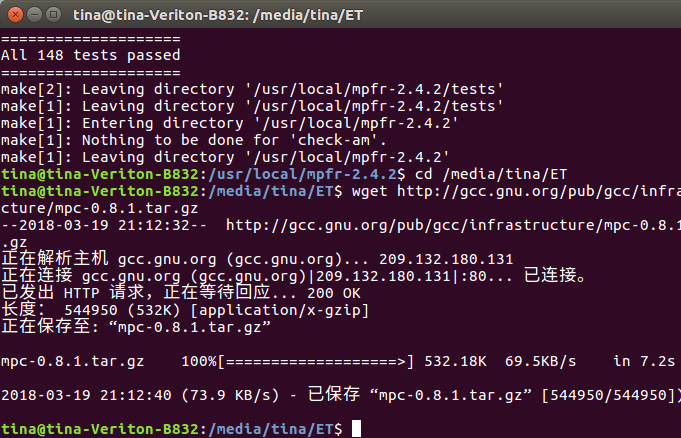
安装
1#su
2
3#cd /opt
4
5#wget http://ftp.gnu.org/gnu/gcc/gcc-5.3.0/gcc-5.3.0.tar.gz
安装前置
你的编译器告诉你还需要GMP啊,等等,就是说你需要前置的三个安装包。
然后按照:
https://www.cnblogs.com/damonxu/p/6434265.html
的方法把ftp统统改成http进行安装。
每安装完一个都要用
make check
看下安装情况
5.4降到5.3的安装
../gcc-5.3.0/configure --enable-checking=release --enable-languages=c,c++ --disable-multilib --with-gmp=/usr/local/gmp-4.3.2 --with-mpfr=/usr/local/mpfr-2.4.2 --with-mpc=/usr/local/mpc-0.8.1
这个前面的..请换成你的gcc解压包的路径,绝对的或者相对的都可以。
错误锦集:
就是之前说的,make check。安装gmp时,作者提示强烈建议运行sudo make check
-
检查下有没有错误。然后我就出现了如下错误。这句命令以上博客都没有提到。
1 of 58 tests failed Please report to gmp-bugs@gmplib.org
Makefile:1004: recipe for target 'check-TESTS' failed make[4]: *** [check-TESTS] Error 1 make[4]: Leaving directory '/usr/local/gmp-4.3.2/tests/mpz' Makefile:1104: recipe for target 'check-am' failed make[3]: *** [check-am] Error 2 make[3]: Leaving directory '/usr/local/gmp-4.3.2/tests/mpz' Makefile:505: recipe for target 'check-recursive' failed make[2]: *** [check-recursive] Error 1 make[2]: Leaving directory '/usr/local/gmp-4.3.2/tests' Makefile:925: recipe for target 'check-recursive' failed make[1]: *** [check-recursive] Error 1 make[1]: Leaving directory '/usr/local/gmp-4.3.2' Makefile:1183: recipe for target 'check' failed make: *** [check] Error 2
相关错误只有这里:
https://gmplib.org/list-archives/gmp-bugs/2013-November/003225.html
找到了,鉴于还是安装上了,所以暂时不管。
-
之后全部走完该安装gcc了,在make 的时候出现了如下错误:
checking for x86_64-unknown-linux-gnu-gcc... /usr/local/gcc-5.3.0/./gcc/xgcc -B/usr/local/gcc-5.3.0/./gcc/ -B/usr/local/x86_64-unknown-linux-gnu/bin/ -B/usr/local/x86_64-unknown-linux-gnu/lib/ -isystem /usr/local/x86_64-unknown-linux-gnu/include -isystem /usr/local/x86_64-unknown-linux-gnu/sys-include
checking for suffix of object files... configure: error: in/usr/local/gcc-5.3.0/x86_64-unknown-linux-gnu/libgcc': configure: error: cannot compute suffix of object files: cannot compile Seeconfig.log' for more details. Makefile:16229: recipe for target 'configure-stage1-target-libgcc' failed make[2]: *** [configure-stage1-target-libgcc] Error 1 make[2]: Leaving directory '/usr/local/gcc-5.3.0' Makefile:20383: recipe for target 'stage1-bubble' failed make[1]: *** [stage1-bubble] Error 2 make[1]: Leaving directory '/usr/local/gcc-5.3.0' Makefile:902: recipe for target 'all' failed make: *** [all] Error 2
然后我检查了日志
gcc: error: unrecognized command line option '-V'
gcc: fatal error: no input files
1conftest.c:10:21: fatal error: isl/val.h: No such file or directory
2
3configure:4074: checking for gcc
4configure:4090: found /usr/bin/gcc
5configure:4101: result: gcc
6configure:4330: checking for C compiler version
7configure:4339: gcc --version >&5
8gcc (Ubuntu 5.4.0-6ubuntu1~16.04.9) 5.4.0 20160609
9Copyright (C) 2015 Free Software Foundation, Inc.
10This is free software; see the source for copying conditions.  There is NO
11warranty; not even for MERCHANTABILITY or FITNESS FOR A PARTICULAR PURPOSE.
12
13configure:4350: $? = 0
14configure:4339: gcc -v >&5
15Using built-in specs.
16COLLECT_GCC=gcc
17COLLECT_LTO_WRAPPER=/usr/lib/gcc/x86_64-linux-gnu/5/lto-wrapper
18Target: x86_64-linux-gnu
19Configured with: ../src/configure -v --with-pkgversion='Ubuntu 5.4.0-6ubuntu1~16.04.9' --with-bugurl=file:///usr/share/doc/gcc-5/README.Bugs --enable-languages=c,ada,c++,java,go,d,fortran,objc,obj-c++ --prefix=/usr --program-suffix=-5 --enable-shared --enable-linker-build-id --libexecdir=/usr/lib --without-included-gettext --enable-threads=posix --libdir=/usr/lib --enable-nls --with-sysroot=/ --enable-clocale=gnu --enable-libstdcxx-debug --enable-libstdcxx-time=yes --with-default-libstdcxx-abi=new --enable-gnu-unique-object --disable-vtable-verify --enable-libmpx --enable-plugin --with-system-zlib --disable-browser-plugin --enable-java-awt=gtk --enable-gtk-cairo --with-java-home=/usr/lib/jvm/java-1.5.0-gcj-5-amd64/jre --enable-java-home --with-jvm-root-dir=/usr/lib/jvm/java-1.5.0-gcj-5-amd64 --with-jvm-jar-dir=/usr/lib/jvm-exports/java-1.5.0-gcj-5-amd64 --with-arch-directory=amd64 --with-ecj-jar=/usr/share/java/eclipse-ecj.jar --enable-objc-gc --enable-multiarch --disable-werror --with-arch-32=i686 --with-abi=m64 --with-multilib-list=m32,m64,mx32 --enable-multilib --with-tune=generic --enable-checking=release --build=x86_64-linux-gnu --host=x86_64-linux-gnu --target=x86_64-linux-gnu
20Thread model: posix
21gcc version 5.4.0 20160609 (Ubuntu 5.4.0-6ubuntu1~16.04.9)
22configure:4350: $? = 0
23configure:4339: gcc -V >&5
24gcc: error: unrecognized command line option '-V'
25gcc: fatal error: no input files
26compilation terminated.
27configure:4350: $? = 1
28configure:4339: gcc -qversion >&5
29gcc: error: unrecognized command line option '-qversion'
30gcc: fatal error: no input files
31compilation terminated.
32configure:4350: $? = 1
33configure:4370: checking for C compiler default output file name
34configure:4392: gcc    conftest.c  >&5
35configure:4396: $? = 0
36configure:4433: result: a.out
37configure:4449: checking whether the C compiler works
38configure:4458: ./a.out
39configure:4462: $? = 0
40configure:4477: result: yes
41configure:4484: checking whether we are cross compiling
42configure:4486: result: no
43configure:4489: checking for suffix of executables
44configure:4496: gcc -o conftest    conftest.c  >&5
45configure:4500: $? = 0
46configure:4522: result:
47configure:4528: checking for suffix of object files
48configure:4550: gcc -c   conftest.c >&5
49configure:4554: $? = 0
50configure:4575: result: o
51configure:4579: checking whether we are using the GNU C compiler
52configure:4598: gcc -c   conftest.c >&5
53configure:4598: $? = 0
54configure:4607: result: yes
55configure:4616: checking whether gcc accepts -g
56configure:4636: gcc -c -g  conftest.c >&5
57configure:4636: $? = 0
58configure:4677: result: yes
59configure:4694: checking for gcc option to accept ISO C89
60configure:4758: gcc  -c -g -O2  conftest.c >&5
61configure:4758: $? = 0
62configure:4771: result: none needed
63configure:4849: checking for g++
64configure:4865: found /usr/bin/g++
65configure:4876: result: g++
66configure:4903: checking for C++ compiler version
67configure:4912: g++ --version >&5
68g++ (Ubuntu 5.4.0-6ubuntu1~16.04.9) 5.4.0 20160609
69Copyright (C) 2015 Free Software Foundation, Inc.
70This is free software; see the source for copying conditions.  There is NO
71warranty; not even for MERCHANTABILITY or FITNESS FOR A PARTICULAR PURPOSE.
72
73configure:4923: $? = 0
74configure:4912: g++ -v >&5
75Using built-in specs.
76COLLECT_GCC=g++
77COLLECT_LTO_WRAPPER=/usr/lib/gcc/x86_64-linux-gnu/5/lto-wrapper
78Target: x86_64-linux-gnu
79Configured with: ../src/configure -v --with-pkgversion='Ubuntu 5.4.0-6ubuntu1~16.04.9' --with-bugurl=file:///usr/share/doc/gcc-5/README.Bugs --enable-languages=c,ada,c++,java,go,d,fortran,objc,obj-c++ --prefix=/usr --program-suffix=-5 --enable-shared --enable-linker-build-id --libexecdir=/usr/lib --without-included-gettext --enable-threads=posix --libdir=/usr/lib --enable-nls --with-sysroot=/ --enable-clocale=gnu --enable-libstdcxx-debug --enable-libstdcxx-time=yes --with-default-libstdcxx-abi=new --enable-gnu-unique-object --disable-vtable-verify --enable-libmpx --enable-plugin --with-system-zlib --disable-browser-plugin --enable-java-awt=gtk --enable-gtk-cairo --with-java-home=/usr/lib/jvm/java-1.5.0-gcj-5-amd64/jre --enable-java-home --with-jvm-root-dir=/usr/lib/jvm/java-1.5.0-gcj-5-amd64 --with-jvm-jar-dir=/usr/lib/jvm-exports/java-1.5.0-gcj-5-amd64 --with-arch-directory=amd64 --with-ecj-jar=/usr/share/java/eclipse-ecj.jar --enable-objc-gc --enable-multiarch --disable-werror --with-arch-32=i686 --with-abi=m64 --with-multilib-list=m32,m64,mx32 --enable-multilib --with-tune=generic --enable-checking=release --build=x86_64-linux-gnu --host=x86_64-linux-gnu --target=x86_64-linux-gnu
80Thread model: posix
81gcc version 5.4.0 20160609 (Ubuntu 5.4.0-6ubuntu1~16.04.9)
82configure:4923: $? = 0
83configure:4912: g++ -V >&5
84g++: error: unrecognized command line option '-V'
85g++: fatal error: no input files
86compilation terminated.
87configure:4923: $? = 1
88configure:4912: g++ -qversion >&5
89g++: error: unrecognized command line option '-qversion'
90g++: fatal error: no input files
91compilation terminated.
对于安装到一半错了,我的办法是直接删除安装文件夹,然后看看差什么,重新开始
-
首先,整了下路径:
export LD_LIBRARY_PATH=/opt/gmp-5.0.1/lib:/opt/mpfr-3.1.4/lib/:/opt/mpc-1.0:$LD_LIBRARY_PATH -
然后看了下
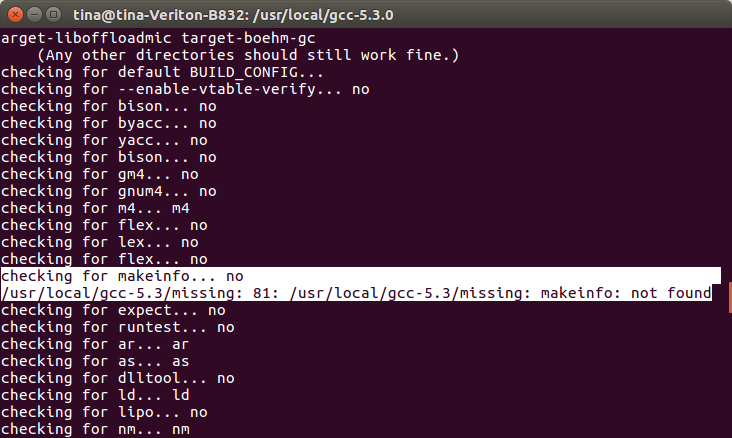
1/usr/local/gcc-5.3/missing: 81: /usr/local/gcc-5.3/missing: makeinfo: not found
2checking for expect... no
解决方法来自:https://stackoverflow.com/questions/338317/what-is-makeinfo-and-how-do-i-get-it
之后再次生成makefile
sudo apt-get install texinfosudo /usr/local/gcc-5.3/configure --prefix=/usr/local/gcc-5.3/objdir --enable-languages=c,c++ --enable-threads=posix --disable-multilib --disable-nls --disable-bootstrap --with-gmp=/usr/local/gcc-5.3/gmp-4.3.2 --with-mpfr=/usr/local/gcc-5.3/mpfr-2.4.2 --with-mpc=/usr/local/gcc-5.3/mpc-0.8.1
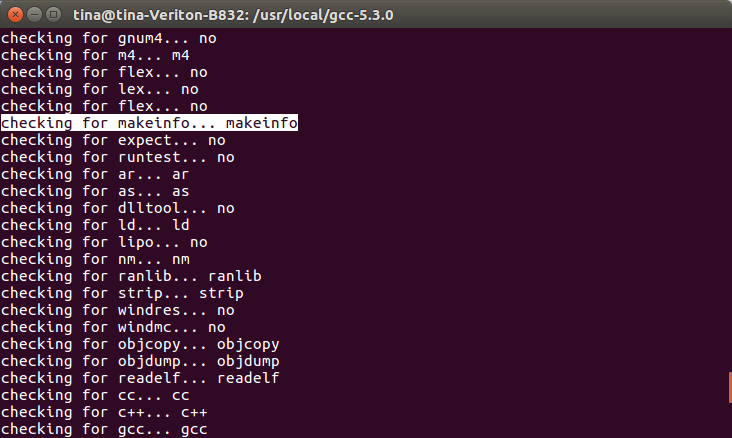
然后就没了
-
再次运行
-
sudo make再次出现了这个问题
-
1  checking for x86_64-unknown-linux-gnu-gcc... /usr/local/gcc-5.3.0/./gcc/xgcc -B/usr/local/gcc-5.3.0/./gcc/ -B/usr/local/gcc-5.3/objdir/x86_64-unknown-linux-gnu/bin/ -B/usr/local/gcc-5.3/objdir/x86_64-unknown-linux-gnu/lib/ -isystem /usr/local/gcc-5.3/objdir/x86_64-unknown-linux-gnu/include -isystem /usr/local/gcc-5.3/objdir/x86_64-unknown-linux-gnu/sys-include
2  checking for suffix of object files... configure: error: in `/usr/local/gcc-5.3.0/x86_64-unknown-linux-gnu/libgcc':
3  configure: error: cannot compute suffix of object files: cannot compile
4  See `config.log' for more details.
5  Makefile:12662: recipe for target 'configure-target-libgcc' failed
6  make[1]: *** [configure-target-libgcc] Error 1
7  make[1]: Leaving directory '/usr/local/gcc-5.3.0'
8  Makefile:875: recipe for target 'all' failed
9  make: *** [all] Error 2
Round 2
export LD_LIBRARY_PATH=$LD_LIBRARY_PATH:/usr/local/gcc-5.3/mpc-0.8.1/lib:/usr/local/gcc-5.3/gmp-4.3.2/lib:/usr/local/gcc-5.3/mpfr-2.4.2/lib/
我再次更改了我路径的说法,一般情况下,找不到东西,都是应为路径问题。
1checking build system type... x86_64-unknown-linux-gnu
2checking host system type... x86_64-unknown-linux-gnu
3checking target system type... x86_64-unknown-linux-gnu
4checking for a BSD-compatible install... /usr/bin/install -c
5checking whether ln works... yes
6checking whether ln -s works... yes
7checking for a sed that does not truncate output... /bin/sed
8checking for gawk... no
9checking for mawk... mawk
10checking for libatomic support... yes
11checking for libcilkrts support... yes
12checking for libitm support... yes
13checking for libsanitizer support... yes
14checking for libvtv support... yes
15checking for gcc... gcc
16checking for C compiler default output file name... a.out
17checking whether the C compiler works... yes
18checking whether we are cross compiling... no
19checking for suffix of executables...
20checking for suffix of object files... o
21checking whether we are using the GNU C compiler... yes
22checking whether gcc accepts -g... yes
23checking for gcc option to accept ISO C89... none needed
24checking for g++... g++
25checking whether we are using the GNU C++ compiler... yes
26checking whether g++ accepts -g... yes
27checking whether g++ accepts -static-libstdc++ -static-libgcc... yes
28checking for gnatbind... no
29checking for gnatmake... no
30checking whether compiler driver understands Ada... no
31checking how to compare bootstrapped objects... cmp --ignore-initial=16 $$f1 $$f2
32checking for objdir... .libs
33checking for the correct version of gmp.h... yes
34checking for the correct version of mpfr.h... yes
35checking for the correct version of mpc.h... yes
36checking for the correct version of the gmp/mpfr/mpc libraries... yes
37checking for compatible ISL... no
38*** This configuration is not supported in the following subdirectories:
39     target-libmpx gnattools gotools target-libada target-libgfortran target-libgo target-libffi target-libbacktrace target-zlib target-libjava target-libobjc target-liboffloadmic target-boehm-gc
40    (Any other directories should still work fine.)
41checking for default BUILD_CONFIG...
42checking for --enable-vtable-verify... no
43checking for bison... no
44checking for byacc... no
45checking for yacc... no
46checking for bison... no
47checking for gm4... no
48checking for gnum4... no
49checking for m4... m4
50checking for flex... no
51checking for lex... no
52checking for flex... no
53checking for makeinfo... makeinfo
54checking for expect... no
55checking for runtest... no
56checking for ar... ar
57checking for as... as
58checking for dlltool... no
59checking for ld... ld
60checking for lipo... no
61checking for nm... nm
62checking for ranlib... ranlib
63checking for strip... strip
64checking for windres... no
65checking for windmc... no
66checking for objcopy... objcopy
67checking for objdump... objdump
68checking for readelf... readelf
69checking for cc... cc
70checking for c++... c++
71checking for gcc... gcc
72checking for gcj... no
73checking for gfortran... gfortran
74checking for gccgo... no
75checking for ar... no
76checking for ar... ar
77checking for as... no
78checking for as... as
79checking for dlltool... no
80checking for dlltool... no
81checking for ld... no
82checking for ld... ld
83checking for lipo... no
84checking for lipo... no
85checking for nm... no
86checking for nm... nm
87checking for objcopy... no
88checking for objcopy... objcopy
89checking for objdump... no
90checking for objdump... objdump
91checking for ranlib... no
92checking for ranlib... ranlib
93checking for readelf... no
94checking for readelf... readelf
95checking for strip... no
96checking for strip... strip
97checking for windres... no
98checking for windres... no
99checking for windmc... no
100checking for windmc... no
101checking where to find the target ar... host tool
102checking where to find the target as... host tool
103checking where to find the target cc... just compiled
104checking where to find the target c++... just compiled
105checking where to find the target c++ for libstdc++... just compiled
106checking where to find the target dlltool... host tool
107checking where to find the target gcc... just compiled
108checking where to find the target gcj... host tool
109checking where to find the target gfortran... host tool
110checking where to find the target gccgo... host tool
111checking where to find the target ld... host tool
112checking where to find the target lipo... host tool
113checking where to find the target nm... host tool
114checking where to find the target objcopy... host tool
115checking where to find the target objdump... host tool
116checking where to find the target ranlib... host tool
117checking where to find the target readelf... host tool
118checking where to find the target strip... host tool
119checking where to find the target windres... host tool
120checking where to find the target windmc... host tool
121checking whether to enable maintainer-specific portions of Makefiles... no
122configure: creating ./config.status
123config.status: creating Makefile
还是出现了那个问题
我决定鸽了。应该是版本问题,以前的版本比较顽固