
开发环境:
Visual Studio 2015
.Net Framework 4.5
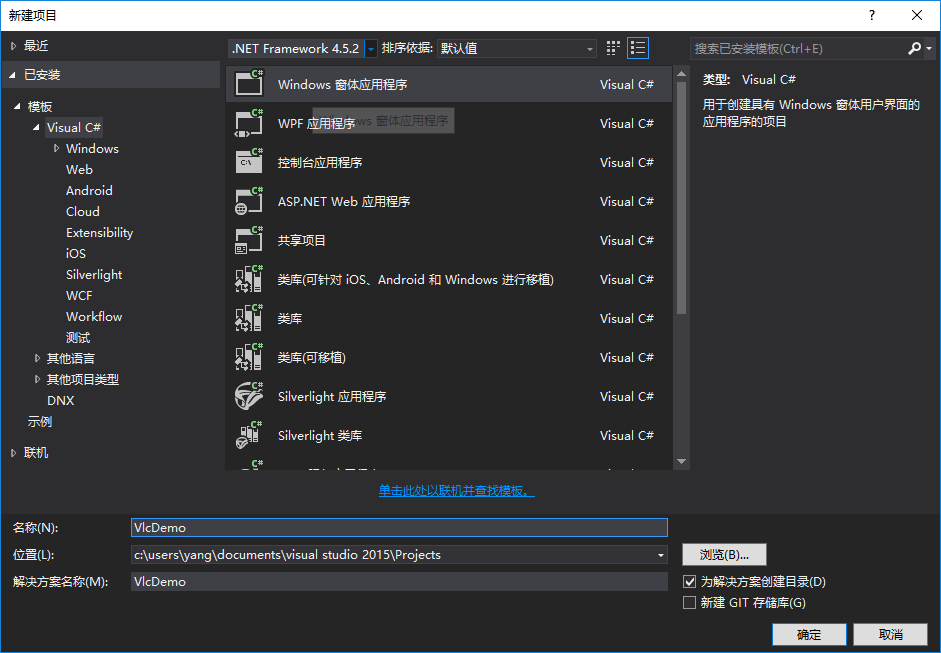
1.新建一个Windows窗体应用程序
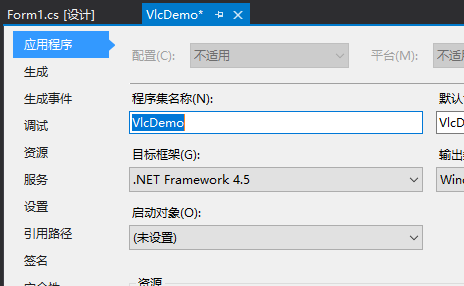
修改框架为.Net Framework 4.5
2.管理NuGet包
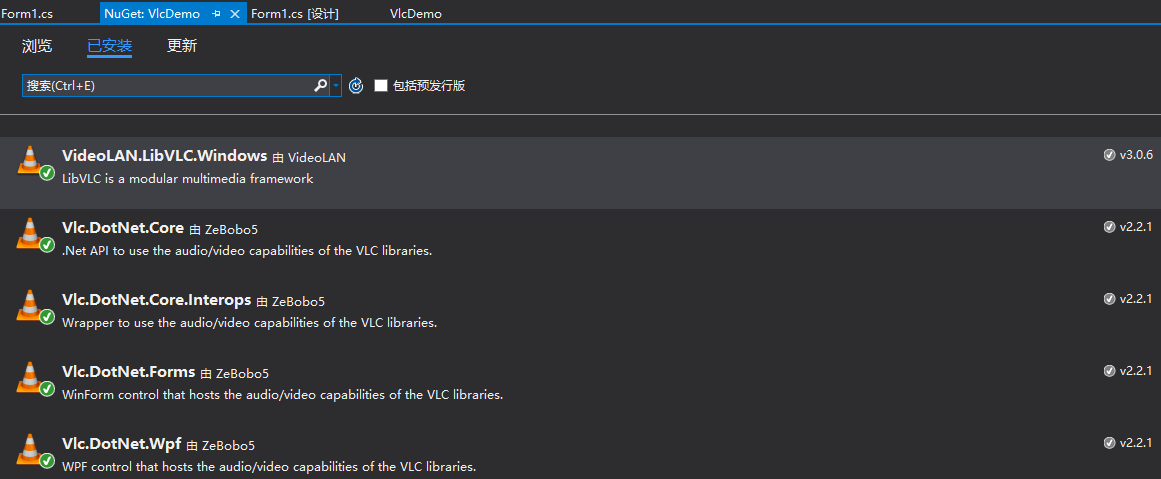
下载安装5个包
VideoLAN.LibVLC.Windows
Vlc.DotNet.Core
Vlc.DotNet.Core.Interops
Vlc.DotNet.Forms
Vlc.DotNet.Wpf
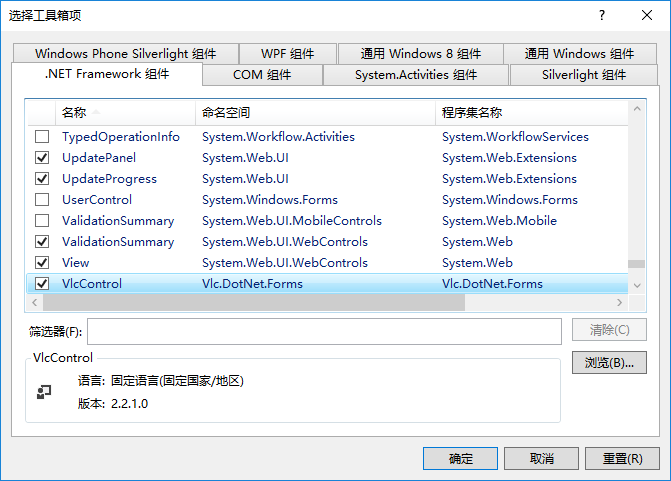
3.添加VlcControl
工具箱添加VlcControl,dll位于当前项目中

将VlcControl添加到窗体上
在VlcControl的VlcLibDirectoryNeeded事件中添加如下代码(必须)
1     /// <summary>
2        /// Looks for the vlc directory on the opening of the app
3        /// Opens a dialog if the libvlc folder is not found for the user to pick the good one
4        /// Folder for 32bits should be "libvlc\win-x86\" and "libvlc\win-x64\" for 64 bits
5        /// </summary>
6        /// <param name="sender"></param>
7        /// <param name="e"></param>
8        private void myVlcControl_VlcLibDirectoryNeeded(object sender, VlcLibDirectoryNeededEventArgs e)
9        {
10            var currentAssembly = Assembly.GetEntryAssembly();
11            var currentDirectory = new FileInfo(currentAssembly.Location).DirectoryName;
12
13            if (currentDirectory == null)
14                return;
15            if (IntPtr.Size == 4)
16                e.VlcLibDirectory = new DirectoryInfo(Path.GetFullPath(@".\libvlc\win-x86\"));
17            else
18                e.VlcLibDirectory = new DirectoryInfo(Path.GetFullPath(@".\libvlc\win-x64\"));
19
20            if (!e.VlcLibDirectory.Exists)
21            {
22                var folderBrowserDialog = new System.Windows.Forms.FolderBrowserDialog();
23                folderBrowserDialog.Description = "Select Vlc libraries folder.";
24                folderBrowserDialog.RootFolder = Environment.SpecialFolder.Desktop;
25                folderBrowserDialog.ShowNewFolderButton = true;
26                if (folderBrowserDialog.ShowDialog() == DialogResult.OK)
27                {
28                    e.VlcLibDirectory = new DirectoryInfo(folderBrowserDialog.SelectedPath);
29                }
30            }
31        }
4.播放视频
使用VlcControl.Play()方法播放视频
1vlcControl1.Play("http://**************/******.flv");//只能播放网络流视频
2
3vlcControl1.SetMedia(new System.IO.FileInfo(@"f:\1.flv"));//本地视频
4vlcControl1.Play();
运行结果:

参考:
https://blog.csdn.net/xuehuic/article/details/53914874
https://bbs.csdn.net/topics/390168224
https://cloud.tencent.com/developer/ask/148529
https://github.com/ZeBobo5/Vlc.DotNet/wiki/Using-Vlc.DotNet-in-WinForms