
前置
上一篇介绍了安装GNS3,并模拟了2个不同网段的通讯,本篇模拟下DHCP
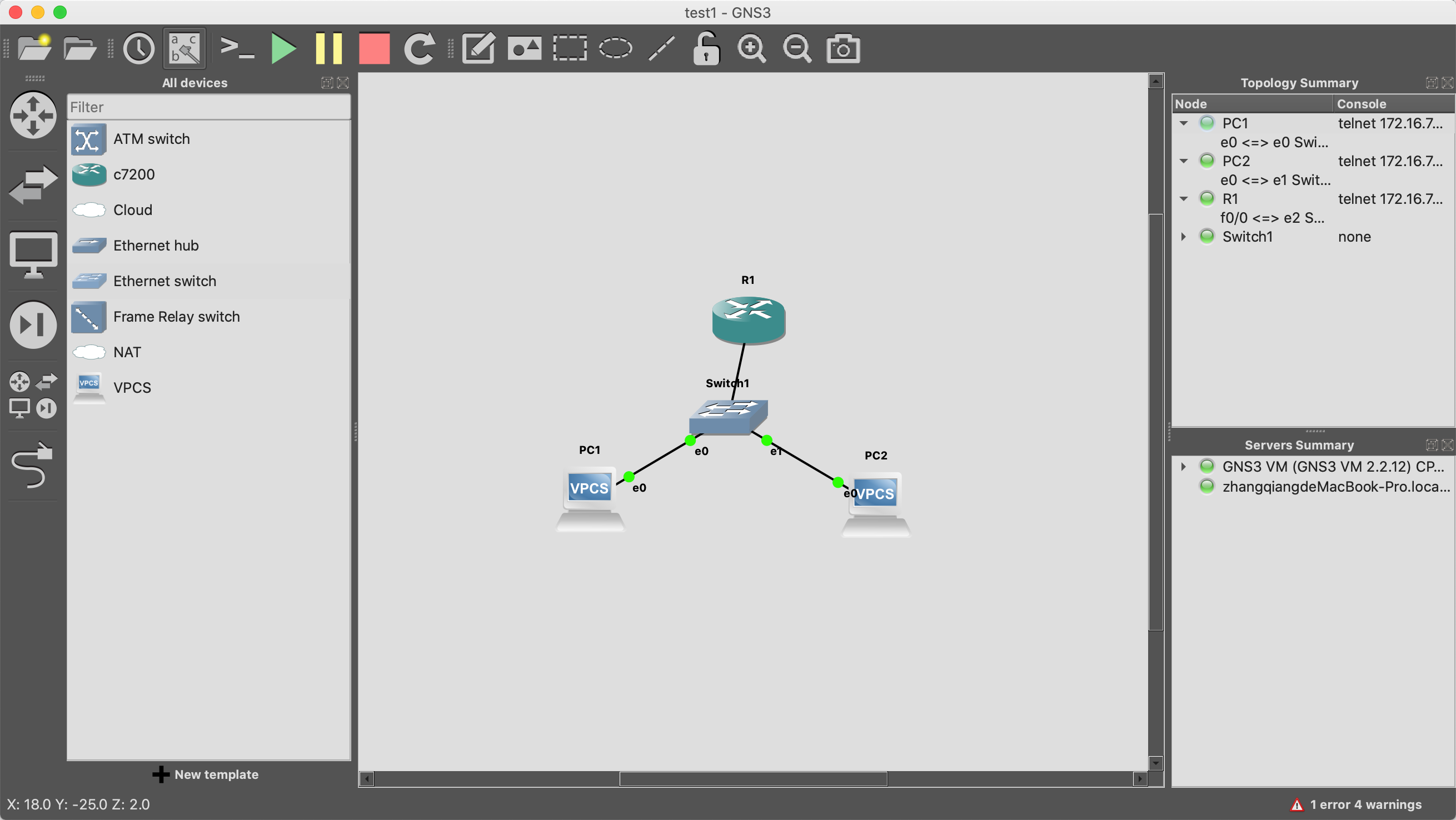
配置
DHCPserver
1R1#show int description
2Interface                      Status         Protocol Description
3Fa0/0                          up             up
4Fa0/1                          admin down     down
5R1#en
6R1#config t
7Enter configuration commands, one per line.  End with CNTL/Z.
8R1(config)#ip dhcp pool DHCPServer
9R1(dhcp-config)#network 10.10.1.0 255.255.255.0
10R1(dhcp-config)#default-router 10.10.1.1
11R1(dhcp-config)#dns-server 114.114.114.114
12R1(dhcp-config)#exit
13R1(config)#ip dhcp excluded-address 10.10.1.1
14R1(config)#end
15R1#
16*Aug  8 10:06:21.615: %SYS-5-CONFIG_I: Configured from console by console
17R1#
18*Aug  8 10:06:26.743: %DHCPD-4-PING_CONFLICT: DHCP address conflict:  server pinged 10.10.1.2.
19R1#
VPCS
1PC1> dhcp  # 启用dhcp
2DDORA IP 10.10.1.3/24 GW 10.10.1.1  # 获取到IP信息,这里是10.10.1.3
3
4PC1> show ip
5
6NAME        : PC1[1]
7IP/MASK     : 10.10.1.3/24
8GATEWAY     : 10.10.1.1
9DNS         : 114.114.114.114
10DHCP SERVER : 10.10.1.1
11DHCP LEASE  : 86165, 86400/43200/75600
12MAC         : 00:50:79:66:68:00
13LPORT       : 20004
14RHOST:PORT  : 127.0.0.1:20005
15MTU:        : 1500
16
17PC1>
18
19# PC2 同理,其获取到的IP为10.10.1.4
测试
1PC1> ping 10.10.1.4
284 bytes from 10.10.1.4 icmp_seq=1 ttl=64 time=0.128 ms
384 bytes from 10.10.1.4 icmp_seq=2 ttl=64 time=0.192 ms
4^C
5PC1>