
本文首发于 vivo互联网技术 微信公众号
链接: https://mp.weixin.qq.com/s/8f34CaTp--Wz5pTHKA0Xeg
作者:vivo 官网商城开发团队
众所周知,Oracle JDK 是 Java 语言的绝对权威,很多时候 JDK 与 Java 语言近似一个概念。但我们始终要保持实事求是的精神,敢于质疑。本文记录了一次线上troubleshoot 实战,包含问题分析、解决并提交 Oracle JDK bug 的核心过程。
一、背景现象
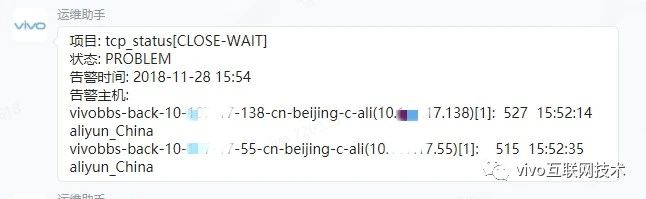

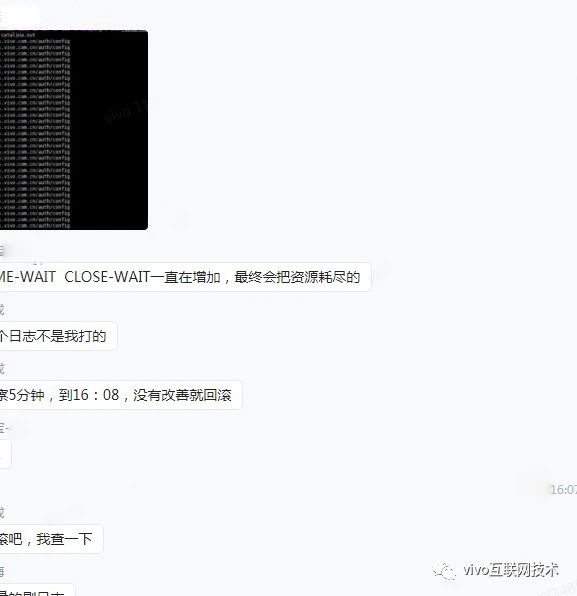
总之 就是某系统上线后 CLOSE_WAIT数量随着时间增加而大量增加,持续触发多个告警。
二、分析定位过程
部署了一个节点,用来复现之前出现的问题。
Step1 问题聚焦
先查看到底是哪些IP之间的连接产生了大量CLOSE_WAIT,另外系统还会涉及调第三方,总之要确认连接建立的双方。
执行命令:
netstat -np | grep tcp|grep "CLOSE_WAIT"
结果:
(ps:xxx、yyy、zzz 均无含义,基于信息安全考虑,屏蔽掉 ip)。
1tcp     3547      0 10.107.17.xxx:34602         yyy.12.230.115:443          CLOSE_WAIT  19819/java
2tcp       38      0 10.107.17.xxx:59088         yyy.12.230.115:443          CLOSE_WAIT  19819/java
3tcp       38      0 10.107.17.xxx:58028         yyy.12.230.115:443          CLOSE_WAIT  19819/java
4tcp       38      0 10.107.17.xxx:51962         yyy.12.230.115:443          CLOSE_WAIT  19819/java
5tcp     3563      0 10.107.17.xxx:46962         yyy.12.230.115:443          CLOSE_WAIT  19819/java
6tcp       38      0 10.107.17.xxx:34608         yyy.12.230.115:443          CLOSE_WAIT  19819/java
7tcp       38      0 10.107.17.xxx:46496         yyy.12.230.115:443          CLOSE_WAIT  19819/java
8
9tcp       38      0 10.107.17.xxx:50774         yyy.12.230.115:443          CLOSE_WAIT  19819/java
10tcp       38      0 10.107.17.xxx:59904         yyy.12.230.115:443          CLOSE_WAIT  19819/java
11tcp       38      0 10.107.17.xxx:40208         yyy.12.230.115:443          CLOSE_WAIT  19819/java
12tcp       38      0 10.107.17.xxx:41064         yyy.12.230.115:443          CLOSE_WAIT  19819/java
13tcp       38      0 10.107.17.xxx:36994         yyy.12.230.115:443          CLOSE_WAIT  19819/java
14
15tcp     3547      0 10.107.17.xxx:45080         yyy.12.230.115:443          CLOSE_WAIT  19819/java
16tcp     6235      0 10.107.17.xxx:60966         yyy.12.230.115:443          CLOSE_WAIT  19819/java
17tcp       38      0 10.107.17.xxx:56178         yyy.12.230.115:443          CLOSE_WAIT  19819/java
18tcp     3547      0 10.107.17.xxx:39922         yyy.12.230.115:443          CLOSE_WAIT  19819/java
19tcp       38      0 10.107.17.xxx:43270         yyy.12.230.115:443          CLOSE_WAIT  19819/java
20tcp       38      0 10.107.17.xxx:40926         zzz.202.32.242:443          CLOSE_WAIT  19819/java
21tcp       38      0 10.107.17.xxx:44472         yyy.12.230.115:443          CLOSE_WAIT  19819/java
22tcp     2891      0 10.107.17.xxx:43036         zzz.202.32.241:443          CLOSE_WAIT  19819/java
23........
24........
25
26tcp       38      0 10.107.17.xxx:33472         yyy.12.230.115:443          CLOSE_WAIT  19819/java
27tcp       38      0 10.107.17.xxx:51976         yyy.12.230.115:443          CLOSE_WAIT  19819/java
28tcp       38      0 10.107.17.xxx:57788         yyy.12.230.115:443          CLOSE_WAIT  19819/java
29tcp       38      0 10.107.17.xxx:35638         yyy.12.230.115:443          CLOSE_WAIT  19819/java
30tcp       38      0 10.107.17.xxx:43778         yyy.12.230.115:443          CLOSE_WAIT  19819/java
31tcp       38      0 10.107.17.xxx:46418         yyy.12.230.115:443          CLOSE_WAIT  19819/java
32tcp       38      0 10.107.17.xxx:49914         yyy.12.230.115:443          CLOSE_WAIT  19819/java
33tcp       38      0 10.107.17.xxx:49258         yyy.12.230.115:443          CLOSE_WAIT  19819/java
34tcp       38      0 10.107.17.xxx:48718         yyy.12.230.115:443          CLOSE_WAIT  19819/java
35tcp       38      0 10.107.17.xxx:51480         yyy.12.230.115:443          CLOSE_WAIT  19819/java
36tcp       38      0 10.107.17.xxx:59816         yyy.12.230.115:443          CLOSE_WAIT  19819/java
37tcp       38      0 10.107.17.xxx:49266         yyy.12.230.115:443          CLOSE_WAIT  19819/java
38tcp       38      0 10.107.17.xxx:50246         yyy.12.230.115:443          CLOSE_WAIT  19819/java
39tcp       38      0 10.107.17.xxx:39324         yyy.12.230.115:443          CLOSE_WAIT  19819/java
总之:
yyy.12.230.115
zzz.202.32.241
zzz.202.32.241
这个三个IP是导火索。
Step2 问题分析
这三个IP具体是谁?具体是请求了哪个接口?
暂时无法直接获知!最直接的导火索暂时断了线索。接着从侧面开始查看更多信息,
-
JVM信息
外部资源、线程 什么的都看了,未发现明显异常
-
抓包
要抓包获取更多线索了。对于很久没有碰过TCP层,有些吃力。
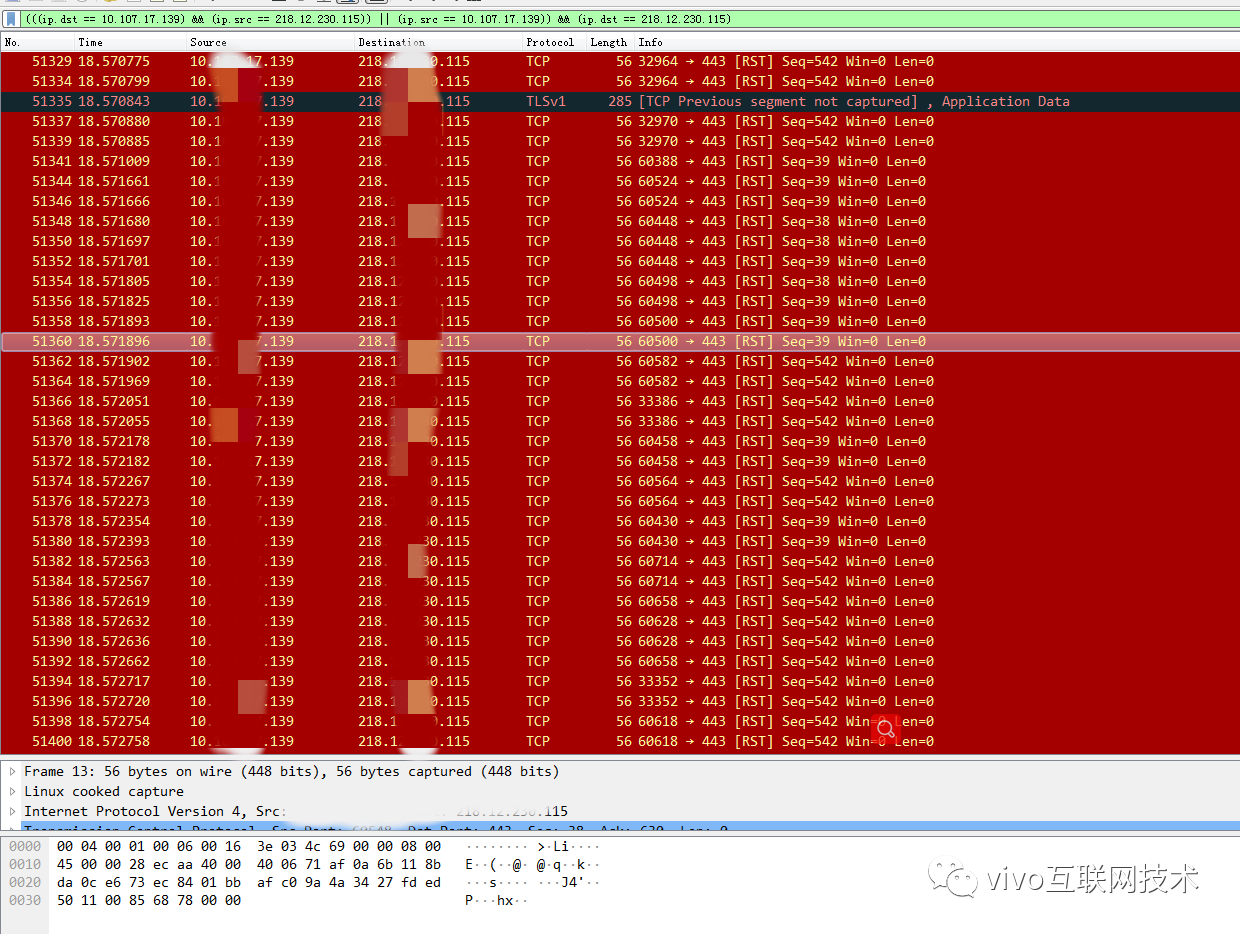
**得到线索:**发现大量的RST
那么是什么操作会导致CLOSE_WAIT呢?什么样的连接导致大量RST呢(可参考RST通常原因)?
Step3 代码分析定位
运维大佬的协助查询,得知这三个IP是图片CDN服务。
至此,可以定位到具体代码逻辑,图片CDN请求可以排查代码。
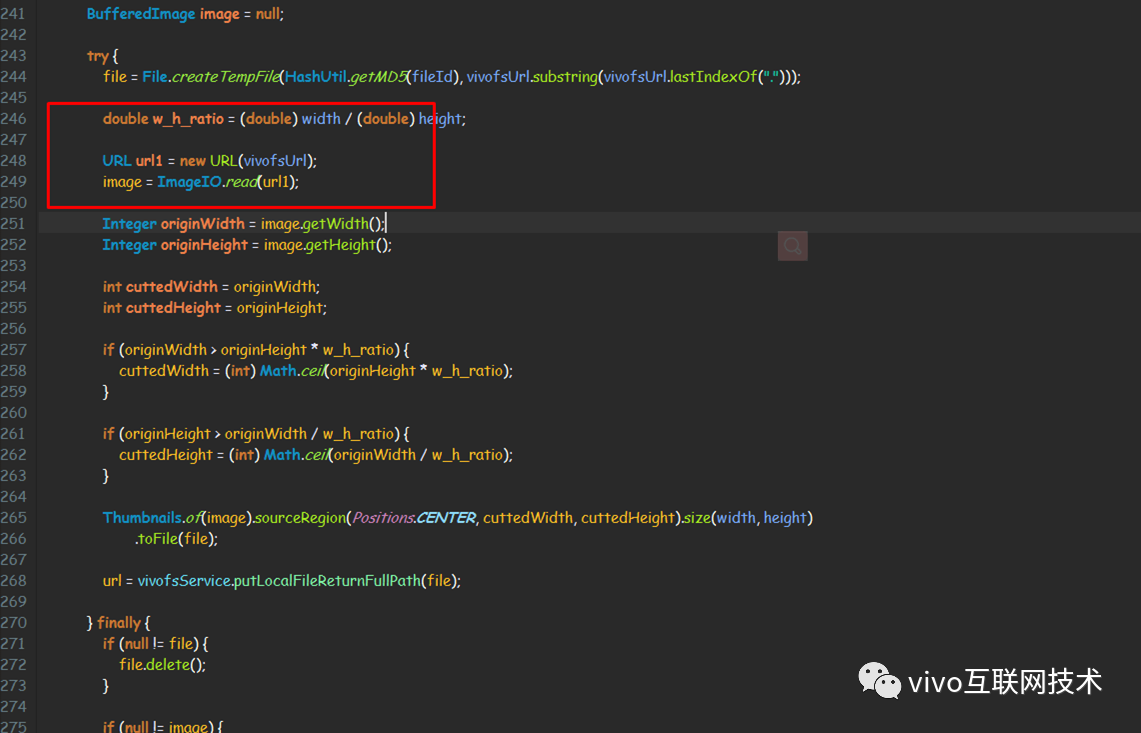
仔细分析这部分源码后,推测因为服务器 发起 URL请求,请求不存在,导致抛出异常,但是JDK中却没有地方关闭Socket。
javax.imageio.read(URL)
1/**
2   * Returns a <code>BufferedImage</code> as the result of decoding
3   * a supplied <code>URL</code> with an <code>ImageReader</code>
4   * chosen automatically from among those currently registered.  An
5   * <code>InputStream</code> is obtained from the <code>URL</code>,
6   * which is wrapped in an <code>ImageInputStream</code>.  If no
7   * registered <code>ImageReader</code> claims to be able to read
8   * the resulting stream, <code>null</code> is returned.
9   *
10   * <p> The current cache settings from <code>getUseCache</code>and
11   * <code>getCacheDirectory</code> will be used to control caching in the
12   * <code>ImageInputStream</code> that is created.
13   *
14   * <p> This method does not attempt to locate
15   * <code>ImageReader</code>s that can read directly from a
16   * <code>URL</code>; that may be accomplished using
17   * <code>IIORegistry</code> and <code>ImageReaderSpi</code>.
18   *
19   * @param input a <code>URL</code> to read from.
20   *
21   * @return a <code>BufferedImage</code> containing the decoded
22   * contents of the input, or <code>null</code>.
23   *
24   * @exception IllegalArgumentException if <code>input</code> is
25   * <code>null</code>.
26   * @exception IOException if an error occurs during reading.
27   */
28public static BufferedImage read(URL input) throws IOException {
29      if (input == null) {
30          throw new IllegalArgumentException("input == null!");
31      }
32
33      InputStream istream = null;
34      try {
35       //此处,建立TCP连接!并且直接获取流,因为流数据不存在,进入cache块,抛出!
36          istream = input.openStream();
37      } catch (IOException e) {
38          throw new IIOException("Can't get input stream from URL!", e);
39      }
40      ImageInputStream stream = createImageInputStream(istream);
41      BufferedImage bi;
42      try {
43          bi = read(stream);
44          if (bi == null) {
45              stream.close();
46          }
47      } finally {
48          istream.close();
49      }
50      return bi;
51  }
可以看到JDK并没有关闭 ImageIO.read(url) 代码中封装的Socket连接!CDN会请求超时关闭导致服务器处于CLOSE_WAIT?限于网络经验有限,并不能100%确认我的想法。所以模拟下吧。
Step4 复现与模拟
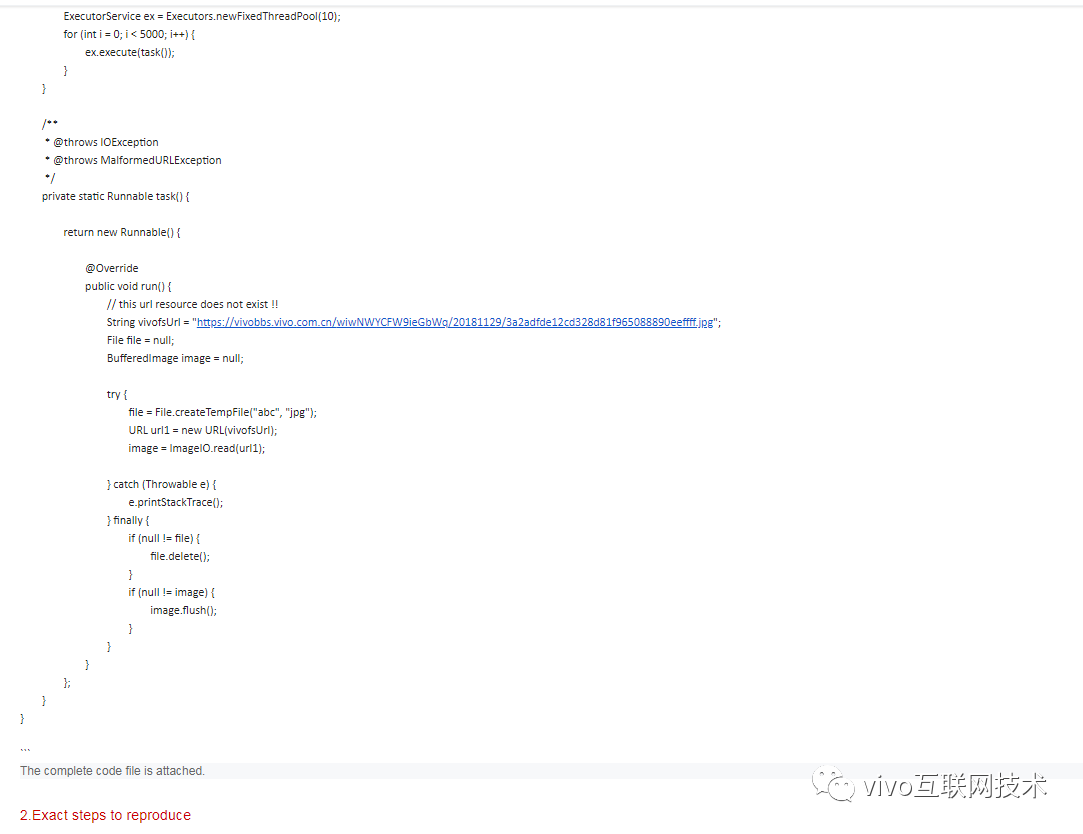
根据系统业务源码,快速模拟:
1public static void main(String[] args) throws InterruptedException {
2
3    ExecutorService ex = Executors.newFixedThreadPool(100);
4    for (int i = 0; i < 5000; i++) {
5        ex.execute(task());
6    }
7}
8
9/**
10 * @throws IOException
11 * @throws MalformedURLException
12 */
13private static Runnable task() {
14
15    return new Runnable() {
16
17        @Override
18        public void run() {
19            // domain must exists,but file doesnot.
20            String vivofsUrl = "https://vivobbs.xx.yy.zz/wiwNWYCFW9ieGbWq/20181129/3a2adfde12cd328d81f965088890eeffff.jpg";
21
22            File file = null;
23
24            BufferedImage image = null;
25
26            try {
27                file = File.createTempFile("abc", "jpg");
28
29                URL url1 = new URL(vivofsUrl);
30                image = ImageIO.read(url1);
31
32            } catch (Throwable e) {
33                e.printStackTrace();
34            } finally {
35                if (null != file) {
36                    file.delete();
37                }
38                if (null != image) {
39                    image.flush();
40                    image = null;
41                }
42
43            }
44        }
45    };
46}
抓包
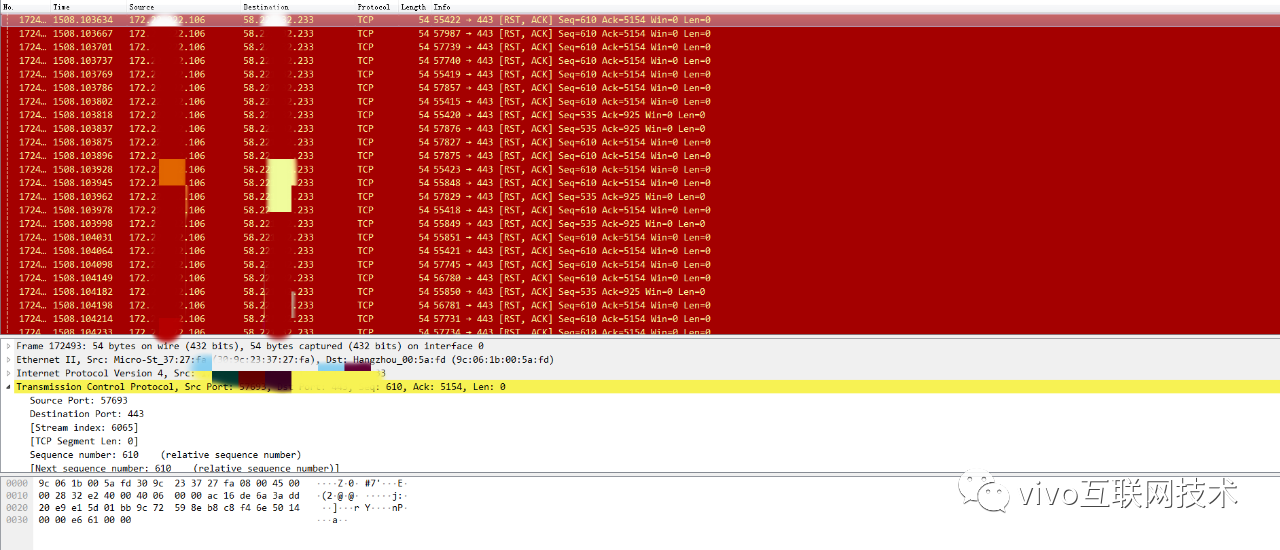
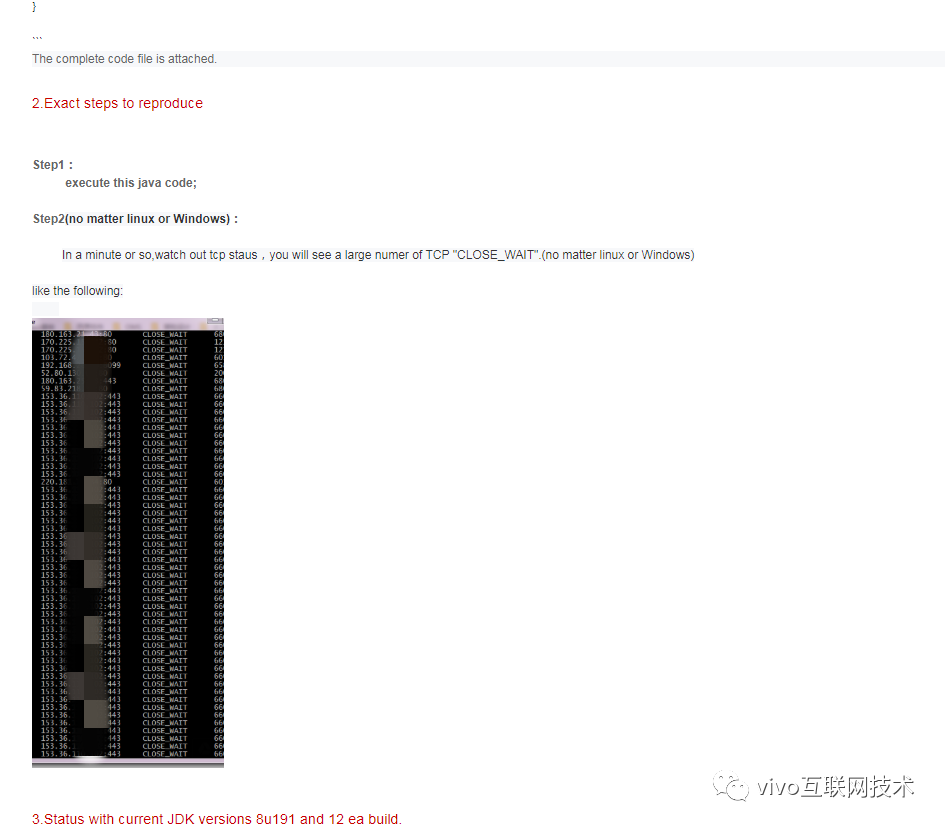
TCP查看
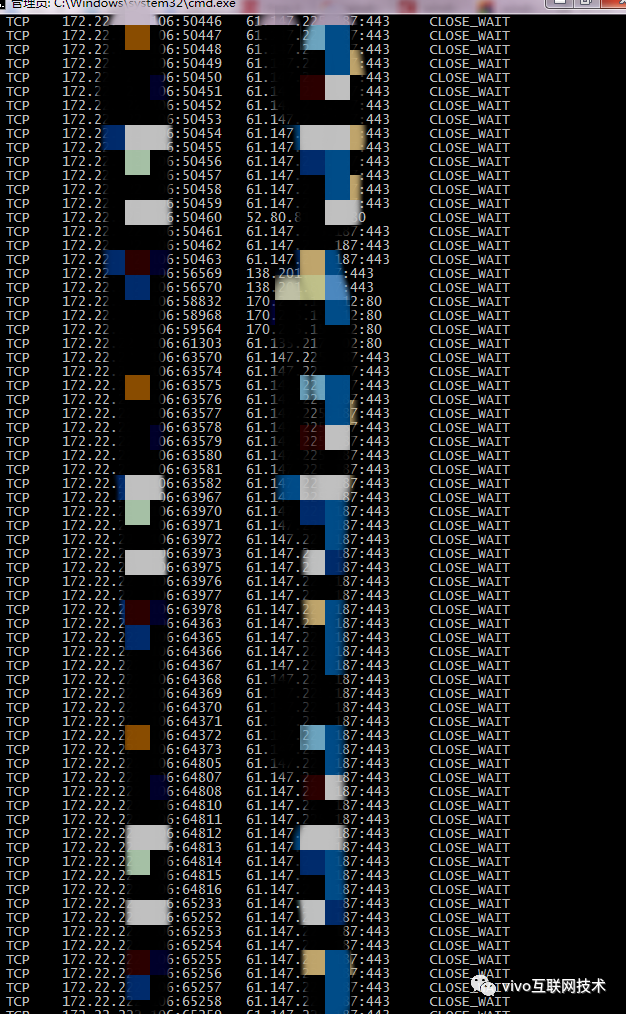
问题复现!
Step5 沟通后提报bug
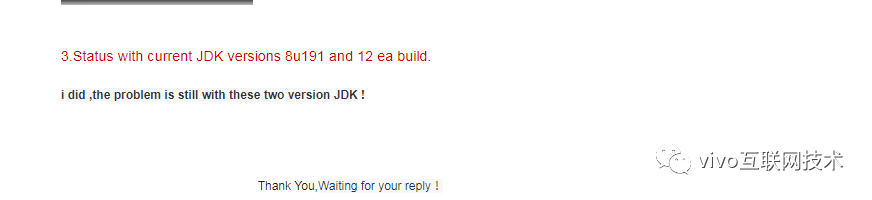
report 给Oracle。
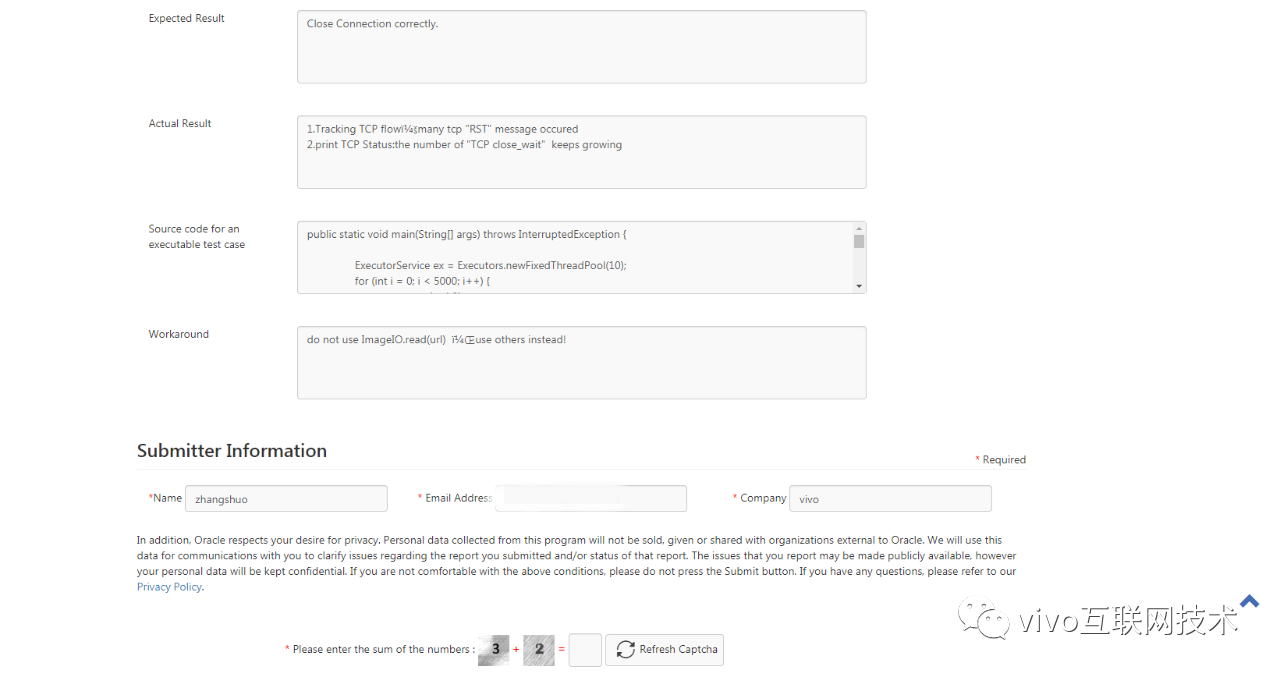
三、Oracle沟通
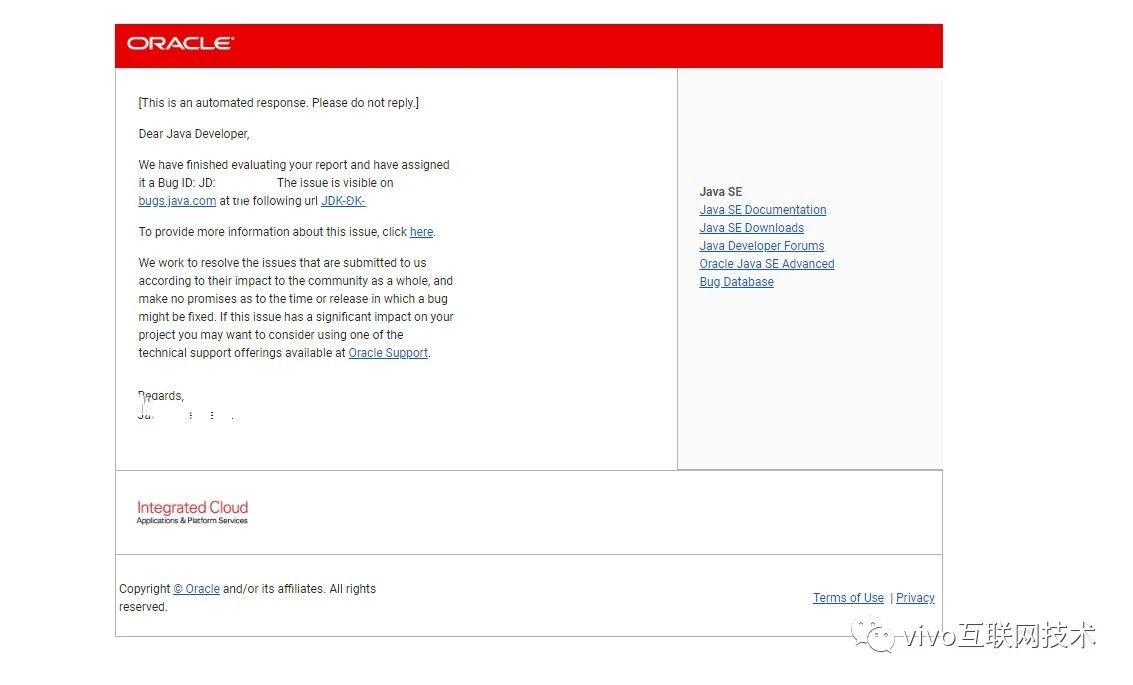
提单之后,Oracle跟我联系沟通。截取部分邮件内容,仅供参考。
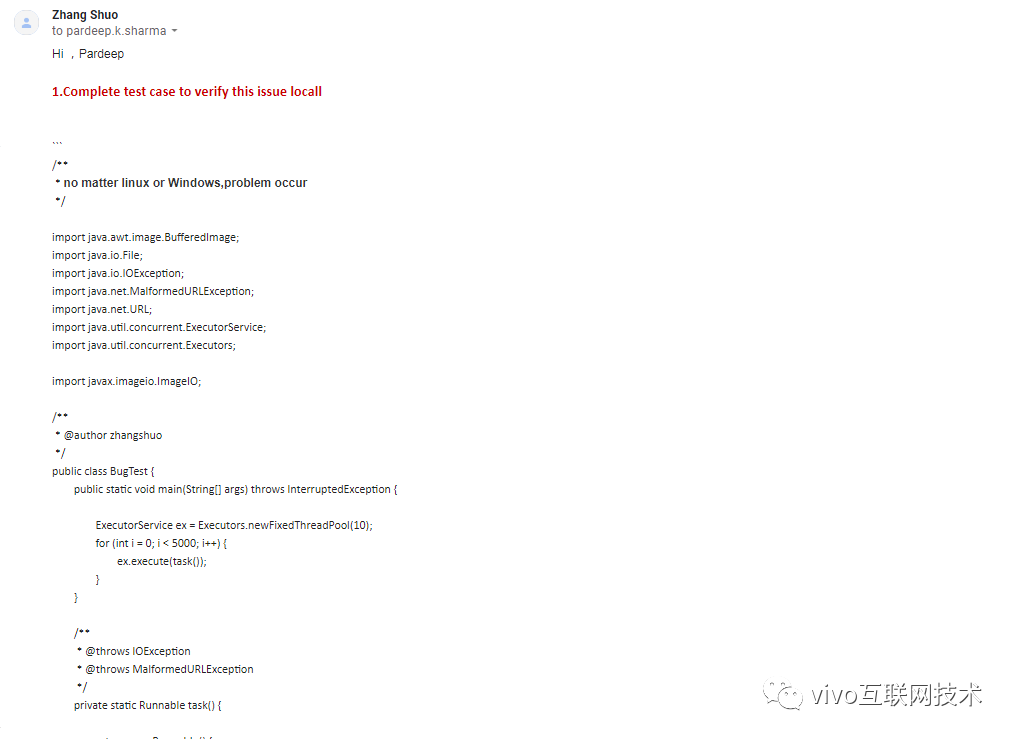

已被采纳
四、疑点与不足
TCP状态机的流转不够熟悉透彻。导致一些问题不能从TCP状态机分析推理,知识的全面精通需要不断提高。
更多内容敬请关注 vivo 互联网技术 微信公众号

注:转载文章请先与微信号:Labs2020 联系。