
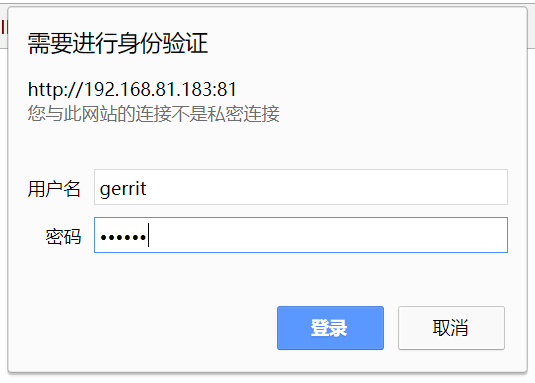
1.管理员登陆
安装完成第一个登陆的用户会作为管理员
登陆成功
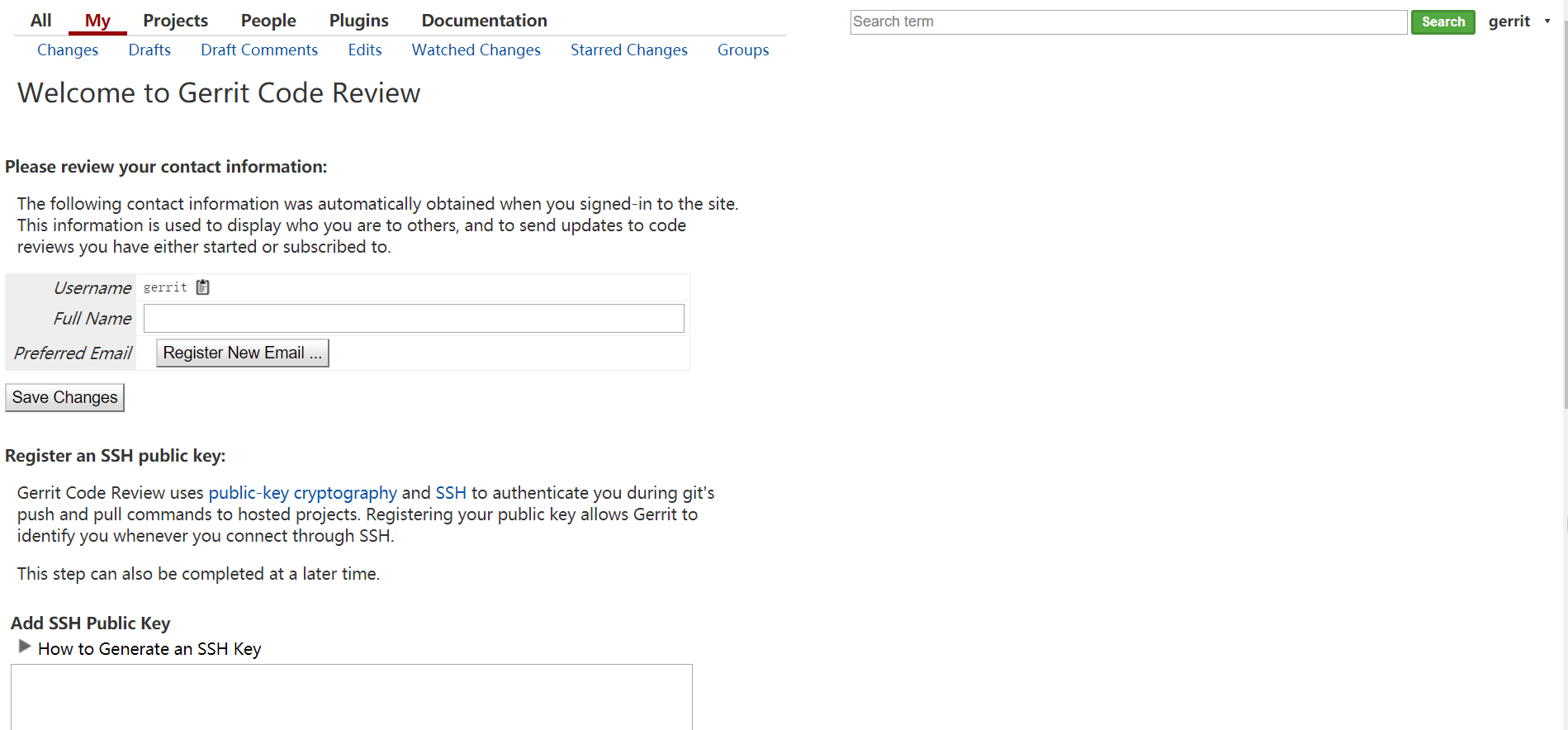
2.基本设置
2.1 Full Name
填入gerrit
点击Save Changes保存
2.2 Add SSH Public Key
生成公钥
1[gerrit@localhost ~]$ ssh-keygen -t rsa -C gerrit@test.com
2
3
4[gerrit@localhost ~]$ cat .ssh/id_rsa.pub
5ssh-rsa AAAAB3NzaC1yc2EAAAADAQABAAABAQCydyztelLyfuP1plXLOHvaC8mw2QMa5SJI+LRW+ngczDFTpLCarzS3osDGqsDmYGMKy6D6dR+Y7yXHqnKiBWiMArncGF1AXRw09TKG+A6X2LcfAz532Q6c2oL/y782xU6SmJFZNLzBE3kix+Pe9Lh4HPlfTiCKjZVYBaKXVC9nkZAzrqrWhHfdJ6fPiPUuvJQeUkHKjZfHIEkf7BSeIbmjd3BvUTXBUs451BmT0wvTP/K5W5OlVeUrhYmfo9hhuFt2+sT4M1rG4AfS8v7w/hfqPOWlB284HXrG/bwFjdv1P4VD4Yl5TxK2XboVSPaFEHkpx0a7fCqr+BDXOWm6Qj/1 gerrit@test.com
复制并添加
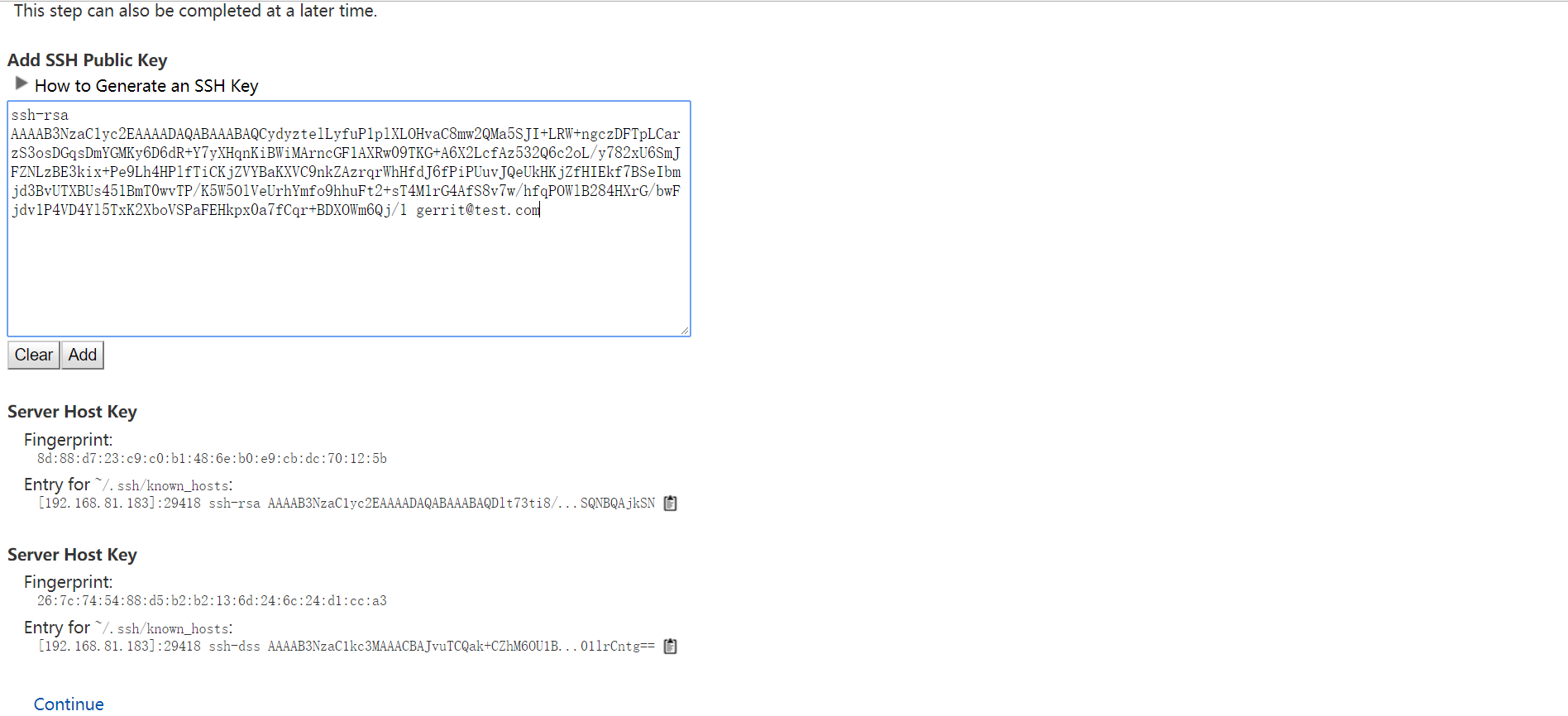
到此完成了最基本的设置,其他账户也按照此方法设置。
3.添加其他用户完成设置(以highgo为例)
1[gerrit@localhost ~]$ htpasswd -m /home/gerrit/gerrit.password highgo
2New password:
3Re-type new password:
4Adding password for user highgo
登陆,完成基本设置
4.操作数据库设置邮箱
由于搭建过程中没有配置邮箱所以不能通过网页注册邮箱,只能由管理员直接操作数据库,添加邮箱信息。
1[gerrit@localhost ~]$ ssh -p 29418 -i ~/.ssh/id_rsa 192.168.81.183 -l gerrit
2The authenticity of host '[192.168.81.183]:29418 ([192.168.81.183]:29418)' can't be established.
3RSA key fingerprint is SHA256:J2gpT+hNoOXQMgWLihVa/sHoYJi9v0rZ6bfG/O6NQ8g.
4RSA key fingerprint is MD5:8d:88:d7:23:c9:c0:b1:48:6e:b0:e9:cb:dc:70:12:5b.
5Are you sure you want to continue connecting (yes/no)? yes
6Warning: Permanently added '[192.168.81.183]:29418' (RSA) to the list of known hosts.
7
8  ****    Welcome to Gerrit Code Review    ****
9
10  Hi gerrit, you have successfully connected over SSH.
11
12  Unfortunately, interactive shells are disabled.
13  To clone a hosted Git repository, use:
14
15  git clone ssh://gerrit@192.168.81.183:29418/REPOSITORY_NAME.git
16
17Connection to 192.168.81.183 closed.
18
如果出现如下提示,说明没有权限操作
1[gerrit@localhost ~]$ ssh -p 29418 -i ~/.ssh/id_rsa 192.168.81.183 -l gerrit gerrit gsql
2fatal: gerrit does not have "Access Database" capability.
此时以管理员登陆gerrit
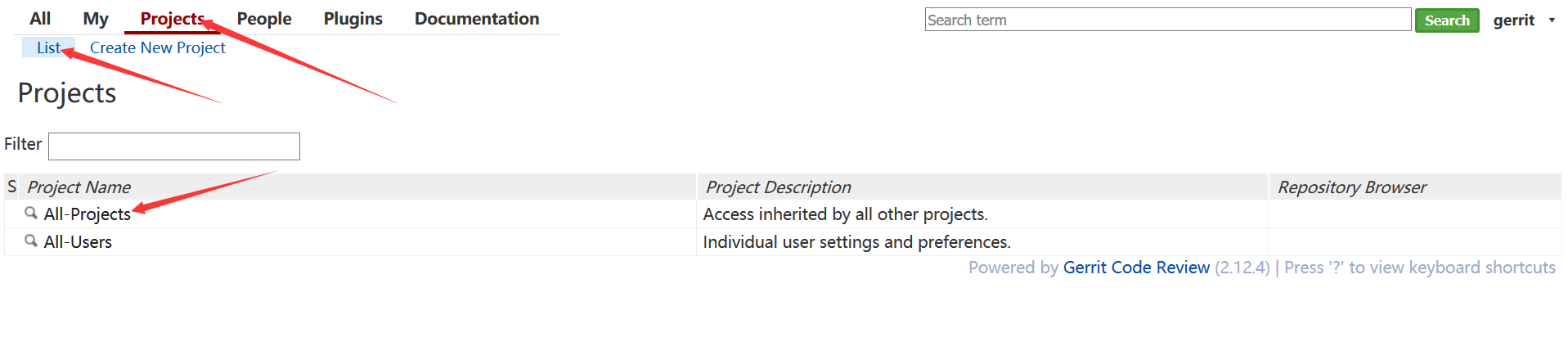
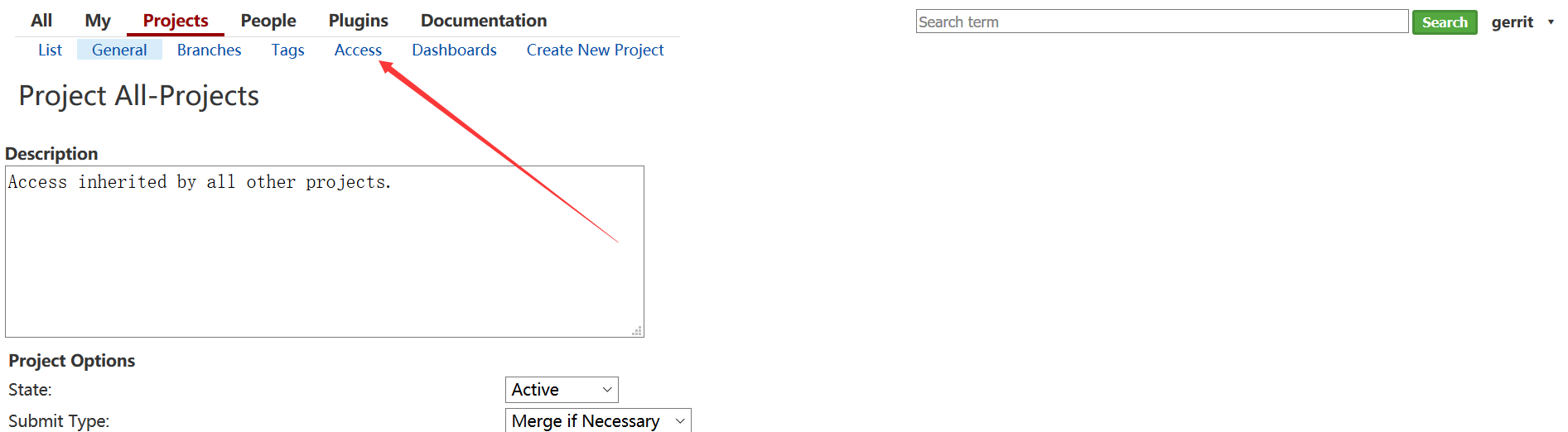
点击Projects => List => All-Projects => Access => Edit
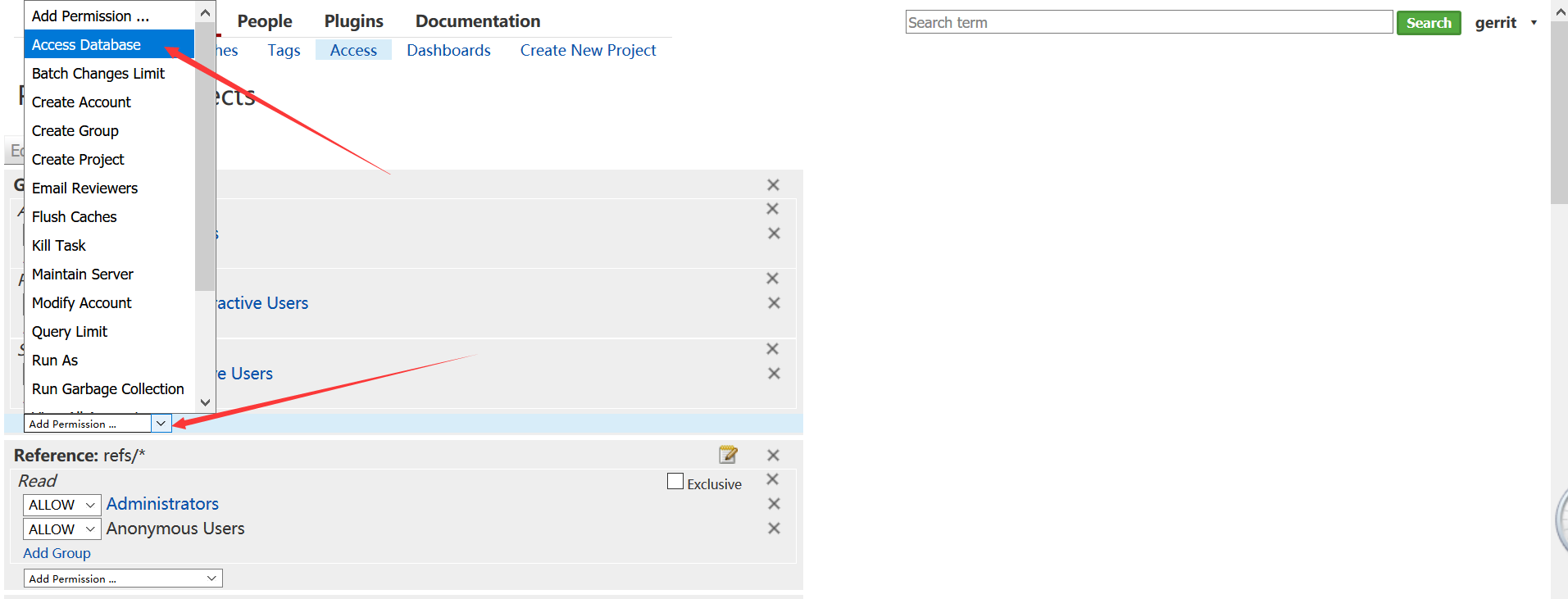
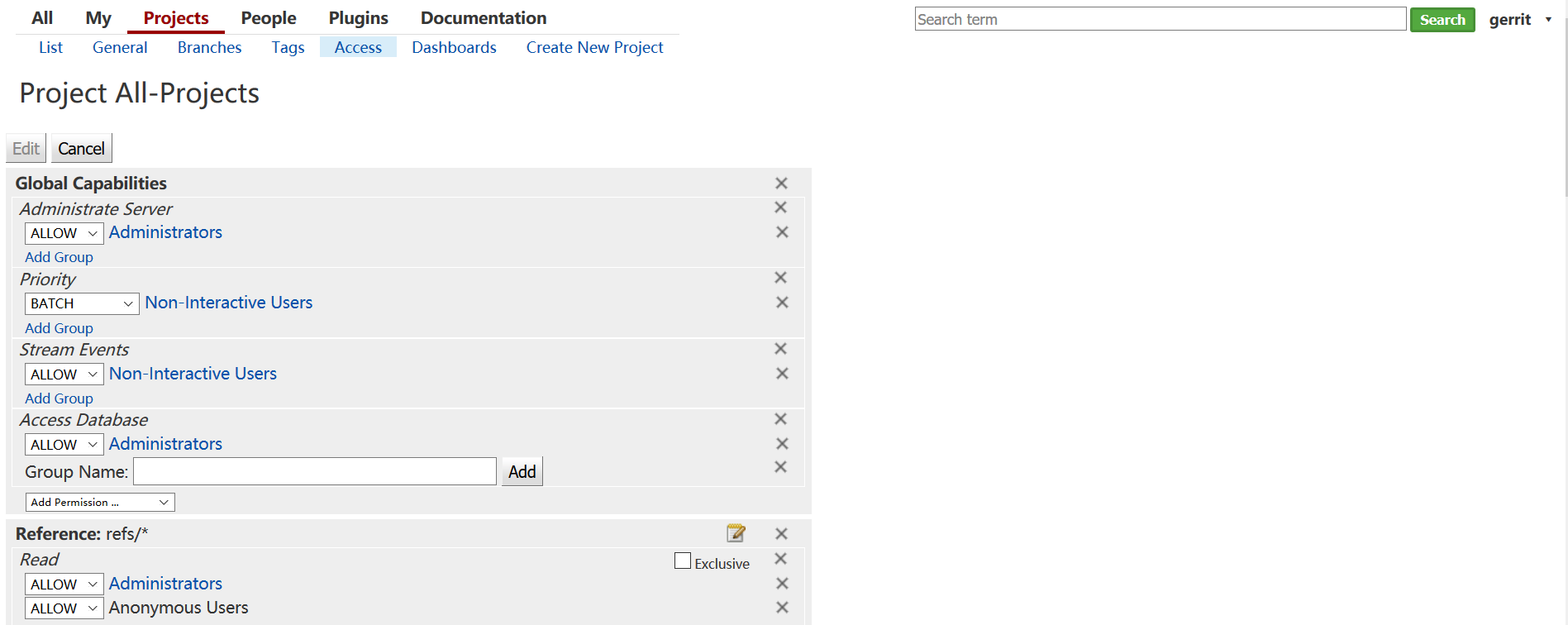
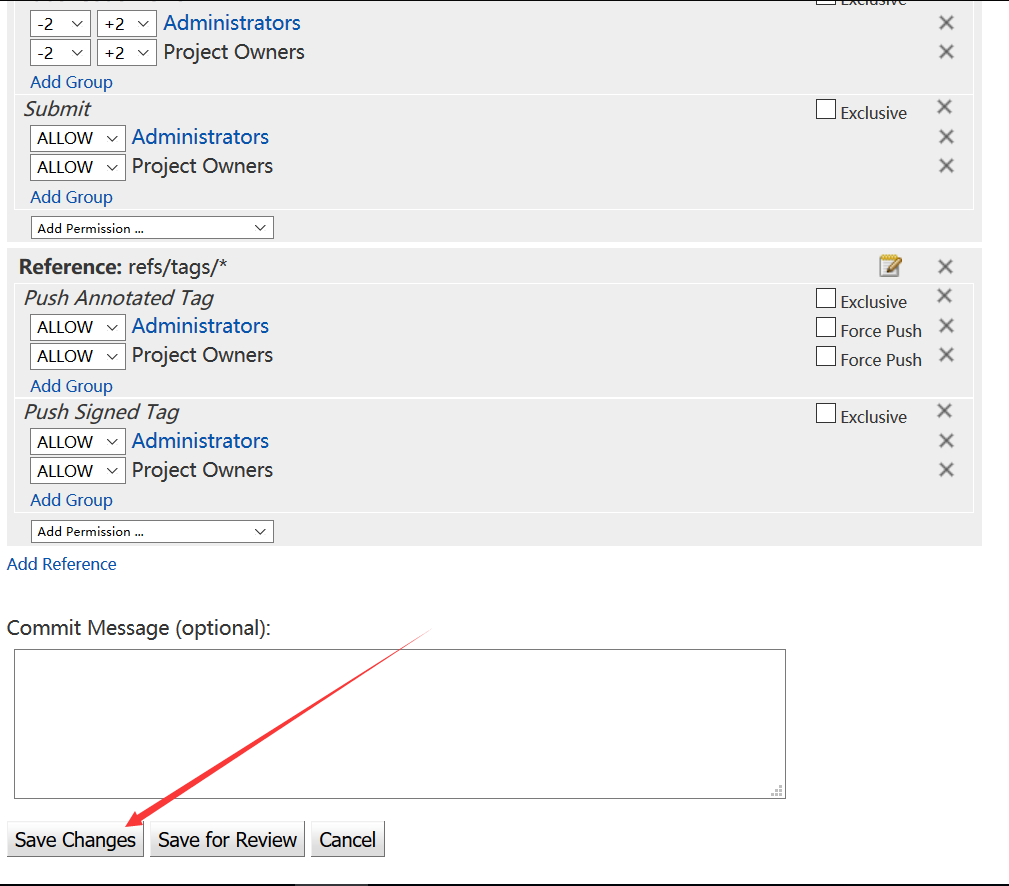
在 Global Capabilities 那部分添加Access Database权限,最后记得点击Save Changes保存
再次连接就有权限了
1[gerrit@localhost ~]$ ssh -p 29418 -i ~/.ssh/id_rsa 192.168.81.183 -l gerrit gerrit gsql
2Welcome to Gerrit Code Review 2.12.4
3(H2 1.3.176 (2014-04-05))
4
5Type '\h' for help.  Type '\r' to clear the buffer.
6
7gerrit>  select * from ACCOUNT_EXTERNAL_IDS;
8 ACCOUNT_ID | EMAIL_ADDRESS | PASSWORD | EXTERNAL_ID
9 -----------+---------------+----------+----------------
10 1000000    | NULL          | NULL     | gerrit:gerrit
11 1000000    | NULL          | NULL     | username:gerrit
12 1000001    | NULL          | NULL     | gerrit:highgo
13 1000001    | NULL          | NULL     | username:highgo
14(4 rows; 3 ms)
15gerrit>
添加邮箱
1gerrit> insert into ACCOUNT_EXTERNAL_IDS values('1000000', 'gerrit@test.com', 'NULL', 'mailto:gerrit@test.com');
2UPDATE 1; 1 ms
3gerrit> insert into ACCOUNT_EXTERNAL_IDS values('1000001', 'highgo@test.com', 'NULL', 'mailto:highgo@test.com');
4UPDATE 1; 0 ms
5gerrit> select * from ACCOUNT_EXTERNAL_IDS;
6 ACCOUNT_ID | EMAIL_ADDRESS   | PASSWORD | EXTERNAL_ID
7 -----------+-----------------+----------+-----------------------
8 1000000    | NULL            | NULL     | gerrit:gerrit
9 1000000    | NULL            | NULL     | username:gerrit
10 1000001    | NULL            | NULL     | gerrit:highgo
11 1000001    | NULL            | NULL     | username:highgo
12 1000000    | gerrit@test.com | NULL     | mailto:gerrit@test.com
13 1000001    | highgo@test.com | NULL     | mailto:highgo@test.com
14(6 rows; 0 ms)
使添加信息生效
[gerrit@localhost ~]$ ssh -p 29418 -i ~/.ssh/id_rsa 192.168.81.183 -l gerrit gerrit flush-caches
然后就可以在网页中设置邮箱了
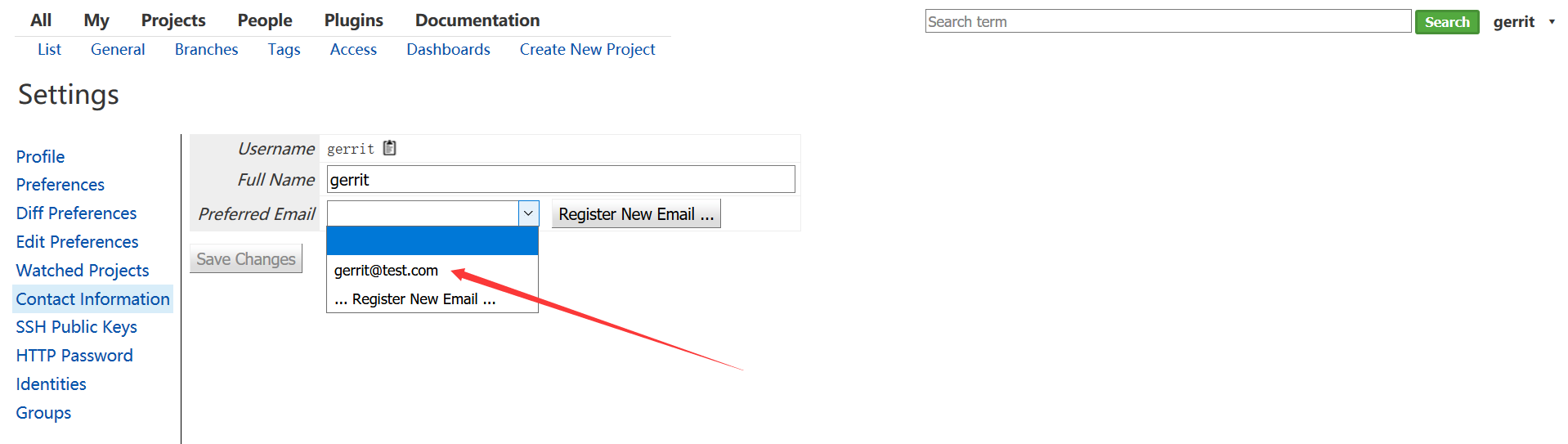
5. 添加用户组

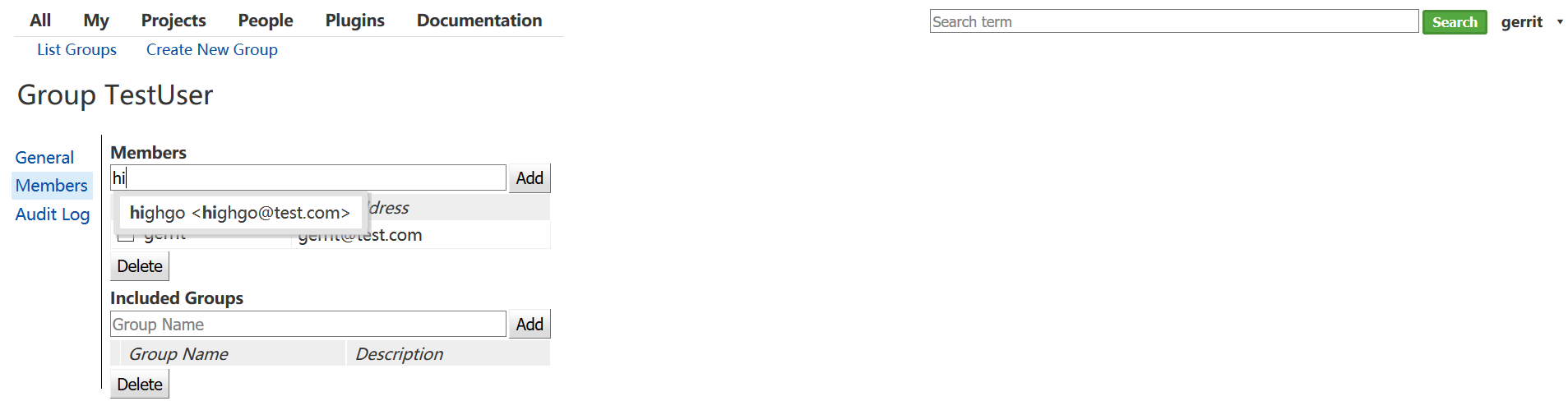
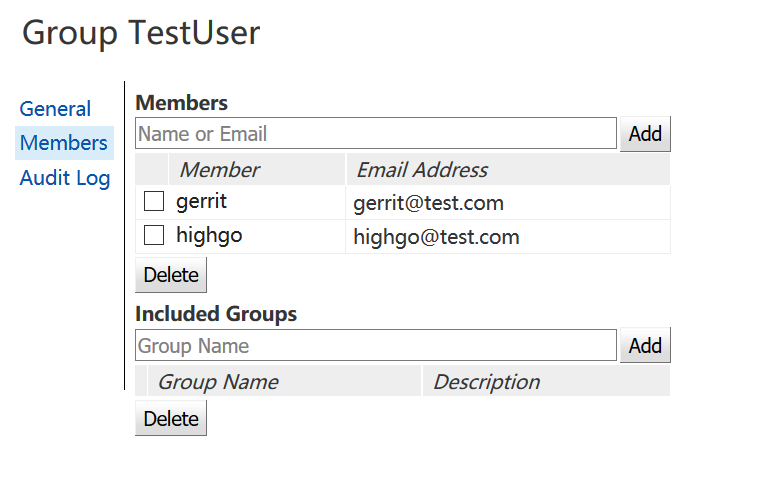
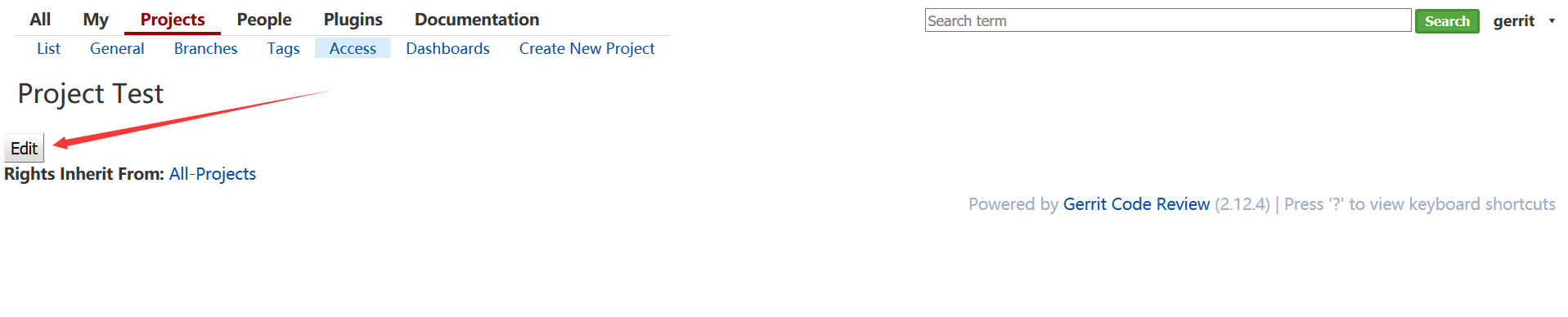
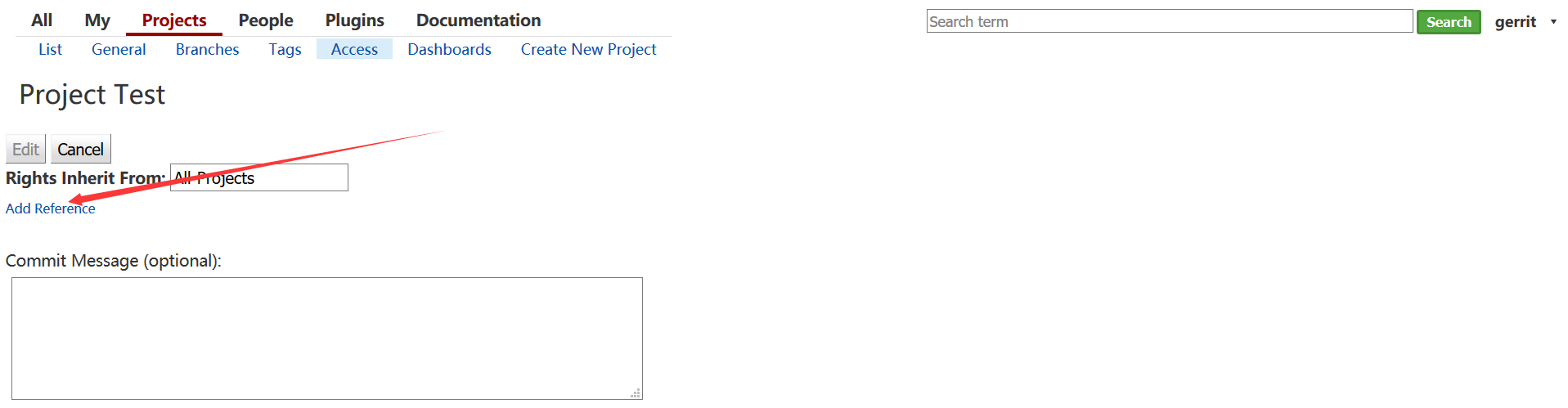
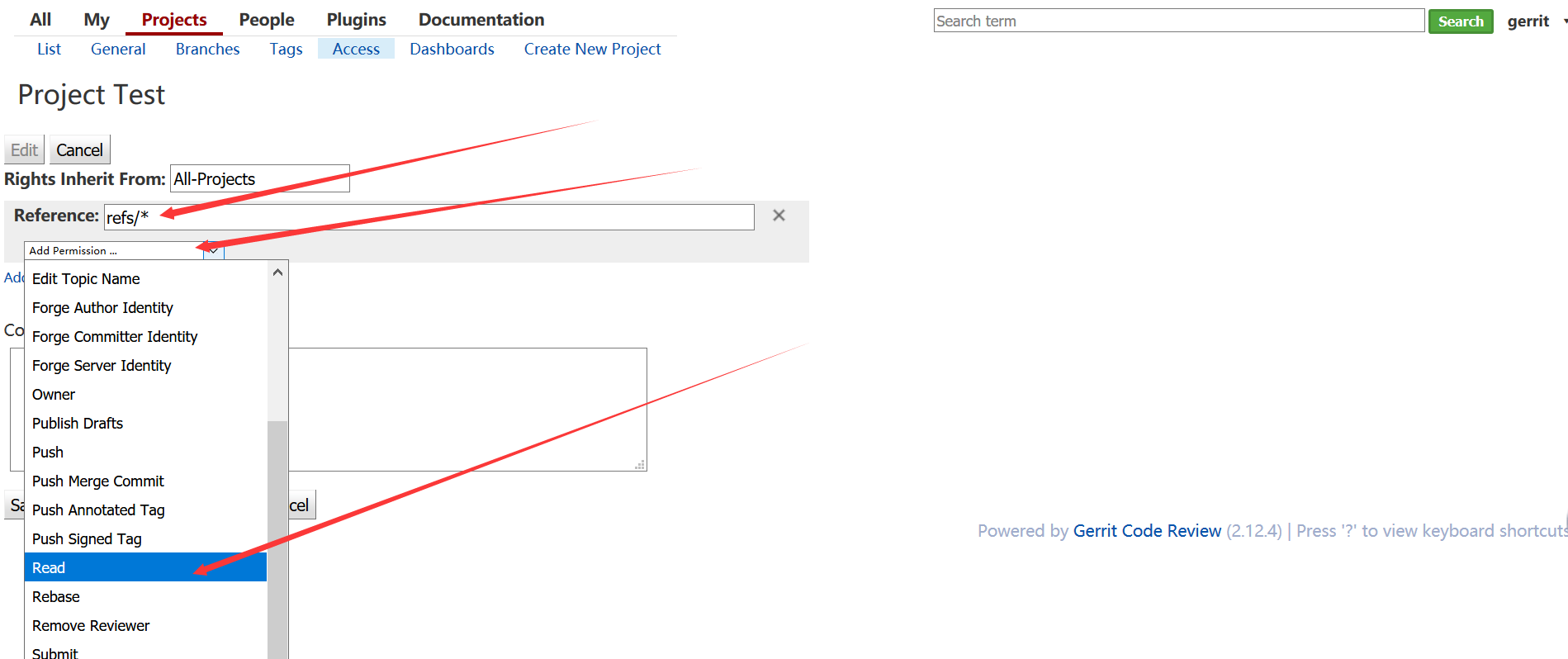
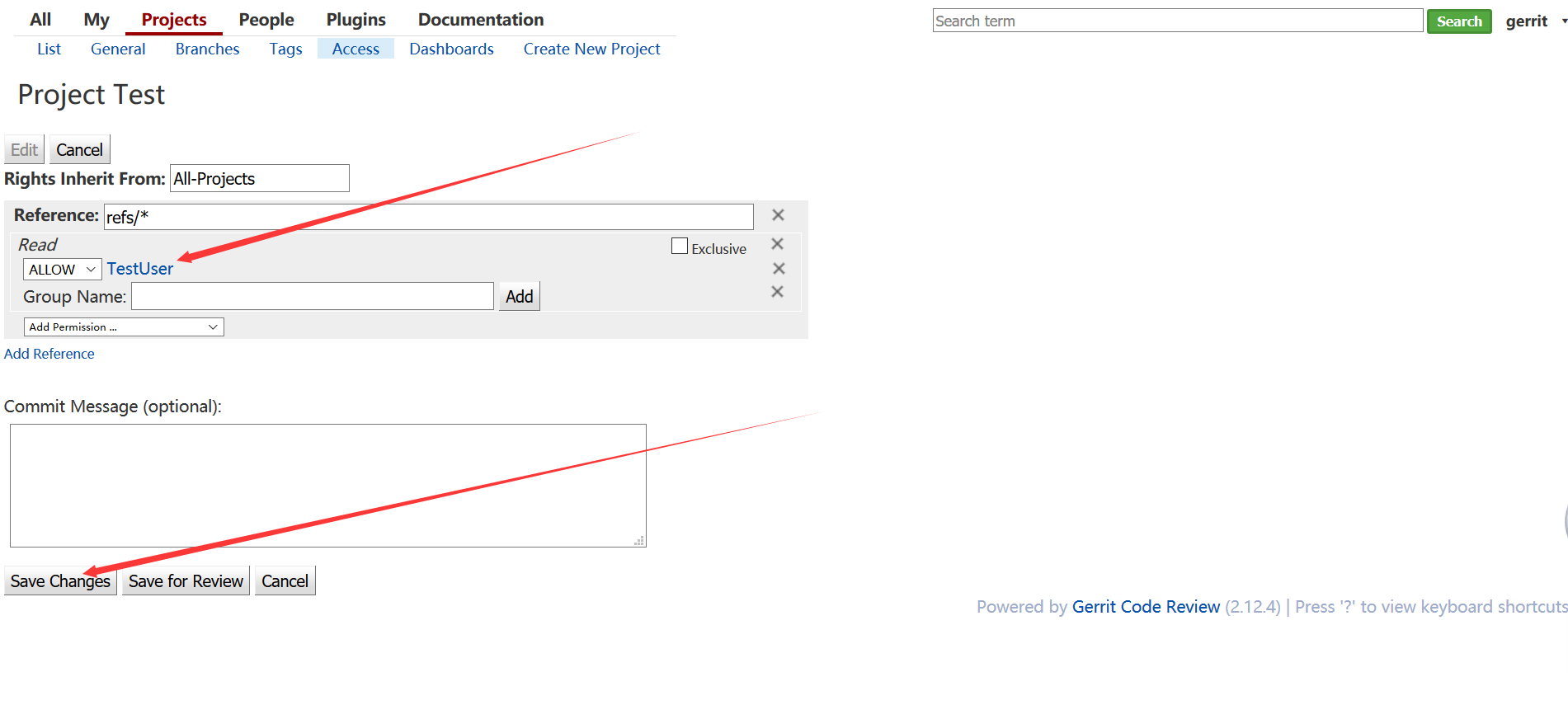
6.创建Project测试
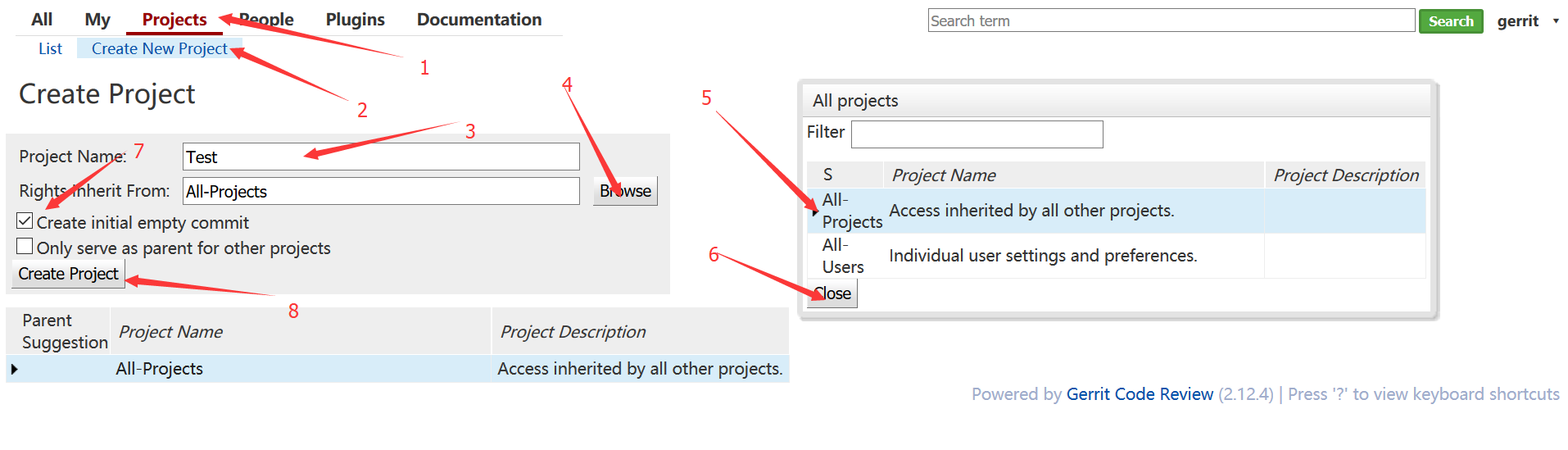
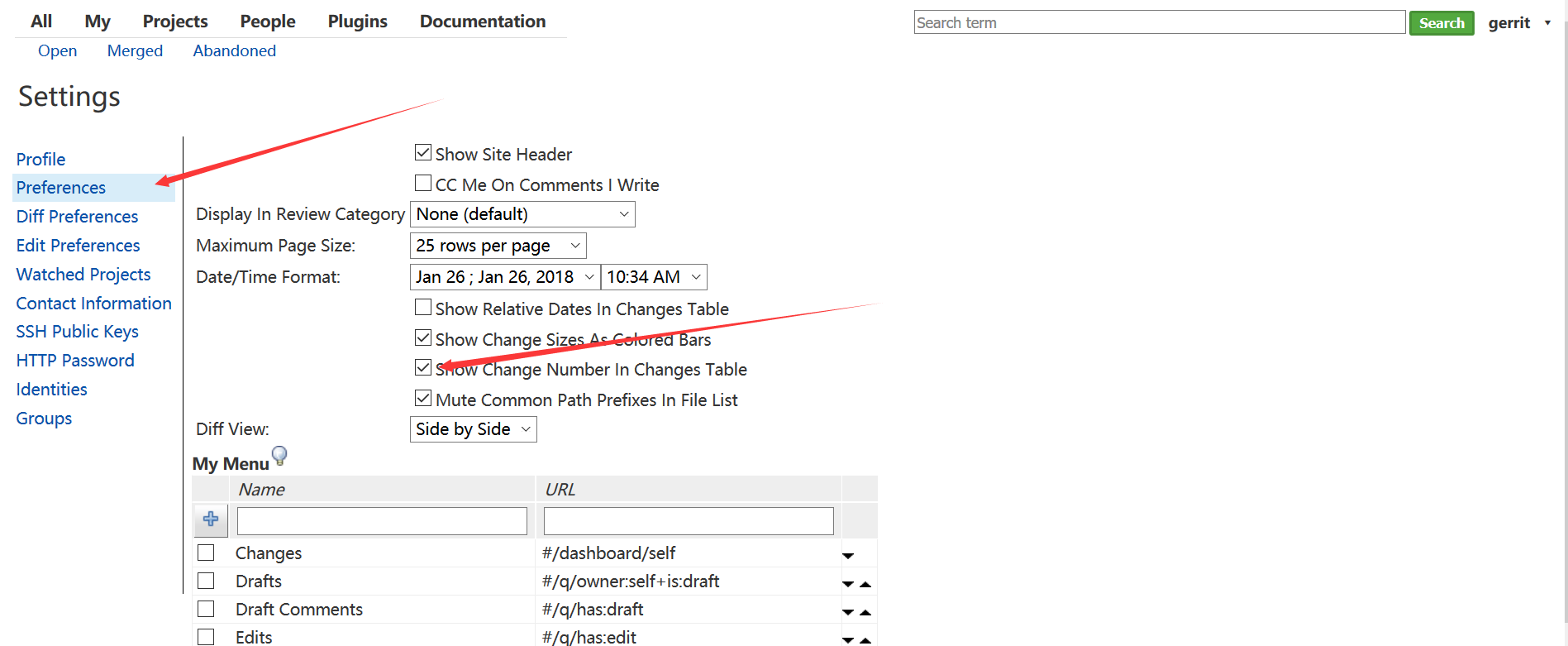
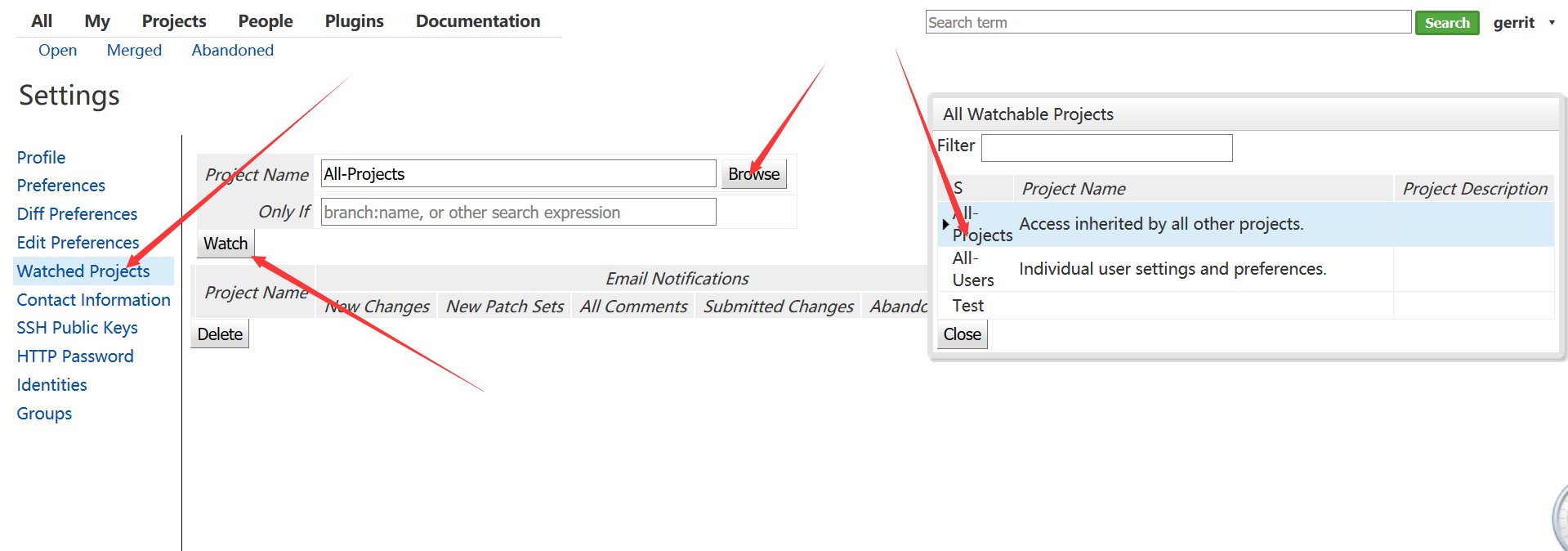
管理员监听提交
highgo用户clone工程
[highgo@localhost ~]$ git clone ssh://highgo@192.168.81.183:29418/Test.git
添加文件修改
1[highgo@localhost ~]$ cd Test/
2[highgo@localhost Test]$ touch TestFile.txt
3[highgo@localhost Test]$ echo "Test Test Test" >> TestFile.txt
提交
1[highgo@localhost Test]$ git add TestFile.txt
2[highgo@localhost Test]$ git config user.name highgo
3[highgo@localhost Test]$ git config user.email highgo@test.com
4[highgo@localhost Test]$ git config remote.origin.push refs/heads/*:refs/for/*
5[highgo@localhost Test]$ scp -p -P 29418 highgo@192.168.81.183:hooks/commit-msg .git/hooks/
6commit-msg                                                                                                         100% 4662     1.4MB/s   00:00
7[highgo@localhost Test]$ git commit -m "add TestFile"
8[master 428b57a] add TestFile
9 1 file changed, 1 insertion(+)
10 create mode 100644 TestFile.txt
11[highgo@localhost Test]$ git push
12Counting objects: 4, done.
13Writing objects: 100% (3/3), 284 bytes | 0 bytes/s, done.
14Total 3 (delta 0), reused 0 (delta 0)
15remote: Processing changes: new: 1, refs: 1, done
16remote:
17remote: New Changes:
18remote:   http://192.168.81.183:8081/1 add TestFile
19remote:
20To ssh://highgo@192.168.81.183:29418/Test.git
21 * [new branch]      master -> refs/for/master
22[highgo@localhost Test]$
23
管理员查看提交

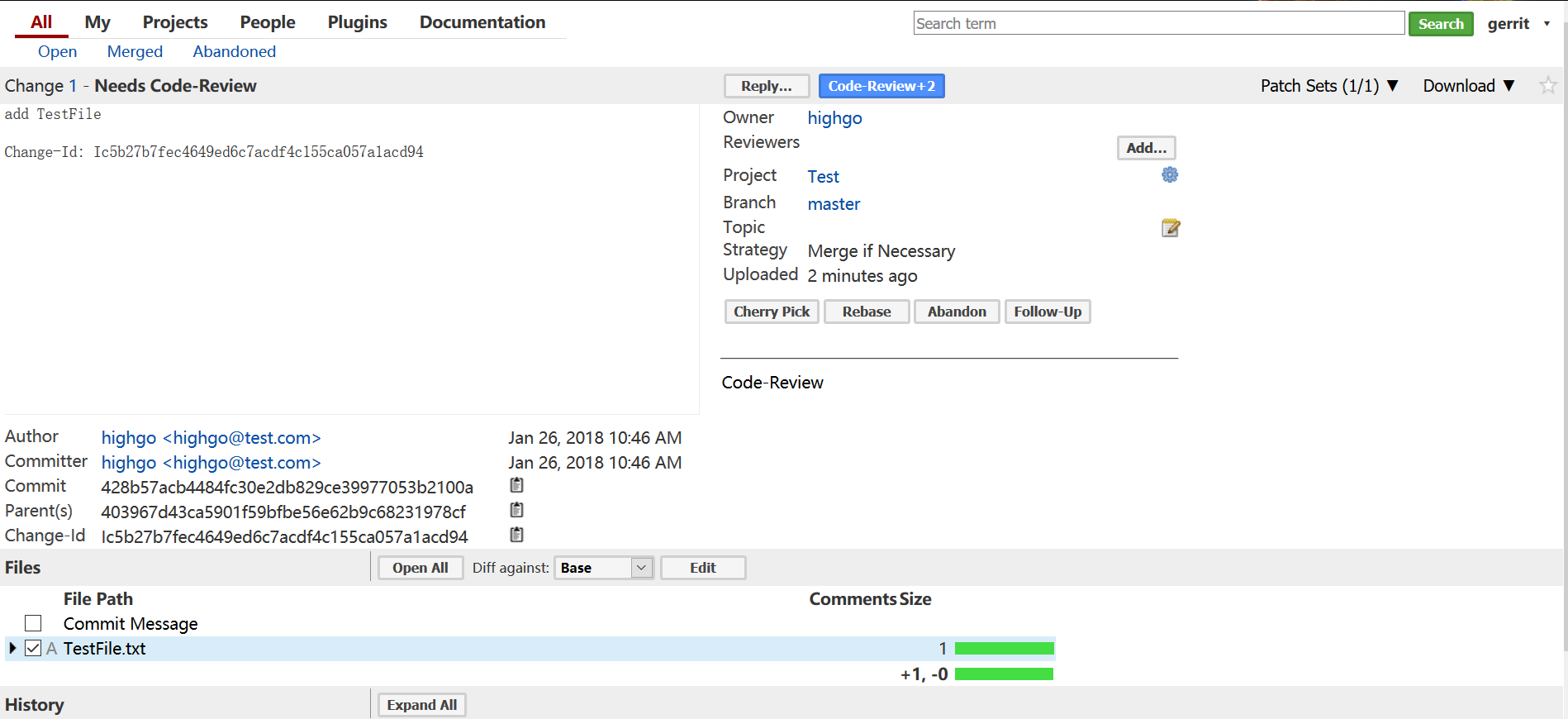
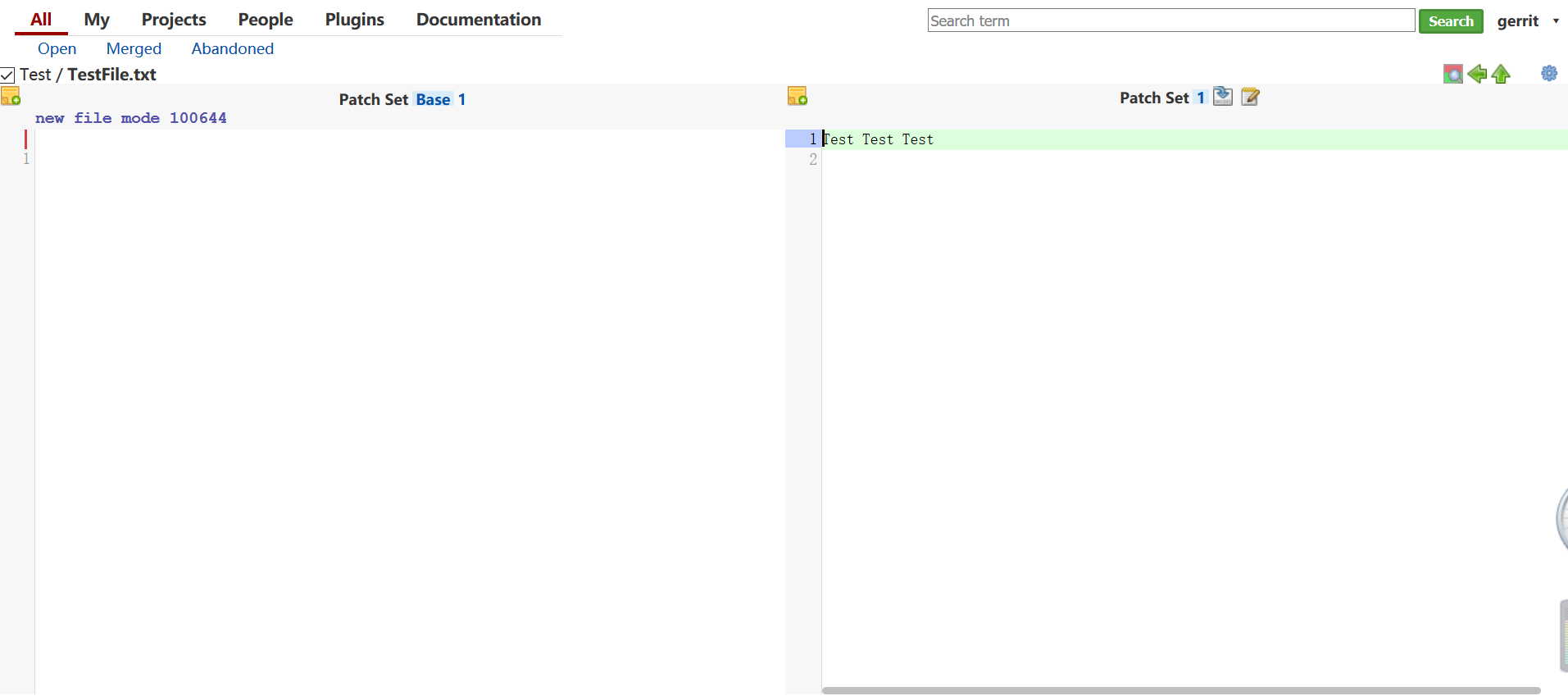
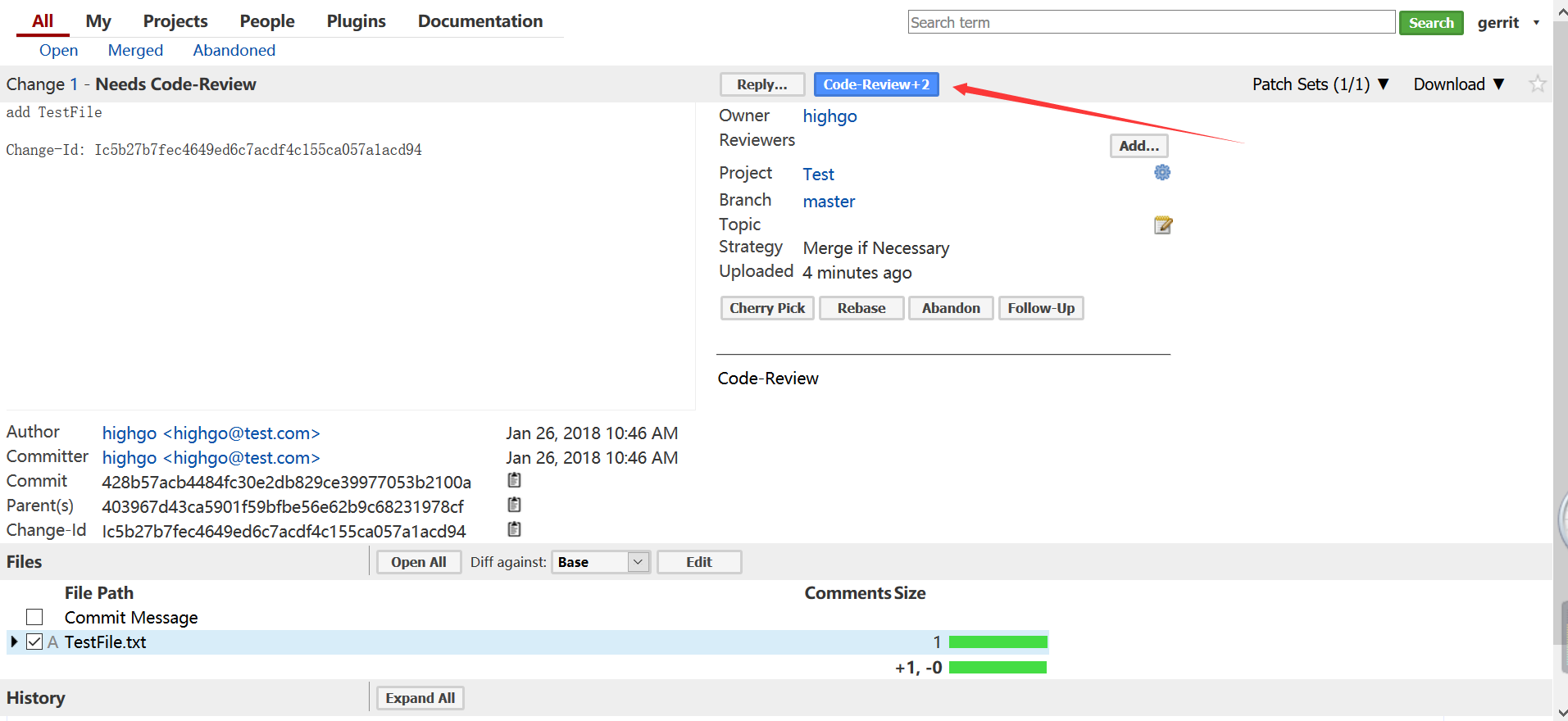
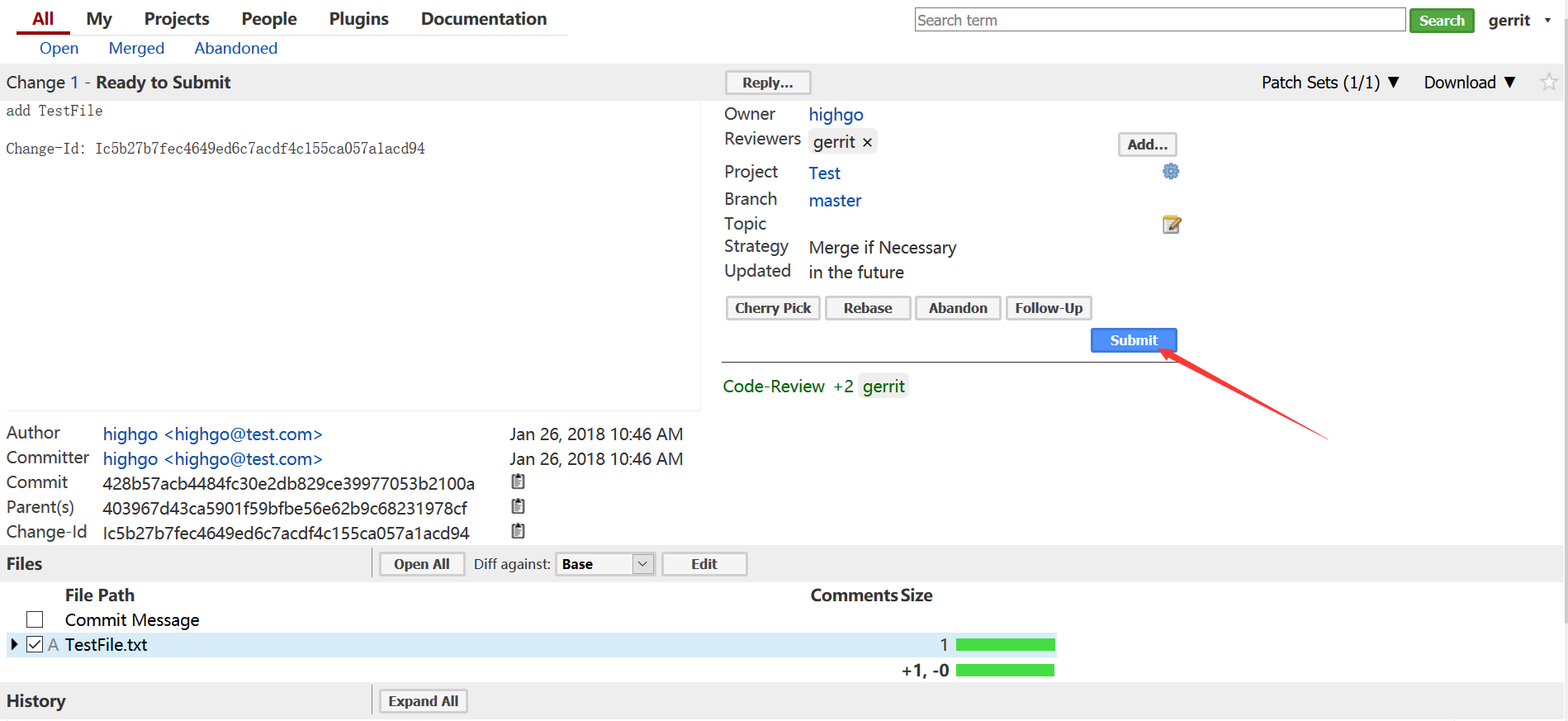
审核并通过
到此完成了基本的简单使用介绍