
按照之前的四篇文章,走到现在,接下来就是需要安装jdbc了。这里是用的是jdbc的2.3.4.0版本,虽然按照官方给出的对应版本对应不上,https://github.com/jprante/elasticsearch-jdbc,但是实际测试,是可以支持的。
下载解压并移动到/usr/local/jdbc目录
1#wget http://xbib.org/repository/org/xbib/elasticsearch/importer/elasticsearch-jdbc/2.3.4.0/elasticsearch-jdbc-2.3.4.0-dist.zip   //wget下载地址
2
3# unzip elasticsearch-jdbc-2.3.4.0-dist.zip
4# mv elasticsearch-jdbc-2.3.4.0-dist.zip /usr/local/jdbc/
配置环境变量
1# vim /etc/profile //把下面两行代码放入底部
2export JDBC_HOME=/usr/local/jdbc
3export ES_HOME=/usr/local/elasticsearch
4# source /etc/profile  //生效
接下来创建导入脚本
1# cd /usr/local/
2# mkdir shell shell/logs
3# vim mysql-elasticsearch.sh
4
5#脚本内容
6#!/bin/sh
7bin=$JDBC_HOME/bin
8lib=$JDBC_HOME/lib
9echo '{
10"type" : "jdbc",
11"jdbc": {
12      "elasticsearch.autodiscover":true,
13      "elasticsearch.cluster":"my-application",         #簇名,对应好配置
14      "url":"jdbc:mysql://192.168.9.155:3306/hb",     #mysql地址/端口/库名
15      "user":"root",   #Mysql账号
16      "password":"wt000000",  #Mysql密码
17      "sql":"select product_name,id as _id from hp_product where id >10 limit 10 ",  #SQL语句 .........注意的是,这里只是测试,在实际配置中需要对应好要存入文档的字段,同样表的主见id对应文档id
18      "elasticsearch" : {                "cluster":"my-application",
19          "host" : "192.168.9.155",
20          "port" : 9300
21       },
22      "index" : "myindex",     #新的index,这里测试的是商品表,用的index是myindex,其实可以规范命名~
23      "type" : "mytype"        #新的type,类型也可以规范命名
24      }
25}'| java \
26  -cp "${lib}/*" \
27  -Dlog4j.configurationFile=${bin}/log4j2.xml \
28  org.xbib.tools.Runner \
29  org.xbib.tools.JDBCImporter
30
31# chmod a+x mysql-elasticsearch.sh   //赋予权限
32# ./mysql-elasticsearch.sh   //执行脚本

执行完成之后,查看一下日志文件,[INFO]成功信息~
cat /usr/local/shell/logs/jdbc.log

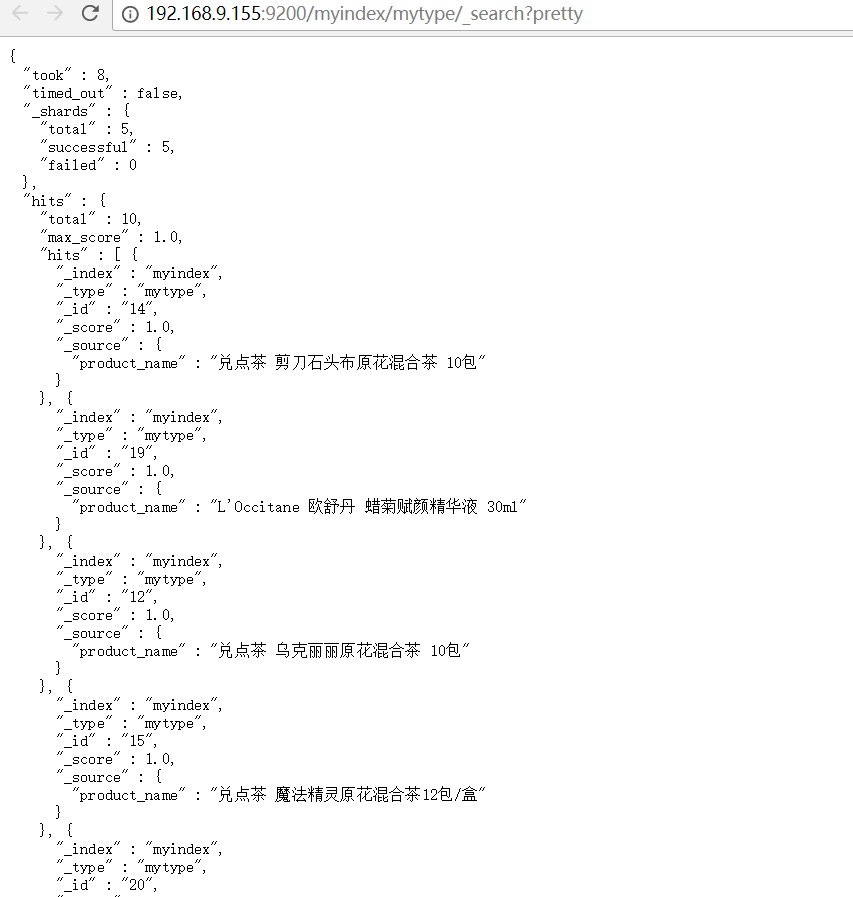
1# curl -XGET 'http://192.168.9.155:9200/myindex/mytype/_search?pretty'
2
3{
4  "took" : 14,
5  "timed_out" : false,
6  "_shards" : {
7    "total" : 5,
8    "successful" : 5,
9    "failed" : 0
10  },
11  "hits" : {
12    "total" : 10,
13    "max_score" : 1.0,
14    "hits" : [ {
15      "_index" : "myindex",
16      "_type" : "mytype",
17      "_id" : "14",
18      "_score" : 1.0,
19      "_source" : {
20        "product_name" : "兑点茶 剪刀石头布原花混合茶 10包"
21      }
22    }, {
23      "_index" : "myindex",
24      "_type" : "mytype",
25      "_id" : "19",
26      "_score" : 1.0,
27      "_source" : {
28        "product_name" : "L'Occitane 欧舒丹 蜡菊赋颜精华液 30ml"
29      }
30    }, {
31      "_index" : "myindex",
32      "_type" : "mytype",
33      "_id" : "12",
34      "_score" : 1.0,
35      "_source" : {
36        "product_name" : "兑点茶 乌克丽丽原花混合茶 10包"
37      }
38    }, {
39      "_index" : "myindex",
40      "_type" : "mytype",
41      "_id" : "15",
42      "_score" : 1.0,
43      "_source" : {
44        "product_name" : "兑点茶 魔法精灵原花混合茶12包/盒"
45      }
46    }, {
47      "_index" : "myindex",
48      "_type" : "mytype",
49      "_id" : "20",
50      "_score" : 1.0,
51      "_source" : {
52        "product_name" : "Bobbi Brown波比布朗 弹力保湿精华液 30ml"
53      }
54    }, {
55      "_index" : "myindex",
56      "_type" : "mytype",
57      "_id" : "13",
58      "_score" : 1.0,
59      "_source" : {
60        "product_name" : "兑点茶 挪威森林原花混合茶 10包"
61      }
62    }, {
63      "_index" : "myindex",
64      "_type" : "mytype",
65      "_id" : "16",
66      "_score" : 1.0,
67      "_source" : {
68        "product_name" : "兑点茶 涌雪原花混合茶12包/盒"
69      }
70    }, {
71      "_index" : "myindex",
72      "_type" : "mytype",
73      "_id" : "18",
74      "_score" : 1.0,
75      "_source" : {
76        "product_name" : "L’Occitane 欧舒丹蜡菊亮白水凝精华液 30ml"
77      }
78    }, {
79      "_index" : "myindex",
80      "_type" : "mytype",
81      "_id" : "11",
82      "_score" : 1.0,
83      "_source" : {
84        "product_name" : "兑点茶 艾丽莎原花混合茶12包"
85      }
86    }, {
87      "_index" : "myindex",
88      "_type" : "mytype",
89      "_id" : "17",
90      "_score" : 1.0,
91      "_source" : {
92        "product_name" : "兑点茶 菩兰原花混合茶12包"
93      }
94    } ]
95  }
96}
OK~
附加----
1#!/bin/sh
2bin=$JDBC_HOME/bin
3lib=$JDBC_HOME/lib
4echo '{
5    "type" : "jdbc",
6    "jdbc" : {
7        "url" : "jdbc:mysql://172.16.10.XXX:3306/db_car",
8        "user" : "write",
9        "password" : "write",
10        "sql" : "select id,title,fnStripTags(content) as content,click_num,keywords,UNIX_TIMESTAMP(updated) as update_time from t_knowledgenew",
11    "elasticsearch" : {
12        "cluster": "my-application",
13        "host" : "172.16.170.XXX",
14        "port" : 9300
15    },
16    "index" : "knowledge_index",
17    "type" : "knowledge"
18    }
19}' | java \
20       -cp "${lib}/*" \
21       -Dlog4j.configurationFile=${bin}/log4j2.xml \
22       org.xbib.tools.Runner \
23       org.xbib.tools.JDBCImporter
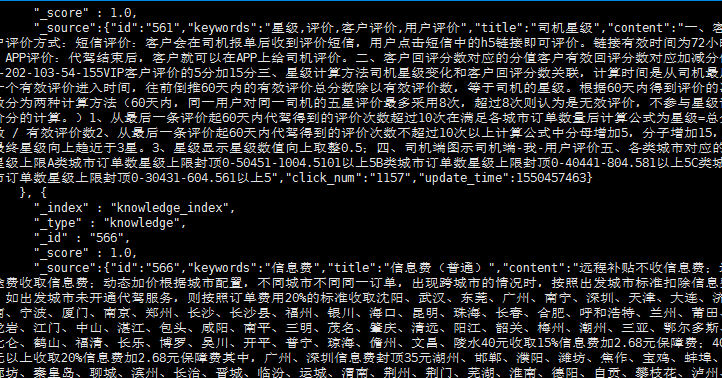
通过命令查看es中数据
curl -XGET 'http://XXX.XXX.XXX.XXX:9200/knowledge_index/knowledge/_search?pretty'
删除指定索引
# curl -XDELETE 'http://172.16.170.122:9200/index_name'
实时同步。