
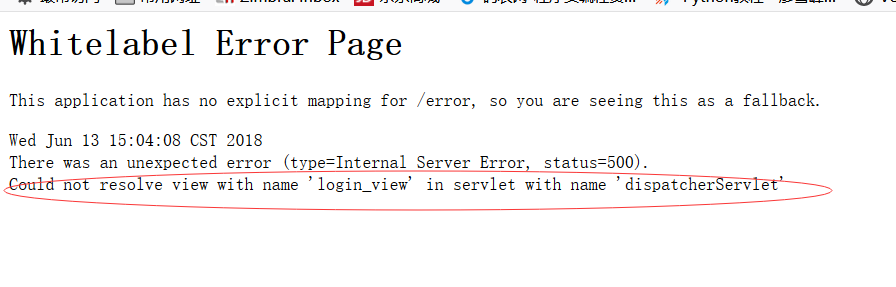
通过网上教程使用springboot整合fastJson后遇到页面重定向问题(使用的springboot版本是2.0.2.RELEASE ,其他的版本可能不会出现以下问题),如下图:
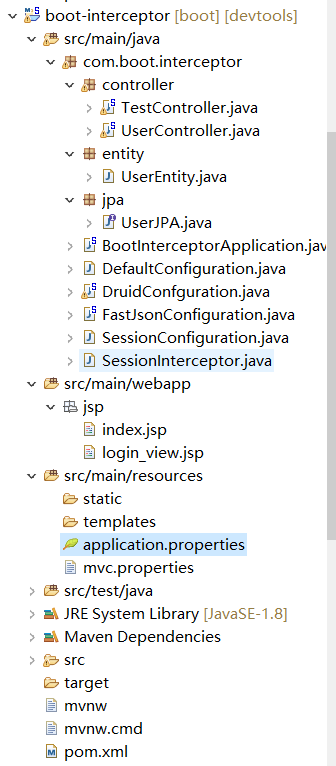
我的项目结构如下
自定义的fastJson消息转换器配置类(WebMvcConfigurerAdapter这个类好像在springboot2.0以及spring5.0的版本后被废弃了所以通过继承WebMvcConfigurationSupport来实现configureMessageConverters方法的重写),代码如下:
1package com.boot.interceptor;
2
3import java.util.ArrayList;
4import java.util.List;
5
6import org.springframework.context.annotation.Configuration;
7import org.springframework.http.MediaType;
8import org.springframework.http.converter.HttpMessageConverter;
9import org.springframework.web.servlet.config.annotation.WebMvcConfigurationSupport;
10
11import com.alibaba.fastjson.serializer.SerializerFeature;
12import com.alibaba.fastjson.support.config.FastJsonConfig;
13import com.alibaba.fastjson.support.spring.FastJsonHttpMessageConverter;
14
15@Configuration
16public class FastJsonConfiguration extends WebMvcConfigurationSupport{
17	@Override
18	public void configureMessageConverters(List<HttpMessageConverter<?>> converters) {
19		super.configureMessageConverters(converters);
20		// 创建FastJson消息转换器
21		FastJsonHttpMessageConverter fastJsonHttpMessageConverter = new FastJsonHttpMessageConverter();
22		// 创建配置类
23		FastJsonConfig fastJsonConfig = new FastJsonConfig();
24		// 修改配置返回内容的过滤
25		fastJsonConfig.setSerializerFeatures(
26			SerializerFeature.PrettyFormat
27		);
28
29		List<MediaType> fastMediaType = new ArrayList<>();
30		fastMediaType.add(MediaType.APPLICATION_JSON_UTF8);
31		fastJsonHttpMessageConverter.setSupportedMediaTypes(fastMediaType);
32		fastJsonHttpMessageConverter.setFastJsonConfig(fastJsonConfig);
33		// 将FastJson添加到视图消息转换器列表内
34		converters.add(fastJsonHttpMessageConverter);
35	}
36
37}
在mvc.properties中配置了spring.mvc.view.prefix和spring.mvc.view.suffix,配置如下

controller包中TestController测试类代码如下
1package com.boot.interceptor.controller;
2
3import org.springframework.stereotype.Controller;
4import org.springframework.web.bind.annotation.RequestMapping;
5
6@Controller
7public class TestController {
8
9	@RequestMapping("/test")
10	public String test() throws {
11		return "index";
12	}
13
14}
index.jsp页面
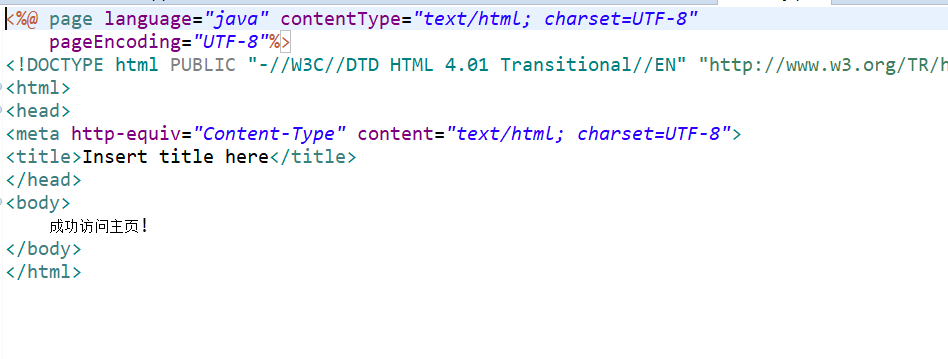
将FastJsonConfiguration这个类注释掉后就可以正常返回,效果如下:

解决方案:
添加配置类生成UrlBasedViewResolver配置的Bean(@ConfigurationProperties注解的location属性好像在springboot1.5后已经没有了,所以通过@PropertySource可引入自定义配置文件),代码如下:
1package com.boot.interceptor;
2
3import org.springframework.boot.context.properties.ConfigurationProperties;
4import org.springframework.context.annotation.Bean;
5import org.springframework.context.annotation.Configuration;
6import org.springframework.context.annotation.PropertySource;
7import org.springframework.web.servlet.view.JstlView;
8import org.springframework.web.servlet.view.UrlBasedViewResolver;
9
10@Configuration
11@ConfigurationProperties(prefix="spring.mvc.view")
12@PropertySource("classpath:mvc.properties")
13public class DefaultConfiguration {
14
15	private String prefix;
16	private String suffix;
17
18	public String getPrefix() {
19		return prefix;
20	}
21
22	public void setPrefix(String prefix) {
23		this.prefix = prefix;
24	}
25
26	public String getSuffix() {
27		return suffix;
28	}
29
30	public void setSuffix(String suffix) {
31		this.suffix = suffix;
32	}
33
34	@Bean
35	public UrlBasedViewResolver setupViewResolver() {
36		UrlBasedViewResolver resolver = new UrlBasedViewResolver();
37	    resolver.setPrefix(prefix);
38	    resolver.setSuffix(suffix);
39	    resolver.setCache(true);
40	    resolver.setViewClass(JstlView.class);
41	    return resolver;
42	}
43}
问题是解决了,但是具体的原理问题我还没弄清楚,也希望园内的大佬指点下!