根据Swagger2可以快速帮助我们编写最新的API接口文档,再也不用担心开会前仍忙于整理各种资料了,间接提升了团队开发的沟通效率。
1. 引入依赖
<!-- Swagger2 api接口插件 -->1 <dependency> 2 <groupId>io.springfox</groupId> 3 <artifactId>springfox-swagger2</artifactId> 4 <version>2.8.0</version> 5 </dependency> 6 <dependency> 7 <groupId>io.springfox</groupId> 8 <artifactId>springfox-swagger-ui</artifactId> 9 <version>2.8.0</version> 10 </dependency>
2. 添加配置
@Configuration //标记配置类 @EnableSwagger2 //开启在线接口文档
/** * Swagger配置类 * @author bfy--lujian * @version 1.0.0 * 创建时间:2018/8/1 * @email bfyjian@gmail.com */ @Configuration //标记配置类 @EnableSwagger2 //开启在线接口文档 public class SwaggerConfig {
1    /\*\*
2     \* 添加摘要信息(Docket)
3     \*/
4    @Bean
5    public Docket controllerApi() {
6        return new Docket(DocumentationType.SWAGGER\_2)
7                .apiInfo(new ApiInfoBuilder()
8                        .title("大江区块链技术有限公司\_商城系统\_接口文档")
9                        .description("描述:用于线上用户购买商品,具体包括XXX,XXX模块...")
10                        .contact(new Contact("lujian", "hppt://www.bfylu.top", "bfyjian@gmail.com"))
11                        .version("版本号:1.0")
12                        .build())
13                .select()
14                .apis(RequestHandlerSelectors.basePackage("com.platform.api"))
15                .paths(PathSelectors.any())
16                .build();
17    }
}
3. 编写接口文档
Swagger2 基本使用:
- @Api 描述类/接口的主要用途
- @ApiOperation 描述方法用途
- @ApiImplicitParam 描述方法的参数
- @ApiImplicitParams 描述方法的参数(Multi-Params)
- @ApiIgnore 忽略某类/方法/参数的文档
Swagger2 使用注解来编写文档:
Swagger2编写接口文档相当简单,只需要在控制层(Controller)添加注解来描述接口信息即可。例如:
@Api(tags = "关注商家") @RestController @RequestMapping(value = "userCollection") public class UserCollectionController extends BaseController {
1@Autowired
2private UserCollectionService userCollectionService;
3
4@Autowired
5private GoodsService goodsService;
6
7@Autowired
8private ShopService shopService;
9
10
11@PostMapping("/add")
12@ApiOperation("收藏店铺接口 -> 卢健")
13//@HystrixCommand(fallbackMethod = "addUserError")
14public BaseResp addUserCollection(UserCollectionDto userCollectionDto) {
15    UserCollection userCollection = JsonUtil.convert(userCollectionDto, UserCollection.class);
16    boolean ok = userCollectionService.insertSelective(userCollection);
17    if (!ok) {
18        return BaseResp.fail("收藏店铺失败");
19    }
20    return BaseResp.success("收藏店铺成功");
21}
22
23@GetMapping("/findByCondition")
24@ApiOperation("查询用户收藏的店铺信息 -> 卢健")
25public BaseResp<PageInfo<UserCollectionVo>> getUserCollectionByPage(
26        @ApiParam(name = "userId", value = "用户Id") @RequestParam(name = "userId", required = true) String userId,
27        @ApiParam(name = "pageNum", value = "当前页") @RequestParam(name = "pageNum", required = false, defaultValue = "1") int pageNum,
28        @ApiParam(name = "pageSize", value = "每页条数") @RequestParam(name = "pageSize", required = false, defaultValue = "10") int pageSize
29) {
30    List<UserCollection> userCollectionLists = userCollectionService.findByUserId(userId);
31
32    //List去重
33    List<UserCollection> setList= new ArrayList<>();
34    Set<String> set= new HashSet<>();
35    for (UserCollection userCollection : userCollectionLists) {
36        if (userCollection == null) {
37            continue;
38        }
39        String  merCode = userCollection.getMerCode();
40        if (merCode != null) {
41            if (!set.contains(merCode)) { //set中不包含重复的
42                set.add(merCode);
43                setList.add(userCollection);
44            } else {
45                continue;
46            }
47        }
48    }
49    set.clear();
50
51    PageHelper.startPage(pageNum, pageSize);
52    PageInfo<UserCollection> pageInfoUserCollection = new PageInfo<>(setList);
53
54    List<Map<String, String>> goodsList = new ArrayList<>();
55    Map<String, String> goodsMap = new HashMap<>();
56    //取出需要转换的页内容
57    List<UserCollection> userCollectionList = pageInfoUserCollection.getList();//屏蔽一些字段,只显示TuserVo中的字段
58    //屏蔽一些字段,只显示TuserVo中的字段
59    List<UserCollectionVo> listUserCollectionVo = JsonUtil.convertList(userCollectionList, UserCollectionVo.class);
60    for (UserCollectionVo userCollectionVo : listUserCollectionVo) {
61        for (UserCollection s : userCollectionLists) {
62           if (userCollectionVo.getMerCode().equals(s.getMerCode())){
63               JSONObject goodsInfo = JSONObject.parseObject(s.getGoodsInfo());
64               String refNo = goodsInfo.getString("refNo");
65               String primary = goodsInfo.getString("primary");
66               String goodsPrice = goodsInfo.getString("goodsPrice");
67               goodsMap.put("refNo", refNo);
68               goodsMap.put("primary", primary);
69               goodsMap.put("goodsPrice", goodsPrice);
70               goodsList.add(goodsMap);
71           }
72            }
73        String shopGoodsInfo = "";
74        ObjectMapper objectMapper = new ObjectMapper();
75        try {
76            shopGoodsInfo =  objectMapper.writeValueAsString(goodsList);
77        } catch (JsonProcessingException e) {
78            e.printStackTrace();
79        }
80        log.info(shopGoodsInfo);
81        userCollectionVo.setShopHotGoodsList(shopGoodsInfo);
82        Shop shop = shopService.queryFroMerCode(userCollectionVo.getMerCode());
83        userCollectionVo.setShopLogo(shop.getShopLogo());
84        userCollectionVo.setShopName(shop.getShopName());
85        userCollectionVo.setShopNo(shop.getShopNo());
86        userCollectionVo.setShopTotalSale(goodsService.countGoodsSale(userCollectionVo.getMerCode()));
87    }
88    //把原来的分页数据拷贝过来,如:当前页,每页的数量,总记录数,总页数,是否为第一页,是否为最后一页
89    PageInfo<UserCollectionVo> pageInfoVo = JsonUtil.convert(pageInfoUserCollection, UserCollectionVo.class);
90    //放入转换后的内容
91    pageInfoVo.setList(listUserCollectionVo);
92    return BaseResp.success("收藏店铺信息显示成功",pageInfoVo);
93}
}
dto【对应于除二者(do,vo)之外需要进行传递的数据】添加注解来描述接口信息
@Setter @Getter @NoArgsConstructor public class GoodsDto extends Goods {
1@ApiParam("商品销量")
2private Integer goodsSales;
3
4@ApiParam("排序规则")
5private boolean sortRule;
}
vo【对应于页面上需要显示的数据(表单)】添加注解来描述接口信息
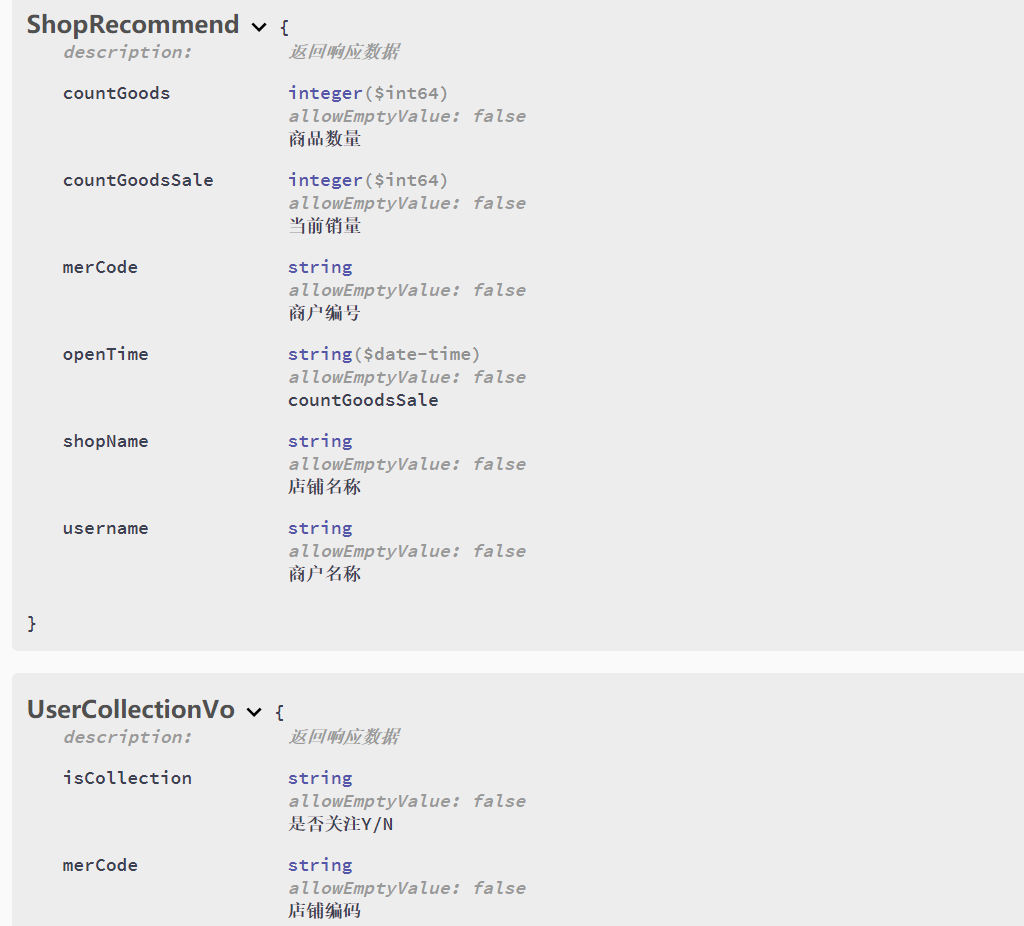
/** * <p>商户推荐信息</p> * @author bfy--lujian * @version 1.0.0 * 创建时间:2018/7/17 16:12 * @email bfyjian@gmail.com */
@Setter @Getter @NoArgsConstructor @ApiModel(description= "返回响应数据") public class ShopRecommend {
1@ApiModelProperty("商户编号")
2private String merCode;
3@ApiModelProperty("商户名称")
4private String username;
5@ApiModelProperty("店铺名称")
6private String shopName;
7@ApiModelProperty("商品数量")
8private Long countGoods;
9@ApiModelProperty("当前销量")
10private Long countGoodsSale;
11@ApiModelProperty("countGoodsSale")
12private Date openTime;
}
4. 查阅接口文档
编写文档完成之后,启动当前项目,在浏览器打开:
[ http://localhost:8080/swagger-ui.html ] , 看到效果如下:
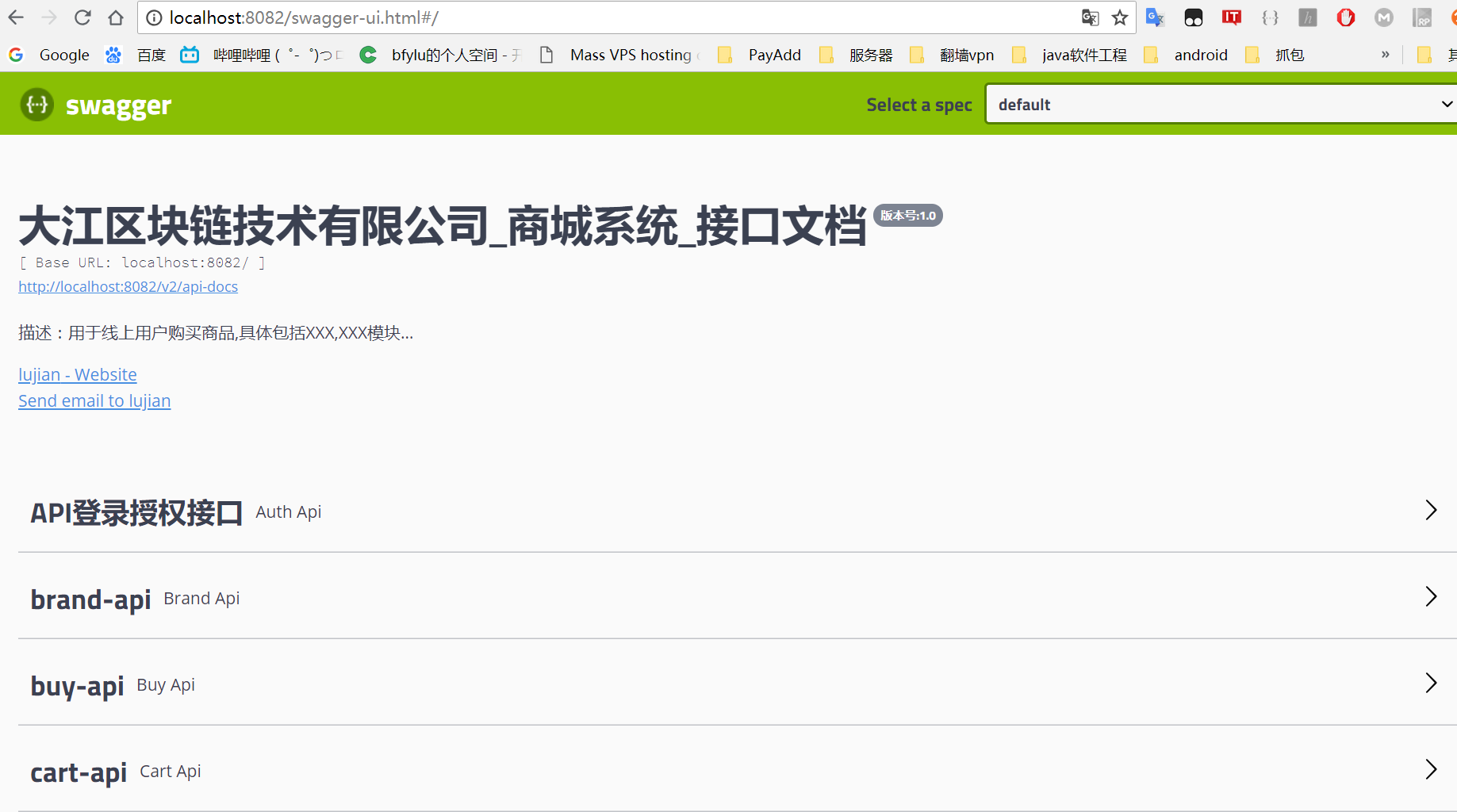
来看看save 方法的具体描述,可以看到Swagger 2.7.0 版本对参数列表进行了改版,直接输入参数,更方便进行测试操作:

5. 测试接口
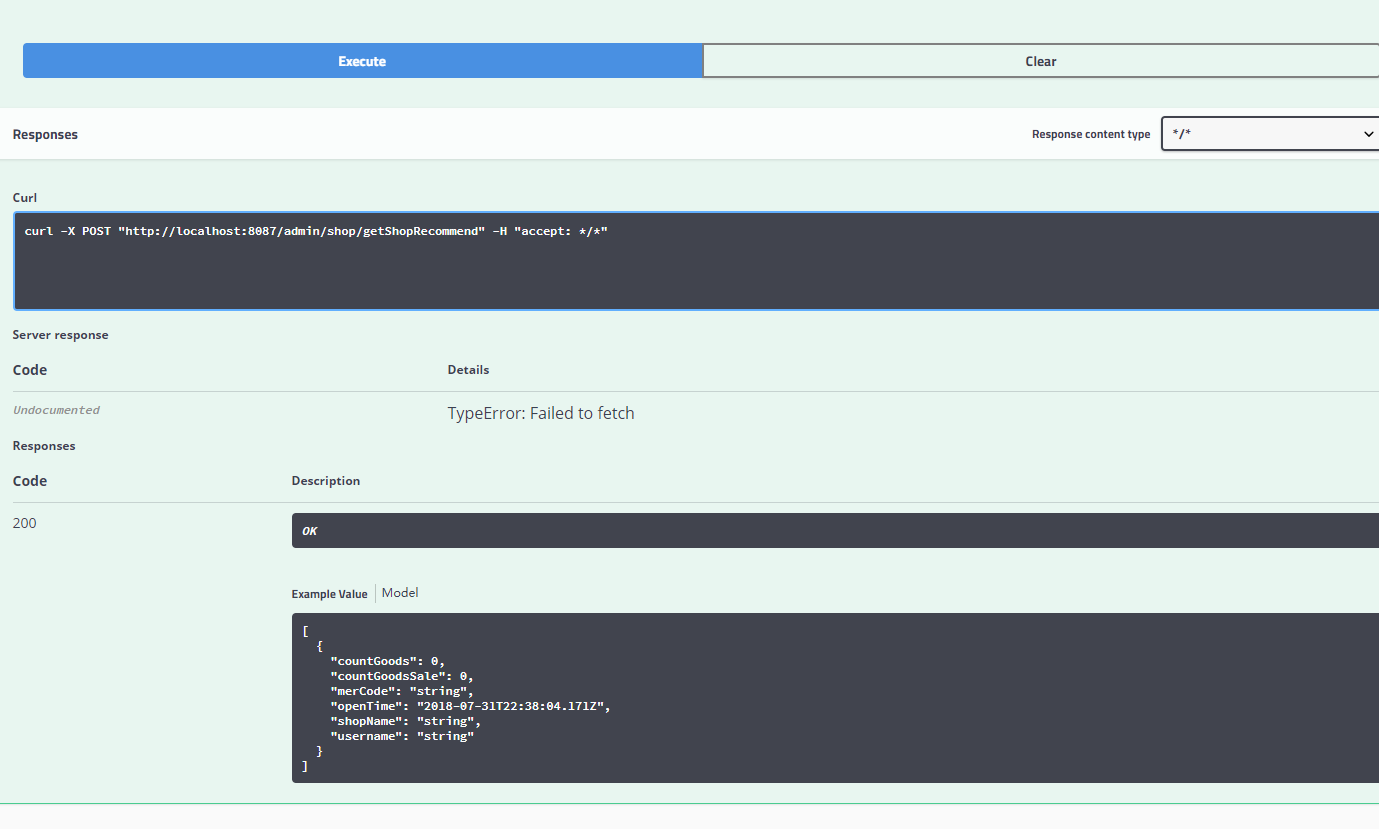
返回参数: