
SpringBoot admin+Eureka+钉钉通知
一、效果
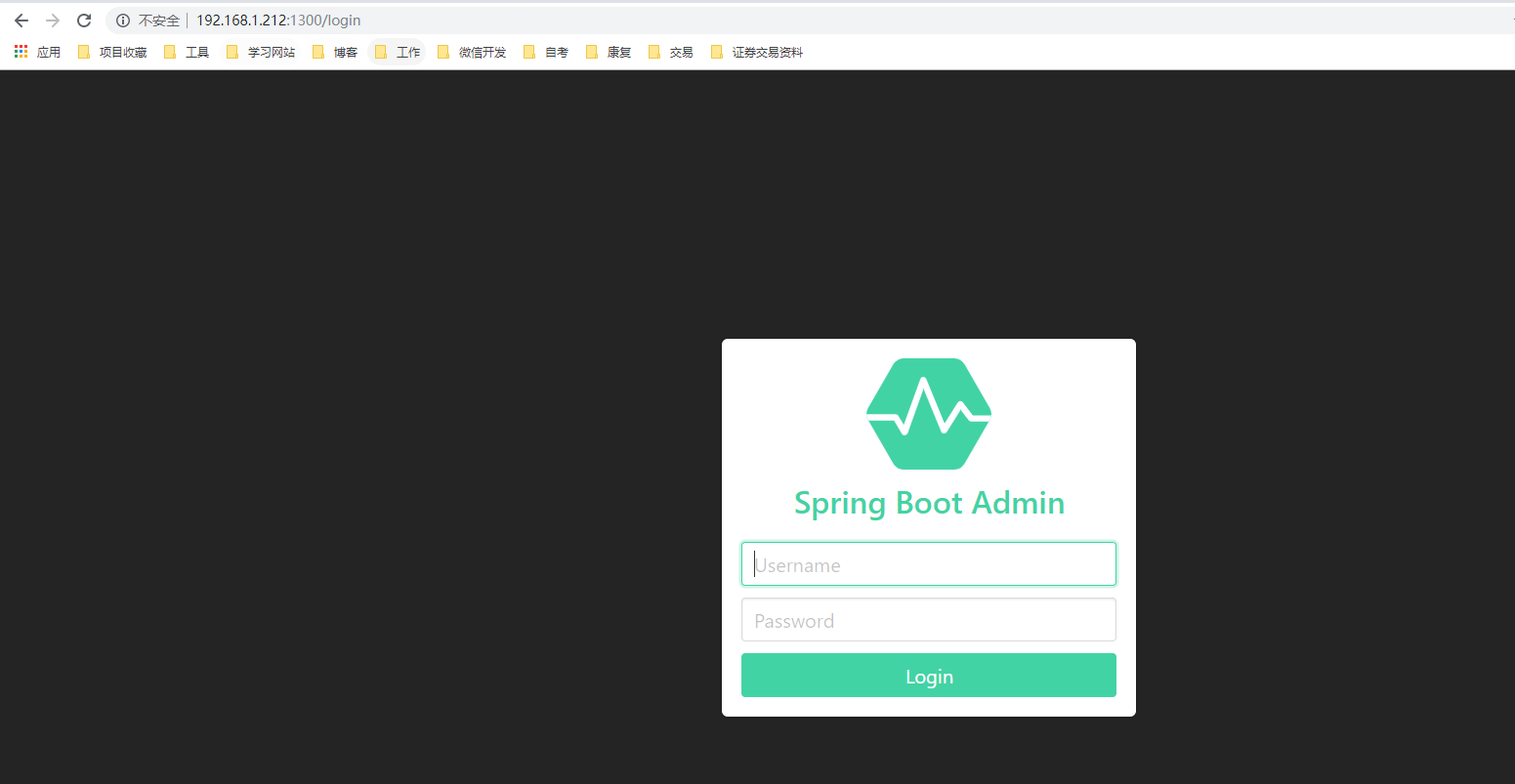
登录账号+密码
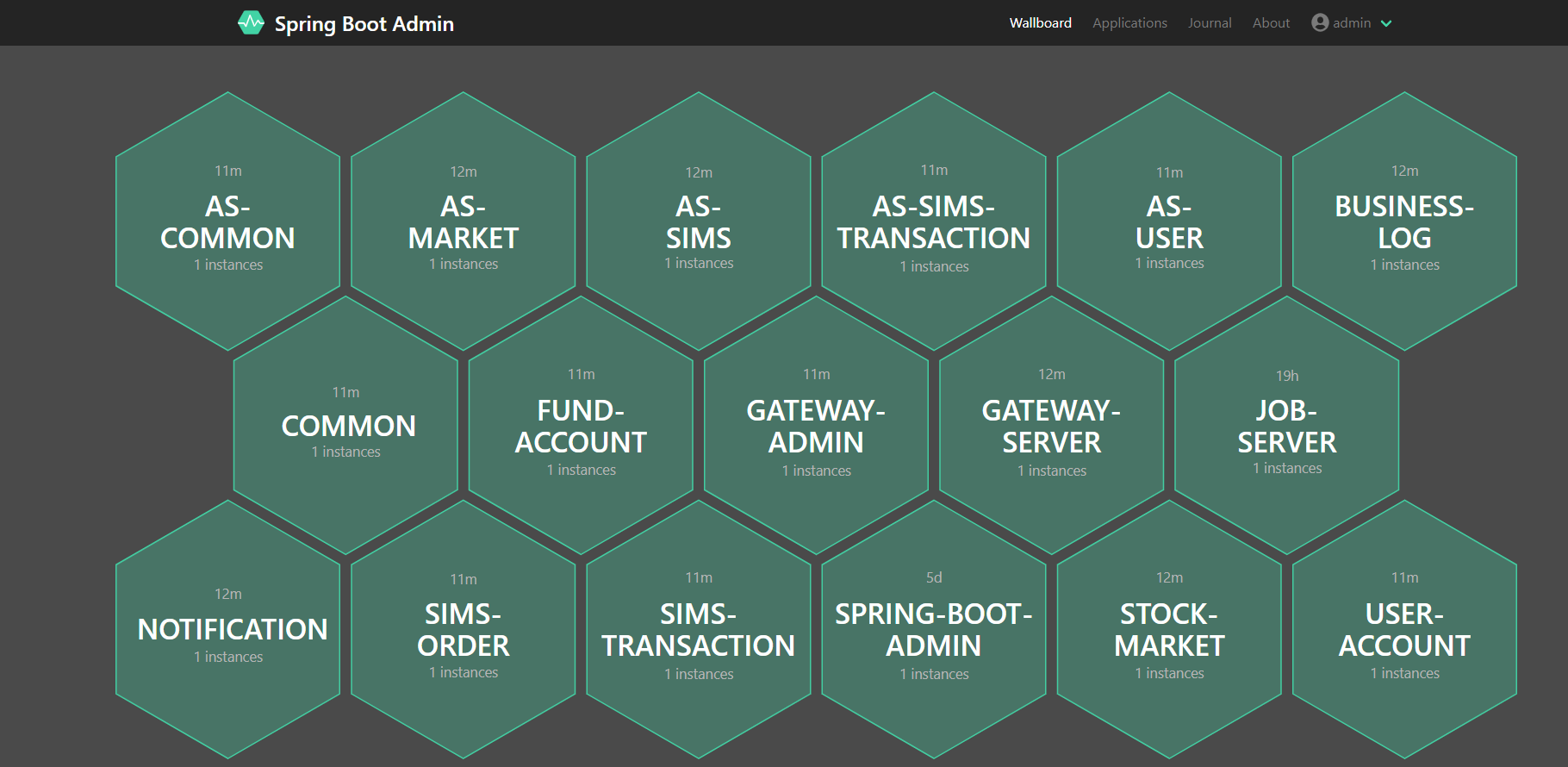
监控服务
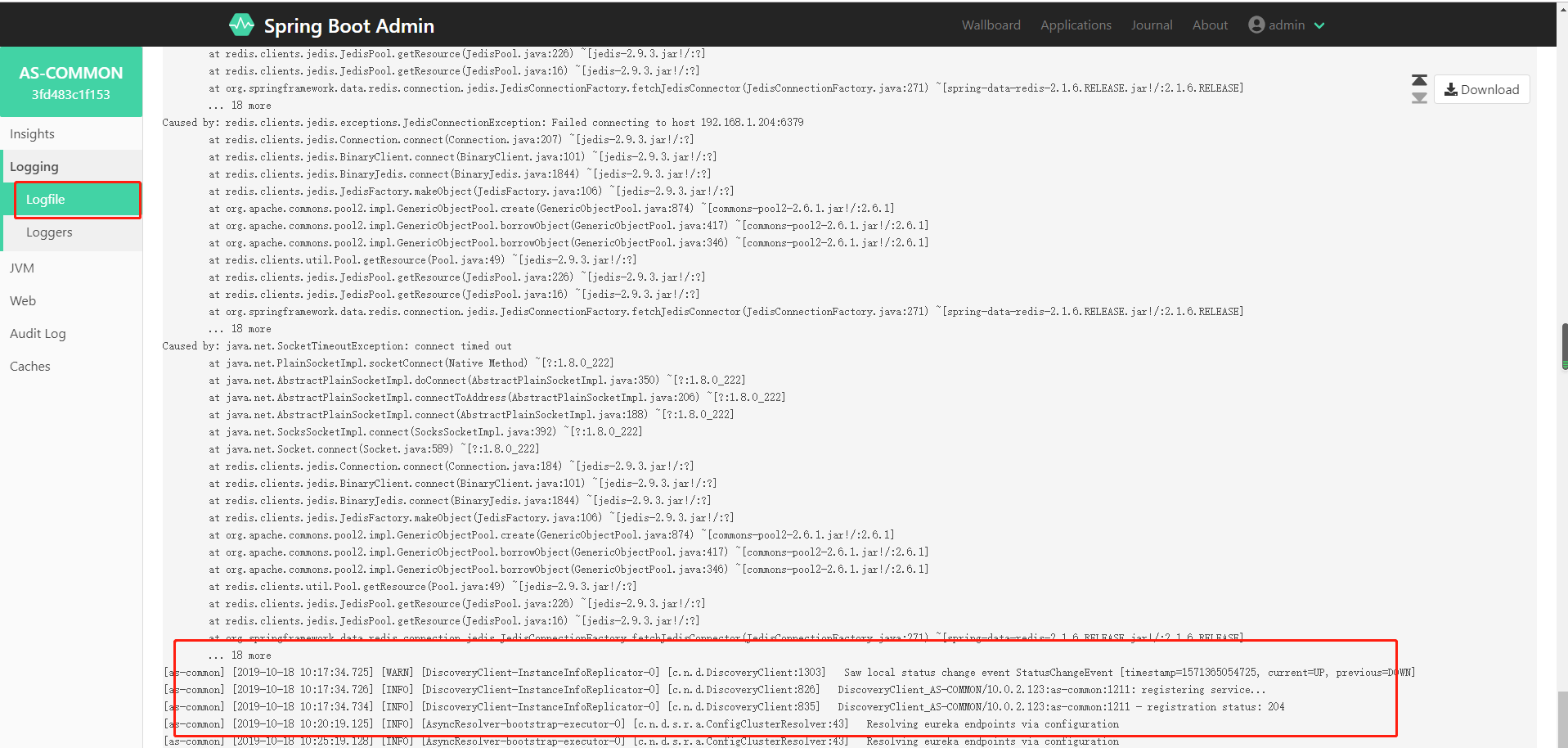
查看实时日志
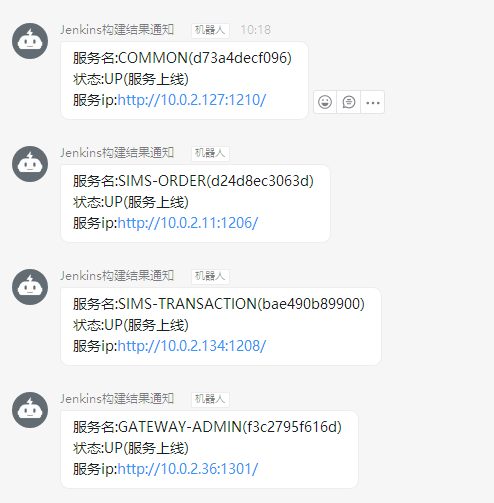
钉钉通知
二、什么是Spring Boot Admin ?
Spring Boot Admin是一个开源社区项目,用于管理和监控SpringBoot应用程序。 应用程序作为Spring Boot Admin Client向为Spring Boot Admin Server注册(通过HTTP)或使用SpringCloud注册中心(例如Eureka,Consul)发现。 UI是的Vue.js应用程序,展示Spring Boot Admin Client的Actuator端点上的一些监控。服务端采用Spring WebFlux + Netty的方式。Spring Boot Admin为注册的应用程序提供以下功能:
-
显示健康状况
-
显示详细信息,例如
-
JVM和内存指标
-
micrometer.io指标
-
数据源指标
-
缓存指标
-
显示构建信息编号
-
关注并下载日志文件
-
查看jvm system-和environment-properties
-
查看Spring Boot配置属性
-
支持Spring Cloud的postable / env-和/ refresh-endpoint
-
轻松的日志级管理
-
与JMX-beans交互
-
查看线程转储
-
查看http-traces
-
查看auditevents
-
查看http-endpoints
-
查看计划任务
-
查看和删除活动会话(使用spring-session)
-
查看Flyway / Liquibase数据库迁移
-
下载heapdump
-
状态变更通知(通过电子邮件,Slack,Hipchat,......)
-
状态更改的事件日志(非持久性)
三、原理
四、集成 Eureka注册中心
1. 创建 eureka-server,自行google
2. 创建 spring-boot-admin
这是一个 Spring Boot Admin Server端。
pom.xml
1<!--?xml version="1.0" encoding="UTF-8"?-->
2<project xmlns="http://maven.apache.org/POM/4.0.0" xmlns:xsi="http://www.w3.org/2001/XMLSchema-instance" xsi:schemalocation="http://maven.apache.org/POM/4.0.0 http://maven.apache.org/xsd/maven-4.0.0.xsd">
3    <modelversion>4.0.0</modelversion>
4    <parent>
5        <groupid>org.springframework.boot</groupid>
6        <artifactid>spring-boot-starter-parent</artifactid>
7        <version>2.1.6.RELEASE</version>
8        <relativepath /> <!-- lookup parent from repository -->
9    </parent>
10    <packaging>jar</packaging>
11    <artifactid>spring-boot-admin</artifactid>
12    <name>spring-boot-admin</name>
13    <description>Spring Boot Admin Server端</description>
14
15     <properties>
16        <java.version>1.8</java.version>
17        <spring-boot-admin.version>2.1.6</spring-boot-admin.version>
18        <spring-cloud.version>Greenwich.RELEASE</spring-cloud.version>
19    </properties>
20
21    <dependencies>
22        <dependency>
23            <groupid>org.springframework.boot</groupid>
24            <artifactid>spring-boot-starter-web</artifactid>
25        </dependency>
26        <dependency>
27            <groupid>de.codecentric</groupid>
28            <artifactid>spring-boot-admin-starter-server</artifactid>
29        </dependency>
30        <dependency>
31            <groupid>org.springframework.cloud</groupid>
32            <artifactid>spring-cloud-starter-netflix-eureka-client</artifactid>
33        </dependency>
34
35        <dependency>
36            <groupid>org.springframework.boot</groupid>
37            <artifactid>spring-boot-starter-test</artifactid>
38            <scope>test</scope>
39        </dependency>
40        <dependency>
41            <groupid>org.springframework.boot</groupid>
42            <artifactid>spring-boot-starter-security</artifactid>
43        </dependency>
44        <dependency>
45            <groupid>org.jolokia</groupid>
46            <artifactid>jolokia-core</artifactid>
47        </dependency>
48    </dependencies>
49
50    <dependencymanagement>
51        <dependencies>
52            <dependency>
53                <groupid>org.springframework.cloud</groupid>
54                <artifactid>spring-cloud-dependencies</artifactid>
55                <version>${spring-cloud.version}</version>
56                <type>pom</type>
57                <scope>import</scope>
58            </dependency>
59            <dependency>
60                <groupid>de.codecentric</groupid>
61                <artifactid>spring-boot-admin-dependencies</artifactid>
62                <version>${spring-boot-admin.version}</version>
63                <type>pom</type>
64                <scope>import</scope>
65            </dependency>
66        </dependencies>
67    </dependencymanagement>
68
69    <build>
70        <plugins>
71            <plugin>
72                <groupid>org.springframework.boot</groupid>
73                <artifactid>spring-boot-maven-plugin</artifactid>
74            </plugin>
75        </plugins>
76    </build>
77
78</project>
application.yml
1spring:
2  application:
3    name: admin-server
4server:
5  port: 1300
6eureka:
7  client:
8    registryFetchIntervalSeconds: 5
9    service-url:
10      defaultZone: ${EUREKA_SERVICE_URL:http://localhost:8761}/eureka/
11  instance:
12    leaseRenewalIntervalInSeconds: 10
13    health-check-url-path: /actuator/health
14
15management:
16  endpoints:
17    web:
18      exposure:
19        include: "*"
20  endpoint:
21    health:
22      show-details: ALWAYS
启动类 SpringbootAdminServerApplication
1@SpringBootApplication
2@EnableAdminServer
3@EnableEurekaClient
4public class ScAdminServerApplication {
5
6    public static void main(String[] args) {
7        SpringApplication.run( ScAdminServerApplication.class, args );
8    }
9
10}
3. 被监控端
被监控端需要放开端点
application.yml
1spring:
2  application:
3    name: admin-client
4eureka:
5  instance:
6    leaseRenewalIntervalInSeconds: 10
7    health-check-url-path: /actuator/health
8
9  client:
10    registryFetchIntervalSeconds: 5
11    service-url:
12      defaultZone: ${EUREKA_SERVICE_URL:http://localhost:8761}/eureka/
13management:
14  endpoints:
15    web:
16      exposure:
17        include: "*"
18  endpoint:
19    health:
20      show-details: ALWAYS
21server:
22  port: 8762
admin 会自己拉取 Eureka 上注册的信息,主动去注册。
五、集成 Spring Security
Web应用程序中的身份验证和授权有多种方法,因此Spring Boot Admin不提供默认方法。默认情况下,spring-boot-admin-server-ui提供登录页面和注销按钮。我们结合 Spring Security 实现需要用户名和密码登录的安全认证。
springboot-admin工程的pom文件需要增加以下的依赖:
1<dependency>
2    <groupid>org.springframework.boot</groupid>
3    <artifactid>spring-boot-starter-security</artifactid>
4</dependency>
在 spirngboot-admin工的配置文件 application.yml 中配置 spring security 的用户名和密码,这时需要在服务注册时带上 metadata-map 的信息,如下:
1spring:
2  security:
3    user:
4      name: "admin"
5      password: "admin"
6
7eureka:
8  instance:
9    metadata-map:
10      user.name: ${spring.security.user.name}
11      user.password: ${spring.security.user.password}
12      startup: ${random.int}    #needed to trigger info and endpoint update after restart
写一个配置类SecuritySecureConfig继承WebSecurityConfigurerAdapter,配置如下:
1/**
2 * security配置
3 * @author wangjiafang
4 * @date 2019/10/10
5 */
6@Configuration
7public class SecuritySecureConfig extends WebSecurityConfigurerAdapter {
8
9    private final String adminContextPath;
10
11    public SecuritySecureConfig(AdminServerProperties adminServerProperties) {
12        this.adminContextPath = adminServerProperties.getContextPath();
13    }
14
15
16    @Override
17    protected void configure(HttpSecurity http) throws Exception {
18        // @formatter:off
19        SavedRequestAwareAuthenticationSuccessHandler successHandler = new SavedRequestAwareAuthenticationSuccessHandler();
20        successHandler.setTargetUrlParameter("redirectTo");
21        successHandler.setDefaultTargetUrl(adminContextPath + "/");
22
23        http.authorizeRequests()
24                .antMatchers(adminContextPath + "/assets/**").permitAll()
25                .antMatchers(adminContextPath + "/login").permitAll()
26                .anyRequest().authenticated()
27                .and()
28                .formLogin().loginPage(adminContextPath + "/login").successHandler(successHandler).and()
29                .logout().logoutUrl(adminContextPath + "/logout").and()
30                .httpBasic().and()
31                .csrf()
32                .csrfTokenRepository(CookieCsrfTokenRepository.withHttpOnlyFalse())
33                .ignoringRequestMatchers(
34                        new AntPathRequestMatcher(adminContextPath + "/instances", HttpMethod.POST.toString()),
35                        new AntPathRequestMatcher(adminContextPath + "/instances/*", HttpMethod.DELETE.toString()),
36                        new AntPathRequestMatcher(adminContextPath + "/actuator/**")
37                );
38        // @formatter:on
39    }
40}
41
重新访问 http:localhost:1300 会出现登录界面,密码是配置文件中配置好的,账号 admin 密码 admin
六、通知
自定义通知+钉钉通知
1、创建钉钉机器人,拿到token,怎么创建钉钉机器人,请自行google
2、下载sdk
钉钉官方提供了统一的SDK,使用SDK可以便捷的调用服务端API,但没有放到公共maven仓库中,需要自行下载后导入到项目,或者上传到自己的搭建的nexus私服中
3、自定义的通知器
通过扩展 AbstractEventNotifier或AbstractStatusChangeNotifier。在springboot-admin-server工程中编写一个自定义的通知器:
1import com.dingtalk.api.DefaultDingTalkClient; 2import com.dingtalk.api.DingTalkClient; 3import com.dingtalk.api.request.OapiRobotSendRequest; 4import com.taobao.api.ApiException; 5import de.codecentric.boot.admin.server.domain.entities.Instance; 6import de.codecentric.boot.admin.server.domain.entities.InstanceRepository; 7import de.codecentric.boot.admin.server.domain.events.InstanceEvent; 8import de.codecentric.boot.admin.server.domain.events.InstanceStatusChangedEvent; 9import de.codecentric.boot.admin.server.notify.AbstractEventNotifier; 10import lombok.extern.slf4j.Slf4j; 11import org.springframework.beans.factory.annotation.Value; 12import org.springframework.stereotype.Component; 13import reactor.core.publisher.Mono; 14 15 16/** 17 * 钉钉通知 18 * @author wangjiafang 19 * @date 2019/10/10 20 */ 21@Component 22@Slf4j 23public class CustomNotifier extends AbstractEventNotifier { 24 25 /** 26 * 消息模板 27 */ 28 private static final String template = "服务名:%s(%s) \n状态:%s(%s) \n服务ip:%s"; 29 30 @Value("${spring.admin.ding-talk-token}") 31 private String dingTalkToken; 32 33 34 public CustomNotifier(InstanceRepository repository) { 35 super(repository); 36 } 37 38 @Override 39 protected Mono<void> doNotify(InstanceEvent event, Instance instance) { 40 return Mono.fromRunnable(() -> { 41 if (event instanceof InstanceStatusChangedEvent) { 42 log.info("Instance {} ({}) is {}", instance.getRegistration().getName(), event.getInstance(), 43 ((InstanceStatusChangedEvent) event).getStatusInfo().getStatus()); 44 45 46 String status = ((InstanceStatusChangedEvent) event).getStatusInfo().getStatus(); 47 String messageText = null; 48 switch (status) { 49 // 健康检查没通过 50 case "DOWN": 51 log.info("发送 健康检查没通过 的通知!"); 52 messageText = String.format(template, instance.getRegistration().getName(),event.getInstance(), ((InstanceStatusChangedEvent) event).getStatusInfo().getStatus(),"健康检查没通过",instance.getRegistration().getServiceUrl()); 53 this.sendMessage(messageText); 54 break; 55 // 服务离线 56 case "OFFLINE": 57 log.info("发送 服务离线 的通知!"); 58 messageText = String.format(template, instance.getRegistration().getName(),event.getInstance(), ((InstanceStatusChangedEvent) event).getStatusInfo().getStatus(),"服务离线",instance.getRegistration().getServiceUrl()); 59 this.sendMessage(messageText); 60 break; 61 //服务上线 62 case "UP": 63 log.info("发送 服务上线 的通知!"); 64 messageText = String.format(template, instance.getRegistration().getName(),event.getInstance(), ((InstanceStatusChangedEvent) event).getStatusInfo().getStatus(),"服务上线",instance.getRegistration().getServiceUrl()); 65 this.sendMessage(messageText); 66 break; 67 // 服务未知异常 68 case "UNKNOWN": 69 log.info("发送 服务未知异常 的通知!"); 70 messageText = String.format(template, instance.getRegistration().getName(),event.getInstance(), ((InstanceStatusChangedEvent) event).getStatusInfo().getStatus(),"服务未知异常",instance.getRegistration().getServiceUrl()); 71 this.sendMessage(messageText); 72 break; 73 default: 74 break; 75 } 76 } else { 77 log.info("Instance {} ({}) {}", instance.getRegistration().getName(), event.getInstance(), 78 event.getType()); 79 } 80 }); 81 } 82 83 /** 84 * 发送消息 85 * @param messageText 86 */ 87 private void sendMessage(String messageText){ 88 DingTalkClient client = new DefaultDingTalkClient("https://oapi.dingtalk.com/robot/send?access_token="+dingTalkToken); 89 OapiRobotSendRequest request = new OapiRobotSendRequest(); 90 91 request.setMsgtype("text"); 92 OapiRobotSendRequest.Text text = new OapiRobotSendRequest.Text(); 93 text.setContent(messageText); 94 request.setText(text); 95 96 try { 97 client.execute(request); 98 } catch (ApiException e) { 99 log.info("[ERROR] sendMessage", e); 100 } 101 } 102}
七 查看实时日志
要在springbootadmin面板中查看实时日志,需要指定项目中日志输出的地址,比如我的日志是在/logs/项目名称/项目名称-info.log下
1logging:
2  file: /logs/${spring.application.name}/${spring.application.name}-info.log