参考文章如下:(俺还是很有版权意识滴,尊重原作者的劳动成果)
http://www.cnblogs.com/freegodly/p/4259040.html?utm\_source=tuicool&utm\_medium=referral
关于Dlib库的编译,网上都是依赖CMAKE,其实并不需要,用gcc或者mingw就可以的。
具体实践如下
1.下载最新Dlib库:
dlib-19.4.zip(http://dlib.net/files/dlib-19.4.zip)
2.解压缩(我的是E:\Dlib\dlib-19.4),你们随意
3.用Qt库新建工程
*.pro文件需要追加(重点)
1).CONFIG += c++11(dlib是用C++11)
2).SOURCES += E:/Dlib/dlib-19.4/dlib/all/source.cpp(为防止遗漏的头文件,就用这个)
3).LIBS += -lwsock32 -lws2_32 -limm32 -luser32 -lgdi32 -lcomctl32 -lwinmm
(这个就是依赖系统的库)
4).INCLUDEPATH += E:/Dlib/dlib-19.4(指定头文件的路径)
注,不知道是否为版本差异,参考那个文章没有追加(-lwinmm链接),会报下面这个错误
E:\Dlib\dlib-19.4\dlib\misc_api\misc_api_kernel_1.cpp:98:
error: undefined reference to `_imp__timeGetTime@0'
追踪代码后发现依赖window的DWORD WINAPI timeGetTime系统函数,百度一下就知道这个库依赖Winmm,
代码为参考文章的:
客户端:
1#include <iostream>
2#include <dlib/bridge.h>
3#include <dlib/type_safe_union.h>
4#include <dlib/timer.h>
5
6using namespace std;
7using namespace dlib;
8
9//管道
10dlib::pipe<string> out(4),in(4);
11
12//定时类
13class timer_task
14{
15public:
16    void timer_send()
17    {
18        string msg("this client msg");
19        out.enqueue(msg);
20
21        string re;
22
23        in.dequeue(re);
24        cout << "client receive :" << re << endl;
25    }
26};
27
28int main()
29{
30    bridge b1(connect_to_ip_and_port("127.0.0.1", 12345), \
31              transmit(out), receive(in));
32
33    timer_task task;
34
35    timer<timer_task> t(task, &timer_task::timer_send);
36
37    t.set_delay_time(1000);
38
39    t.start();
40
41    dlib::sleep(10000000);
42
43    cout << "Hello World!" << endl;
44    return 0;
45}
服务器端:
1#include <iostream>
2
3#include<dlib/bridge.h>
4#include<dlib/type_safe_union.h>
5#include<dlib/timer.h>
6
7
8using namespace std;
9using namespace dlib;
10
11dlib::pipe<string> out(4),in(4);
12
13//定时类
14class timer_task
15{
16public:
17    void timer_send()
18    {
19        string msg;
20        in.dequeue(msg);
21        cout << "server receive :" << msg << endl;
22
23        string value = "this is server send";
24
25        out.enqueue(value);
26    }
27};
28
29int main()
30{
31    cout << "Hello World!" << endl;
32
33    bridge b1(listen_on_port(12345), transmit(out), receive(in));
34
35    timer_task task;
36
37    timer<timer_task> t(task,&timer_task::timer_send);
38
39    t.set_delay_time(1000);
40
41    t.start();
42
43    dlib::sleep(10000000);
44    return 0;
45}
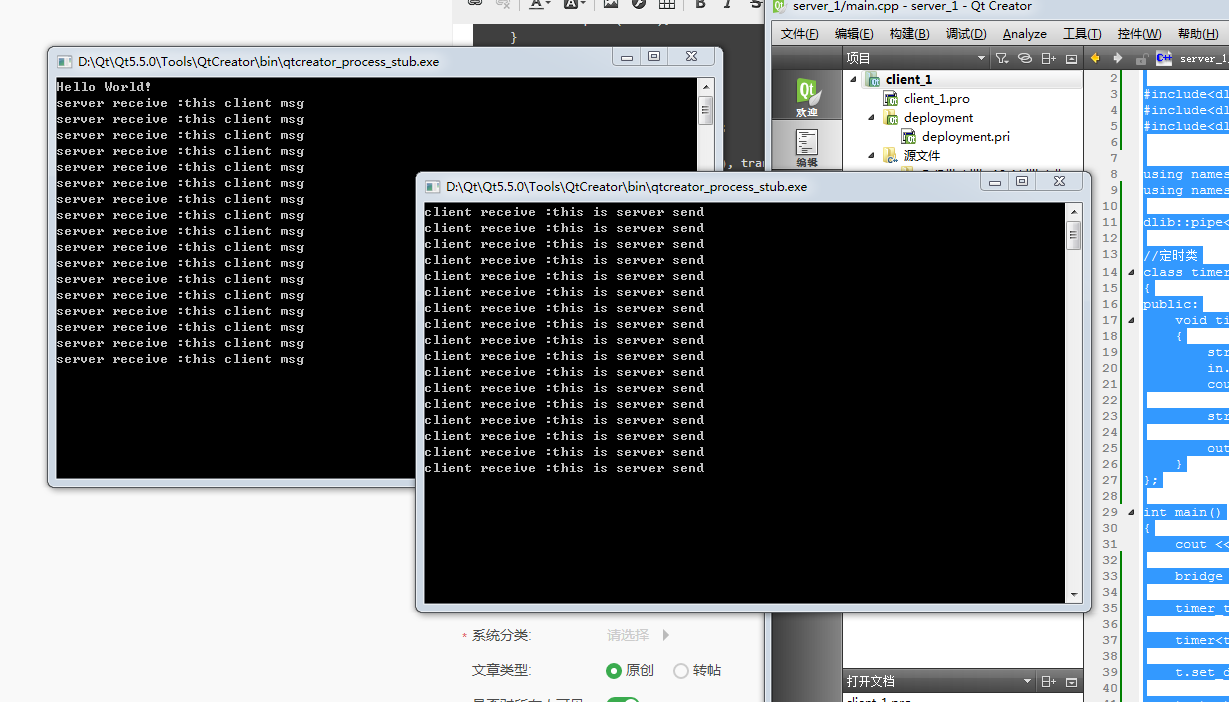
运行结果如下: