
参考文档:http://blog.51cto.com/ls40905250/1915280
https://blog.csdn.net/zsjwish/article/details/79792212
https://blog.csdn.net/yanggd1987/article/details/50469113
安装logstash的geoip插件,使logstash可以获取到国家及城市信息
yum install GeoIP-data -y
修改原logstash配置文件
1input{
2    redis {
3            host => "192.168.56.11"
4            port => "6379"
5            password => "123456"
6            db => "3"
7            data_type => "list"
8            key => "system-log-5611"
9        }
10    redis {
11            host => "192.168.56.11"
12            port => "6379"
13            password => "123456"
14            db => "4"
15            data_type => "list"
16            key => "nginx-log"
17        }
18}
19
20filter{
21    if "nginx-log" in [tags] {
22        json{
23 	    source => "message"
24 	}
25        if [user_ua] != "-" {
26        useragent {
27         target => "agent"   #agent将过来出的user agent的信息配置到了单独的字段中
28         source => "user_ua"   #这个表示对message里面的哪个字段进行分析
29       }
30      }
31       if [user_ip] != "-" {
32      geoip {
33                        source => "user_ip"
34                        target => "geoip"
35                       # database => "/usr/share/GeoIP/GeoIPCity.dat"
36                        add_field => [ "[geoip][coordinates]", "%{[geoip][longitude]}" ]
37                        add_field => [ "[geoip][coordinates]", "%{[geoip][latitude]}"  ]
38                }
39                   mutate {
40                        convert => [ "[geoip][coordinates]", "float"]
41                }
42     }
43    }
44}
45
46output{
47    if "nginx-log" in [tags]{
48        elasticsearch{
49	    hosts => ["192.168.56.11:9200"]
50  	    index => "logstash-nginx-log-%{+YYYY.MM}"
51        }
52        stdout{
53            codec => rubydebug
54        }
55    }
56    if "system-log-5611" in [tags]{
57        elasticsearch{
58	    hosts => ["192.168.56.11:9200"]
59  	    index => "system-log-5611-%{+YYYY.MM}"
60        }
61    }
62}
PS:filter检测过滤如果是nginx日志并且user_ip不为空则调用geoip插件
nginx的index设置需要在前面加logstash否则在kibana里面不识别
通过ip获取到的信息如下
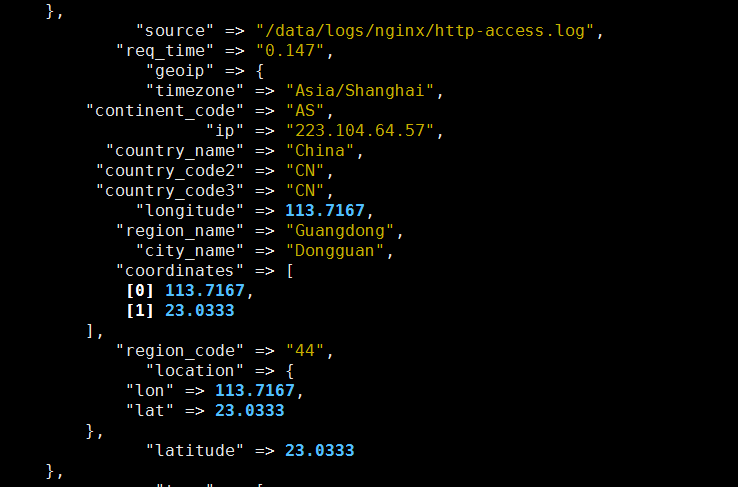
系统自带的地图为英文地图,设置成中文地图,修改配置文件/etc/kibana/kibana.yml在尾部添加以下配置
1tilemap.url: 'http://webrd02.is.autonavi.com/appmaptile?lang=zh_cn&size=1&scale=1&style=7&x={x}&y={y}&z={z}'
2tilemap.options.minZoom: "1"
3tilemap.options.maxZoom: "10"
重启kibana然后进web界面进行设置

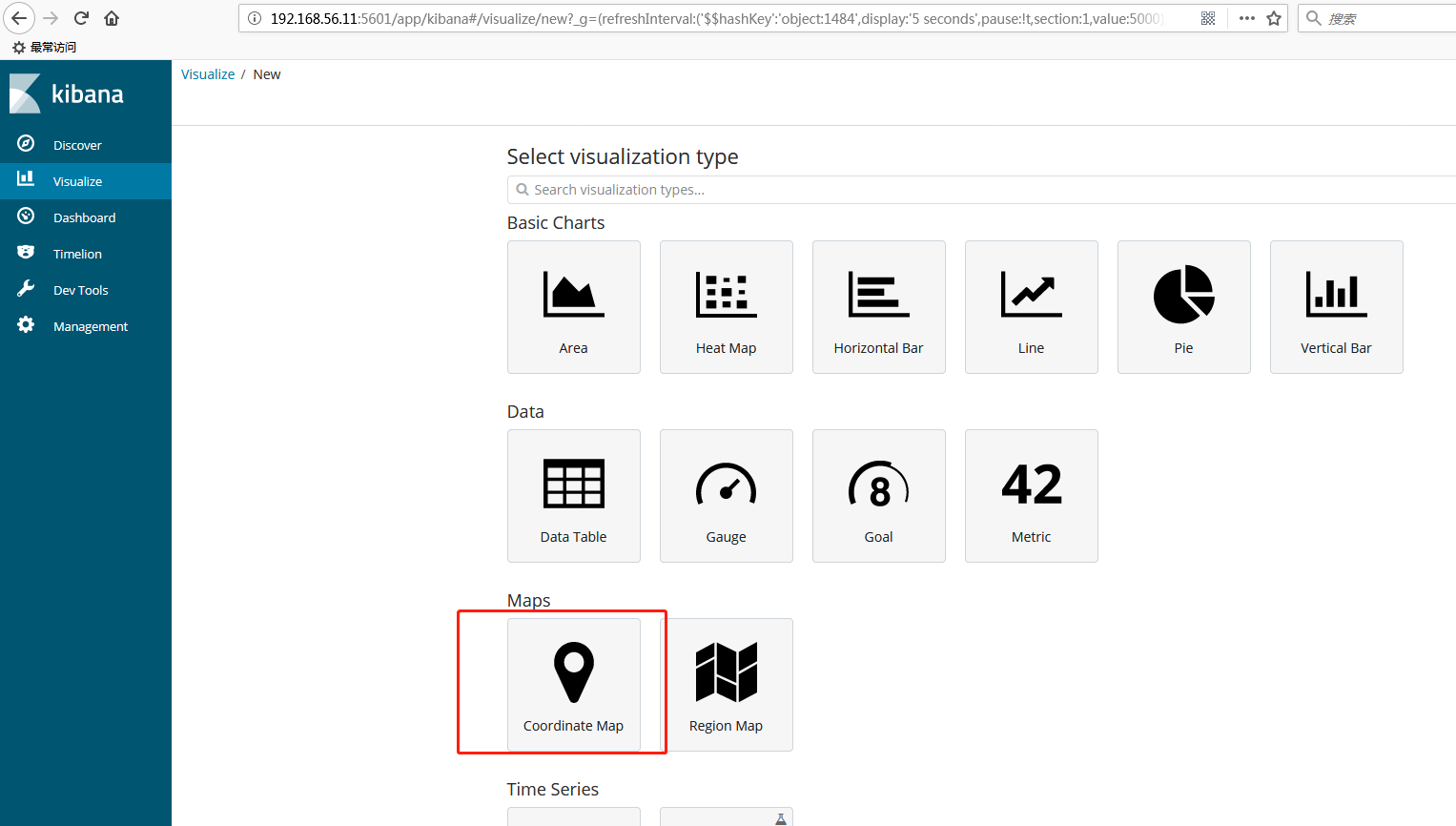
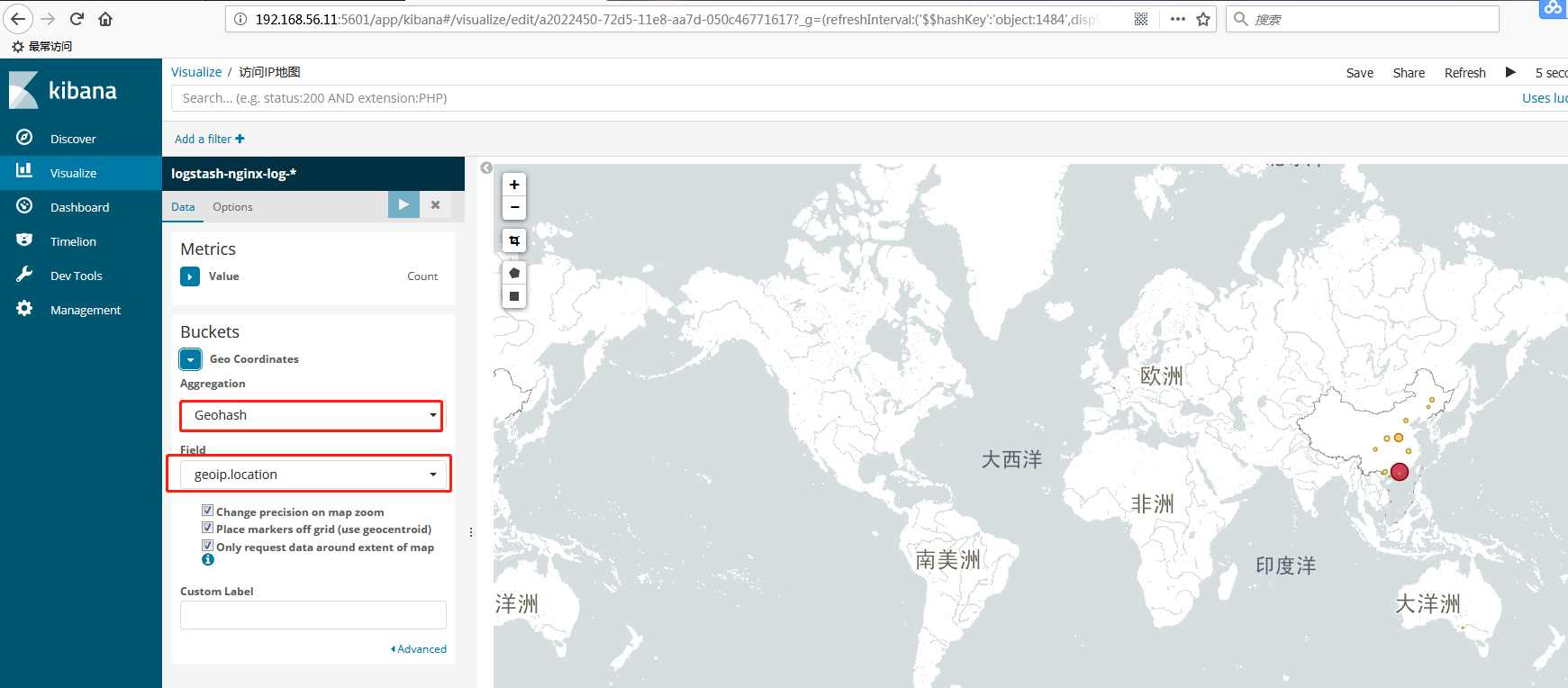
最终效果图
