Redis 5.0.5 安装文档(Install manual)
一、单实例安装
标题
内容
测试环境
Centos 7
虚拟机
vbox
redis版本
redis 5.0.5
1.编译安装redis
1#使用wget从官网现在redis数据库tar压缩包
2$ wget http://download.redis.io/releases/redis-5.0.5.tar.gz
3#使用tar解压tar压缩包
4$ tar xzf redis-5.0.5.tar.gz
5#进入redis解压后的目录
6$ cd redis-5.0.5
7#使用make编译安装redis数据库,直接make会报错,详细错误信息查看第5节错误分析内容
8$ make MALLOC=libc
2.redis编译测试
1#直接make test报错,需要安装相关依赖包,运行测试时候需要tcl-Tool Command Language 包
2$ yum install tcl
3#执行make test 测试
4$ make test
测试结果如下: 
3.运行redis数据库
运行完成编译后,在源码文件夹中的src文件夹中会生成redis相关的二进制文件。运行编译好的二进制文件启动redis数据库: The binaries that are now compiled are available in the src directory. Run Redis with:
1#运行redis-server 二进制执行文件,启动redis服务端程序。
2$ src/redis-server
redis server启动如下图: 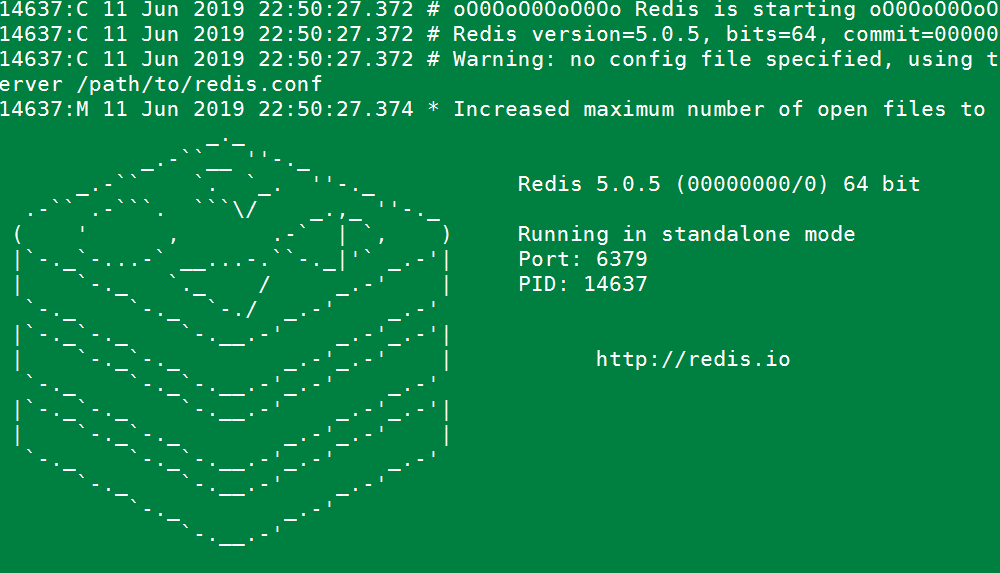
可以使用redis-cli命令连接数据库与数据库服务端进行交互。 You can interact with Redis using the built-in client:
1#运行redis-cli启动数据库客户端,连接默认redis数据库
2$ src/redis-cli
3#测试redis数据库,插入一个foo bar 键值对
4redis> set foo bar
5#插入成功
6OK
7#获取foo key的值
8redis> get foo
9"bar"
4.redis性能测试
redis 数据库自带性能测试工具,工具名称:redis-benchmark,使用此工具对数据库进行性能测试。 #####redis-benchmark具体使用参数
1Invalid option "-help" or option argument missing
2
3Usage: redis-benchmark [-h <host>] [-p <port>] [-c <clients>] [-n <requests>] [-k <boolean>]
4
5 -h <hostname>      Server hostname (default 127.0.0.1)
6 -p <port>          Server port (default 6379)
7 -s <socket>        Server socket (overrides host and port)
8 -a <password>      Password for Redis Auth
9 -c <clients>       Number of parallel connections (default 50)
10 -n <requests>      Total number of requests (default 100000)
11 -d <size>          Data size of SET/GET value in bytes (default 3)
12 --dbnum <db>       SELECT the specified db number (default 0)
13 -k <boolean>       1=keep alive 0=reconnect (default 1)
14 -r <keyspacelen>   Use random keys for SET/GET/INCR, random values for SADD
15  Using this option the benchmark will expand the string __rand_int__
16  inside an argument with a 12 digits number in the specified range
17  from 0 to keyspacelen-1. The substitution changes every time a command
18  is executed. Default tests use this to hit random keys in the
19  specified range.
20 -P <numreq>        Pipeline <numreq> requests. Default 1 (no pipeline).
21 -e                 If server replies with errors, show them on stdout.
22                    (no more than 1 error per second is displayed)
23 -q                 Quiet. Just show query/sec values
24 --csv              Output in CSV format
25 -l                 Loop. Run the tests forever
26 -t <tests>         Only run the comma separated list of tests. The test
27                    names are the same as the ones produced as output.
28 -I                 Idle mode. Just open N idle connections and wait.
29
30Examples:
31
32 Run the benchmark with the default configuration against 127.0.0.1:6379:
33   $ redis-benchmark
34
35 Use 20 parallel clients, for a total of 100k requests, against 192.168.1.1:
36   $ redis-benchmark -h 192.168.1.1 -p 6379 -n 100000 -c 20
37
38 Fill 127.0.0.1:6379 with about 1 million keys only using the SET test:
39   $ redis-benchmark -t set -n 1000000 -r 100000000
40
41 Benchmark 127.0.0.1:6379 for a few commands producing CSV output:
42   $ redis-benchmark -t ping,set,get -n 100000 --csv
43
44 Benchmark a specific command line:
45   $ redis-benchmark -r 10000 -n 10000 eval 'return redis.call("ping")' 0
46
47 Fill a list with 10000 random elements:
48   $ redis-benchmark -r 10000 -n 10000 lpush mylist __rand_int__
49
50 On user specified command lines __rand_int__ is replaced with a random integer
51 with a range of values selected by the -r option.
52
use redis-benchmark tools test redis performance . ######使用redis-benchmark 测试redis性能
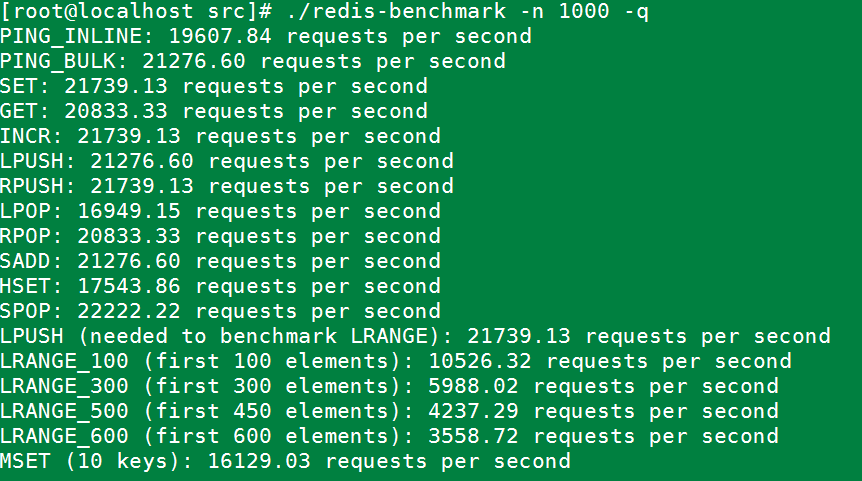
1#实例同时执行 1000 个请求来检测性能
2./redis-benchmark -n 1000 -q
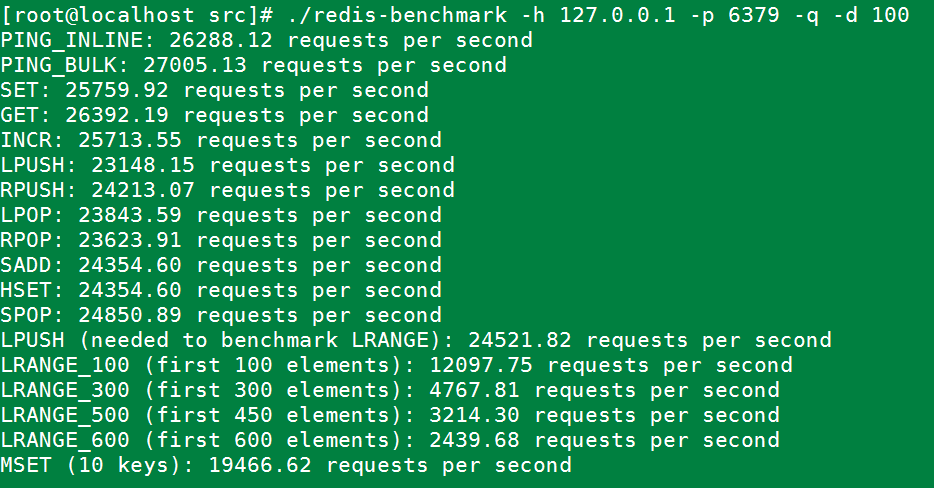
1#测试存取大小为100字节的数据包的性能
2redis-benchmark -h 127.0.0.1 -p 6379 -q -d 100
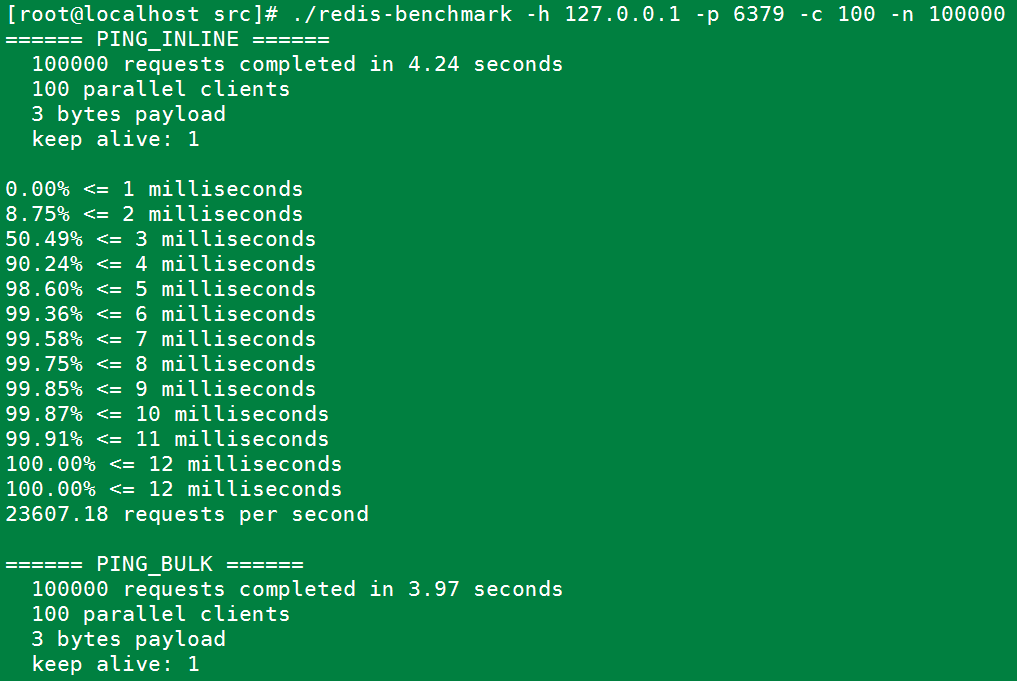
1#100个并发连接,100000个请求,检测host为localhost 端口为6379的redis服务器性能
2redis-benchmark -h 127.0.0.1 -p 6379 -c 100 -n 100000
5.错误记录与分析
直接make报如下错误: 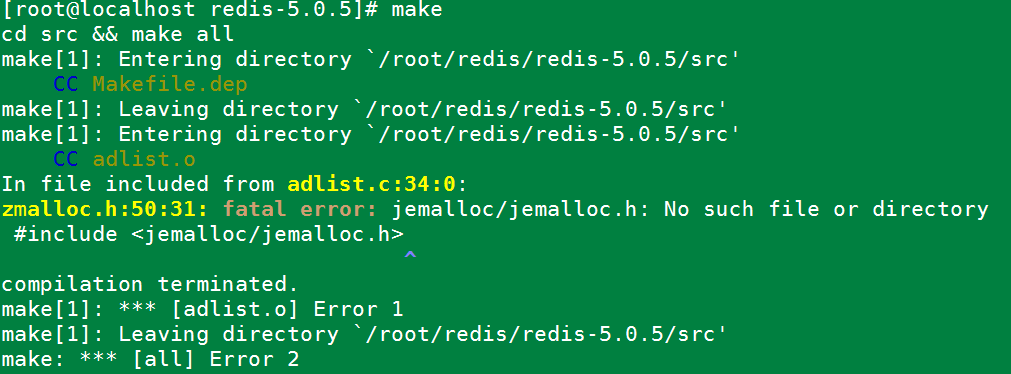
原因是jemalloc重载了Linux下的ANSI C的malloc和free函数。解决办法:make时添加参数。
make MALLOC=libc
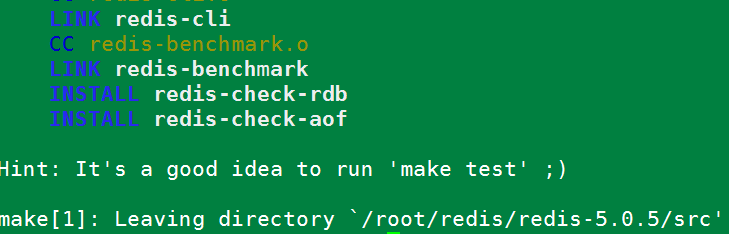
运行后编译成功。如下图: