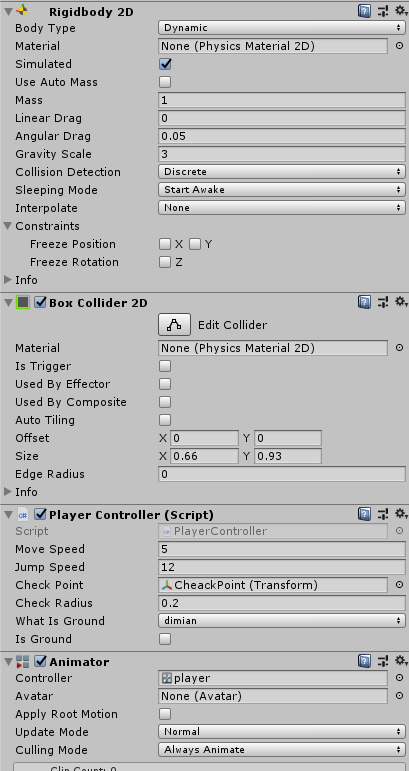
一,Idle状态
1,选中角色,打开Animation动画面板;
2,新建一个动画面板Idle;
3,拖动相关角色状态图片,实现动画
二,run状态
1,新建一个动画面板run;
2,拖动相关角色状态图片,实现动画
三,jump状态
1,新建一个动画面板jump;
2,拖动相关角色状态图片,实现动画
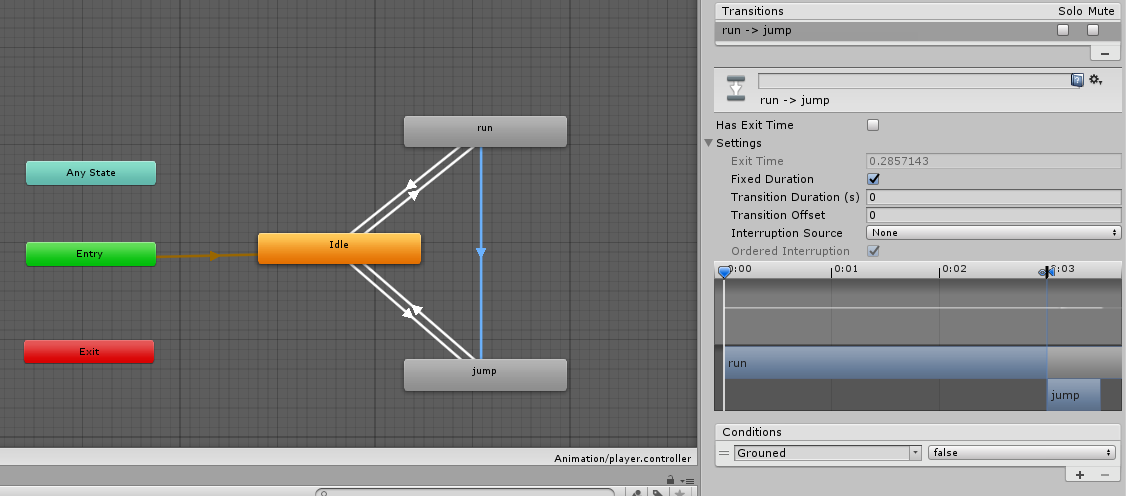
四,打开角色对象的动画编辑器面板Animator;
1,设置默认动作为idle;
2,设置idle过渡到run的过渡线 ,设置run过渡到idle的过渡线;
勾掉Has exit Time选项;
Transtion Duration(s),设置为0;
3,设置idle过渡到ump的过渡线 ,设置ump过渡到idle的过渡线;
勾掉Has exit Time选项;
Transtion Duration(s),设置为0;
4,设置run过渡到ump的过渡线 ;
勾掉Has exit Time选项;
Transtion Duration(s),设置为0;
五,设置动画过渡参数
1,设置一个float-----speed;
2,设置一个bool-----brouned;
3,idle过渡到run的过渡线,Condition选择speed-----Greater-----0.1;
4,run过渡到idle的过渡线,Condition选择speed-----Less-----0.1;
5,idle过渡到jump的过渡线,Condition选择Grouned-----false;
6,jump过渡到idle的过渡线,Condition选择Grouned-----true;
7,run过渡到jump的过渡线,Condition选择Grouned-----false;
1using System.Collections;
2using System.Collections.Generic;
3using UnityEngine;
4
5public class PlayerController : MonoBehaviour {
6
7    private Rigidbody2D m_rg;
8
9    public float MoveSpeed;
10    public float JumpSpeed;
11
12    //在角色下添加一个空物体
13    //设置一个跳跃监测点
14    public Transform CheckPoint;
15    //设置一个跳跃监测半径
16    public float CheckRadius;
17    //设置一个跳跃监测层---角色与地面的检测
18    public LayerMask WhatIsGround;
19
20    //角色默认是否着地--true
21    public bool isGround;
22
23    private Animator Anim;
24
25
26    void Start () {
27
28        m_rg = gameObject.GetComponent<Rigidbody2D>();
29        Anim = gameObject.GetComponent<Animator>();
30    }
31
32    // Update is called once per frame
33    void Update () {
34        //
35        isGround = Physics2D.OverlapCircle(CheckPoint.position, CheckRadius, WhatIsGround);
36
37
38        //------------------Input.GetAxisRaw没有小数值,只有整数,不会产生缓动------------------
39        //角色水平移动
40        //按住D键,判断如果大于0,则向右开始移动
41        if (Input.GetAxisRaw("Horizontal") > 0)
42        {
43            m_rg.velocity = new Vector2(MoveSpeed, m_rg.velocity.y);
44
45            //设置自身缩放的值
46            transform.localScale = new Vector2(1f,1f);
47        }
48        //角色水平移动
49        //按住A键,判断如果小于0,则向左开始移动
50        else if (Input.GetAxisRaw("Horizontal") < 0)
51        {
52            m_rg.velocity = new Vector2(-MoveSpeed, m_rg.velocity.y);
53
54            //如果new Vector2(-1f, 1f)  x值为负数,则图片进行反转显示
55            transform.localScale = new Vector2(-1f, 1f);
56        }
57        else
58        //角色水平移动
59        //松开按键,判断如果等于0,则停止移动
60        {
61            m_rg.velocity = new Vector2(0, m_rg.velocity.y);
62        }
63
64        //角色按下空格键实现跳跃
65        //禁止二连跳
66        //要先判断角色是否在地面上,在地面上可以跳,不在地面上则不能跳
67        if (Input.GetButtonDown("Jump")&& isGround)
68        {
69
70            m_rg.velocity = new Vector2(m_rg.velocity.x,JumpSpeed);
71        }
72
73
74        Anim.SetFloat("Speed", m_rg.velocity.x);
75        Anim.SetBool("Grouned", isGround);
76    }
77}