
1 下载Android Studio
https://developer.android.com/studio/archive?hl=zh-cn
2 安装Android Studio
安装完成,下载SDK NDK LLIB Cmake
FIle-Setting
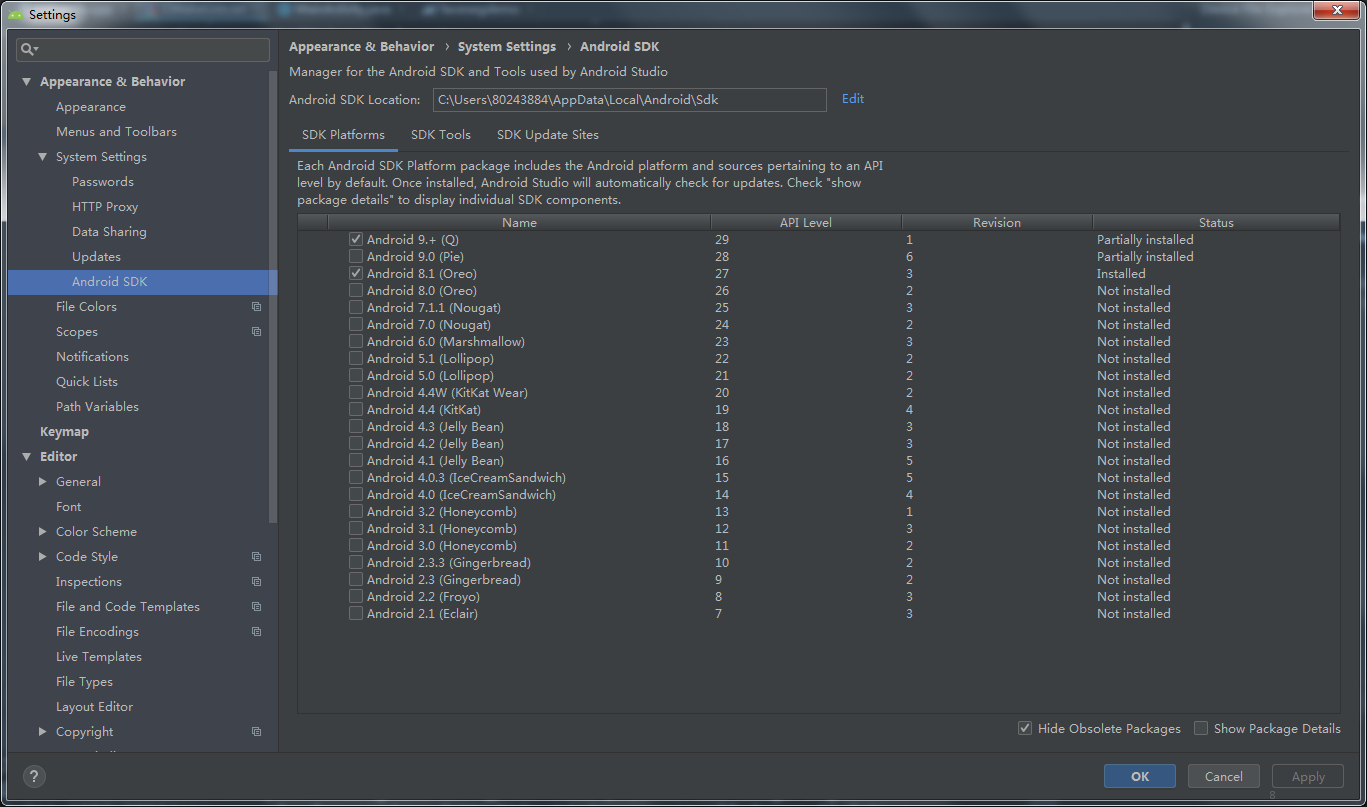
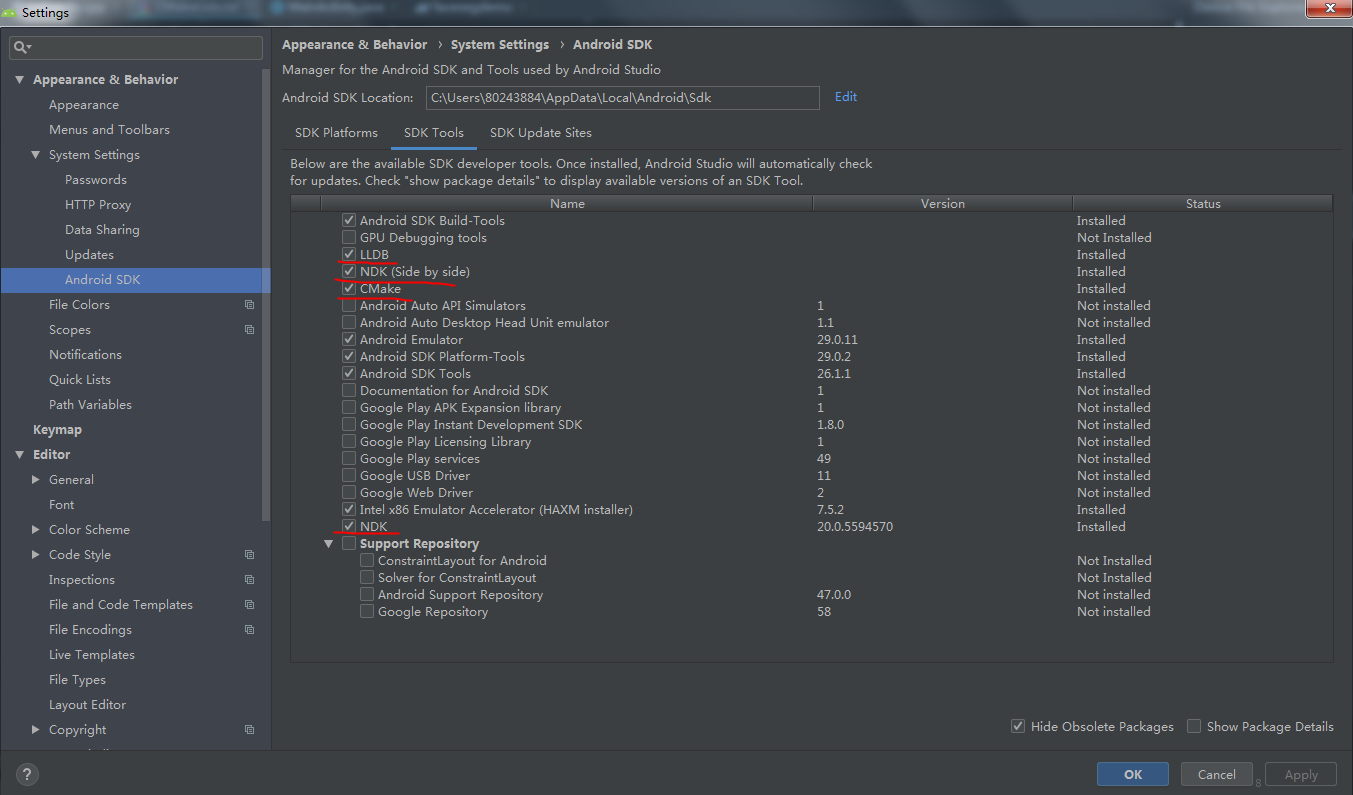
3 开始建立工程使用
4 配置
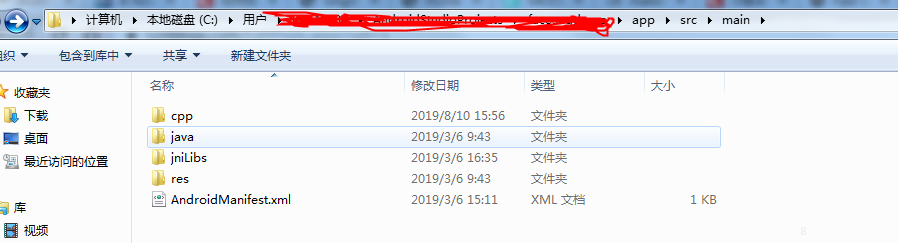
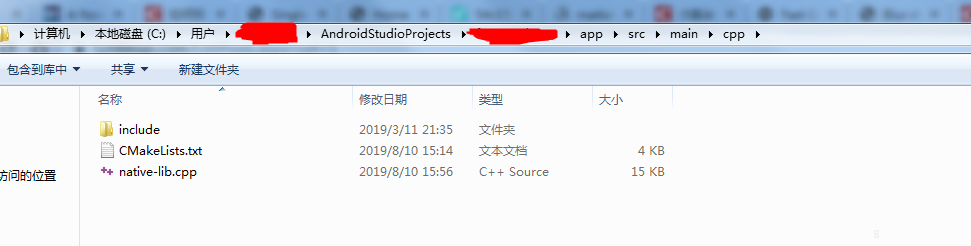

CMakeLists.txt
1 包括三个三方库test1.so test.so gnustl_shared.so
2 加入opencv的支持
1# For more information about using CMake with Android Studio, read the
2# documentation: https://d.android.com/studio/projects/add-native-code.html
3
4# Sets the minimum version of CMake required to build the native library.
5
6cmake_minimum_required(VERSION 3.4.1)
7
8
9
10
11#step1 ##################### OpenCV 环境 ############################
12#参考https://www.jianshu.com/p/6e16c0429044
13#设置OpenCV-android-sdk路径
14set(OpenCV_STATIC ON)
15set(OpenCV_DIR C:/software/opencv-4.0.1-android-sdk/OpenCV-android-sdk/sdk/native/jni )
16
17find_package(OpenCV REQUIRED )
18if(OpenCV_FOUND)
19    include_directories(${OpenCV_INCLUDE_DIRS})
20    message(STATUS "OpenCV library status:")
21    message(STATUS "    version: ${OpenCV_VERSION}")
22    message(STATUS "    libraries: ${OpenCV_LIBS}")
23    message(STATUS "    include path: ${OpenCV_INCLUDE_DIRS}")
24else(OpenCV_FOUND)
25    message(FATAL_ERROR "OpenCV library not found")
26endif(OpenCV_FOUND)
27
28#set(OpenCV_STATIC ON)
29#set( OpenCV_DIR C:/software/opencv-3.4.5-android-sdk/OpenCV-android-sdk/sdk/native/jni )
30#find_package (OpenCV REQUIRED)
31#
32#target_link_libraries(native-lib ${OpenCV_LIBS})
33
34
35#step2 设置so库路径
36#参考 https://blog.csdn.net/carryWorld/article/details/75026171
37include_directories(${CMAKE_SOURCE_DIR}/src/main/cpp/include)
38set(jnilibs "${CMAKE_SOURCE_DIR}/src/main/jniLibs")
39#set(CMAKE_LIBRARY_OUTPUT_DIRECTORY ${jnilibs}/${ANDROID_ABI})
40
41
42
43# ###################### 项目原生模块 ###########################
44# Creates and names a library, sets it as either STATIC
45# or SHARED, and provides the relative paths to its source code.
46# You can define multiple libraries, and CMake builds them for you.
47# Gradle automatically packages shared libraries with your APK.
48
49add_library( # Sets the name of the library.
50        native-lib
51        # Sets the library as a shared library.
52        SHARED
53        # Provides a relative path to your source file(s).
54        native-lib.cpp)
55
56#step3 加入共享库
57add_library(test1 SHARED IMPORTED)
58add_library(test2 SHARED IMPORTED)
59add_library(gnustl_shared SHARED IMPORTED)
60
61# Searches for a specified prebuilt library and stores the path as a
62# variable. Because CMake includes system libraries in the search path by
63# default, you only need to specify the name of the public NDK library
64# you want to add. CMake verifies that the library exists before
65# completing its build.
66
67find_library( # Sets the name of the path variable.
68        log-lib
69        # Specifies the name of the NDK library that
70        # you want CMake to locate.
71        log)
72
73# Specifies libraries CMake should link to your target library. You
74# can link multiple libraries, such as libraries you define in this
75# build script, prebuilt third-party libraries, or system libraries.
76
77message($CMAKE_SOURCE_DIR)
78set_target_properties(test1
79        PROPERTIES IMPORTED_LOCATION
80        ${CMAKE_SOURCE_DIR}/../jniLibs/${ANDROID_ABI}/libtest1.so)
81
82set_target_properties(test2
83        PROPERTIES IMPORTED_LOCATION
84        ${CMAKE_SOURCE_DIR}/../jniLibs/${ANDROID_ABI}/libtest2.so)
85
86set_target_properties(gnustl_shared
87        PROPERTIES IMPORTED_LOCATION
88        ${CMAKE_SOURCE_DIR}/../jniLibs/${ANDROID_ABI}/libgnustl_shared.so)
89
90target_link_libraries( # Specifies the target library.
91        native-lib
92        ${OpenCV_LIBS}
93        jnigraphics
94        log
95        test1
96        test2
97        gnustl_shared
98        # Links the target library to the log library
99        # included in the NDK.
100        ${log-lib})
5 开始编译