
服务追踪工具 SkyWorking 搭建使用
SkyWalking 是用于对微服务,Cloud Native,容器等提供应用性能监控和分布式调用链追踪的工具
-
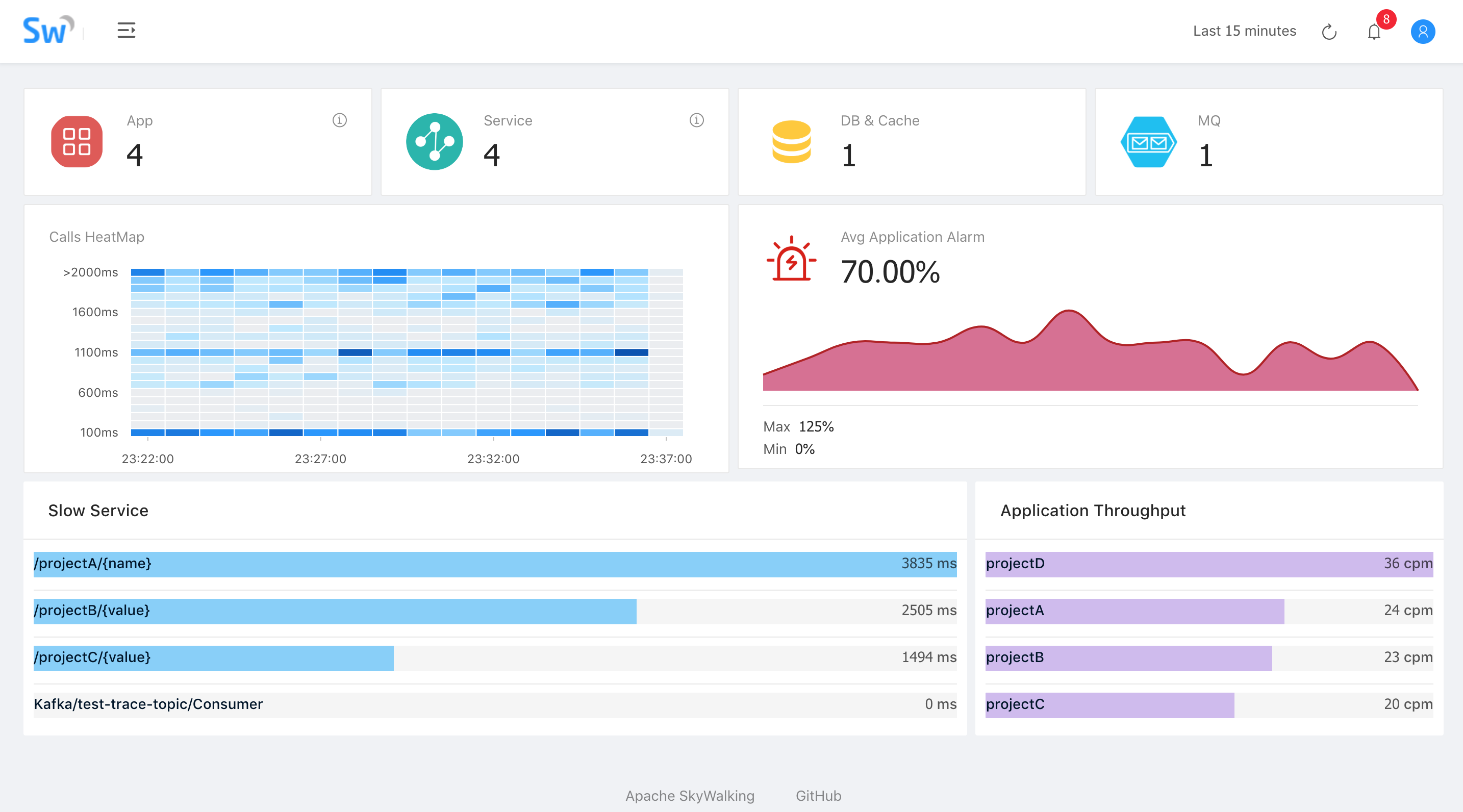
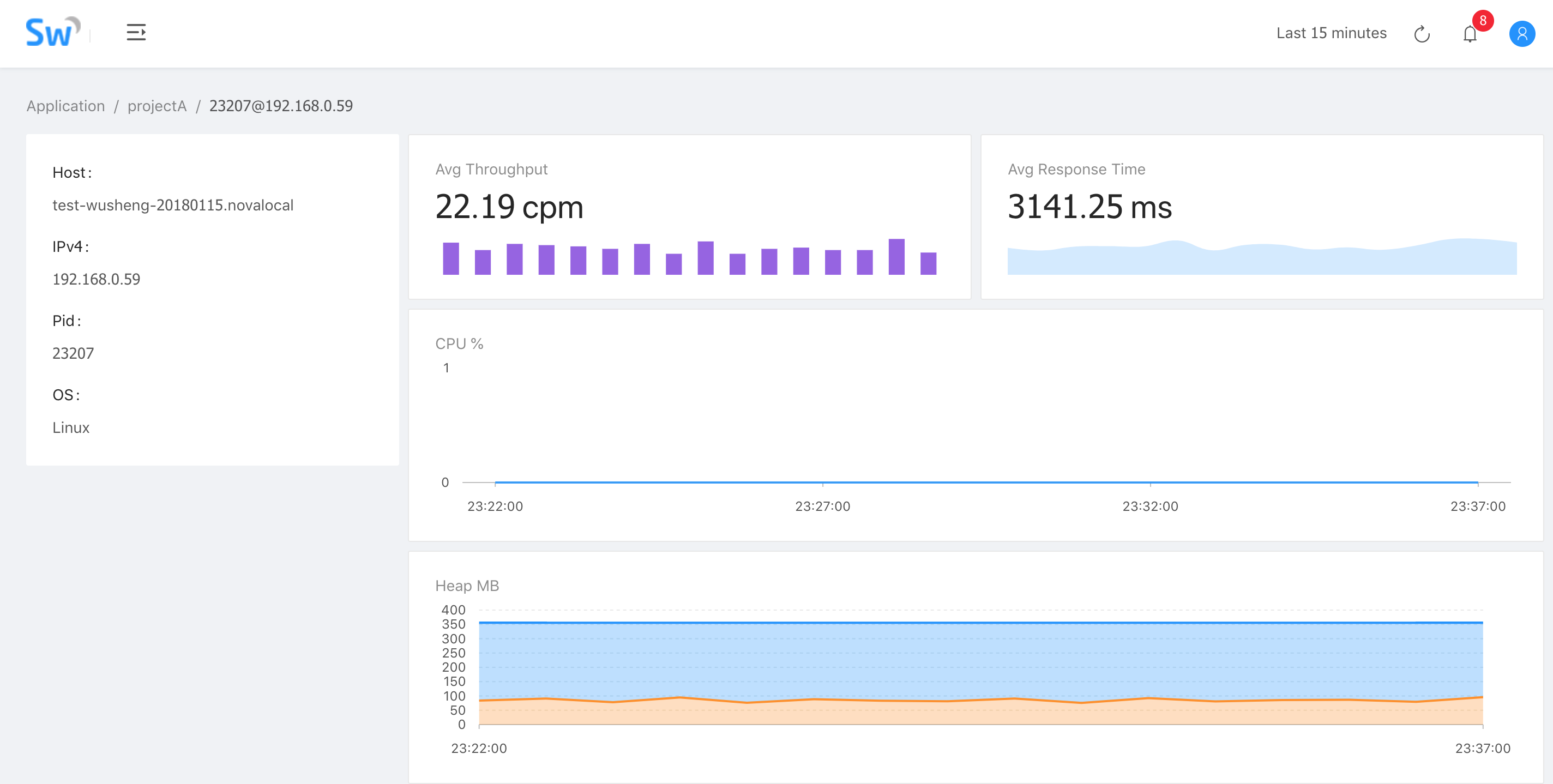
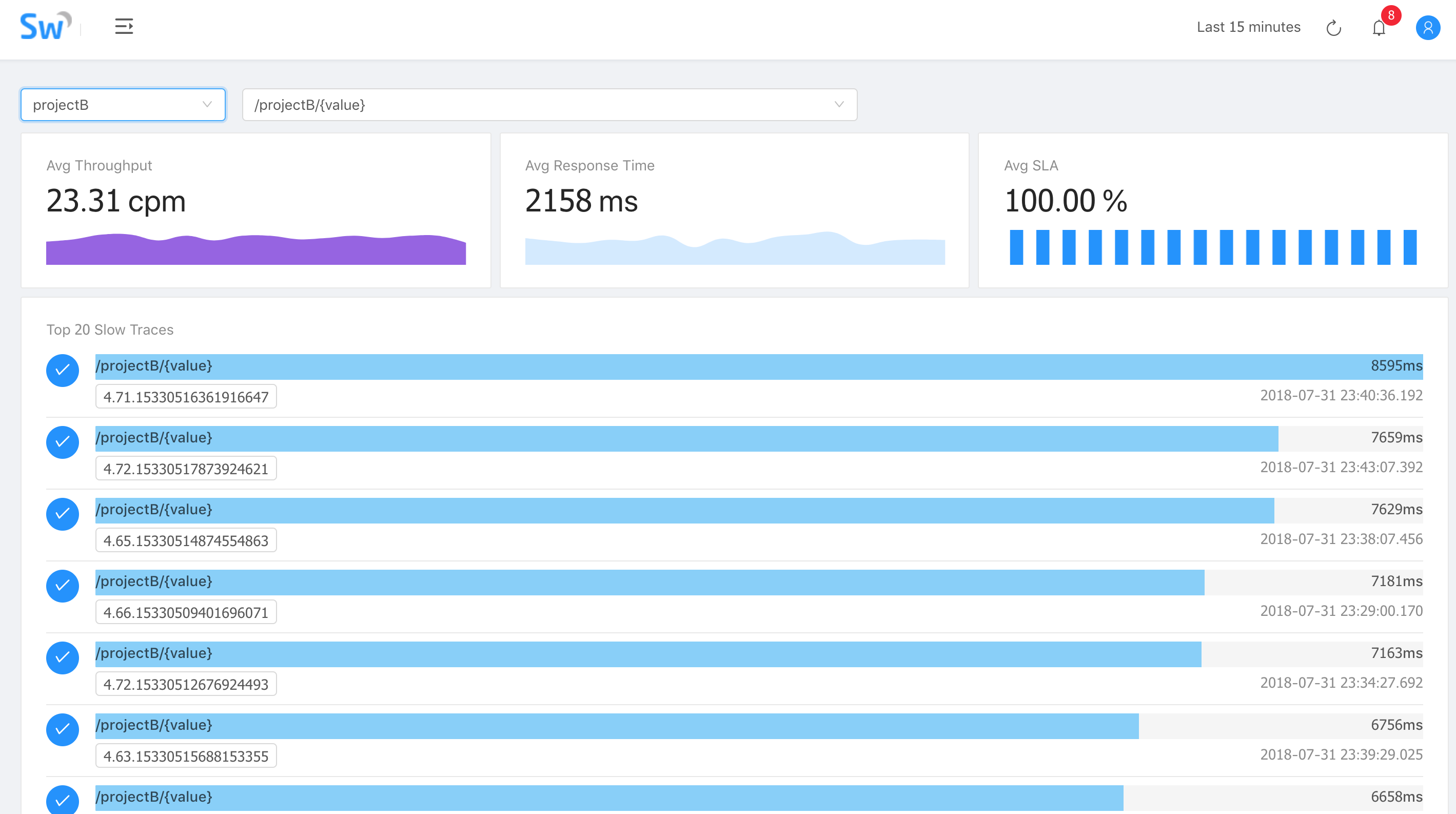
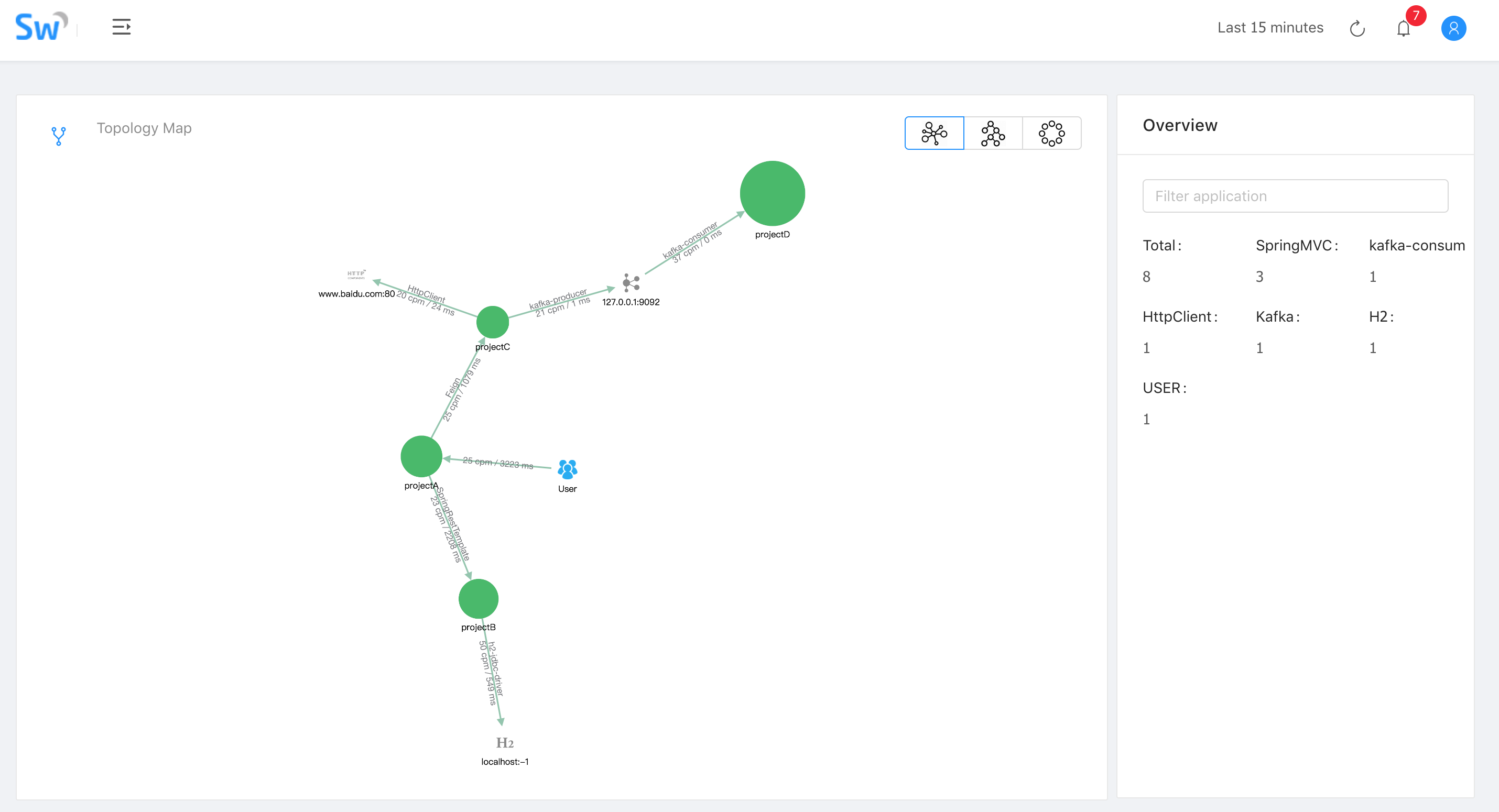
截图
环境
- SkyWalking 5.0.0-beat2
- Mac OS
- ElasticSearch 5.6.10
安装 ElasticSearch
- 下载解压 ElasticSearch 5.6.10
1curl -L -O https://artifacts.elastic.co/downloads/elasticsearch/elasticsearch-5.6.10.tar.gz
2tar -vxf elasticsearch-5.6.10.tar.gz
- 修改配置文件
config/elasticsearch.yml
1cluster.name: CollectorDBCluster
2node.name: CollectorDBCluster1
3network.host: 10.0.0.34
需要注意的是cluster.name最好是CollectorDBCluster,network.host最好是局域网 IP,否则可能会在使用时出现很多问题
- 启动
./bin/elasticsearch
安装 SkyWalking
- 下载解压 SkyWalking 5.0.0-beat2
1curl -L -O https://mirrors.tuna.tsinghua.edu.cn/apache/incubator/skywalking/5.0.0-beta/apache-skywalking-apm-incubating-5.0.0-beta.tar.gz
2
3tar -vxf apache-skywalking-apm-incubating-5.0.0-beta.tar.gz
- 修改配置文件
config/application.yml,修改所有的localhost为局域网 IP
1cluster
2    host: 10.0.0.34
3    port: 10800
4    contextPath: /
5cache:
6  caffeine:
7remote:
8  gRPC:
9    host: 10.0.0.34
10    port: 11800
11agent_gRPC:
12  gRPC:
13    host: 10.0.0.34
14    port: 11800
15agent_jetty:
16  jetty:
17    host: 10.0.0.34
18    port: 12800
19    contextPath: /
20analysis_register:
21  default:
22analysis_jvm:
23  default:
24analysis_segment_parser:
25  default:
26    bufferFilePath: ../buffer/
27    bufferOffsetMaxFileSize: 10M
28    bufferSegmentMaxFileSize: 500M
29    bufferFileCleanWhenRestart: true
30ui:
31  jetty:
32    host: 10.0.0.34
33    port: 12800
34    contextPath: /
35storage:
36  elasticsearch:
37    clusterName: CollectorDBCluster
38    clusterTransportSniffer: true
39    clusterNodes: localhost:9300
40    indexShardsNumber: 2
41    indexReplicasNumber: 0
42    highPerformanceMode: true
43    bulkActions: 2000
44    bulkSize: 20
45    flushInterval: 10
46    concurrentRequests: 2
47    traceDataTTL: 90 # Unit is minute
48    minuteMetricDataTTL: 90 # Unit is minute
49    hourMetricDataTTL: 36 # Unit is hour
50    dayMetricDataTTL: 45 # Unit is day
51    monthMetricDataTTL: 18 # Unit is month
52configuration:
53  default:
54    applicationApdexThreshold: 2000
55    serviceErrorRateThreshold: 10.00
56    serviceAverageResponseTimeThreshold: 2000
57    instanceErrorRateThreshold: 10.00
58    instanceAverageResponseTimeThreshold: 2000
59    applicationErrorRateThreshold: 10.00
60    applicationAverageResponseTimeThreshold: 2000
61    thermodynamicResponseTimeStep: 50
62    thermodynamicCountOfResponseTimeSteps: 40
63    workerCacheMaxSize: 10000
- 修改
webapp/webapp.ymlCollector 地址
1server:
2  port: 8080
3
4collector:
5  path: /graphql
6  ribbon:
7    ReadTimeout: 10000
8    listOfServers: 10.0.0.34:10800
9
10security:
11  user:
12    admin:
13      password: admin
- 修改
config/agent.configCollector 地址
1agent.application_code=AppService
2collector.servers=10.0.0.34:10800
3logging.level=INFO
- 启动 Collector 和 Webapp
./bin/startup.sh
或单独启动 Collector 和 Webapp
1./bin/collectorService.sh
2
3./bin/webappService.sh
使用
- Jar 启动时添加 VM 参数
-javaagent:/path/to/apache-skywalking-apm-incubating/agent/skywalking-agent.jar -Dskywalking.agent.application_code=YOUR_APP_NAME
- Tomcat 修改
bin/catalina.sh首行配置
1# Linux/Mac
2CATALINA_OPTS="$CATALINA_OPTS -javaagent:/path/to/skywalking-agent/skywalking-agent.jar"; export CATALINA_OPTS
3
4# Win
5set "CATALINA_OPTS=-javaagent:/path/to/skywalking-agent/skywalking-agent.jar"
本文转自 https://blog.csdn.net/u013360850/article/details/81322875,如有侵权,请联系删除。