简介
在上一节中,我们讨论了feign+hystrix在项目开发中,除了考虑正常的调用之外,负载均衡和故障转移也是关注的重点,这也是feign + ribbon+hystrix的优势所在,本节我们就讨论一下在feign中使用ribbon,有两种方式
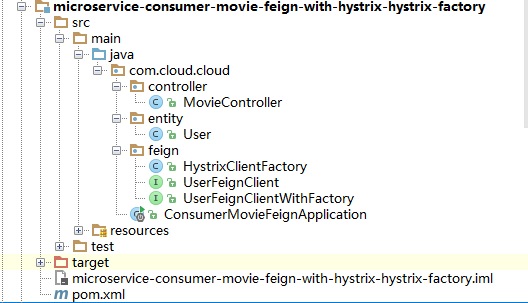
一、通过在配置文件application.yml配置,开启ribbon,并指定调用生产者相对上一节可以不做任何更改,可以看项目(microservice-consumer-movie-feign-with-hystrix-hystrix-factory)
项目结构如下:
application.yml配置文件:
1spring:
2  application:
3    name: microservice-consumer-movie-feign-with-hystrix-hystrix-factory
4server:
5  port: 7901
6eureka:
7  client:
8    healthcheck:
9      enabled: true
10    serviceUrl:
11      defaultZone: http://jacky:admin@peer1:8761/eureka/,http://jacky:admin@peer2:8762/eureka/,http://jacky:admin@peer3:8763/eureka/
12  instance:
13    prefer-ip-address: true
14microservice-provider-user:
15  ribbon:
16    NFLoadBalancerRuleClassName: com.netflix.loadbalancer.RandomRule
17hystrix.command.default.execution.isolation.thread.timeoutInMilliseconds: 5000
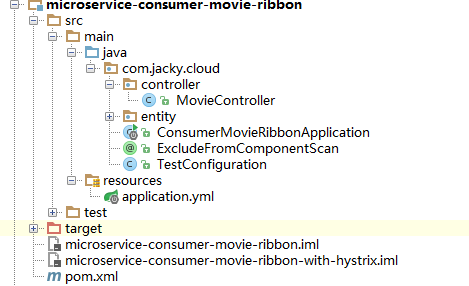
二、通过通过写配置类,在启动类中指定ribbon配置类即可,可以看项目(microservice-consumer-movie-ribbon)
项目结构如下: