
深度学习Deeplearning4j eclipse 开发环境搭建
eclipse设置deeplearning4j开发环境:手动添加jar包
https://deeplearning4j.org/cn/eclipse
eclipse maven设置deeplearning4j开发环境
https://depiesml.wordpress.com/2015/08/26/dl4j-gettingstarted/
准备:首先要配置eclipse maven 以及maven插件
1. 创建maven工程:
点击eclipse File->new->other 弹出对话框输入maven
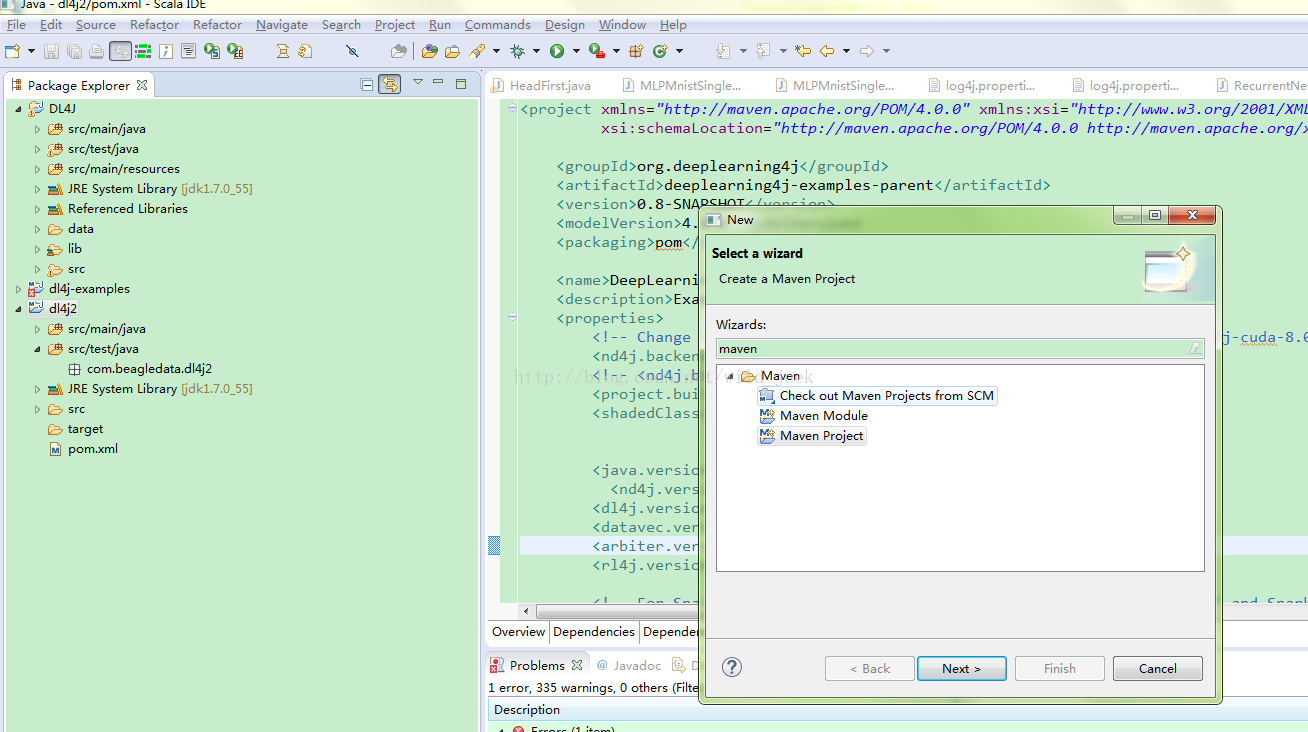
点击 Maven Preject next 选择maven-archtype-quickstart1.1 选择项输入grouptid : com.test ArtifactID :dl4j 点击finish
2. 修改pom文件
将下边pom内容复制到原来pom中 :
https://github.com/deeplearning4j/dl4j-examples/blob/master/pom.xml
pom中添加依赖:
[plain] view plain copy
-
<dependencyManagement>
-
<dependencies>
-
<dependency>
-
<groupId>org.nd4j</groupId>
-
<artifactId>nd4j-native-platform</artifactId>
-
<version>${nd4j.version}</version>
-
</dependency>
-
<dependency>
-
<groupId>org.nd4j</groupId>
-
<artifactId>nd4j-cuda-7.5-platform</artifactId>
-
<version>${nd4j.version}</version>
-
</dependency>
-
<dependency>
-
<groupId>org.nd4j</groupId>
-
<artifactId>nd4j-cuda-8.0-platform</artifactId>
-
<version>${nd4j.version}</version>
-
</dependency>
-
</dependencies>
-
</dependencyManagement>
-
<dependencies>
-
<!-- ND4J backend. You need one in every DL4J project. Normally define
-
artifactId as either "nd4j-native-platform" or "nd4j-cuda-7.5-platform" -->
-
<dependency>
-
<groupId>org.nd4j</groupId>
-
<artifactId>${nd4j.backend}</artifactId>
-
</dependency>
-
<!-- Core DL4J functionality -->
-
<dependency>
-
<groupId>org.deeplearning4j</groupId>
-
<artifactId>deeplearning4j-core</artifactId>
-
<version>${dl4j.version}</version>
-
</dependency>
-
<dependency>
-
<groupId>org.deeplearning4j</groupId>
-
<artifactId>deeplearning4j-nlp</artifactId>
-
<version>${dl4j.version}</version>
-
</dependency>
-
<!-- deeplearning4j-ui is used for HistogramIterationListener + visualization:
-
<dependency>
-
<groupId>org.deeplearning4j</groupId>
-
<artifactId>deeplearning4j-ui_${scala.binary.version}</artifactId>
-
<version>${dl4j.version}</version>
-
</dependency>
-
<!-- Force guava versions for using UI/HistogramIterationListener -->
-
<dependency>
-
<groupId>com.google.guava</groupId>
-
<artifactId>guava</artifactId>
-
<version>${guava.version}</version>
-
</dependency>
-
<!-- datavec-data-codec: used only in video example for loading video data -->
-
<dependency>
-
<artifactId>datavec-data-codec</artifactId>
-
<groupId>org.datavec</groupId>
-
<version>${datavec.version}</version>
-
</dependency>
-
<!-- Used in the feedforward/classification/MLP* and feedforward/regression/RegressionMathFunctions
-
example -->
-
<dependency>
-
<groupId>jfree</groupId>
-
<artifactId>jfreechart</artifactId>
-
<version>${jfreechart.version}</version>
-
</dependency>
-
<dependency>
-
<groupId>org.jfree</groupId>
-
<artifactId>jcommon</artifactId>
-
<version>${jcommon.version}</version>
-
</dependency>
-
<!-- Used for downloading data in some of the examples -->
-
<dependency>
-
<groupId>org.apache.httpcomponents</groupId>
-
<artifactId>httpclient</artifactId>
-
<version>4.3.5</version>
-
</dependency>
-
</dependencies>
3. 更新
右击项目名->Maven ->Update Project