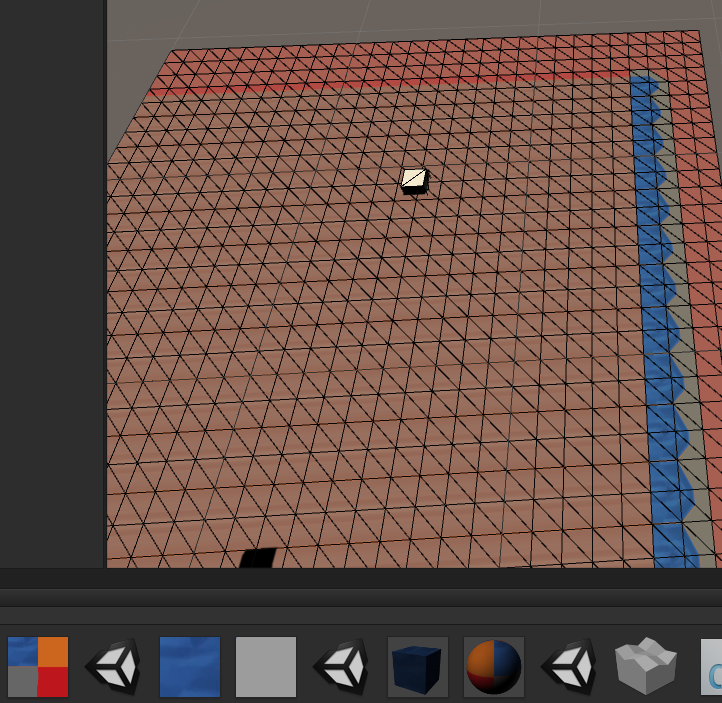
Unity自定义mesh绘制 基于上篇的mesh修改,实现tile map
第一步,修改mesh 顶点和三角片信息,生成方格
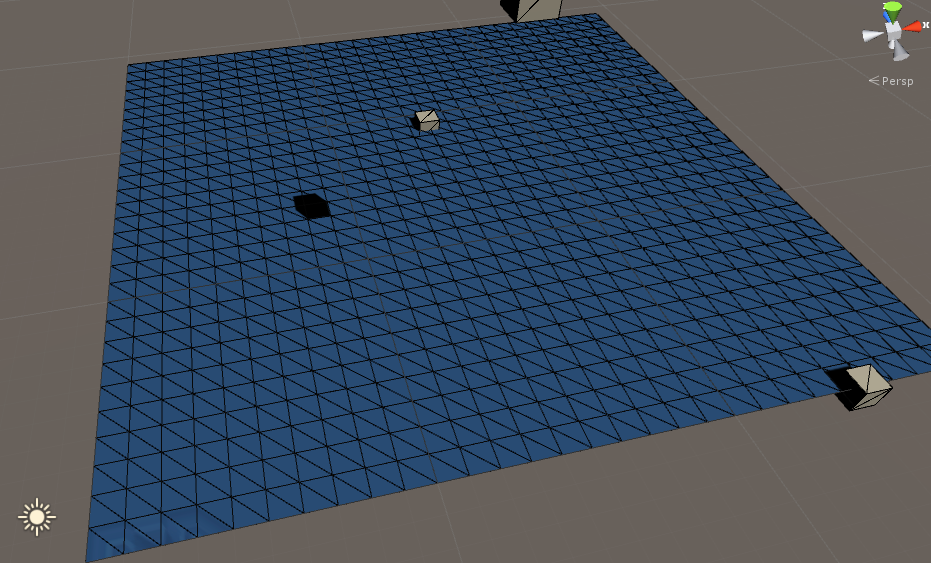
顶点信息就是一系列正方形的组合,三角片,在这里实现的方法是一个矩形由2个三角形组成,注意,三角形的顺序依赖于顶点的顺序,三角形的三个点按照观察方向顺时针,三角形数量=顶点数量*6,6=2*3,2是三角形个数,3是一个三角形 由3个顶点组成,输入的三角数组的顺序是,对应顶点在输入的顶点数据中的index,贴代码:
1using UnityEngine;
2using System.Collections;
3
4
5public class ss5 : MonoBehaviour
6{
7    void Start()
8    {
9        dooo();
10
11    }
12
13    void dooo()
14    {
15        {
16
17            MeshFilter filter = this.GetComponent<MeshFilter>();
18            MeshRenderer render = this.GetComponent<MeshRenderer>();
19            var mesh = filter.mesh;
20
21            var ts = this.GetComponentsInChildren<Transform>();
22
23            Vector3[] vers = new Vector3[ts.Length];
24
25            for (int i = 0; i < ts.Length; i++)
26            {
27                vers[i] = ts[i].position;
28            }
29
30            const int MAX_X = 30;
31            const int MAX_Y = 30;
32            Vector3[] vertics = new Vector3[MAX_Y * MAX_X];
33
34            for (int x = 0; x < MAX_X; x++)
35            {
36                for (int y = 0; y < MAX_Y; y++)
37                {
38                    vertics[x + MAX_X * y] = new Vector3(x, 0f, y);
39                }
40            }
41            foreach (var p in vertics)
42            {
43                Ray ray = new Ray(p, new Vector3(-100f, -100f, -100f));
44                Debug.DrawLine(ray.GetPoint(-0.1f), ray.GetPoint(0.1f), Color.red);
45            }
46            int[] triss = new int[(MAX_Y - 1) * (MAX_X - 1) * 6];
47
48            for (int x = 0; x < MAX_X - 1; x++)
49            {
50                for (int y = 0; y < MAX_Y - 1; y++)
51                {
52                    var p = vertics[x + MAX_X * y];
53                    int baseIdx = 0;
54                    if (y >= 1)
55                    {
56                        baseIdx = (y * (MAX_X - 1) * 6) + x * 6;
57                    }
58                    else
59                    {
60                        baseIdx = x * 6;
61                    }
62                    Debug.LogError(x + "   " + y + "    " + triss.Length + "  baseIdx=" + baseIdx);
63                    triss[baseIdx + 0] = x + y * MAX_X;
64                    triss[baseIdx + 1] = x + (y + 1) * MAX_X;
65                    triss[baseIdx + 2] = (x + 1) + y * MAX_X;
66                    triss[baseIdx + 3] = x + (y + 1) * MAX_X;
67                    triss[baseIdx + 4] = (x + 1) + (y + 1) * MAX_X;
68                    triss[baseIdx + 5] = (x + 1) + y * MAX_X; ;
69
70                    /*   triss[x + y * MAX_X + 0] = 0;
71                    triss[x + y * MAX_X + 1] = 2;
72                    triss[x + y * MAX_X + 2] = 1;
73                    triss[x + y * MAX_X + 3] = 2;
74                    triss[x + y * MAX_X + 4] = 3;
75                    triss[x + y * MAX_X + 5] = 1;
76    */
77
78                    /* triss[(x * 2 + y * 9 * 2) + 0] = 5;
79                     triss[(x * 2 + y * 9 * 2) + 1] = 5;
80                     triss[(x * 2 + y * 9 * 2) + 2] = 5;
81                     triss[(x * 2 + y * 9 * 2) + 3] = 5;
82                     triss[(x * 2 + y * 9 * 2) + 4] = 5;
83                     triss[(x * 2 + y * 9 * 2) + 5] = 5;
84                     */
85                }
86            }
87
88
89            mesh.vertices = vertics;
90            mesh.triangles = triss;// this.GetTris(vers);
91            mesh.RecalculateNormals();
92            mesh.RecalculateBounds();
93            this.GetComponent<MeshCollider>().sharedMesh = mesh;
94            filter.mesh = mesh;
95            return;
96        }
97    }
98    void Update()
99    {
100
101    }
102
103
104
105    void OnDrawGizmos()
106    {
107        return;
108
109        {
110
111            MeshFilter filter = this.GetComponent<MeshFilter>();
112            MeshRenderer render = this.GetComponent<MeshRenderer>();
113            var mesh = filter.mesh;
114
115            var ts = this.GetComponentsInChildren<Transform>();
116
117            Vector3[] vers = new Vector3[ts.Length];
118
119            for (int i = 0; i < ts.Length; i++)
120            {
121                vers[i] = ts[i].position;
122            }
123
124            const int MAX_X = 3;
125            const int MAX_Y = 3;
126            Vector3[] vertics = new Vector3[MAX_Y * MAX_X];
127
128            for (int x = 0; x < MAX_X; x++)
129            {
130                for (int y = 0; y < MAX_Y; y++)
131                {
132                    vertics[x + MAX_X * y] = new Vector3(x, 0f, y);
133                }
134            }
135            foreach (var p in vertics)
136            {
137                Ray ray = new Ray(p, new Vector3(-100f, -100f, -100f));
138                Debug.DrawLine(ray.GetPoint(-0.1f), ray.GetPoint(0.1f), Color.red);
139            }
140            int[] triss = new int[(MAX_Y - 1) * (MAX_X - 1) * 6];
141
142            for (int x = 0; x < MAX_X - 1; x++)
143            {
144                for (int y = 0; y < MAX_Y - 1; y++)
145                {
146                    var p = vertics[x + MAX_X * y];
147                    int baseIdx = 0;
148                    if (y >= 1)
149                    {
150                        baseIdx = (y * (MAX_X - 1) * 6) + x * 6;
151                    }
152                    else
153                    {
154                        baseIdx = x * 6;
155                    }
156                    Debug.LogError(x + "   " + y + "    " + triss.Length + "  baseIdx=" + baseIdx);
157                    triss[baseIdx + 0] = x + y * MAX_X;
158                    triss[baseIdx + 1] = x + (y + 1) * MAX_X;
159                    triss[baseIdx + 2] = (x + 1) + y * MAX_X;
160                    triss[baseIdx + 3] = x + (y + 1) * MAX_X;
161                    triss[baseIdx + 4] = (x + 1) + (y + 1) * MAX_X;
162                    triss[baseIdx + 5] = (x + 1) + y * MAX_X; ;
163
164                    /*   triss[x + y * MAX_X + 0] = 0;
165                    triss[x + y * MAX_X + 1] = 2;
166                    triss[x + y * MAX_X + 2] = 1;
167                    triss[x + y * MAX_X + 3] = 2;
168                    triss[x + y * MAX_X + 4] = 3;
169                    triss[x + y * MAX_X + 5] = 1;
170    */
171                    /* triss[(x * 2 + y * 9 * 2) + 0] = 5;
172                     triss[(x * 2 + y * 9 * 2) + 1] = 5;
173                     triss[(x * 2 + y * 9 * 2) + 2] = 5;
174                     triss[(x * 2 + y * 9 * 2) + 3] = 5;
175                     triss[(x * 2 + y * 9 * 2) + 4] = 5;
176                     triss[(x * 2 + y * 9 * 2) + 5] = 5;
177                     */
178                }
179            }
180
181
182            mesh.vertices = vertics;
183            mesh.triangles = triss;// this.GetTris(vers);
184            mesh.RecalculateNormals();
185            mesh.RecalculateBounds();
186            this.GetComponent<MeshCollider>().sharedMesh = mesh;
187            filter.mesh = mesh;
188            return;
189        }
190    }
191
192
193}
第二步:修改UV信息,U是x轴,V是y轴,矩形4个顶点 对应UV4个坐标点,在这里是逆时针,UV也是逆时针。因此只需要一张大贴图 附上对应的UV信息 就可以实现tile map了