
刚接触不久就遇到困难------自定义loading。想和其他获取图片方式一样获取加载界面的图片,结果发现资源还没加载就需要图片,在网上百度了许多,都没有找到正确的方式,通过自己的摸索,终于,,,我成功了。。。
下面介绍一下主要思想:
首先,我们需要使用异步加载的方式,在加载界面之前加载loading界面需要的素材,然后再loadingUI中就可以大胆使用它了。
其次,我们经常碰到的问题是自定义进度条不显示问题。那是因为你没有在Main中把它加载舞台上。
最后,看看具体实现方法吧。
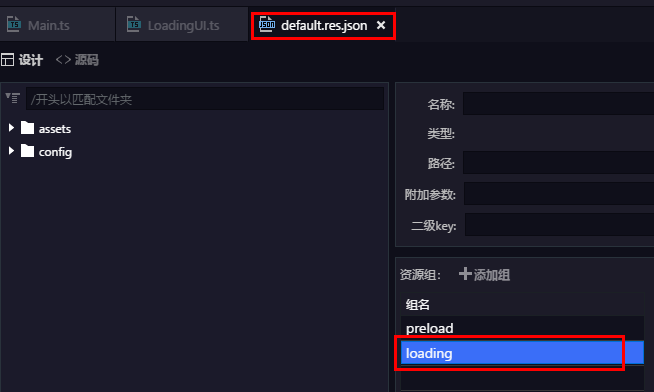
1.新建load界面需要的资源组loading
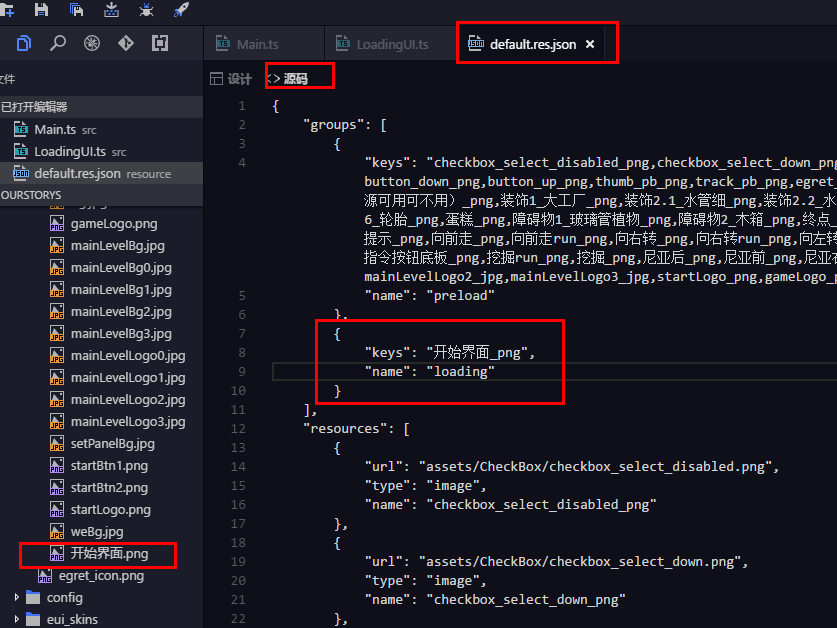
2.添加load界面需要的图片,并加入配置表相应位置
3.main中添加代码:
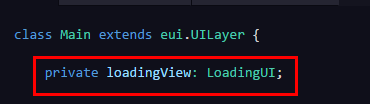
private loadingView: LoadingUI;
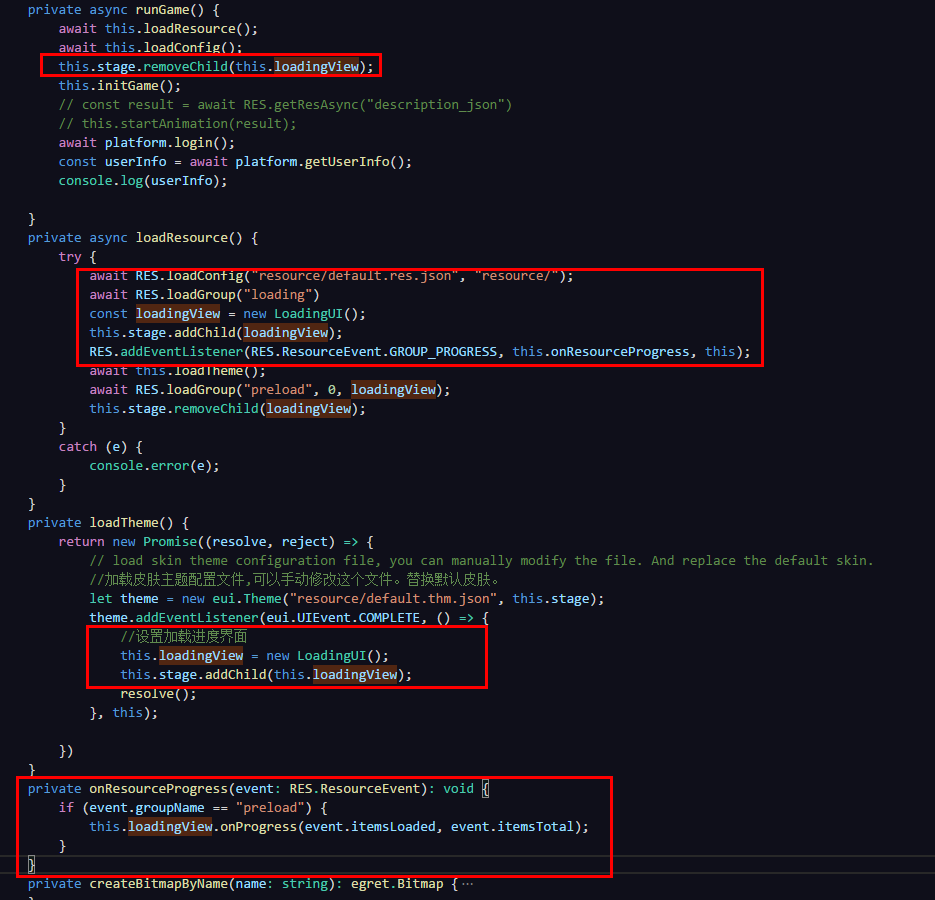
1private async runGame() {
2        await this.loadResource();
3        await this.loadConfig();
4        this.stage.removeChild(this.loadingView);
5        this.initGame();
6        // const result = await RES.getResAsync("description_json")
7        // this.startAnimation(result);
8        await platform.login();
9        const userInfo = await platform.getUserInfo();
10        console.log(userInfo);
11
12    }
13    private async loadResource() {
14        try {
15            await RES.loadConfig("resource/default.res.json", "resource/");
16            await RES.loadGroup("loading")
17            const loadingView = new LoadingUI();
18            this.stage.addChild(loadingView);
19            RES.addEventListener(RES.ResourceEvent.GROUP_PROGRESS, this.onResourceProgress, this);
20            await this.loadTheme();
21            await RES.loadGroup("preload", 0, loadingView);
22            this.stage.removeChild(loadingView);
23        }
24        catch (e) {
25            console.error(e);
26        }
27    }
28    private loadTheme() {
29        return new Promise((resolve, reject) => {
30            // load skin theme configuration file, you can manually modify the file. And replace the default skin.
31            //加载皮肤主题配置文件,可以手动修改这个文件。替换默认皮肤。
32            let theme = new eui.Theme("resource/default.thm.json", this.stage);
33            theme.addEventListener(eui.UIEvent.COMPLETE, () => {
34                //设置加载进度界面
35                this.loadingView = new LoadingUI();
36                this.stage.addChild(this.loadingView);
37                resolve();
38            }, this);
39
40        })
41    }
42    private onResourceProgress(event: RES.ResourceEvent): void {
43        if (event.groupName == "preload") {
44            this.loadingView.onProgress(event.itemsLoaded, event.itemsTotal);
45        }
46    }
4.在LoadingUI中修改代码为:
1class LoadingUI extends egret.Sprite implements RES.PromiseTaskReporter {
2
3    public constructor() {
4        super();
5        if (!this.pBar) {
6            this.createView();
7        }
8    }
9    private pBar: eui.ProgressBar;
10    private bg:egret.Bitmap;
11
12
13    private async createView(){
14
15        this.bg=new egret.Bitmap();
16        this.bg.texture=RES.getRes("开始界面_png");
17        // this.bg.width=this.stage.stageWidth;
18        // this.bg.height=this.stage.stageHeight;
19        this.addChild(this.bg);
20
21        this.pBar = new eui.ProgressBar();
22        this.pBar.x = 400;
23        this.pBar.y = 600;
24        this.pBar.width = 1000;
25        this.pBar.height = 40;
26        this.pBar.maximum = 100;
27        this.pBar.minimum = 0;
28        this.pBar.value = 0;
29        this.addChild(this.pBar);
30    }
31    private createBitmapByName(name: string): egret.Bitmap {
32        var result: egret.Bitmap = new egret.Bitmap();
33        var texture: egret.Texture = RES.getRes(name);
34        result.texture = texture;
35        return result;
36    }
37    public onProgress(current: number, total: number): void {
38        if (this.pBar.labelDisplay != null || this.pBar.labelDisplay != undefined) {
39            // egret.log("加载进度条~~~~~");
40            this.pBar.labelDisplay.textColor = 0xff0000;
41            this.pBar.value = current;
42        }
43
44    }
45}
至此,自定义加载界面完成,当然,你还可以根据自己喜爱添加,修改加载界面布局