
FastReport报表MVC使用步骤如下:
1、创建MVC网站项目
最终DEMO如下图所示
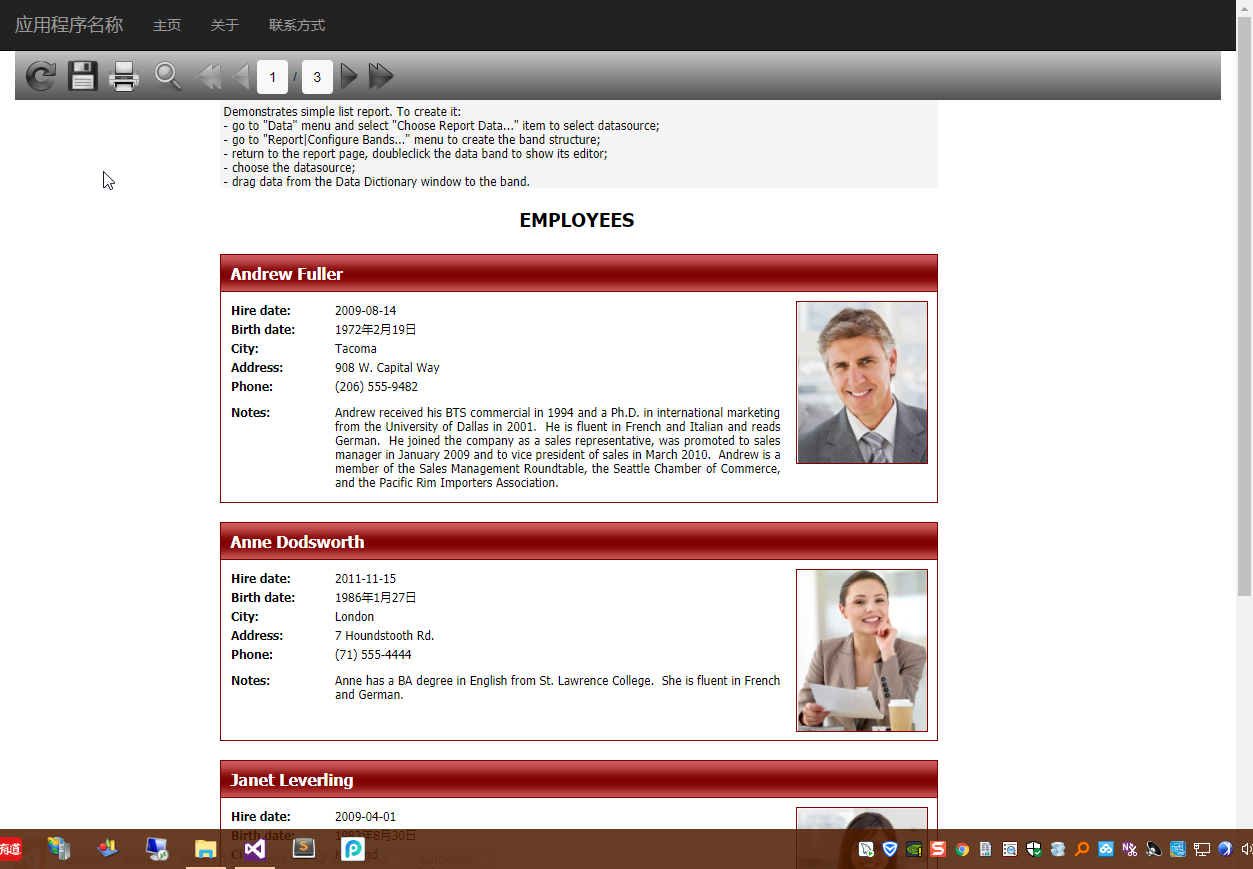
2、引用相关DLL
FastReport.dll
FastReport.Web.dll
3、Web.config中增加配置
1<system.webServer>
2    <handlers>
3        <add name="FastReport-Export" path="FastReport.Export.axd" verb="*" type="FastReport.Web.Handlers.WebExport" />
4    </handlers>
5</system.webServer>
4、Action代码
1 1     public class HomeController : Controller
2 2     {
3 3         public ActionResult Index()
4 4         {
5 5             var webReport = new WebReport();
6 6
7 7             var dataPath= Server.MapPath("~/frAssets/Reports/nwind.xml");
8 8             var dataSet = new System.Data.DataSet();
9 9             dataSet.ReadXml(dataPath);
1010             webReport.Report.RegisterData(dataSet, "NorthWind");
1111
1212             var reportPath = Server.MapPath("~/frAssets/Reports/SimpleList.frx");
1313             webReport.Report.Load(reportPath);
1414
1515             webReport.Width = Unit.Percentage(100);
1616             webReport.Height = Unit.Percentage(100);
1717             //设置Toobar图标样式
1818             webReport.ToolbarIconsStyle = ToolbarIconsStyle.Black;//ToolbarIconsStyle.Custom;
1919             //设置Background样式
2020             webReport.ToolbarBackgroundStyle = ToolbarBackgroundStyle.Medium;
2121             //设置自定义按钮图片路径
2222             webReport.ButtonsPath = "/frAssets/Buttons/";
2323             //本地化文件
2424             webReport.LocalizationFile = "/frAssets/Localization/Chinese (Simplified).frl";
2525             webReport.PrintInPdf = false;
2626             ViewBag.WebReport = webReport;
2727             return View();
2828         }
2929
3030     }
5、View中引入样式
11 @WebReportGlobals.Scripts()
22 @WebReportGlobals.Styles()
6、View中添加报表呈现代码
11 <div id="report-wrapper">
22     @ViewBag.WebReport.GetHtml()
33 </div>
7、报表居中样式处理
1    <style type="text/css">
2        html > /**/ body .container {
3            margin: 0;
4            max-width: 100%;
5        }
6
7        #report-wrapper .frtoolbar {
8            width: 100%;
9        }
10
11        #report-wrapper #frbody {
12            text-align: center;
13        }
14
15            #report-wrapper #frbody > div {
16                margin: 0 auto;
17            }
18
19        html > /**/ body #report-wrapper span > div > div {
20            display: block;
21            text-align: center;
22        }
23    </style>
8、项目Demo源码
https://files.cnblogs.com/files/WangHuaiSheng/FastReportMvcDemo.7z

文章作者:花生(OutMan)
发布地址:http://www.cnblogs.com/WangHuaiSheng/
发布时间:2018年3月15日
本文版权归作者和博客园共有,欢迎转载,
但未经作者同意必须保留此段声明,
且在文章页面明显位置给出原文连接。