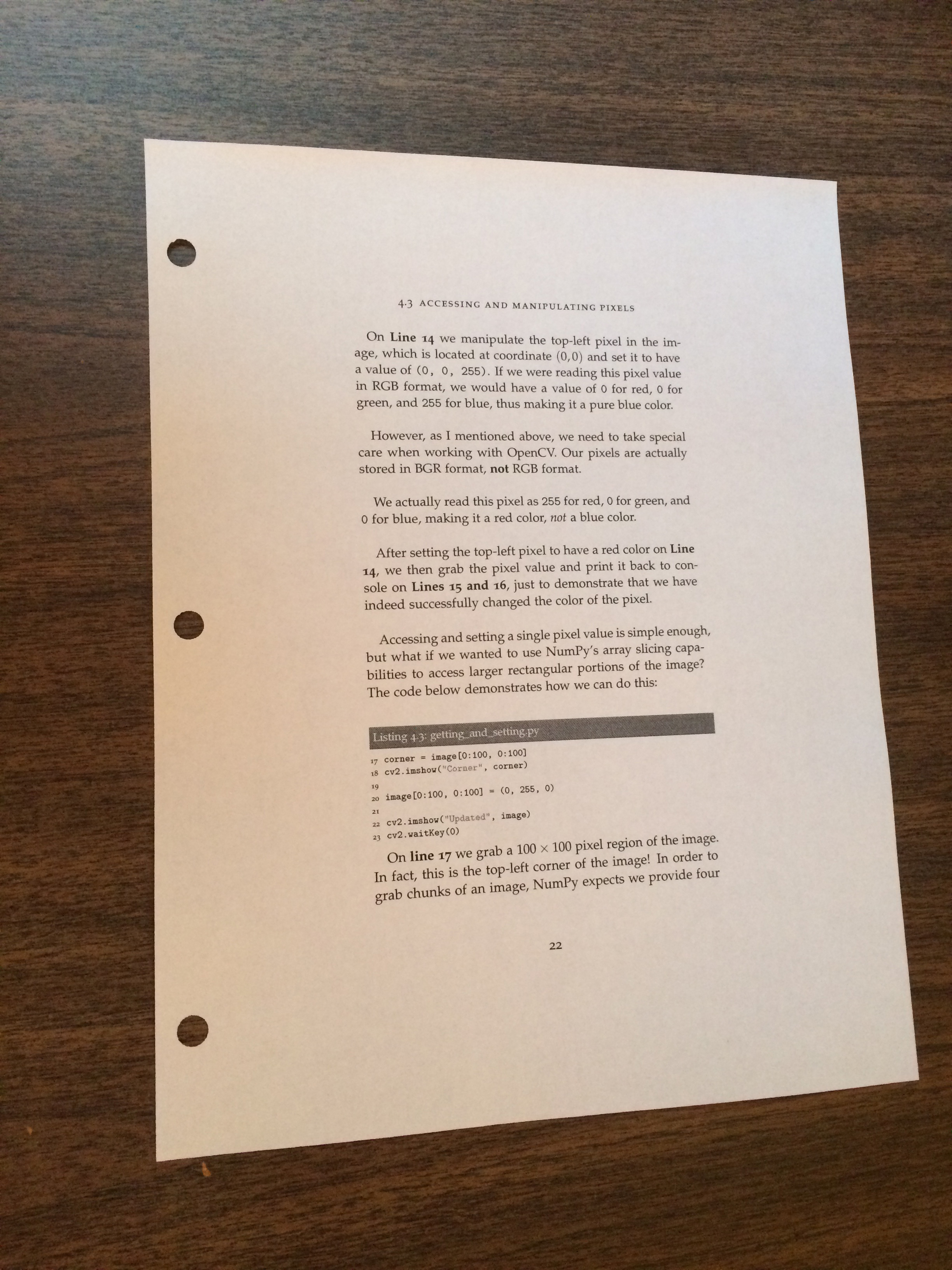
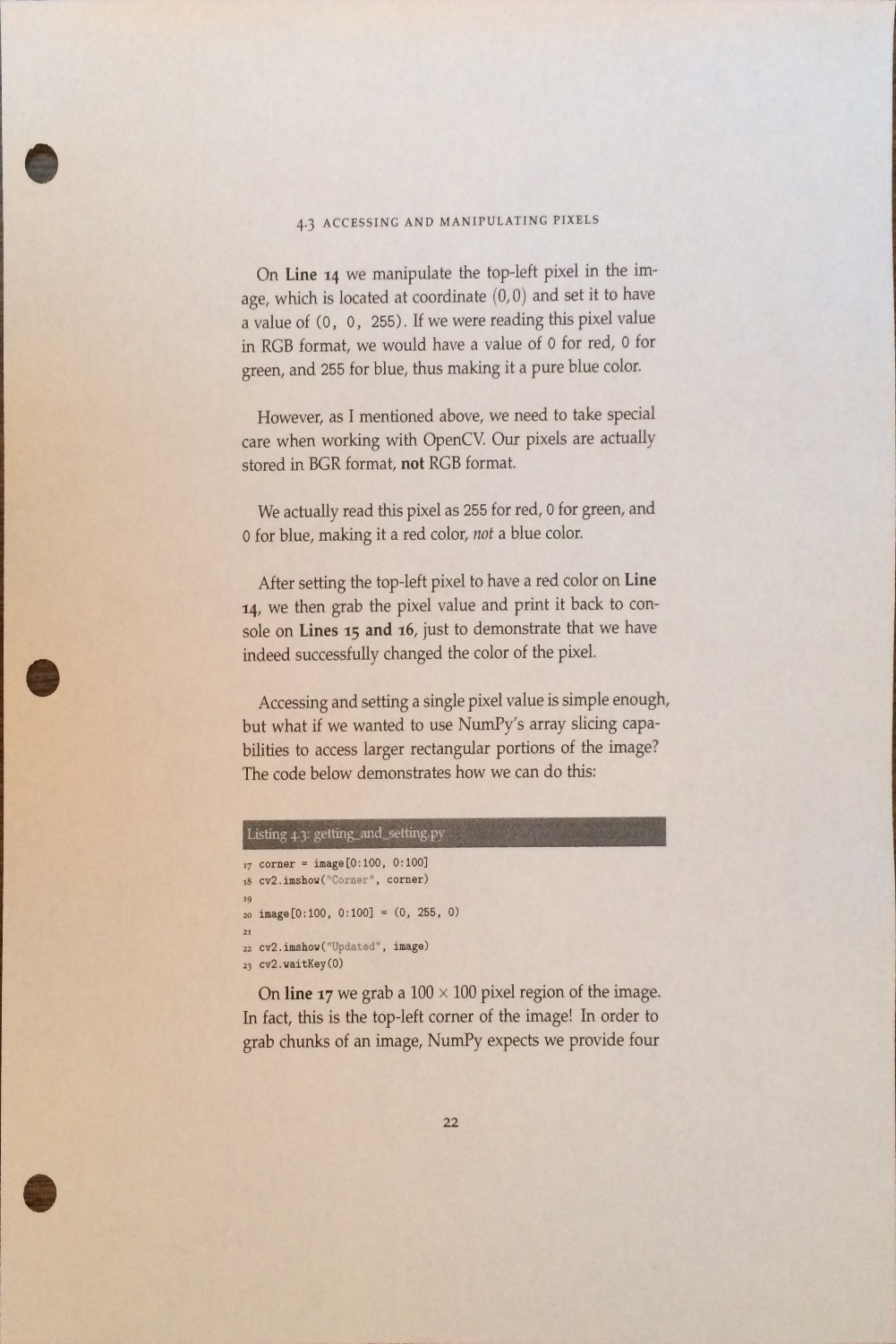
1 1 # Author:Winter Liu is coming!
2 2 import cv2 as cv
3 3 import numpy as np
4 4 import pytesseract
5 5
6 6
7 7 # 预处理,高斯滤波(用处不大),4次开操作
8 8 # 过滤轮廓唯一
9 9 def contour_demo(img):
1010     gray = cv.cvtColor(img, cv.COLOR_BGR2GRAY)
1111     gray = cv.GaussianBlur(gray, (5, 5), 1)
1212     ref, thresh = cv.threshold(gray, 127, 255, cv.THRESH_BINARY)
1313     kernel = np.ones((9, 9), np.uint8)
1414     thresh = cv.morphologyEx(thresh, cv.MORPH_OPEN, kernel, iterations=4)
1515     contours, hierachy = cv.findContours(thresh, cv.RETR_EXTERNAL, cv.CHAIN_APPROX_SIMPLE)
1616     print(len(contours))
1717     return contours
1818
1919
2020 def capture(img):
2121     contours = contour_demo(img)
2222     # 轮廓唯一,以后可以扩展
2323     contour = contours[0]
2424     # 求周长,可在后面的转换中使用周长和比例
2525     print(cv.arcLength(contour,True))
2626     img_copy = img.copy()
2727     # 使用approxPolyDP,将轮廓转换为直线,22为精度(越高越低),TRUE为闭合
2828     approx = cv.approxPolyDP(contour, 22, True)
2929     # print(approx.shape)
3030     # print(approx)
3131     # cv.drawContours(img_copy, [approx], -1, (255, 0, 0), 15)
3232     n = []
3333     # 生产四个角的坐标点
3434     for x, y in zip(approx[:, 0, 0], approx[:, 0, 1]):
3535         n.append((x, y))
3636     p1 = np.array(n, dtype=np.float32)
3737     # 对应点
3838     p2 = np.array([(0, 0), (0, 1500), (1000, 1500), (1000, 0)], dtype=np.float32)
3939     M = cv.getPerspectiveTransform(p1, p2) # 变换矩阵
4040     # 使用透视变换
4141     result = cv.warpPerspective(img_copy, M, (0, 0))
4242     # 重新截取
4343     result = result[:1501, :1001]
4444     cv.imwrite(r"C:\PycharmProjects\OpenCV\pic\ocr.png", result)
4545     return result
4646
4747
4848 # 图像识别代码,需要预先下载安装开源工具包 pytesseract,配置环境变量
4949 # pip install pytesseract
5050 # 修改“C:\Python\Python37\Lib\site-packages\pytesseract\pytesseract.py”中“cmd”为绝对路径
5151 def ocr_img(img):
5252     gray = cv.cvtColor(img, cv.COLOR_BGR2GRAY)
5353     # 图像清晰度越高结果越精确,时间更长
5454     text = pytesseract.image_to_string(gray)
5555     print(text)
5656
5757
5858 src = cv.imread(r"C:\PycharmProjects\OpenCV\pic\page.jpg")
5959 res = capture(src)
6060 ocr_img(res)
6161 cv.waitKey(0)
6262 cv.destroyAllWindows()