
配置类
package com.zz.config;
import org.springframework.beans.factory.annotation.Value;
import org.springframework.context.annotation.Configuration;
import org.springframework.web.servlet.config.annotation.ResourceHandlerRegistry;
import org.springframework.web.servlet.config.annotation.WebMvcConfigurerAdapter;
@Configuration
public class WebAppConfig extends WebMvcConfigurerAdapter {
@Value("${imagesPath}")
private String mImagesPath;
@Override
public void addResourceHandlers(ResourceHandlerRegistry registry) {
if(mImagesPath.equals("") || mImagesPath.equals("${imagesPath}")){
String imagesPath = WebAppConfig.class.getClassLoader().getResource("").getPath();
if(imagesPath.indexOf(".jar")>0){
imagesPath = imagesPath.substring(0, imagesPath.indexOf(".jar"));
}else if(imagesPath.indexOf("classes")>0){
imagesPath = "file:"+imagesPath.substring(0, imagesPath.indexOf("classes"));
}
imagesPath = imagesPath.substring(0, imagesPath.lastIndexOf("/"))+"/images/";
mImagesPath = imagesPath;
}
//LoggerFactory.getLogger(WebAppConfig.class).info("imagesPath="+mImagesPath);
registry.addResourceHandler("/images/**").addResourceLocations(mImagesPath);
// TODO Auto-generated method stub
super.addResourceHandlers(registry);
}
}
12345678910111213141516171819202122232425262728293031
配置文件设置外面路径地址
application.properties
## 图片上传真是地址
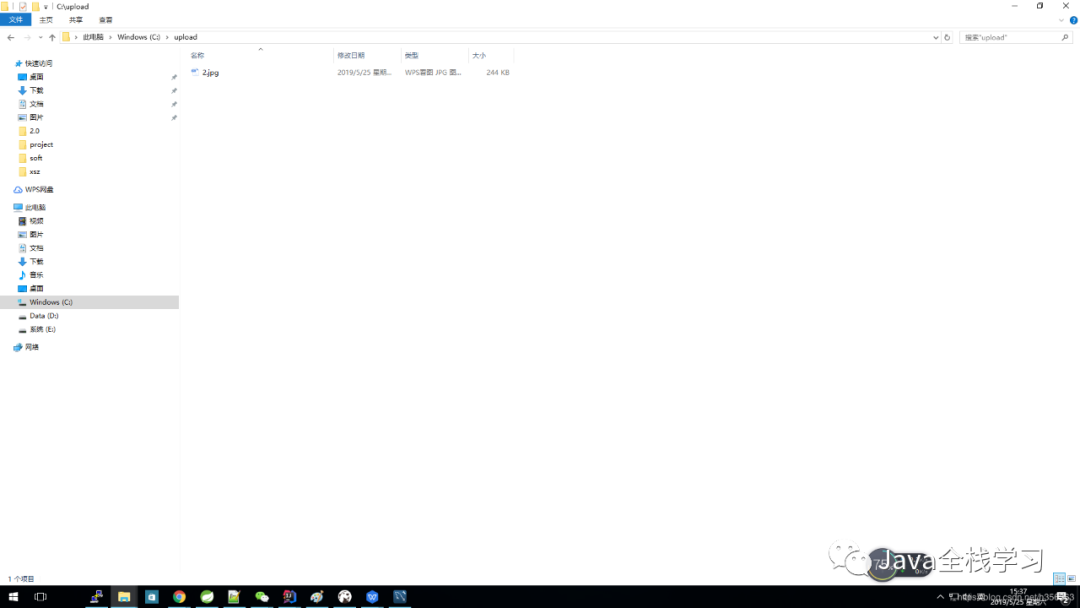
imagesPath=file:/C:/upload/
12
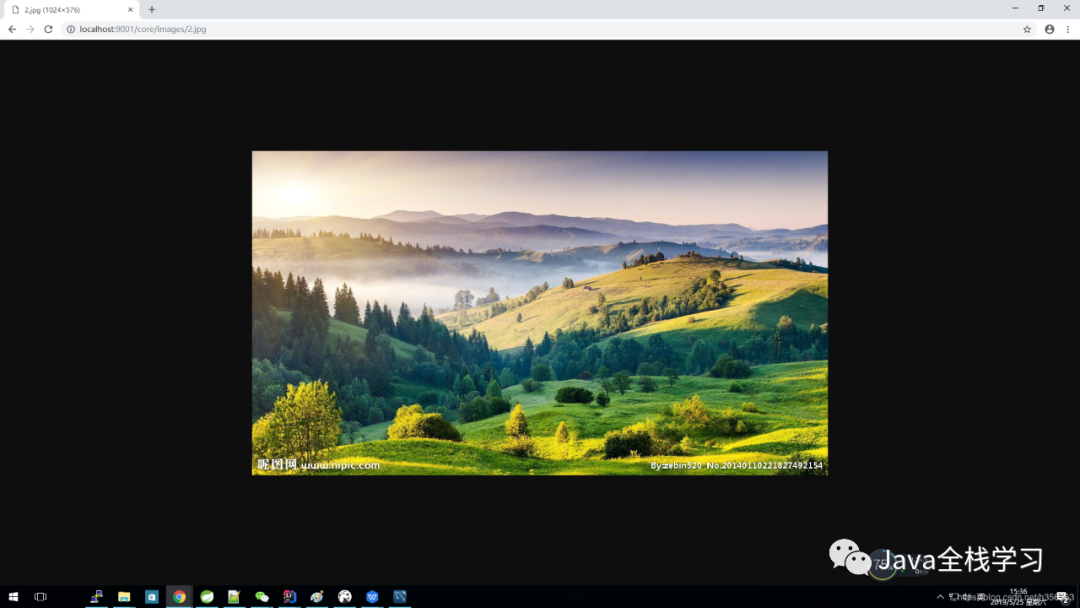
测试 访问图片路径:http://localhost:9001/core/images/2.jpg
————————————————
版权声明:本文为CSDN博主「bseayin」的原创文章,遵循CC 4.0 BY-SA版权协议,转载请附上原文出处链接及本声明。
原文链接:https://blog.csdn.net/h356363/article/details/90547998

图片实际存放路径:C:\upload
SpringBoot2.X
Springboot2 里面WebMvcConfigurerAdapter 已经过时。
推荐使用接口 WebMvcConfigurer 。
package com.cy.config;
import org.springframework.beans.factory.annotation.Value;
import org.springframework.context.annotation.Configuration;
import org.springframework.web.servlet.config.annotation.ResourceHandlerRegistry;
import org.springframework.web.servlet.config.annotation.WebMvcConfigurer;
@Configuration
public class WebAppConfig implements WebMvcConfigurer {
@Value("${imagesPath}")
private String mImagesPath;
@Override
public void addResourceHandlers(ResourceHandlerRegistry registry) {
if(mImagesPath.equals("") || mImagesPath.equals("${imagesPath}")){
String imagesPath = WebAppConfig.class.getClassLoader().getResource("").getPath();
if(imagesPath.indexOf(".jar")>0){
imagesPath = imagesPath.substring(0, imagesPath.indexOf(".jar"));
}else if(imagesPath.indexOf("classes")>0){
imagesPath = "file:"+imagesPath.substring(0, imagesPath.indexOf("classes"));
}
imagesPath = imagesPath.substring(0, imagesPath.lastIndexOf("/"))+"/images/";
mImagesPath = imagesPath;
}
//LoggerFactory.getLogger(WebAppConfig.class).info("imagesPath="+mImagesPath);
registry.addResourceHandler("/images/**").addResourceLocations(mImagesPath);
// TODO Auto-generated method stub
}
}
12345678910111213141516171819202122232425262728293031
跨域问题CORS 统一处理
package com.zz.config;
import org.springframework.context.annotation.Bean;
import org.springframework.context.annotation.Configuration;
import org.springframework.web.servlet.config.annotation.CorsRegistry;
import org.springframework.web.servlet.config.annotation.WebMvcConfigurer;
/**
* @Description: java类作用描述
* @Author: Bsea
* @CreateDate: 2019/10/9$ 21:33$
*/
@Configuration
public class CorsConfig {
@Bean
public WebMvcConfigurer corsConfigurer() {
return new WebMvcConfigurer() {
@Override
public void addCorsMappings(CorsRegistry registry) {
registry.addMapping("/**")
.allowedOrigins("*");//允许域名访问,如果*,代表所有域名
}
};
}
}
1234567891011121314151617181920212223242526
————————————————
版权声明:本文为CSDN博主「bseayin」的原创文章,遵循CC 4.0 BY-SA版权协议,转载请附上原文出处链接及本声明。
原文链接:https://blog.csdn.net/h356363/article/details/90547998
本文分享自微信公众号 - Java全栈学习(taoquanquansh)。
如有侵权,请联系 support@oschina.cn 删除。
本文参与“OSC源创计划”,欢迎正在阅读的你也加入,一起分享。