
版权声明:
- 本文原创发布于博客园"优梦创客"的博客空间(网址:
http://www.cnblogs.com/raymondking123/)以及微信公众号"优梦创客"(微信号:unitymaker) - 您可以自由转载,但必须加入完整的版权声明!
是男人就下一百层
一、游戏介绍
是男人就下100层这是一个很受欢迎的小游戏。设计者所取的游戏名称以及它特有的挑战性令几乎所有的男同胞们都一如既往的去暴机,这个游戏同样也吸引了广大的女性,相当有挑战性。
- 中文名 是男人就下100层
- 原版名称 man down
- 游戏类型 休闲游戏
使用方向键左右控制小人,要防止被托上去挤死,防止掉下去摔死以及防止踩到陷阱。
二、场景搭建
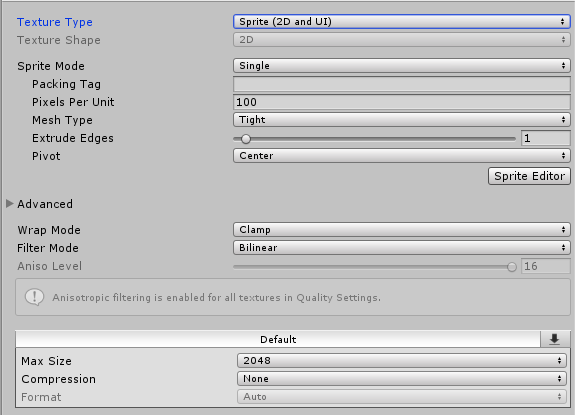
- 导入游戏资源,确保Sprites文件夹里的资源的Texture Type为Sprite
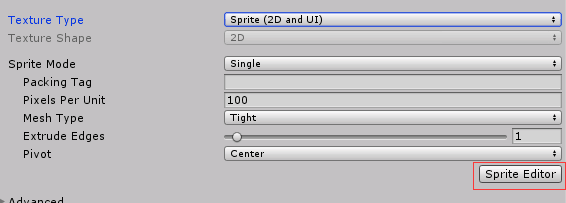
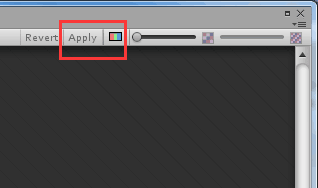
- 打开Sprite Mode的Sprite Editor,对图片进行切割,点击Apply进行保存。
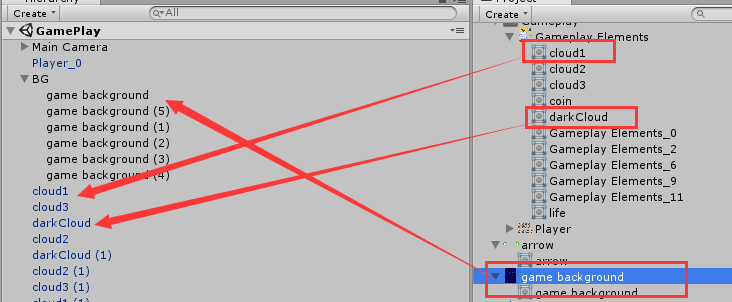
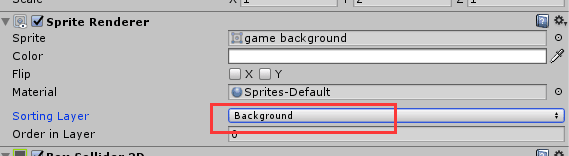
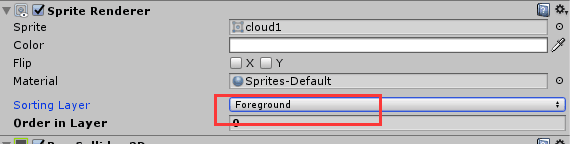
- 将云彩(cloud、darkcloud)、背景图(game background)拖进场景,其中背景图为背景(Background),其他作为前景(Foreground)。
三、主角设置
1.拖入主角
将主角拖入场景之中并将其命名为Player,将主角Player设置在Foreground前景层。 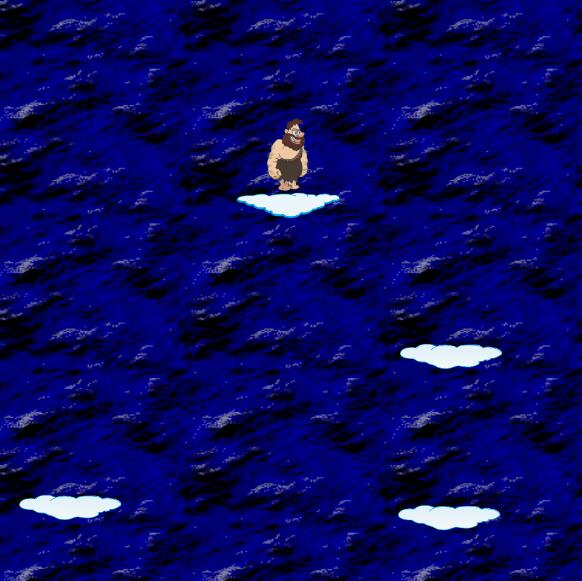
2.主角动画
打开动画控制器,创建主角的动画walk动画和Idel动画。把主角图片拖到时间轴上其中walk动画每0.01秒一张。Idel动画只需要拖一张。 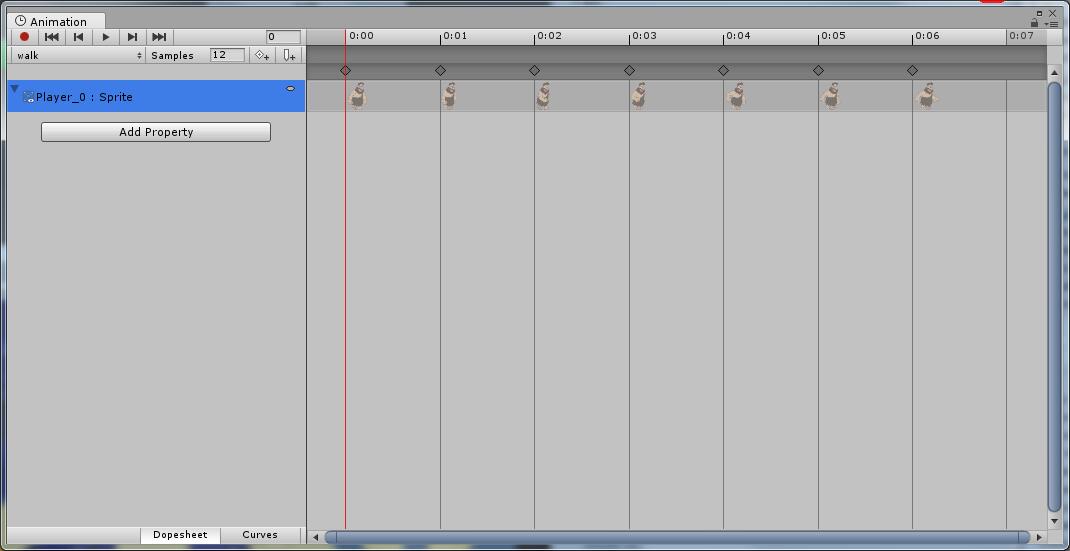
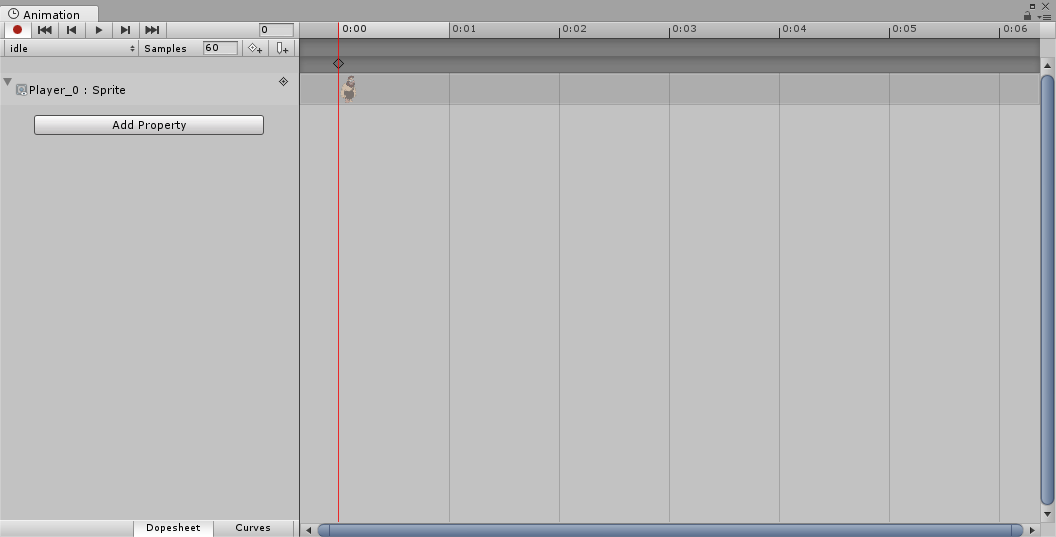
3.主角移动的实现
- 给主角添加刚体(Rigidbody 2D)、添加碰撞器(box Collider 2D)
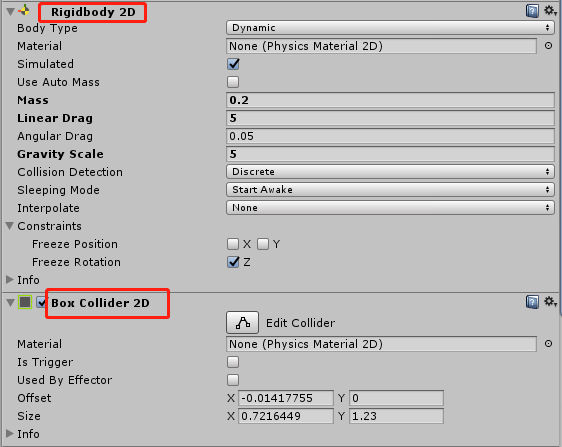
-
给主角添加脚本Player。给角色设置一个最大速度maxSpeed。设置一个力量force。保存Rigidbody 2D 通过Horizontal取得水平上的按键0=什么也没按。1=右键。2=左键.
1public float MaxSpeed = 4;
2public float Force = 4;
3public Rigidbody2D mybody;
4
5
6
7 void PlayerMove()
8    {
9        var x = Input.GetAxis("Horizontal");
10
11        var xforce = 0.0f;
12
13        if(x > 0)
14        {
15            xforce = Force*x;
16            myAnimator.SetBool("walk", true);
17            this.gameObject.transform.localScale = new Vector3(1, 1, 1);
18        }
19        else if(x < 0)
20        {
21            xforce = Force*x;
22            myAnimator.SetBool("walk", true);
23            this.gameObject.transform.localScale = new Vector3(-1, 1, 1);
24        }
25        else
26        {
27            xforce = 0;
28            myAnimator.SetBool("walk", false);
29        }
30
31        var xspeed = mybody.velocity.x;
32        if(Mathf.Abs(xspeed) >= MaxSpeed) {
33            if(xforce * xspeed > 0) {
34                xforce = 0;
35            }
36        }
37
38        mybody.AddForce(new Vector2(xforce, 0));
39    }
四、云彩设置
1.将云彩拖入场景
将云彩拖入场景之中并将其命名为cloud和darkcloud将云彩cloud和darkcloud设置在Background背景层。 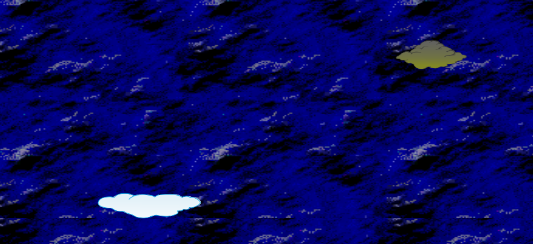
2.设置云彩的生成
给云彩添加碰撞体Box Collider 2D,添加脚本CloudSpawn,建立cloud预制体和主角预制体player_0。将预制体Cloud和player_0拖入,Cloud 、player中。确保min x、max x、Distance Y、LastCloud Y的值。
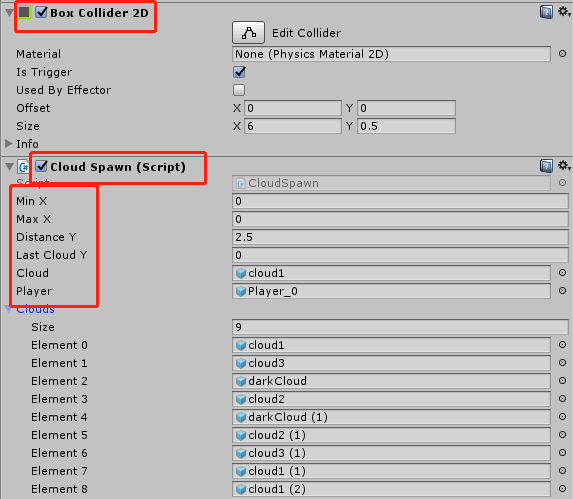
1 void CreateClouds()
2    {
3        var worldSize = Camera.main.ScreenToWorldPoint(new Vector3(Screen.width, Screen.height, 0));
4
5        var worldSize2 = Camera.main.ScreenToWorldPoint(new Vector3(0, 0, 0));
6
7        minX = worldSize2.x + 1f;
8        maxX = worldSize.x - 1f;
9
10        lastCloudY = 0;
11        for (var i = 0; i < clouds.Count; i++)
12        {
13            var cloud = clouds [i];
14            Vector3 pos;
15            float x = 0;
16            if (controlCloud == 0)
17            {
18                x = Random.Range(0, maxX);
19                controlCloud = 1;
20            }
21            else if (controlCloud == 1)
22            {
23                x = Random.Range(minX, 0);
24                controlCloud = 2;
25            }
26            else if (controlCloud == 2)
27            {
28                x = Random.Range(1, maxX);
29                controlCloud = 3;
30            }
31            else if (controlCloud == 3)
32            {
33                x = Random.Range(minX, -1);
34                controlCloud = 0;
35            }
36            pos = new Vector3(x, lastCloudY, 0);
37            cloud.transform.localPosition = pos;
38
39            lastCloudY -= distanceY;
40
41        }
42
43    }
3.设置云彩的特殊功能
设置游戏角色player碰到darkCloud就会死亡
五、设置背景的滚动
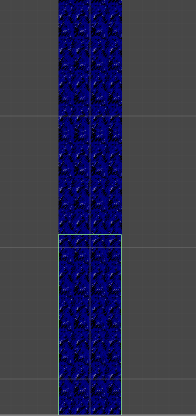
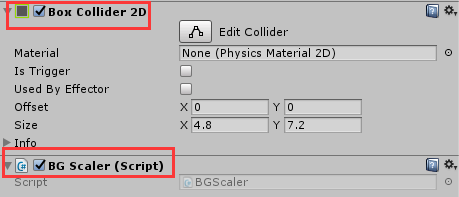
游戏背景需要不断滚动,先把游戏背景图片再复制两份再把复制的背景拼接好注意不要留缝隙,再给图片添加碰撞体(Box Collider 2D)和脚本BG Scaler
1void Start () {
2        SpriteRenderer sp = this.gameObject.GetComponent<SpriteRenderer>();
3        float width = sp.bounds.size.x;
4
5
6        float swidth = Screen.width;
7        float sheight = Screen.height;
8        Debug.Log(swidth+" : "+sheight);
9
10        float sz = Camera.main.orthographicSize;
11        float sc = sheight/swidth;
12
13
14        float cameraHeight = sz*2;
15        float cameraWidth = cameraHeight/(sc);
16
17        float spriteScale = cameraWidth/width;
18        this.transform.localScale = new Vector3(spriteScale, 2, 0);
19	}
五、角色死亡
设置游戏角色player碰到darkcloud就死亡和碰到游戏上下bound死亡。
1    if (other.gameObject.tag == "darkCloud")
2		{
3
4			var cs = Camera.main.GetComponent<CameraScript> ();
5			cs.enabled = false;
6			transform.localPosition = new Vector3 (1000, 1000, 0);
7			//GameController.Instance.ShowGameOver (score, CoinCount);
8
9            AudioSource.PlayClipAtPoint(dealSound, transform.position);
10
11			LifeCount--;
12
13			GameManager.Instance.CheckGameState (LifeCount, CoinCount, score);
14		}
15
16    else if (other.gameObject.tag == "bound")
17        {
18            var cs = Camera.main.GetComponent<CameraScript>();
19            cs.enabled = false;
20            transform.localPosition = new Vector3(1000, 1000, 0);
21            //GameController.Instance.ShowGameOver(score, CoinCount);
22
23            AudioSource.PlayClipAtPoint(dealSound, transform.position);
24
25            LifeCount--;
26
27            GameManager.Instance.CheckGameState(LifeCount, CoinCount, score);
28        }
六、背景音乐
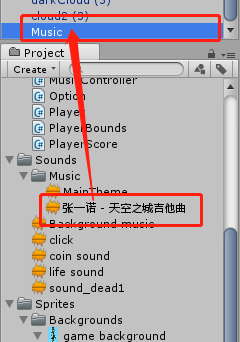
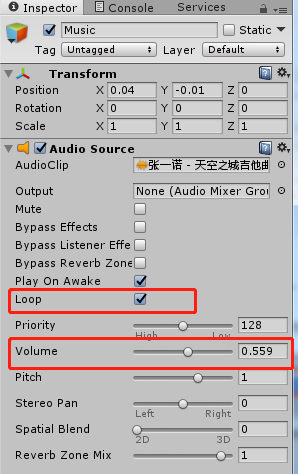
先新建一个空节点命名为Music,在文件夹中找到音乐天空之城将其拉入Music选择循环播放(Loop),适当选择音量(Volime)。
七、扩展方向
- 增加血量扣血
- 增加道具吃道具加分
- 添加敌人
- 当层数越来越多时候速度越来越快