
Cypher语句描述了如何使用Cypher语法操作图中的节点、关系和路径等元素,以下列举了一些常用的操作语句。
1. 查询操作Match语句
1.1 查询所有节点
MATCH(n) RETURN n
1.2 查询所有带标签的节点
1MATCH(carSeries:CarSeries)
2RETURN carSeries.name
返回内容
1carSeries.name
2"宝马1系"
3"宝马2系"
4"宝马3系"
1.3 查询所有的节点并返回关联的节点
查询宝马5系下面有哪些车型
1MATCH (carSeries {name: '宝马5系'})-[]-(carTye)
2RETURN carTye.carTypeName
返回结果
1carTye.carTypeName
2"2020款525L钻石款"
3"2020款525L豪华款"
4"2020款525L运动款"
1.4 查询节点关联的标签
1MATCH (:CarSeries {name: '宝马5系'})-[]-(carTye:CarType)
2RETURN carTye.carTypeName
1.5 查询节点带指向关系
1MATCH (:CarSeries {name: '宝马5系'})-[]->(carTye)
2RETURN carTye.carTypeName
1.6 查询返回关系
1MATCH (:CarSeries {name: '宝马5系'})-[r]->(carTye)
2RETURN type(r)
返回内容
1type(r)
2"include"
3"include"
4"include"
1.7 根据关系类型查询
查询供应M34型号底盘的供应商
1MATCH (:CarChassis {chassisName: 'M34'})<-[:supplier]-(supplier)
2RETURN supplier.supplierName
3
4supplier.supplierName
5"摩比斯"
6"摩比斯"
1.8 查询多层关系
1MATCH p = (carBrand{brandName:'宝马'}) - [:include*2] - (carType)
2RETURN relationships(p)
返回结果
1elationships(p)
2[
3{
4  "identity": 8,
5  "start": 16,
6  "end": 20,
7  "type": "include",
8  "properties": {
9
10  }
11}
12,
13{
14  "identity": 17,
15  "start": 20,
16  "end": 29,
17  "type": "include",
18  "properties": {
19
20  }
21}
22]
23[
24{
25  "identity": 8,
26  "start": 16,
27  "end": 20,
28  "type": "include",
29  "properties": {
30
31  }
32}
33,
34{
35  "identity": 18,
36  "start": 20,
37  "end": 30,
38  "type": "include",
39  "properties": {
40
41  }
42}
43]
44[
45{
46  "identity": 8,
47  "start": 16,
48  "end": 20,
49  "type": "include",
50  "properties": {
51
52  }
53}
54,
55{
56  "identity": 19,
57  "start": 20,
58  "end": 31,
59  "type": "include",
60  "properties": {
61
62  }
63}
64]
65[
66{
67  "identity": 8,
68  "start": 16,
69  "end": 20,
70  "type": "include",
71  "properties": {
72
73  }
74}
75,
76{
77  "identity": 20,
78  "start": 20,
79  "end": 32,
80  "type": "include",
81  "properties": {
82
83  }
84}
85]
86[
87{
88  "identity": 10,
89  "start": 16,
90  "end": 22,
91  "type": "include",
92  "properties": {
93
94  }
95}
96,
97{
98  "identity": 21,
99  "start": 22,
100  "end": 33,
101  "type": "include",
102  "properties": {
103
104  }
105}
106]
107[
108{
109  "identity": 10,
110  "start": 16,
111  "end": 22,
112  "type": "include",
113  "properties": {
114
115  }
116}
117,
118{
119  "identity": 22,
120  "start": 22,
121  "end": 34,
122  "type": "include",
123  "properties": {
124
125  }
126}
127]
128[
129{
130  "identity": 10,
131  "start": 16,
132  "end": 22,
133  "type": "include",
134  "properties": {
135
136  }
137}
138,
139{
140  "identity": 23,
141  "start": 22,
142  "end": 35,
143  "type": "include",
144  "properties": {
145
146  }
147}
148]
1.9 根据节点Id或关系ID查询
1MATCH(n)
2WHERE id(n)=22
3RETURN n
根据关系ID查询
1MATCH()-[r]->()
2where id(r)=8
3RETURN r
返回关系结果
1r
2{
3  "identity": 8,
4  "start": 16,
5  "end": 20,
6  "type": "include",
7  "properties": {
8
9  }
10}
2. 可选查询OPTIONAL MATCH语句
OPTIONAL MATCH与MATCH语句类型,不同的是,如果查询没有匹配到结果的话就会返回 null 。在这点上,OPTIONAL MATCH有些像SQL中的 out join 语句。
OPTIONAL MATCH的表现方式与WHERE语句类似,具体体现效果请看下面内容。
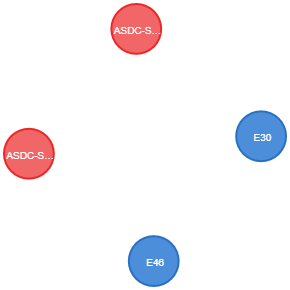
2.1 查询宝马 2020款320L运动款 下面关联的节点
1MATCH(a:CarType{carTypeName:'2020款320L运动款'})
2OPTIONAL MATCH(a)-[]->(x)
3RETURN x
3. 返回RETURN语句
3.1 返回所有的对象
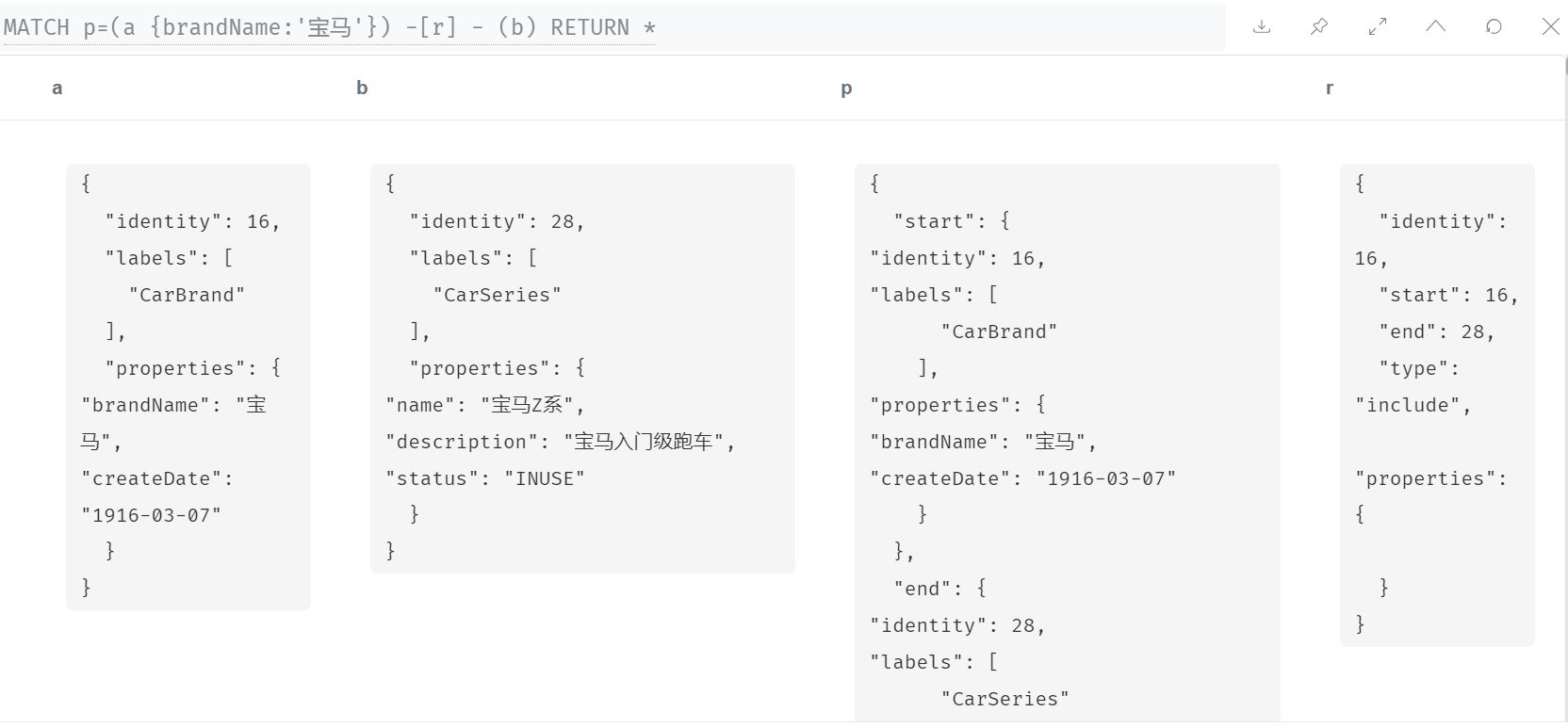
1MATCH p=(a {brandName:'宝马'}) -[r] - (b)
2RETURN *
返回结果
3.2 返回多个表达式
1MATCH (a {brandName:'宝马'})
2RETURN a.brandName, "牛逼Class", (a)-[]-()
返回结果
a.brandName
"牛逼Class"
(a)-[]-()
"宝马"
"牛逼Class"
[
{ "start": { "identity": 16, "labels": [ "CarBrand" ], "properties": { "brandName": "宝马", "createDate": "1916-03-07" } }, "end": { "identity": 28, "labels": [ "CarSeries" ], "properties": { "name": "宝马Z系", "description": "宝马入门级跑车", "status": "INUSE" } }, "segments": [ { "start": { "identity": 16, "labels": [ "CarBrand" ], "properties": { "brandName": "宝马", "createDate": "1916-03-07" } }, "relationship": { "identity": 16, "start": 16, "end": 28, "type": "include", "properties": {
1    }
2  },
3  "end": {
"identity": 28, "labels": [ "CarSeries" ], "properties": { "name": "宝马Z系", "description": "宝马入门级跑车", "status": "INUSE" } } } ], "length": 1.0 }
,
{ "start": { "identity": 16, "labels": [ "CarBrand" ], "properties": { "brandName": "宝马", "createDate": "1916-03-07" } }, "end": { "identity": 27, "labels": [ "CarSeries" ], "properties": { "name": "宝马X系", "description": "宝马SUV车", "status": "INUSE" } }, "segments": [ { "start": { "identity": 16, "labels": [ "CarBrand" ], "properties": { "brandName": "宝马", "createDate": "1916-03-07" } }, "relationship": { "identity": 15, "start": 16, "end": 27, "type": "include", "properties": {
1    }
2  },
3  "end": {
"identity": 27, "labels": [ "CarSeries" ], "properties": { "name": "宝马X系", "description": "宝马SUV车", "status": "INUSE" } } } ], "length": 1.0 }
]
4. WITH 语句
with从句可以连接多个查询的结果,将上一个查询的结果用作下一个查询的开始。
WITH语句的两种常用方法:
- 通过使用oder by 和limit,with可以限制传入下一个match子查询语句的实体数目。
- 对聚合值过滤。
4.1 对聚合结果进行过滤
1MATCH(carBrand{brandName: '宝马'})-[]-(unkonwnNode)-[]->()
2WITH unkonwnNode, count(*) as cn
3WHERE cn>1
4RETURN unkonwnNode.id
4.2 Order 排序
1MATCH(n) WITH n
2ORDER BY n.id DESC
3LIMIT 3
4RETURN n
4.3 路径搜索限制分支数
1MATCH(n{name:'宝马3系'})-[]-(m)
2WITH m
3ORDER BY m.name DESC
4LIMIT 1
5MATCH (m)-[]-(o)
6RETURN o.name
5. WHERE语句
1MATCH(n)
2WHERE n.name='Peter' XOR (n.age<30 AND n.name='Fucky') OR NOT (n.name='Peter')
3RETURN n.name, n.age
6. ORDER BY语句
1MATCH(n)
2RETRUN n.length, n.name
3ORDER BY n.length
7. SKIP和LIMIT语句
1MATCH(n)
2RETURN n.name
3ORDER BY n.name
4SKIP 3
5LIMIT 2
8. DELETE 语句
DELETE语句用来删除图中的节点、关系或路径
1MATCH(n:Useless)
2DELETE n
9. REMOVE 语句
REMOVE语句用来移除节点的属性或者标签
1MATCH(address {name: 'zhangsan'})
2REMOVE address.age
3RETURN address