
还是实现如下布局

这次在StoryBoard里面,创建TableViewCell,并修改Identifier为cellname
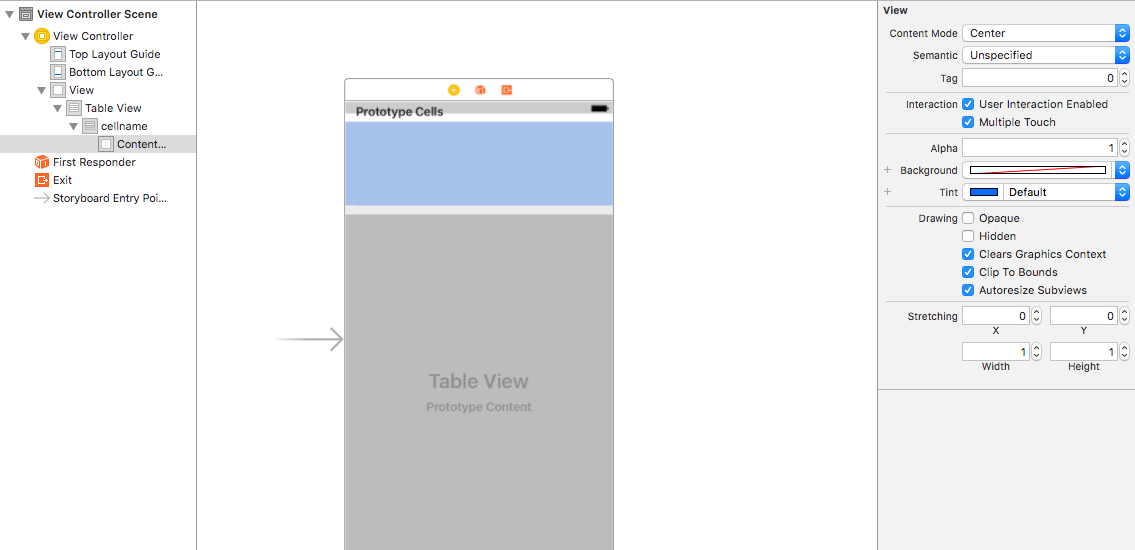
第二步:在VC中
1-(UITableViewCell *)tableView:(UITableView *)tableView cellForRowAtIndexPath:(NSIndexPath *)indexPath{
2    static NSString *cellname=@"cellname";
3    TableViewCell*cell=[tableView dequeueReusableCellWithIdentifier:cellname];
4//先判读Cell所在位置,在对应位置添加不同控件
5    if (indexPath.section==0) {
6        if (indexPath.row==0) {
7//用代码创建控件
8            UILabel*lable=[[UILabel alloc]initWithFrame:CGRectMake(20, 20, 65, 20)];
9            lable.text=@"姓名";
10            UITextField*tf=[[UITextField alloc]initWithFrame:CGRectMake(215, 5, 100, 30)];
11//添加到当前Cell中
12            [cell.contentView addSubview:lable];
13            [cell.contentView addSubview:tf];
14            }
15    }
16    return cell;
17
18   }
这里只举例说明,第一个Cell的控件创建方法,其余Cell的创建方法类推即可。