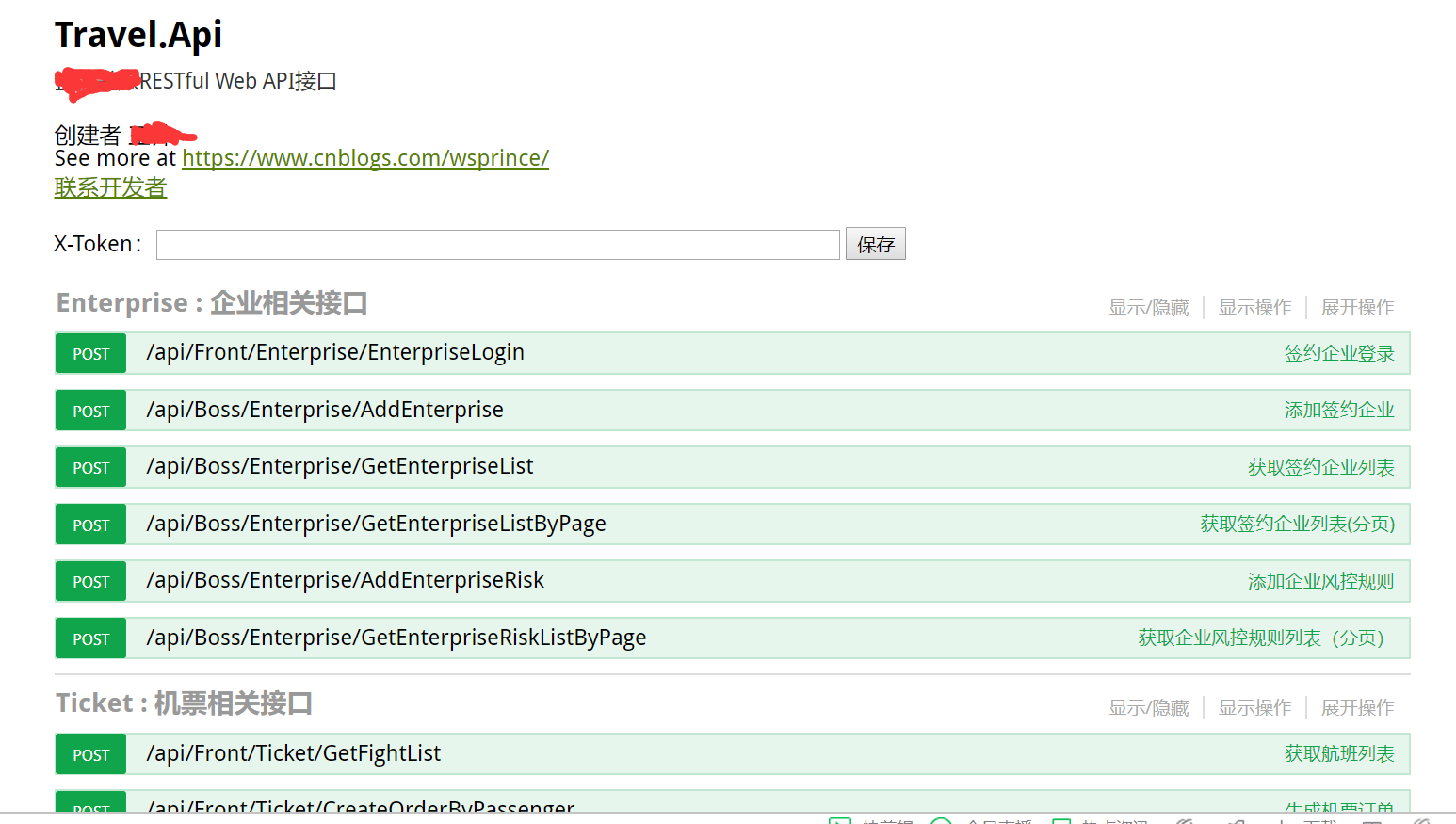
基本swagger使用不再详解,具体百度其它帖子
1.将汉化的swagger js文件复制到项目根目录中
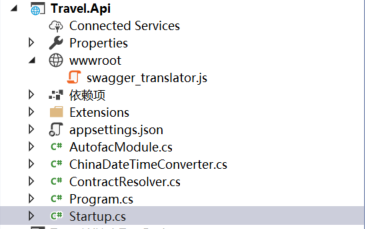
js代码如下
1  1 'use strict';
2  2
3  3 /**
4  4  * Translator for documentation pages.
5  5  *
6  6  * To enable translation you should include one of language-files in your index.html
7  7  * after <script src='lang/translator.js' type='text/javascript'></script>.
8  8  * For example - <script src='lang/ru.js' type='text/javascript'></script>
9  9  *
10 10  * If you wish to translate some new texsts you should do two things:
11 11  * 1. Add a new phrase pair ("New Phrase": "New Translation") into your language file (for example lang/ru.js). It will be great if you add it in other language files too.
12 12  * 2. Mark that text it templates this way <anyHtmlTag data-sw-translate>New Phrase</anyHtmlTag> or <anyHtmlTag data-sw-translate value='New Phrase'/>.
13 13  * The main thing here is attribute data-sw-translate. Only inner html, title-attribute and value-attribute are going to translate.
14 14  *
15 15  */
16 16 window.SwaggerTranslator = {
17 17     _words: [],
18 18
19 19     translate: function () {
20 20         var $this = this;
21 21         $('[data-sw-translate]').each(function () {
22 22             $(this).html($this._tryTranslate($(this).html()));
23 23             $(this).val($this._tryTranslate($(this).val()));
24 24             $(this).attr('title', $this._tryTranslate($(this).attr('title')));
25 25         });
26 26     },
27 27
28 28     _tryTranslate: function (word) {
29 29         return this._words[$.trim(word)] !== undefined ? this._words[$.trim(word)] : word;
30 30     },
31 31
32 32     learn: function (wordsMap) {
33 33         this._words = wordsMap;
34 34     }
35 35 };
36 36
37 37
38 38 /* jshint quotmark: double */
39 39 window.SwaggerTranslator.learn({
40 40     "Warning: Deprecated": "警告:已过时",
41 41     "Implementation Notes": "实现备注",
42 42     "Response Class": "响应类",
43 43     "Status": "状态",
44 44     "Parameters": "参数",
45 45     "Parameter": "参数",
46 46     "Value": "值",
47 47     "Description": "描述",
48 48     "Parameter Type": "参数类型",
49 49     "Data Type": "数据类型",
50 50     "Response Messages": "响应消息",
51 51     "HTTP Status Code": "HTTP状态码",
52 52     "Reason": "原因",
53 53     "Response Model": "响应模型",
54 54     "Request URL": "请求URL",
55 55     "Response Body": "响应体",
56 56     "Response Code": "响应码",
57 57     "Response Headers": "响应头",
58 58     "Hide Response": "隐藏响应",
59 59     "Headers": "头",
60 60     "Try it out!": "试一下!",
61 61     "Show/Hide": "显示/隐藏",
62 62     "List Operations": "显示操作",
63 63     "Expand Operations": "展开操作",
64 64     "Raw": "原始",
65 65     "can't parse JSON.  Raw result": "无法解析JSON. 原始结果",
66 66     "Model Schema": "模型架构",
67 67     "Model": "模型",
68 68     "apply": "应用",
69 69     "Username": "用户名",
70 70     "Password": "密码",
71 71     "Terms of service": "服务条款",
72 72     "Created by": "创建者",
73 73     "See more at": "查看更多:",
74 74     "Contact the developer": "联系开发者",
75 75     "api version": "api版本",
76 76     "Response Content Type": "响应Content Type",
77 77     "fetching resource": "正在获取资源",
78 78     "fetching resource list": "正在获取资源列表",
79 79     "Explore": "浏览",
80 80     "Show Swagger Petstore Example Apis": "显示 Swagger Petstore 示例 Apis",
81 81     "Can't read from server.  It may not have the appropriate access-control-origin settings.": "无法从服务器读取。可能没有正确设置access-control-origin。",
82 82     "Please specify the protocol for": "请指定协议:",
83 83     "Can't read swagger JSON from": "无法读取swagger JSON于",
84 84     "Finished Loading Resource Information. Rendering Swagger UI": "已加载资源信息。正在渲染Swagger UI",
85 85     "Unable to read api": "无法读取api",
86 86     "from path": "从路径",
87 87     "server returned": "服务器返回"
88 88 });
89 89 window.saveToken=function() {
90 90     var test_token = $("#customtoken").val();
91 91     localStorage.setItem("test_x_token", $("#customtoken").val());
92 92     $("input[name='X-Token']").val(test_token)
93 93 }
94 94
95 95 $(function () {
96 96     window.SwaggerTranslator.translate();
97 97     //token保存
98 98     var test_token = localStorage.getItem("test_x_token")||"";
99 99     $(".authorize-wrapper").append("X-Token:<input type='text' id='customtoken' value='" + test_token +"' style='width:50%' /> <button onClick='saveToken()'>保存</button>")
100100     $("input[name='X-Token']").val(test_token)
101101     $("input[name='X-Version']").val(swaggerUi.api.info.version)
102102
103103 });
2.将汉化js文件注入到中间件中
1 1 public void Configure(IApplicationBuilder app, IHostingEnvironment env, ILoggerFactory loggerFactory, IServiceProvider svp) {
2 2             #region API文档中间件
317             app.UseSwagger(c => {
418                 c.PreSerializeFilters.Add((swagger, httpReq) => swagger.Host = httpReq.Host.Value);
519
620             });
721             app.UseSwaggerUi(c => {
822
923                 c.SwaggerEndpoint("/swagger/v1/swagger.json", "Travel.Api v1.0.0");
1024                 c.ShowRequestHeaders();
1125                 c.ShowJsonEditor();
1226                 //注入汉化文件
1327                 c.InjectOnCompleteJavaScript($"/swagger_translator.js");
1428             });
1529             #endregion
1630
1731             app.UseMvc();
1832         }
3.添加Controller汉化标签,在项目中添加一个swagger扩展类SwaggerExtensions

代码如下:
1 1  /// <summary>
2 2     /// 添加控制器swagger扩展类
3 3     /// </summary>
4 4     public class ApplyTagDescriptions : IDocumentFilter {
5 5         /// <summary>
6 6         /// swagger汉化标签
7 7         /// </summary>
8 8         /// <param name="swaggerDoc"></param>
9 9         /// <param name="context"></param>
1010         public void Apply(SwaggerDocument swaggerDoc, DocumentFilterContext context) {
1111             swaggerDoc.Tags = new List<Tag>
1212             {
1313                 new Tag { Name = "Enterprise", Description = "企业相关接口" },
1414                 new Tag { Name = "Ticket", Description = "机票相关接口" }
1515             };
1616         }
1717     }
通过IDocumentFilter接口去生成控制器的标签(描述)
options.CustomSchemaIds(type => type.FullName); // 可以解决相同类名会报错的问题
代码如下:
1#region API文档注入服务
2            services.AddSwaggerGen(options => {
3                options.SwaggerDoc("v1",
4                    new Info {
5                        Title = "Travel.Api",
6                        Version = "v1",
7                        Description = "",
8                        TermsOfService = "None",
9                        Contact = new Contact {
10                            Name = "",
11                            Email = "",
12                            Url = "https://www.cnblogs.com/wsprince/"
13                        },
14
15                    }
16
17                );
18
19                options.CustomSchemaIds(type => type.FullName); // 解决相同类名会报错的问题
20                //API接口文件路径
21                var filePath = Path.Combine(PlatformServices.Default.Application.ApplicationBasePath, "Travel.Api.Controllers.xml");
22                options.IncludeXmlComments(filePath);
23                //请求实体路径
24                var requestfilePath = Path.Combine(PlatformServices.Default.Application.ApplicationBasePath, "Travel.Api.DTO.xml");
25                options.IncludeXmlComments(requestfilePath);
26                options.DescribeAllEnumsAsStrings();
27                //添加对控制器的标签(描述)
28                options.DocumentFilter<ApplyTagDescriptions>();
29            });
30            #endregion
4.swagger汉化页面效果