预备知识
直线的斜率
一条直线与某平面直角坐标系x轴正半轴方向的夹角的正切值即该直线相对于该坐标系的斜率。 对于一条直线 y = kx +b,k就是直线的斜率。
斜率的计算
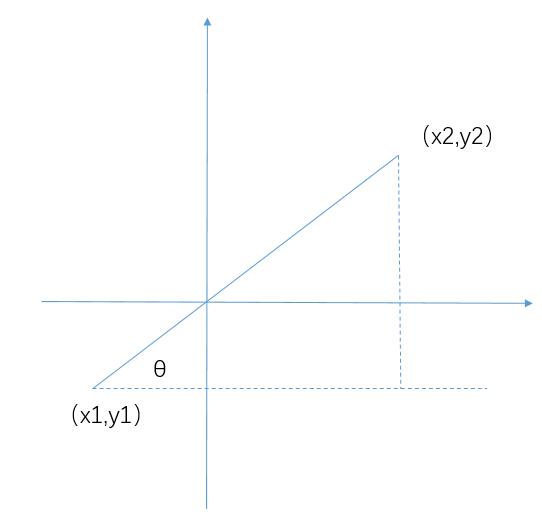
对于一条已知的线段,求斜率θ,使用反正切函数
θ=arctan((y2-y1) / (x2-x1))
在JavaScript中对应的API是 Math.atan2(y, x)
atan2 方法返回一个 -PI到 PI 之间的数值,表示点 (x, y) 对应的偏移角度。这是一个逆时针角度,以弧度为单位,正X轴和点 (x, y) 与原点连线 之间。注意此函数接受的参数:先传递 y 坐标,然后是 x 坐标。
直线上任意一点坐标的计算
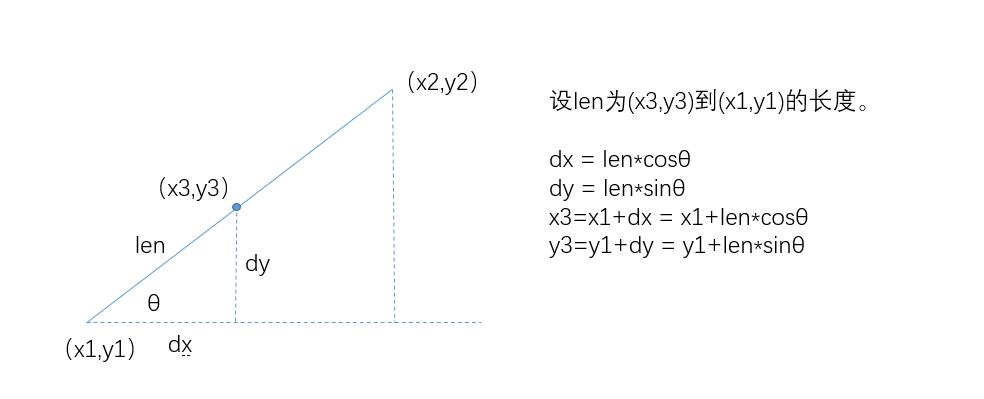
实现思路
- 获取直线的总长度
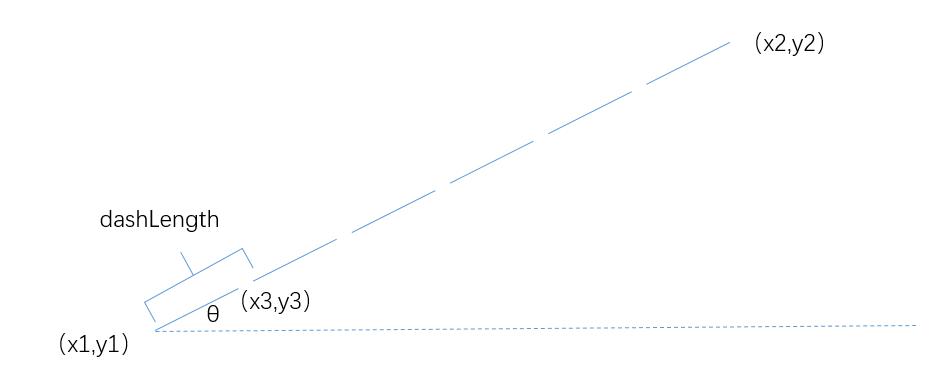
- 计算直线上共有多少个虚线段
- 循环计算虚线段的起始点,并绘制
1<!DOCTYPE html>
2<html lang="en">
3<head>
4    <meta charset="UTF-8">
5    <meta name="viewport" content="width=device-width, initial-scale=1.0">
6    <meta http-equiv="X-UA-Compatible" content="ie=edge">
7    <title>Drawing Lines with Rubber Bands</title>
8    <style>
9
10     body {
11         background: #eeeeee;
12     }
13
14     #canvas {
15        background: #ffffff;
16        cursor: pointer;
17        margin-left: 10px;
18        margin-top: 10px;
19        -webkit-box-shadow: 4px 4px 8px rgba(0,0,0,.5);
20        -moz-box-shadow: 4px 4px 8px rgba(0,0,0,.5);
21        box-shadow: 4px 4px 8px rgba(0,0,0,.5);
22
23     }
24
25    </style>
26</head>
27<body>
28
29    <canvas id="canvas" width="600" height="600">
30        Canvas not supported
31    </canvas>
32
33    <script src="https://my.oschina.net//u/4363146/blog/3759547/example.js"></script>
34</body>
35</html>
36
37
38var canvas = document.getElementById('canvas'),
39    context = canvas.getContext('2d');
40
41// Functions ........................................................
42function drawDashedLine(ctx, x1, y1, x2, y2, dashLength) {
43    dashLength = dashLength || 5;
44
45    var deltaX = x2 - x1;
46    var deltaY = y2 - y1;
47
48    // get the total length of the line
49    var lineLength = Math.sqrt(deltaX * deltaX + deltaY * deltaY);
50
51    // calculate the angle of the line
52    var lineangle = Math.atan2(y2 - y1, x2 - x1);
53
54    // calculate the number of dashes
55    var numDashes = Math.floor(lineLength / dashLength); // 向下取整
56
57    for (var i = 0; i < numDashes; i++) {
58        ctx.moveTo(x1 + i * dashLength * Math.cos(lineangle), y1 + i * dashLength * Math.sin(lineangle));
59        ctx.lineTo(x1 + ((i + 1) * dashLength - 2) * Math.cos(lineangle), y1 + ((i + 1) * dashLength - 2) * Math.sin(lineangle));
60        ctx.stroke();
61    }
62}
63
64
65context.lineWidth = 2;
66context.strokeStyle = 'blue';
67
68drawDashedLine(context, 20, 20, canvas.width - 20, 20, 10);
69drawDashedLine(context, canvas.width - 20, 20, canvas.width - 20, canvas.height - 20, 10);
70drawDashedLine(context, 20, 20, 20, canvas.height - 20, 10);
71drawDashedLine(context, 20, canvas.height - 20, canvas.width - 20, canvas.height - 20, 10);
72drawDashedLine(context, 20, 20, canvas.width - 20, canvas.height - 20, 10);
73drawDashedLine(context, canvas.width - 20, 20, 20, canvas.height - 20, 10);
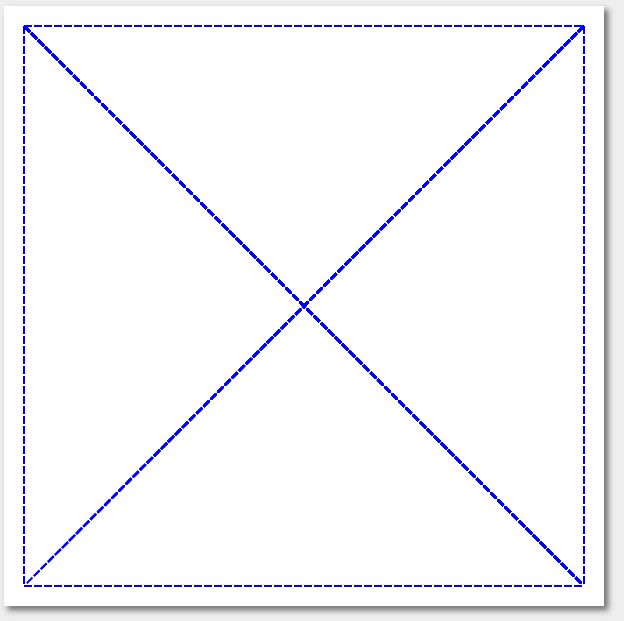
实现效果: