
1. 安装 freeswitch 库
git clone https://github.com/signalwire/freeswitch.git
2. 安装环境依赖
apt-get install libedit-dev libldns-dev libpcre3-dev libspeexdsp-dev libspeex-dev libcurl4-openssl-dev libopus-dev libncurses5-dev libtiff-dev libjpeg-dev libssl-dev libsqlite3-dev build-essential automake autoconf git-core wget libtool lua5.1 liblua5.1-dev libsndfile1-dev yasm libsndfile-dev libtool-bin sqlite3 libavresample-dev libswscale-dev uuid-dev
3 . 安装freeswitch
1sudo ./bootstrap.sh
2sudo ./configure
3sudo make install
问题归纳解决:
1making all mod_signalwire
2make[4]: Entering directory `/usr/local/src/freeswitch/src/mod/applications/mod_signalwire'
3Makefile:916: *** You must install libks to build mod_signalwire.  Stop.
4make[4]: Leaving directory `/usr/local/src/freeswitch/src/mod/applications/mod_signalwire'
5make[3]: *** [mod_signalwire-all] Error 1
解决办法:
1. 安装cmake
1cd /usr/local/src
2wget https://cmake.org/files/v3.13/cmake-3.13.3.tar.gz
3tar -zxvf cmake-3.13.3.tar.gz
4cd cmake-3.13.3
5sudo ./bootstrap
6sudo make
7sudo make install
2. 安装libks
1cd /usr/local/src
2git clone https://github.com/signalwire/libks.git
3cd libks
4sudo cmake .
5sudo make
6sudo make install
7sudo mkdir -p /usr/lib64/pkgconfig/sudo cp /usr/lib/pkgconfig/libks.pc /usr/lib64/pkgconfig/
3. 安装signalwire-c
1cd /usr/local/src
2git clone https://github.com/signalwire/signalwire-c.git
3cd signalwire-c
4sudo cmake .
5sudo make
6sudo make install
7sudo cp /usr/local/lib/pkgconfig/*.pc /usr/lib64/pkgconfig/
8sudo cp -f /usr/local/lib/* /usr/lib64/
然后再重新编译安装freeswitch,没有意外的话可以正常安装freeswitch
1cd /usr/local/freeswitch
2sudo ./bootstrap.sh -j
3sudo ./configure --enable-core-odbc-support  #如果读者不想使用mysql管理,只需要执行./configure即可
4sudo make
5sudo make install
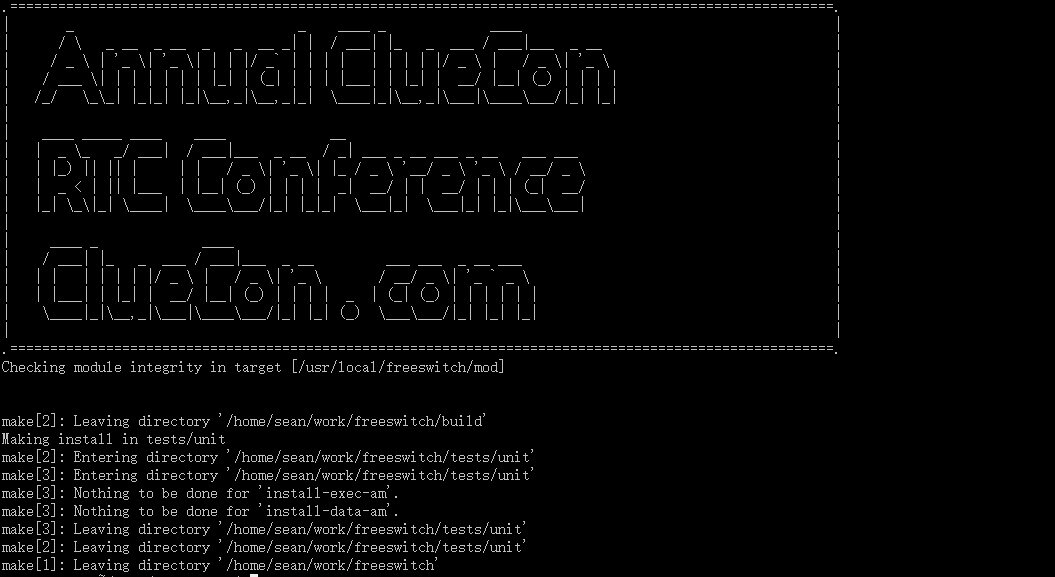
成功的界面如下
1make[5]: Leaving directory '/home/sean/work/freeswitch/src/mod/xml_int/mod_xml_scgi'
2make[4]: Leaving directory '/home/sean/work/freeswitch/src/mod/xml_int/mod_xml_scgi'
3make[3]: Leaving directory '/home/sean/work/freeswitch/src/mod'
4make[3]: Entering directory '/home/sean/work/freeswitch/src'
5make[4]: Entering directory '/home/sean/work/freeswitch/src'
6make[4]: Nothing to be done for 'install-exec-am'.
7make[4]: Nothing to be done for 'install-data-am'.
8make[4]: Leaving directory '/home/sean/work/freeswitch/src'
9make[3]: Leaving directory '/home/sean/work/freeswitch/src'
10make[2]: Leaving directory '/home/sean/work/freeswitch/src'
11Making install in build
12make[2]: Entering directory '/home/sean/work/freeswitch/build'
13 +---------- FreeSWITCH install Complete ----------+
14 + FreeSWITCH has been successfully installed.     +
15 +                                                 +
16 +       Install sounds:                           +
17 +       (uhd-sounds includes hd-sounds, sounds)   +
18 +       (hd-sounds includes sounds)               +
19 +       ------------------------------------      +
20 +                make cd-sounds-install           +
21 +                make cd-moh-install              +
22 +                                                 +
23 +                make uhd-sounds-install          +
24 +                make uhd-moh-install             +
25 +                                                 +
26 +                make hd-sounds-install           +
27 +                make hd-moh-install              +
28 +                                                 +
29 +                make sounds-install              +
30 +                make moh-install                 +
31 +                                                 +
32 +       Install non english sounds:               +
33 +       replace XX with language                  +
34 +       (ru : Russian)                            +
35 +       (fr : French)                             +
36 +       ------------------------------------      +
37 +                make cd-sounds-XX-install        +
38 +                make uhd-sounds-XX-install       +
39 +                make hd-sounds-XX-install        +
40 +                make sounds-XX-install           +
41 +                                                 +
42 +       Upgrade to latest:                        +
43 +       ----------------------------------        +
44 +                make current                     +
45 +                                                 +
46 +       Rebuild all:                              +
47 +       ----------------------------------        +
48 +                make sure                        +
49 +                                                 +
50 +       Install/Re-install default config:        +
51 +       ----------------------------------        +
52 +                make samples                     +
53 +                                                 +
54 +                                                 +
55 +       Additional resources:                     +
56 +       ----------------------------------        +
57 +       https://www.freeswitch.org                +
58 +       https://freeswitch.org/confluence         +
59 +       https://freeswitch.org/jira               +
60 +       http://lists.freeswitch.org               +
61 +                                                 +
62 +       irc.freenode.net / #freeswitch            +
63 +                                                 +
64 +       Register For ClueCon:                     +
65 +       ----------------------------------        +
66 +       https://www.cluecon.com                   +
67 +                                                 +
68 +-------------------------------------------------+
69.=======================================================================================================.
70|       _                            _    ____ _             ____                                       |
71|      / \   _ __  _ __  _   _  __ _| |  / ___| |_   _  ___ / ___|___  _ __                             |
72|     / _ \ | '_ \| '_ \| | | |/ _` | | | |   | | | | |/ _ \ |   / _ \| '_ \                            |
73|    / ___ \| | | | | | | |_| | (_| | | | |___| | |_| |  __/ |__| (_) | | | |                           |
74|   /_/   \_\_| |_|_| |_|\__,_|\__,_|_|  \____|_|\__,_|\___|\____\___/|_| |_|                           |
75|                                                                                                       |
76|    ____ _____ ____    ____             __                                                             |
77|   |  _ \_   _/ ___|  / ___|___  _ __  / _| ___ _ __ ___ _ __   ___ ___                                |
78|   | |_) || || |     | |   / _ \| '_ \| |_ / _ \ '__/ _ \ '_ \ / __/ _ \                               |
79|   |  _ < | || |___  | |__| (_) | | | |  _|  __/ | |  __/ | | | (_|  __/                               |
80|   |_| \_\|_| \____|  \____\___/|_| |_|_|  \___|_|  \___|_| |_|\___\___|                               |
81|                                                                                                       |
82|     ____ _             ____                                                                           |
83|    / ___| |_   _  ___ / ___|___  _ __         ___ ___  _ __ ___                                       |
84|   | |   | | | | |/ _ \ |   / _ \| '_ \       / __/ _ \| '_ ` _ \                                      |
85|   | |___| | |_| |  __/ |__| (_) | | | |  _  | (_| (_) | | | | | |                                     |
86|    \____|_|\__,_|\___|\____\___/|_| |_| (_)  \___\___/|_| |_| |_|                                     |
87|                                                                                                       |
88.=======================================================================================================.
89Checking module integrity in target [/usr/local/freeswitch/mod]
90
91
92make[2]: Leaving directory '/home/sean/work/freeswitch/build'
93Making install in tests/unit
94make[2]: Entering directory '/home/sean/work/freeswitch/tests/unit'
95make[3]: Entering directory '/home/sean/work/freeswitch/tests/unit'
96make[3]: Nothing to be done for 'install-exec-am'.
97make[3]: Nothing to be done for 'install-data-am'.
98make[3]: Leaving directory '/home/sean/work/freeswitch/tests/unit'
99make[2]: Leaving directory '/home/sean/work/freeswitch/tests/unit'
100make[1]: Leaving directory '/home/sean/work/freeswitch'
注:freeswitch一开始安装好 默认会给你配置好20个account (1000-1019),密码统一是1234,这个可以在freeswitch/conf/vars.xml里面修改