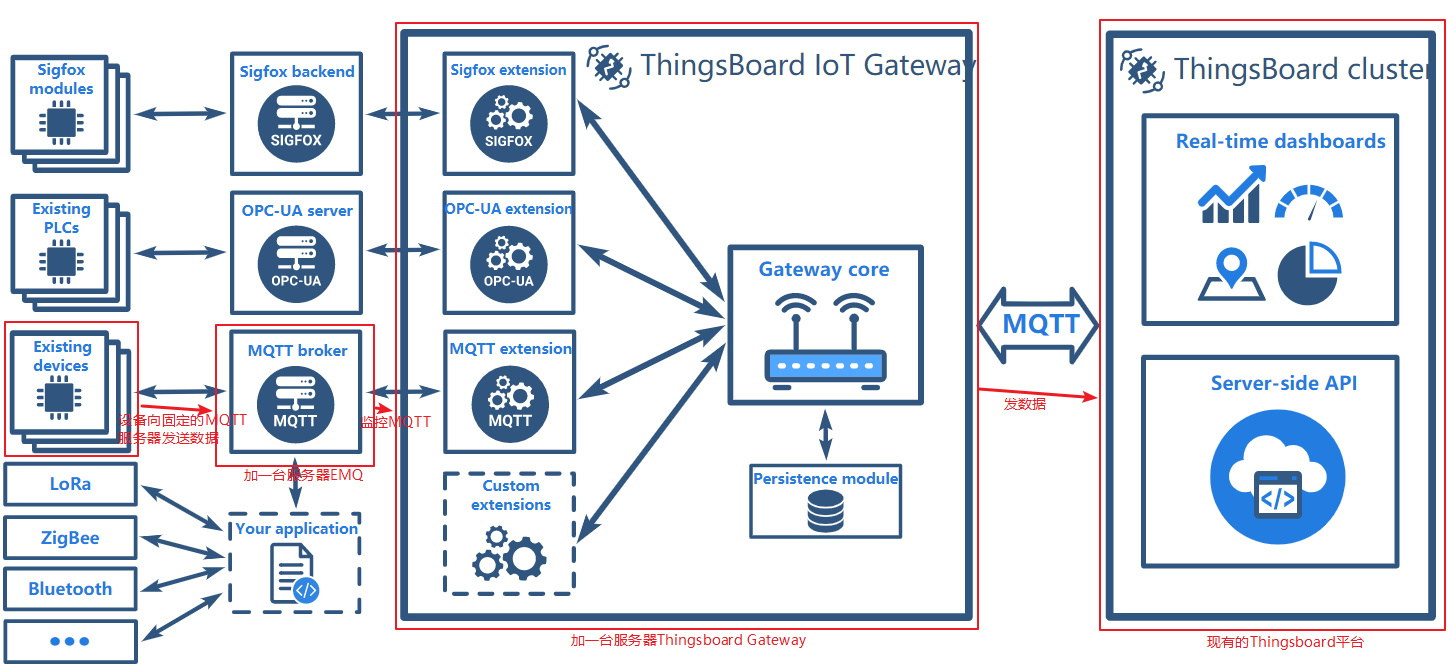
源码下载地址:https://github.com/thingsboard/thingsboard-gateway
国内大神源码地址:https://github.com/guodaxia103/thingsboard-gateway
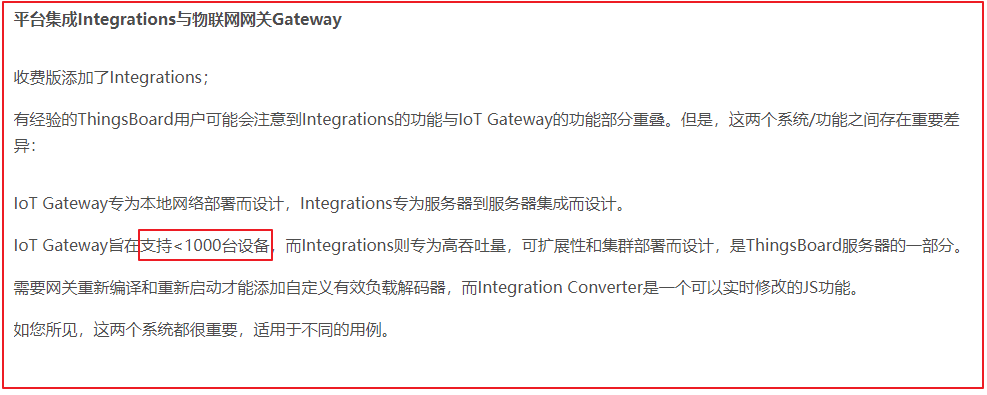
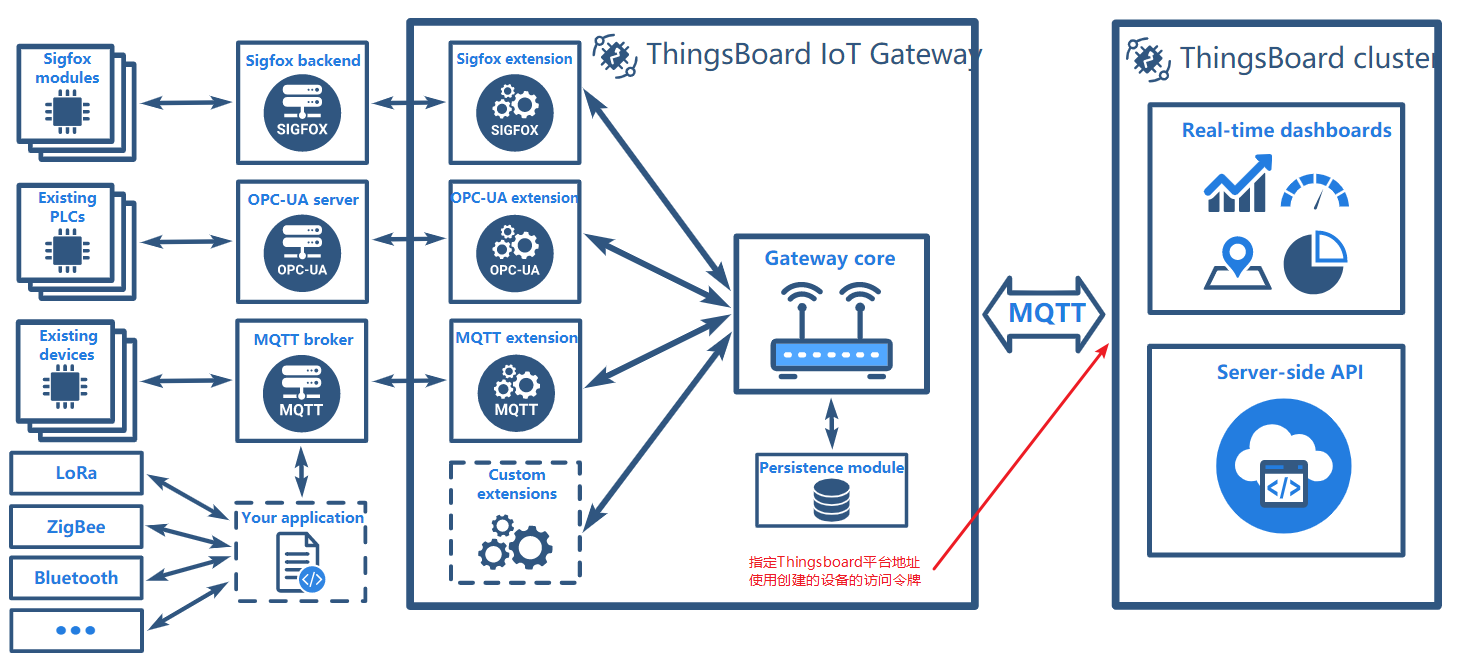
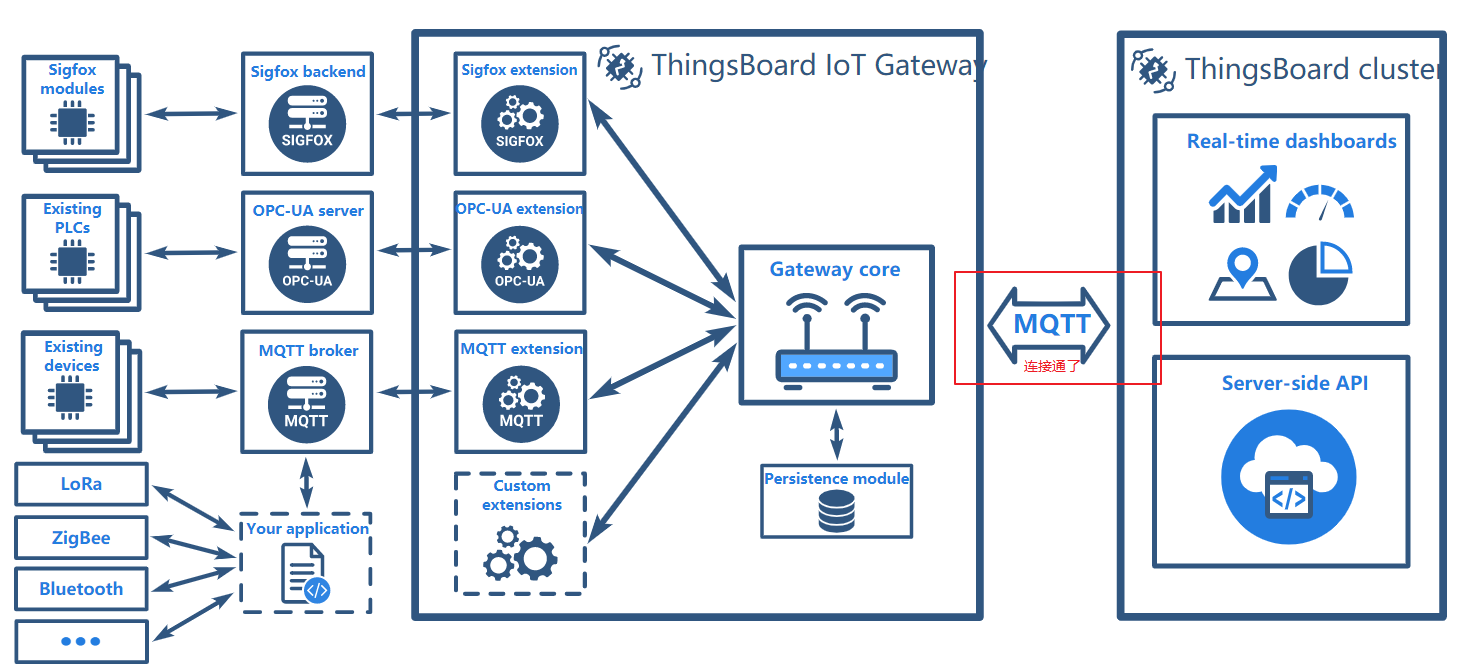
目前在国内有文章写出,Thingsboard Gateway是管理设备使用的,一个Thingsboard Gateway可以管理1000个设备,请参考:https://blog.csdn.net/Zzhou1990/article/details/100106995?tdsourcetag=s_pcqq_aiomsg
前提是Thingsboard开发环境搭建,请参考《Thingsboard开发环境搭建及编译项目》,因为Thingsboard Gateway也跟它相关
为了对Thingsboard有个概念,可以参考官方文档:https://thingsboard.io/docs/iot-gateway/what-is-iot-gateway/

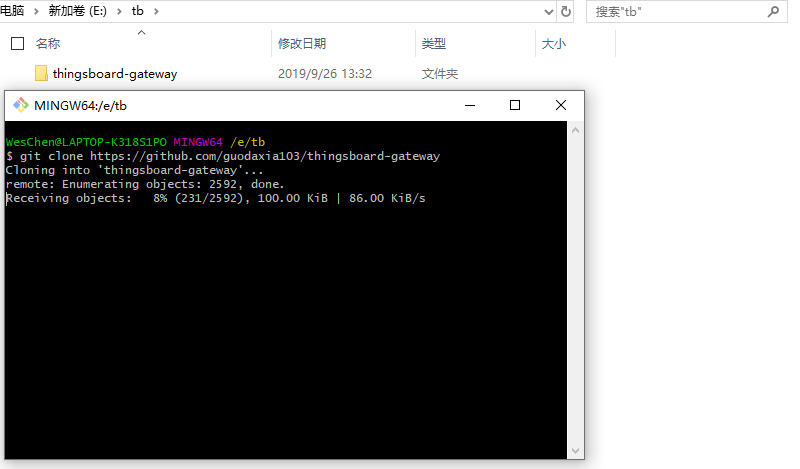
下载源码,git bash命令
git clone https://github.com/guodaxia103/thingsboard-gateway
使用管理员身份打开命令行工具,并进入到项目目录
mvn clean install -Dmaven.test.skip=true
出现以下错误
1E:\tb\thingsboard-gateway>mvn clean install -Dmaven.test.skip=true
2[INFO] Scanning for projects...
3[INFO]
4[INFO] ----------------------< org.thingsboard:gateway >-----------------------
5[INFO] Building Thingsboard Gateway 2.3.1-SNAPSHOT
6[INFO] --------------------------------[ jar ]---------------------------------
7[WARNING] The POM for org.thingsboard.common:data:jar:2.4.1-SNAPSHOT is missing, no dependency information available
8[WARNING] The POM for org.thingsboard:netty-mqtt:jar:2.4.1-SNAPSHOT is missing, no dependency information available
9[INFO] ------------------------------------------------------------------------
10[INFO] BUILD FAILURE
11[INFO] ------------------------------------------------------------------------
12[INFO] Total time:  1.575 s
13[INFO] Finished at: 2019-09-26T13:35:35+08:00
14[INFO] ------------------------------------------------------------------------
15[ERROR] Failed to execute goal on project gateway: Could not resolve dependencies for project org.thingsboard:gateway:jar:2.3.1-SNAPSHOT: The following artifacts could not be resolved: org.thingsboard.common:data:jar:2.4.1-SNAPSHOT, org.thingsboard:netty-mqtt:jar:2.4.1-SNAPSHOT: Could not find artifact org.thingsboard.common:data:jar:2.4.1-SNAPSHOT -> [Help 1]
16[ERROR]
17[ERROR] To see the full stack trace of the errors, re-run Maven with the -e switch.
18[ERROR] Re-run Maven using the -X switch to enable full debug logging.
19[ERROR]
20[ERROR] For more information about the errors and possible solutions, please read the following articles:
21[ERROR] [Help 1] http://cwiki.apache.org/confluence/display/MAVEN/DependencyResolutionException
错误截图
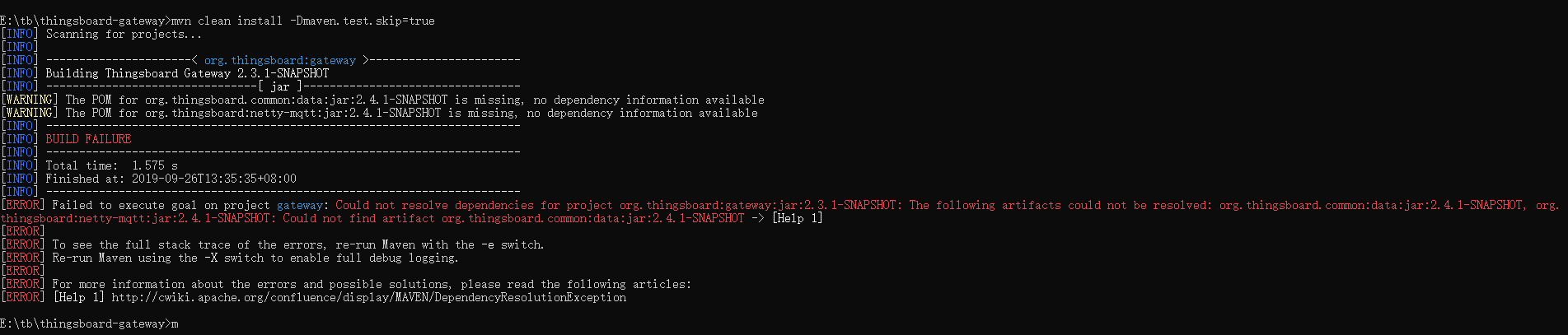
原因是Thingsboard Gateway依赖的Thingsboard的版本不匹配
解决方案参考官方Issue:https://github.com/thingsboard/thingsboard-gateway/issues/26#issuecomment-381832965
首先,我们已经有了Thingsboard的开发环境,查看一下Thingsboard版本,这里是2.3.1
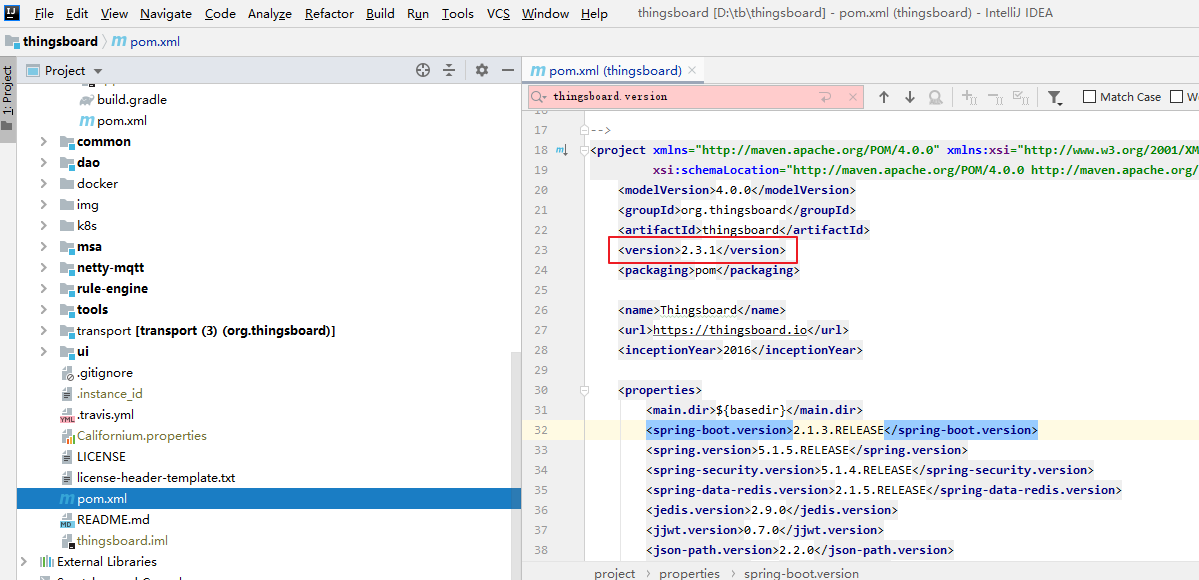
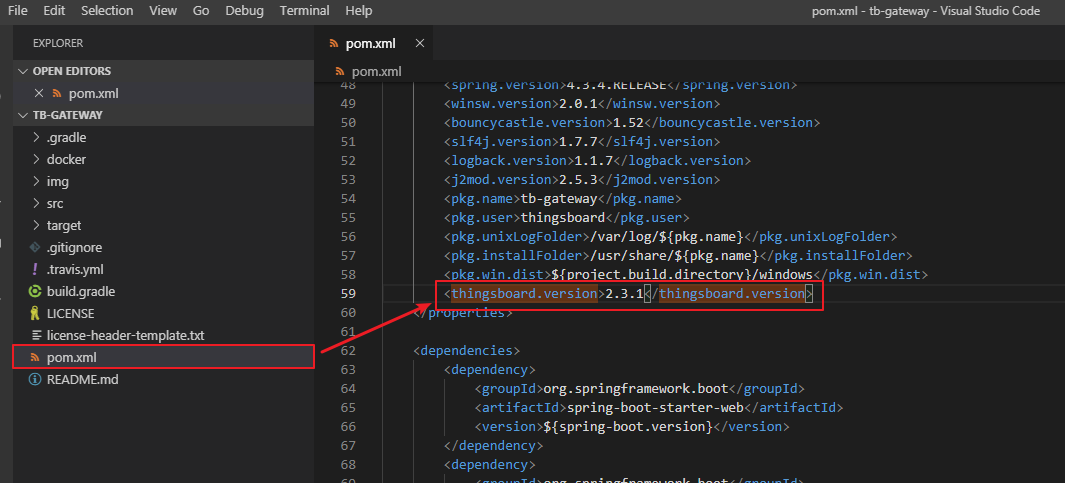
修改Thingsboard Gateway源码中的pom.xml文件,记得也修改为2.3.1
再次尝试编译
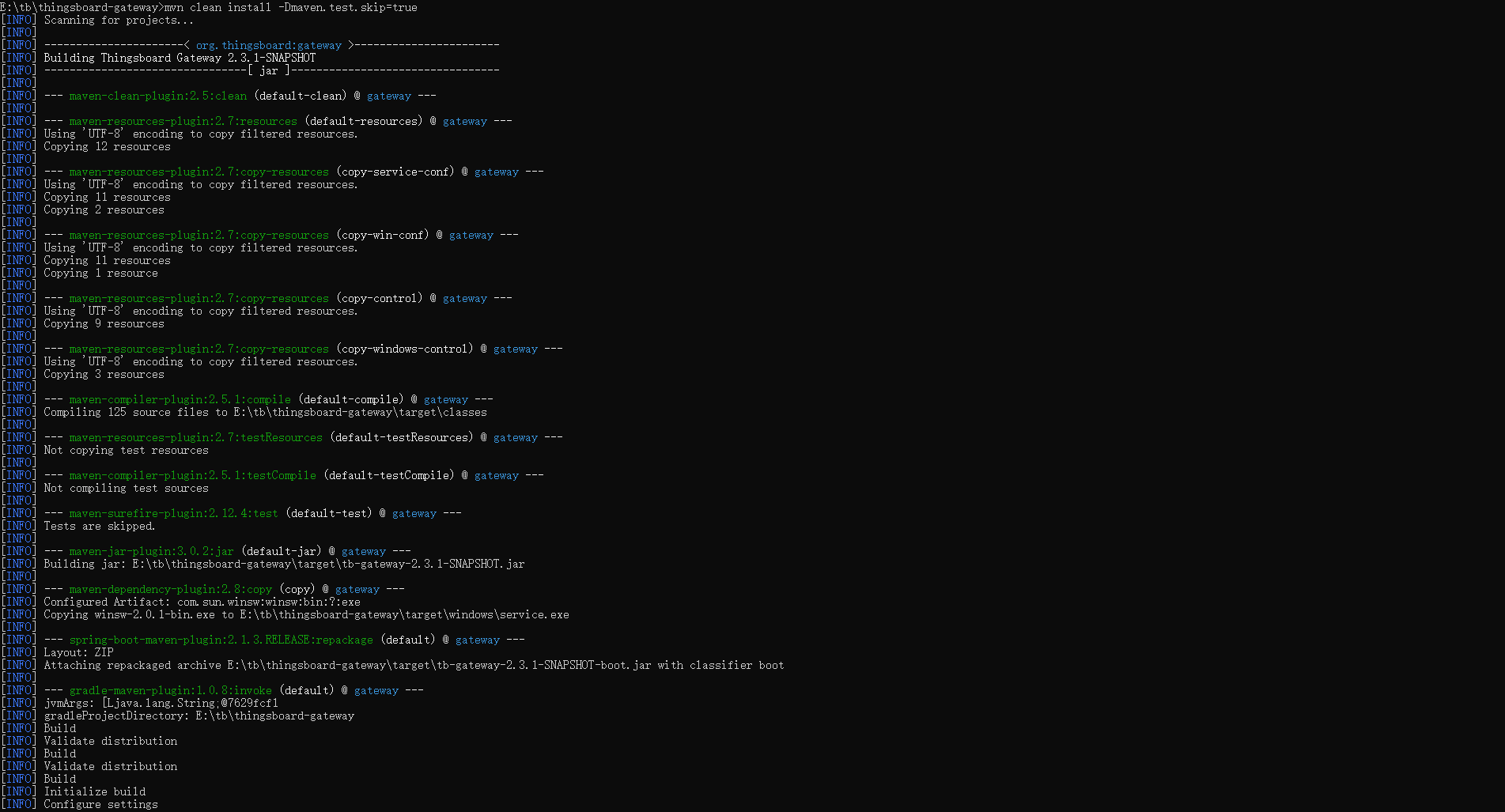
等待几分钟最终编译成功
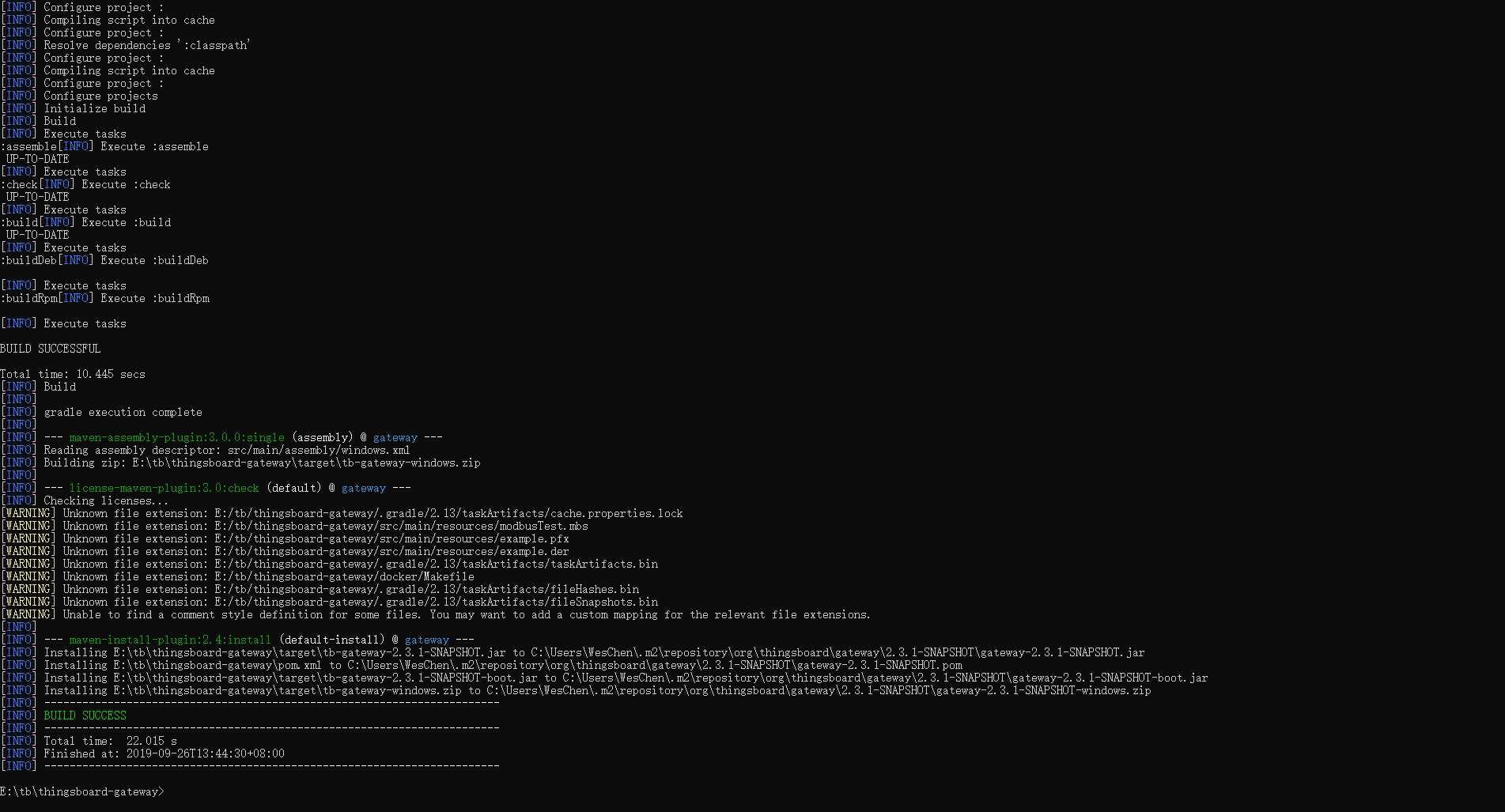
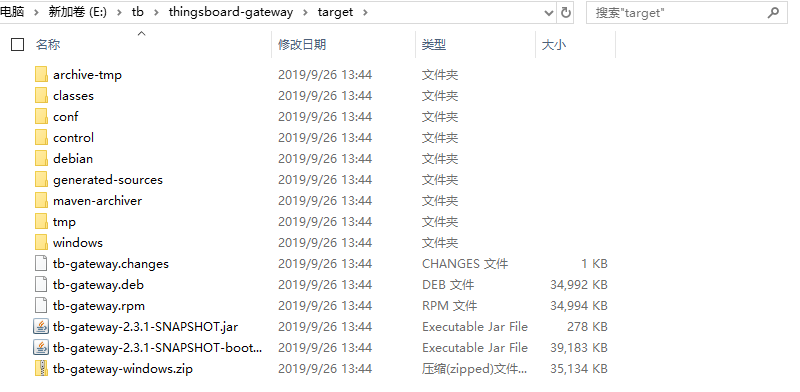
编译成功后,在源码的目录下会生成target文件夹,里面的文件即是打包好的结果
其中tb-gateway-windows.zip是针对Windows平台的安装包
目前的状态如下
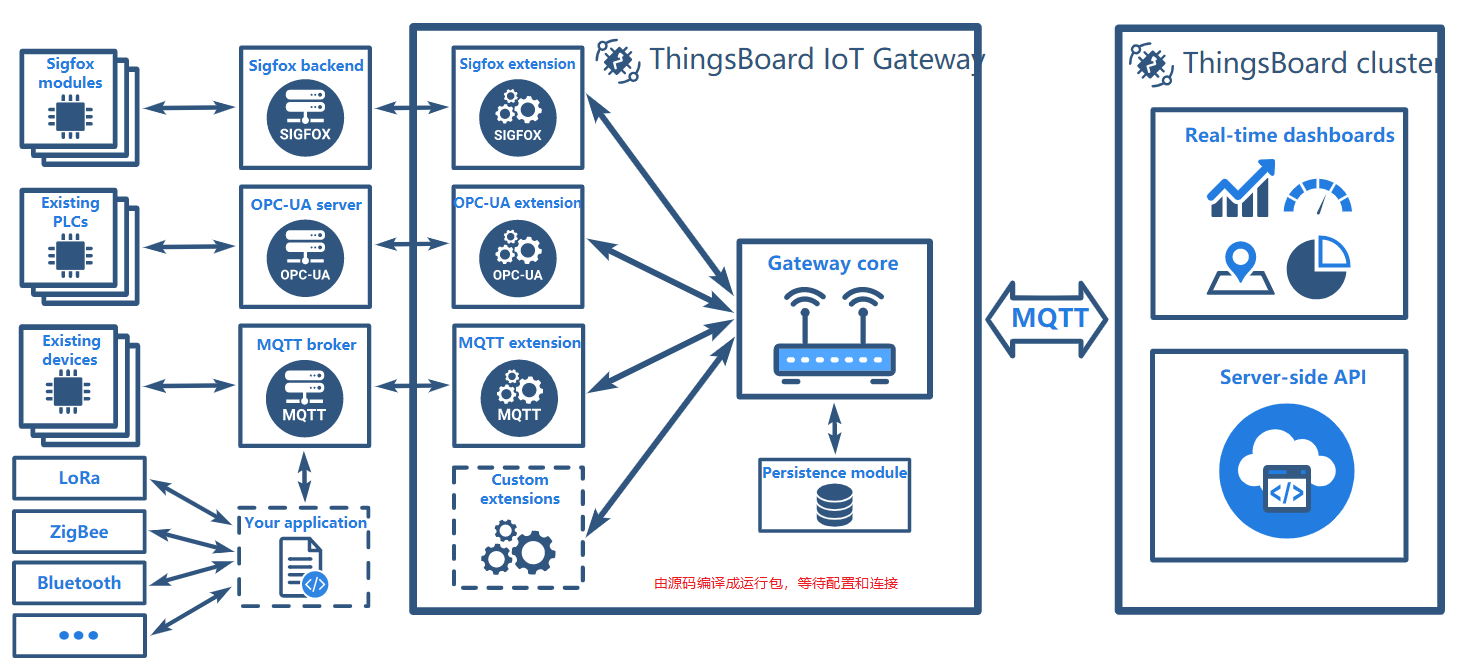
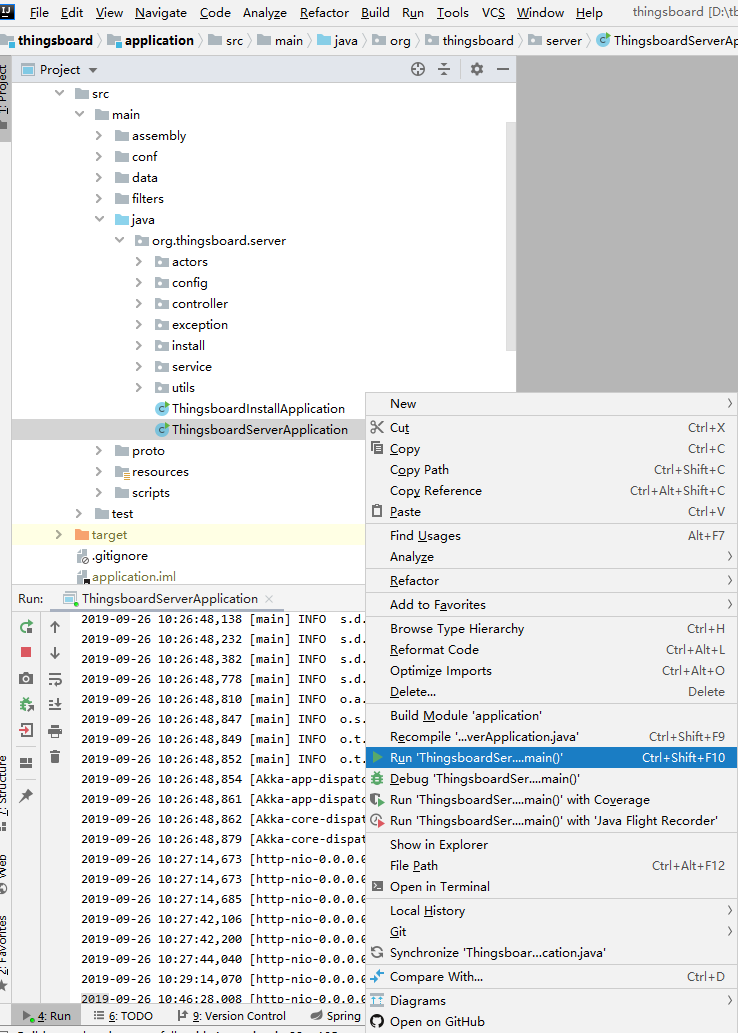
启动Thingsboard(在运行Thingsboard Gateway前,假使你已经知道了Thingsboard平台是如何运行的,也已经正常的编译成功源代码了)
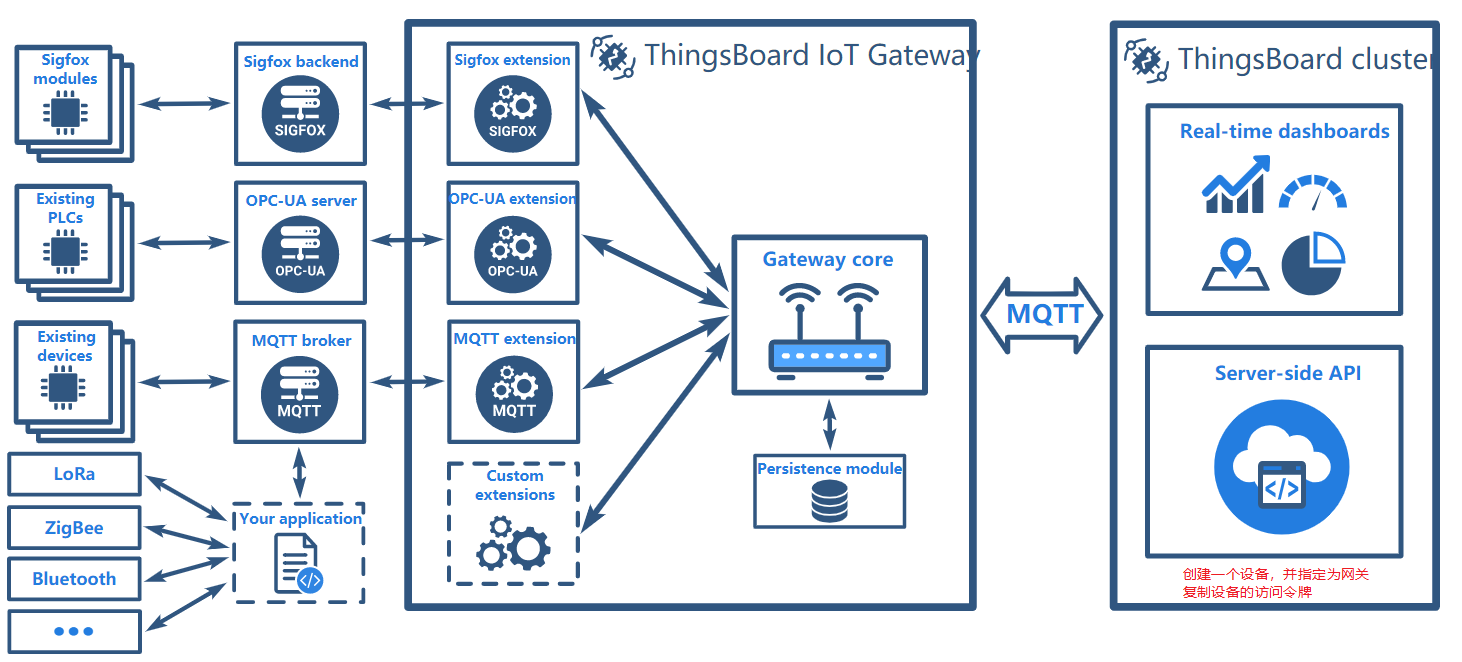
使用租户管理员,登陆到系统,并创建一个设备,并指定为网关

进入到设备的属性中,将Access Token复制出来备用

目前的状态如下
Windows尝试安装Thingsboard Gateway,首先解压文件
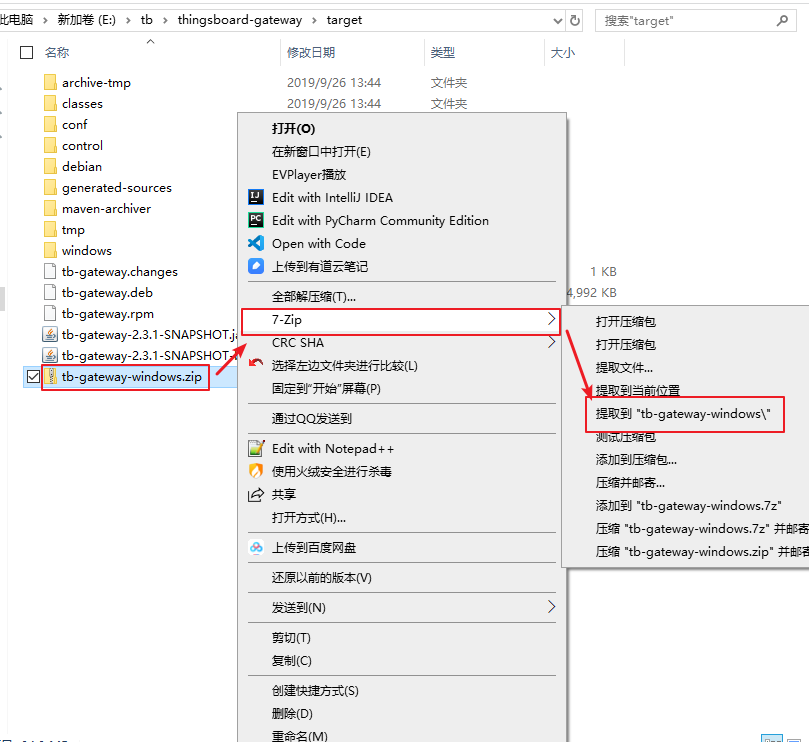
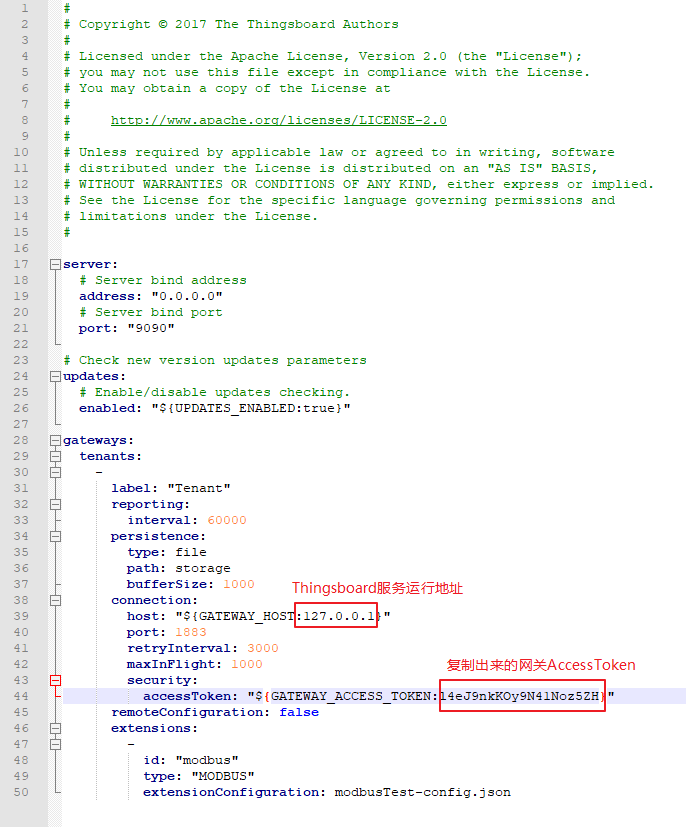
打开Thingsboard Gateway目录下conf配置文件

修改配置文件内容
就使用刚才编译代码时的管理员身份打开的命令行窗口
1#进入到指定的目录
2cd target\tb-gateway-windows\tb-gateway
3
4#安装网关服务
5install.bat
6
7#开始网关服务
8net start tb-gateway
运行截图

目前的状态如下
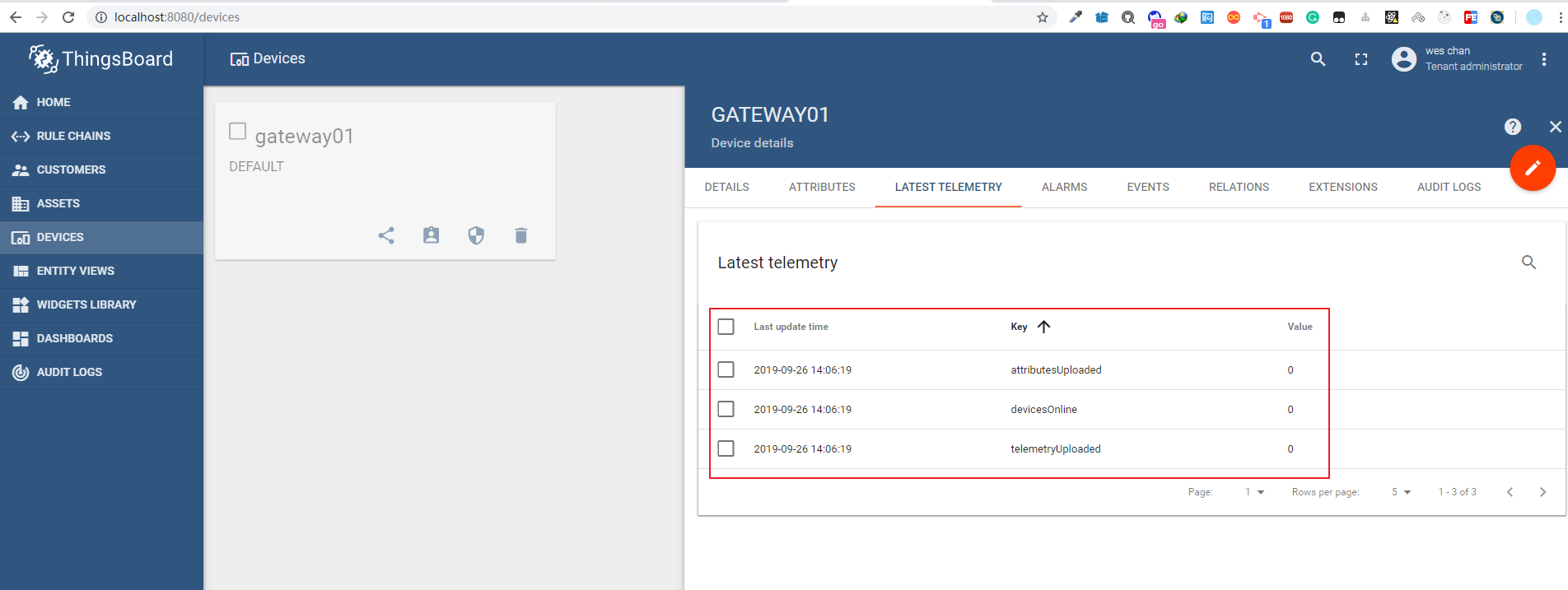
进入到Thingsboard,查看网关的最后遥测数据,只要出现以下参数变为0,即Thingsboard Gateway与Thingsboard平台已经连接上了
1#All values should be set to “0”(以下三个属性应该都是0)
2devicesOnline:0
3attributesUploaded:0
4telemetryUploaded:0
浏览器界面
目前的状态如下
尝试一下Thingsboard Gateway的功能先,首先使用最常用的MQTT协议
为了测试,我在本机也搭建了一个mosquitto环境,另外,也修改了mosquitto的端口为1884(找到文件C:\Program Files\mosquitto\mosquitto.conf,找到节点port 1883,将1883修改成1884,并将前面的#删除,重启mosquitto服务让配置生效)
官方参考配置文件地址:https://thingsboard.io/docs/iot-gateway/resources/mqtt-gui-extension-configuration.json
文件内容:


1[
2  {
3    "id": "mqtt",
4    "type": "MQTT",
5    "configuration": {
6      "brokers": [
7        {
8          "host": "127.0.0.1",
9          "port": 1884,
10          "ssl": false,
11          "retryInterval": 3000,
12          "credentials": {
13            "type": "anonymous"
14          },
15          "mapping": [
16            {
17              "topicFilter": "sensors",
18              "converter": {
19                "type": "json",
20                "filterExpression": "$",
21                "deviceNameJsonExpression": "${$.serialNumber}",
22                "deviceTypeJsonExpression": "${$.model}",
23                "attributes": [
24                  {
25                    "type": "string",
26                    "key": "model",
27                    "value": "${$.model}"
28                  }
29                ],
30                "timeseries": [
31                  {
32                    "type": "double",
33                    "key": "temperature",
34                    "value": "${$.temperature}"
35                  }
36                ]
37              }
38            },
39            {
40              "topicFilter": "sensor/+/temperature",
41              "converter": {
42                "type": "json",
43                "filterExpression": "$",
44                "deviceNameTopicExpression": "(?<=sensor/)(.*?)(?=/temperature)",
45                "timeout": 60000,
46                "timeseries": [
47                  {
48                    "type": "double",
49                    "key": "temperature",
50                    "value": "${$.value}"
51                  }
52                ]
53              }
54            }
55          ],
56          "connectRequests": [
57            {
58              "topicFilter": "sensors/connect",
59              "deviceNameJsonExpression": "${$.serialNumber}"
60            },
61            {
62              "topicFilter": "sensor/+/connect",
63              "deviceNameTopicExpression": "(?<=sensor/)(.*?)(?=/connect)"
64            }
65          ],
66          "disconnectRequests": [
67            {
68              "topicFilter": "sensors/disconnect",
69              "deviceNameJsonExpression": "${$.serialNumber}"
70            },
71            {
72              "topicFilter": "sensor/+/disconnect",
73              "deviceNameTopicExpression": "(?<=sensor/)(.*?)(?=/disconnect)"
74            }
75          ],
76          "attributeRequests": [
77            {
78              "topicFilter": "sensors/attributes",
79              "deviceNameJsonExpression": "${$.serialNumber}",
80              "attributeKeyJsonExpression": "${$.key}",
81              "requestIdJsonExpression": "${$.requestId}",
82              "clientScope": false,
83              "responseTopicExpression": "sensors/${deviceName}/attributes/${responseId}",
84              "valueExpression": "{\"${attributeKey}\":\"${attributeValue}\"}"
85            },
86            {
87              "topicFilter": "sensors/+/attributes/+/request/+",
88              "deviceNameTopicExpression": "(?<=sensors/)(.*?)(?=/attributes)",
89              "attributeKeyTopicExpression": "(?<=attributes/)(.*?)(?=/request)",
90              "requestIdTopicExpression": "(?<=request/)(.*?)($)",
91              "clientScope": false,
92              "responseTopicExpression": "sensors/${deviceName}/attributes/${attributeKey}/response/${requestId}",
93              "valueExpression": "${attributeValue}"
94            }
95          ],
96          "attributeUpdates": [
97            {
98              "deviceNameFilter": ".*",
99              "attributeFilter": ".*",
100              "topicExpression": "sensor/${deviceName}/${attributeKey}",
101              "valueExpression": "{\"${attributeKey}\":\"${attributeValue}\"}"
102            }
103          ],
104          "serverSideRpc": [
105            {
106              "deviceNameFilter": ".*",
107              "methodFilter": "echo",
108              "requestTopicExpression": "sensor/${deviceName}/request/${methodName}/${requestId}",
109              "responseTopicExpression": "sensor/${deviceName}/response/${methodName}/${requestId}",
110              "responseTimeout": 10000,
111              "valueExpression": "${params}"
112            },
113            {
114              "deviceNameFilter": ".*",
115              "methodFilter": "no-reply",
116              "requestTopicExpression": "sensor/${deviceName}/request/${methodName}/${requestId}",
117              "valueExpression": "${params}"
118            }
119          ]
120        }
121      ]
122    }
123  }
124]
View Code
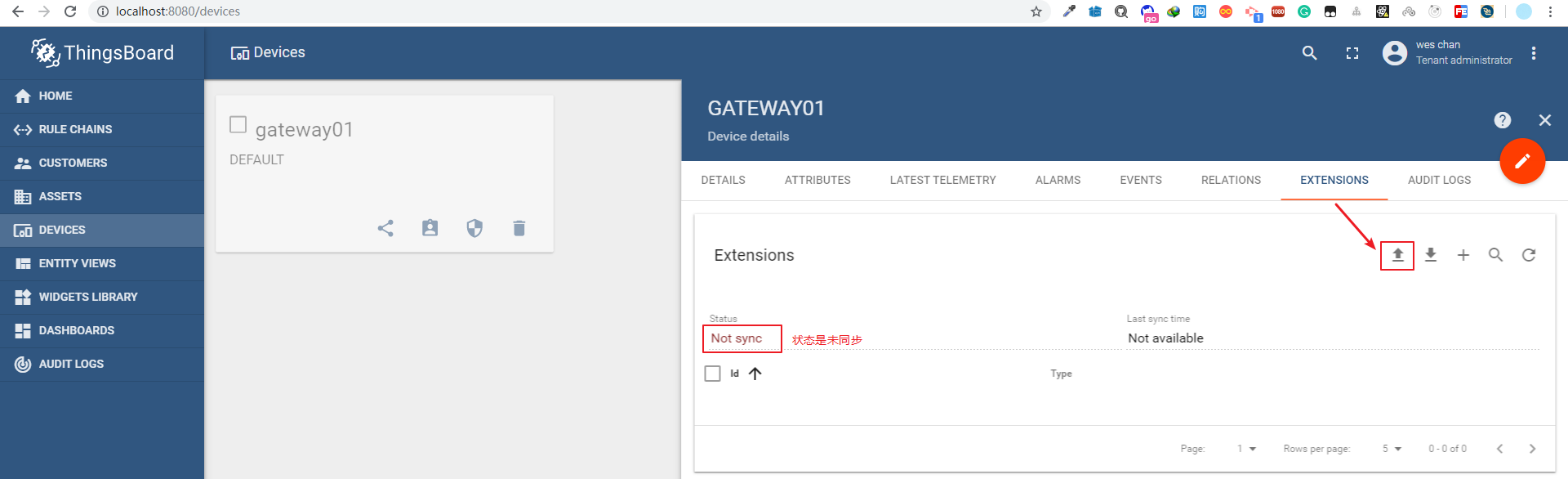
进入到Thingsboard的网关中,查看配置,点击上传
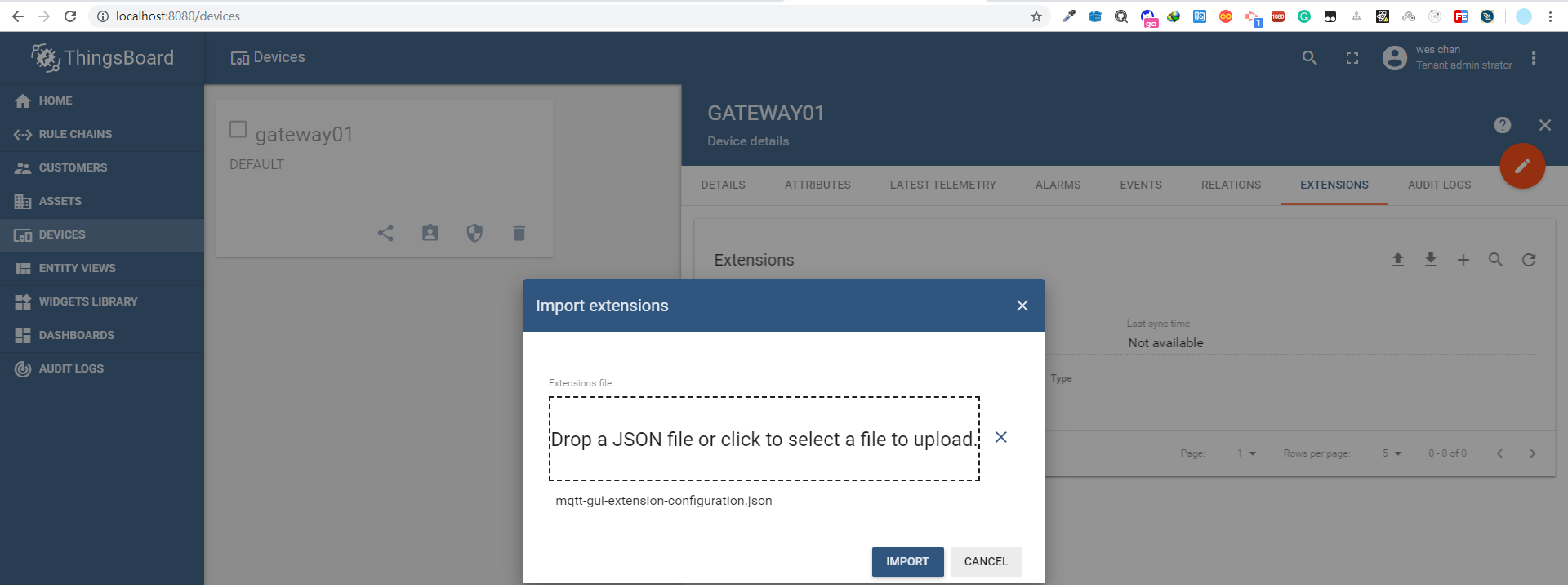
将下载的json配置文件拖动到上传框,并点击上传
可以看到网关的状态为同步状态
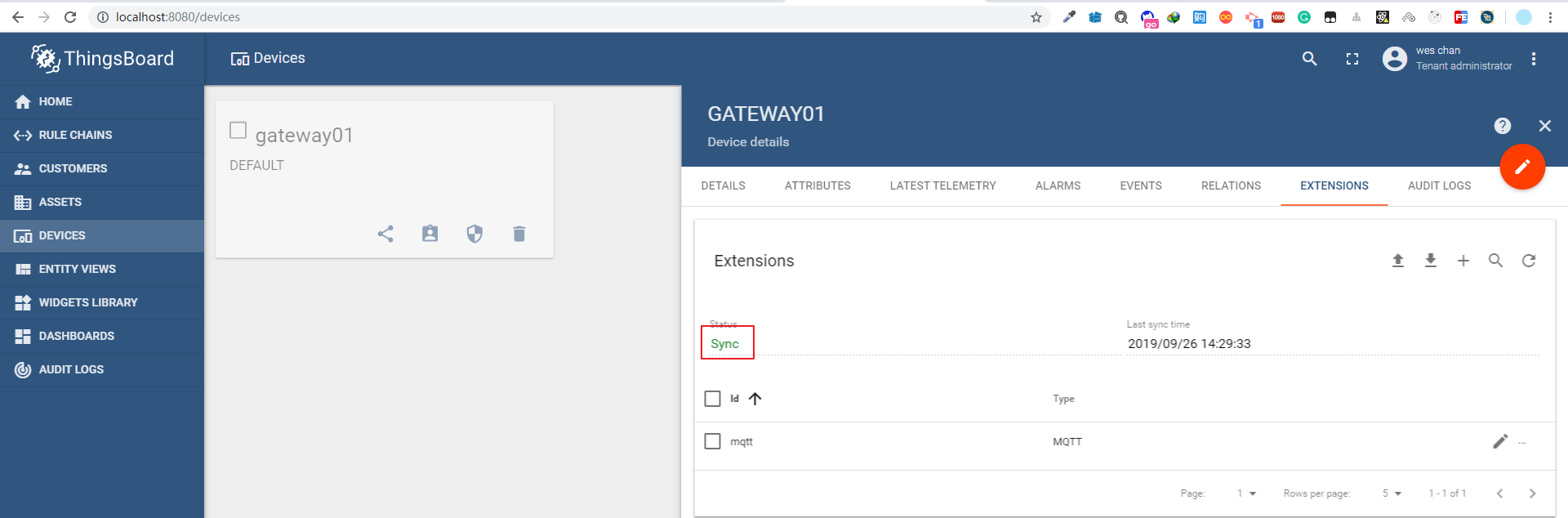
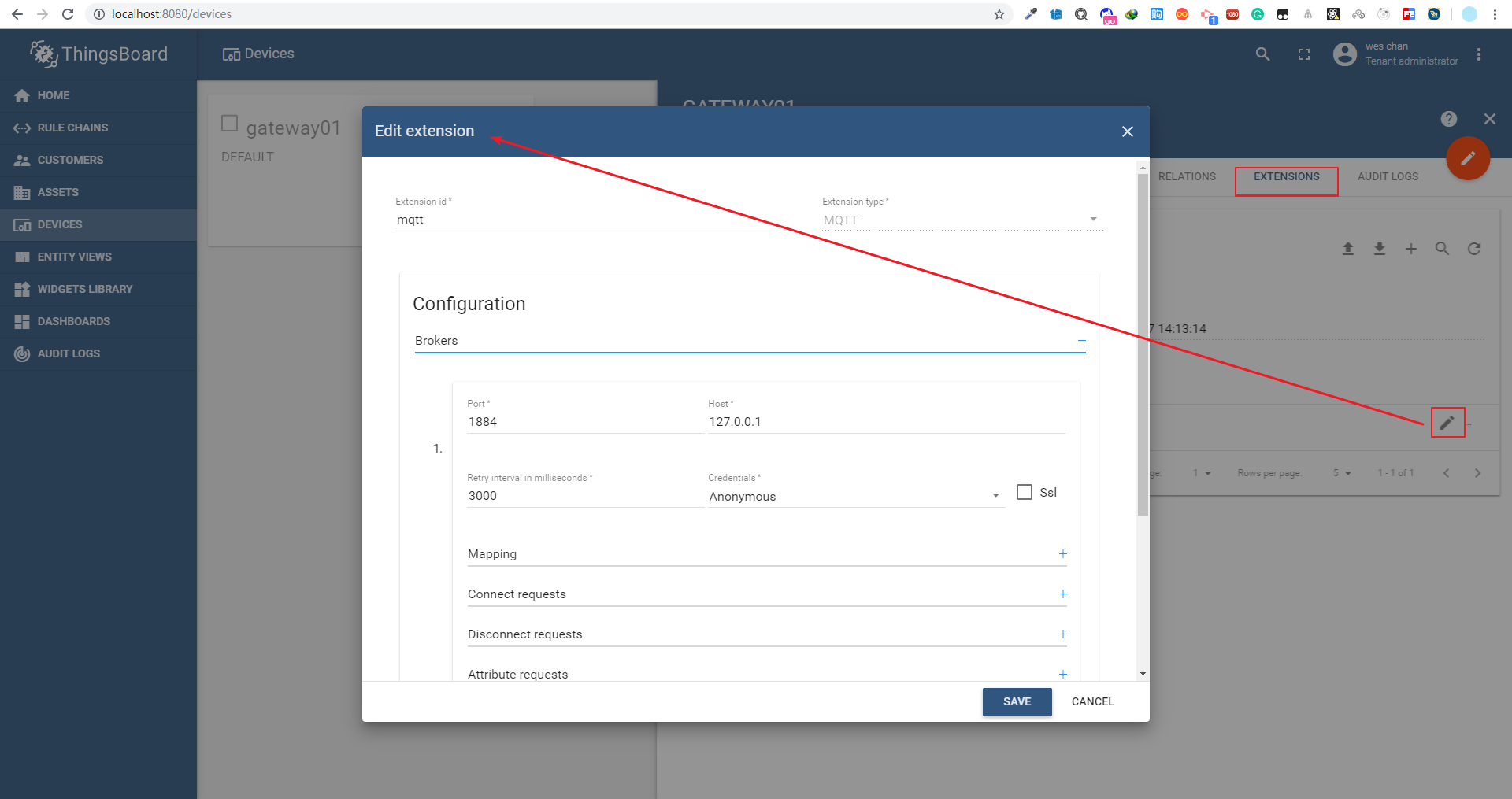
查看其中的配置内容,请留意,现在的MQTT服务器是127.0.0.1,端口是1884,使用的就是本机安装mosquitto服务器
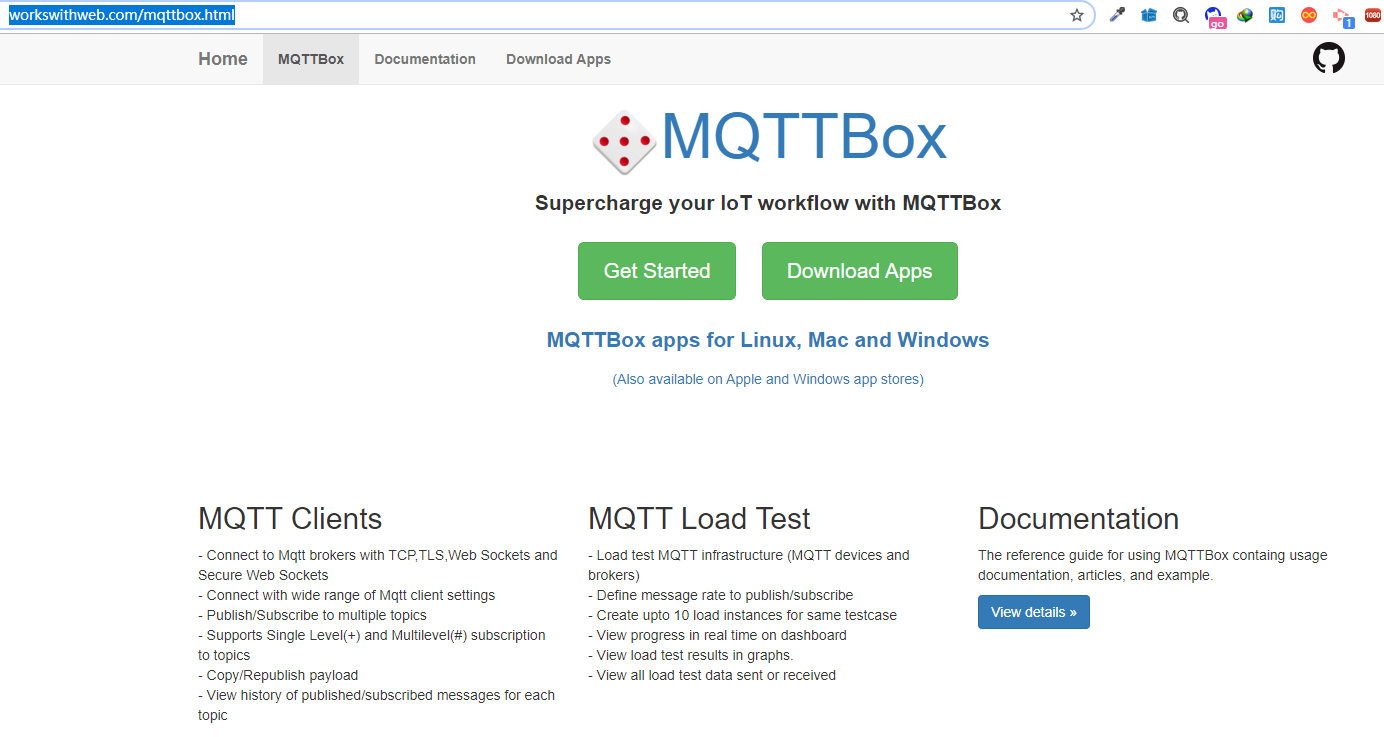
MQTTBox(下载地址:http://workswithweb.com/mqttbox.html)
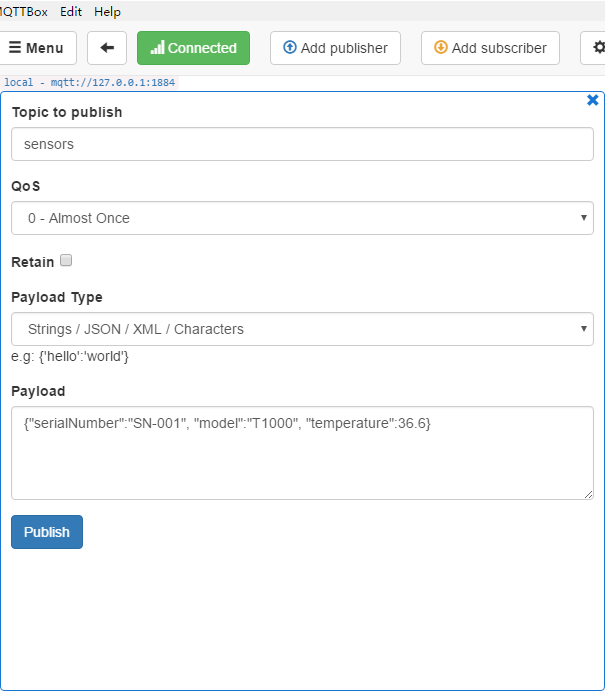
创建一个连接,直接连接到本机的mosquitto上

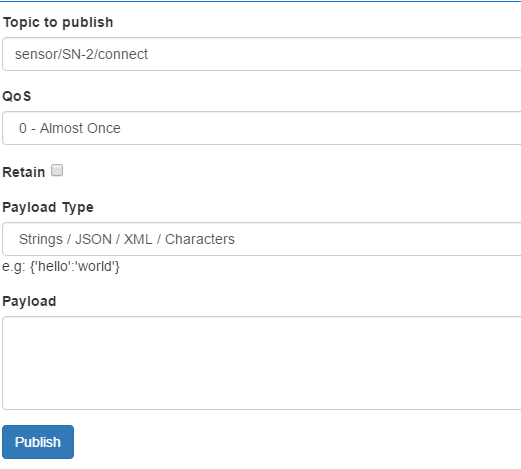
然后在MQTTBox上发布一条消息,点击发送
1#主题
2sensors
3#消息体
4{"serialNumber":"SN-001", "model":"T1000", "temperature":36.6}
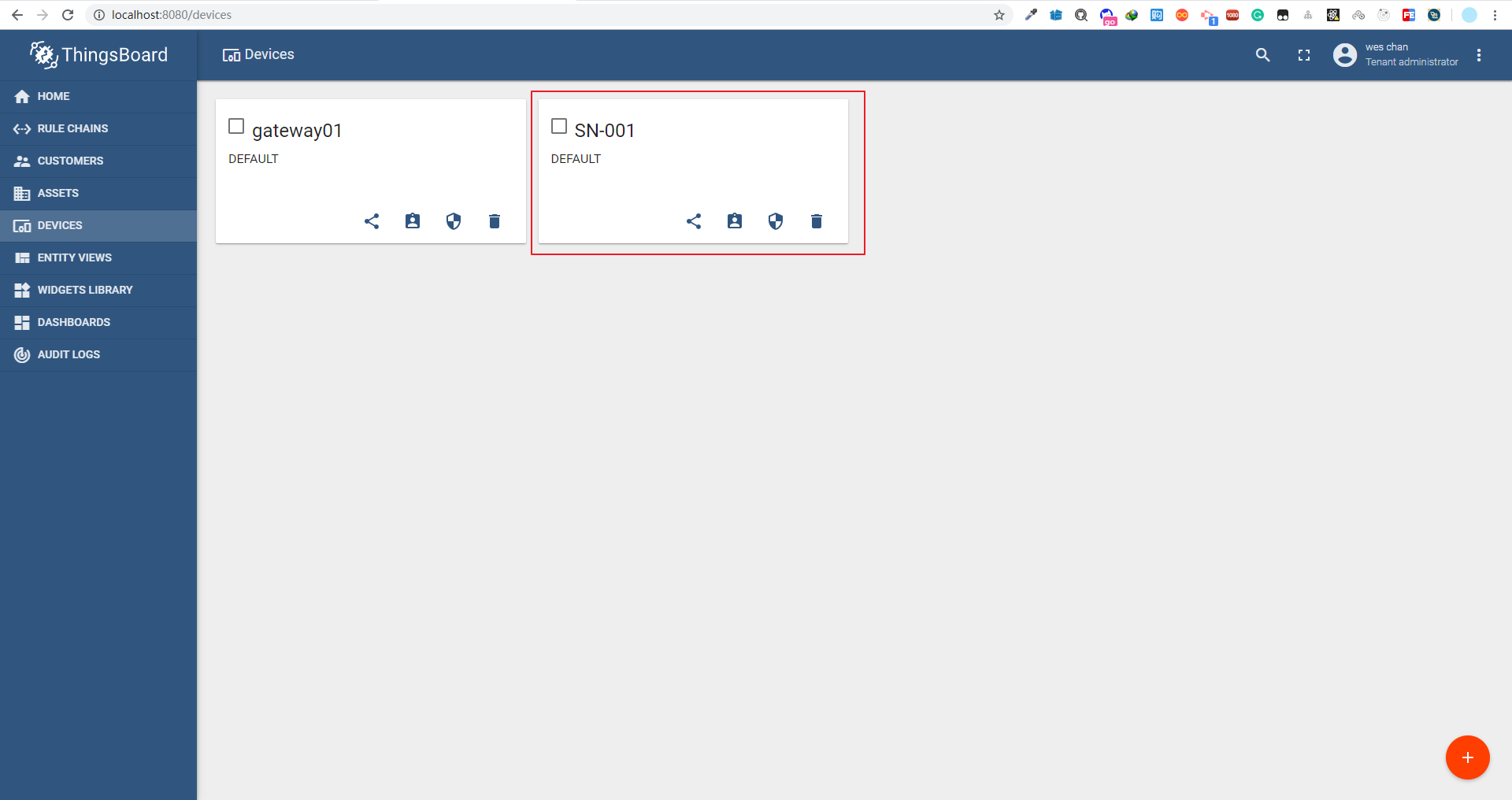
刷新Thingsboard设备的列表,可以看到多了一个SN-001的设备
并且新加入的设置也是有遥测值的

新设备与网关进行了关联
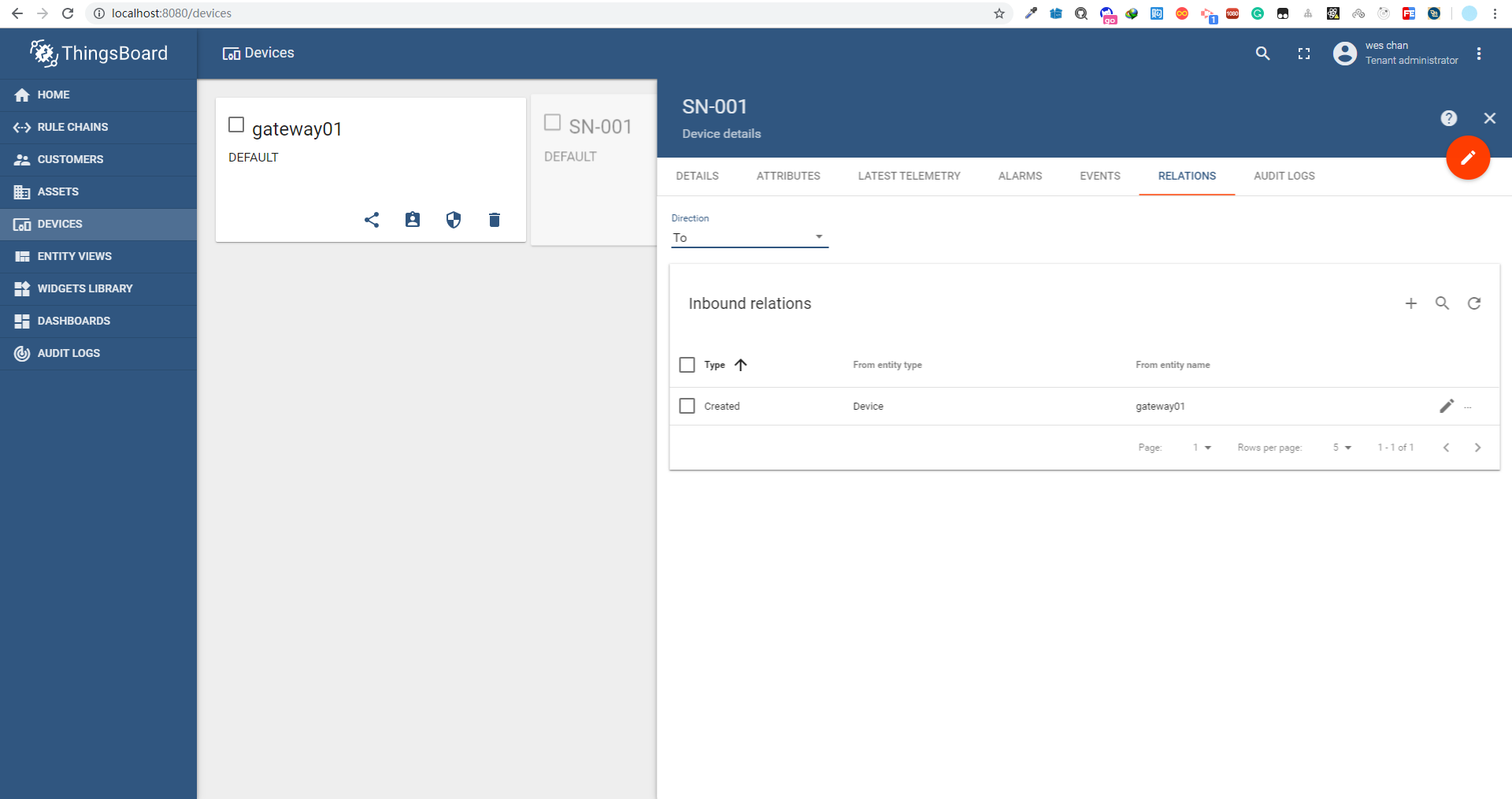
如果需要设置设备在线或离线状态,需要发送主题sensor/设备编号/connect(离线,需要发送主题sensor/设备编号/disconnect)
目前的状态如下
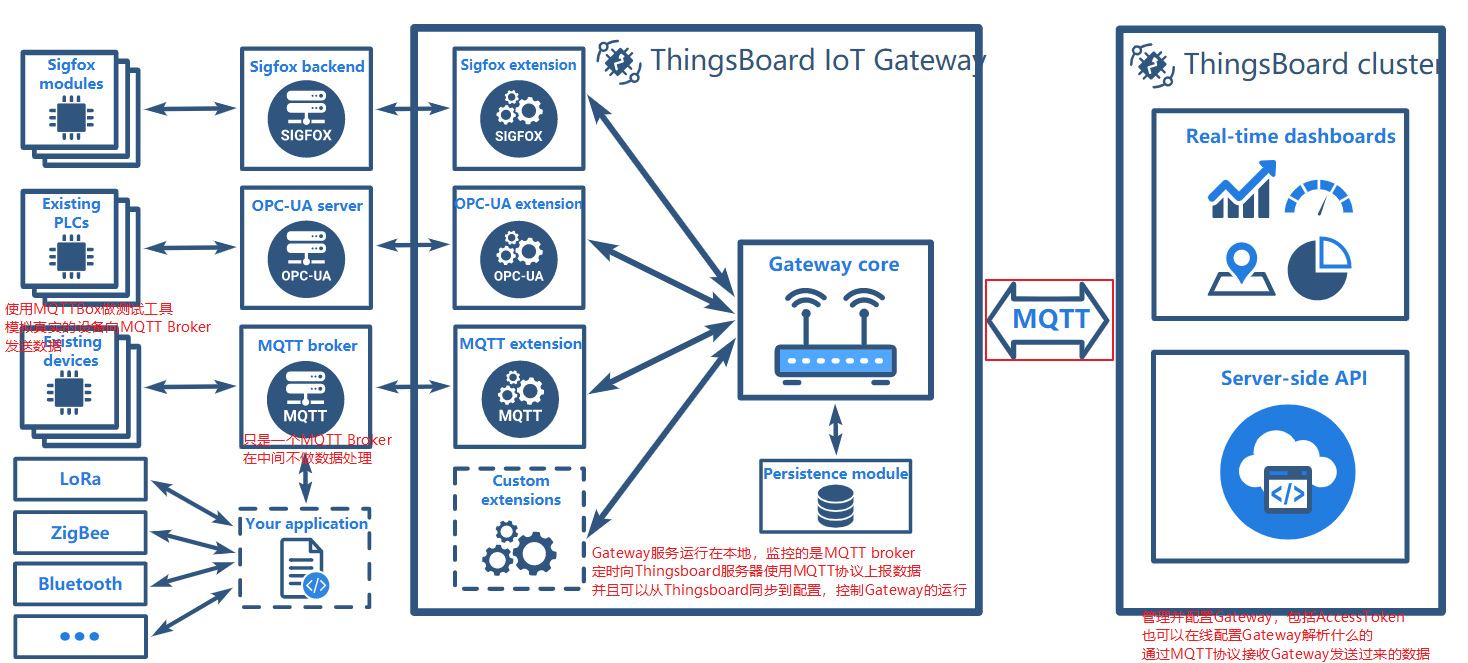
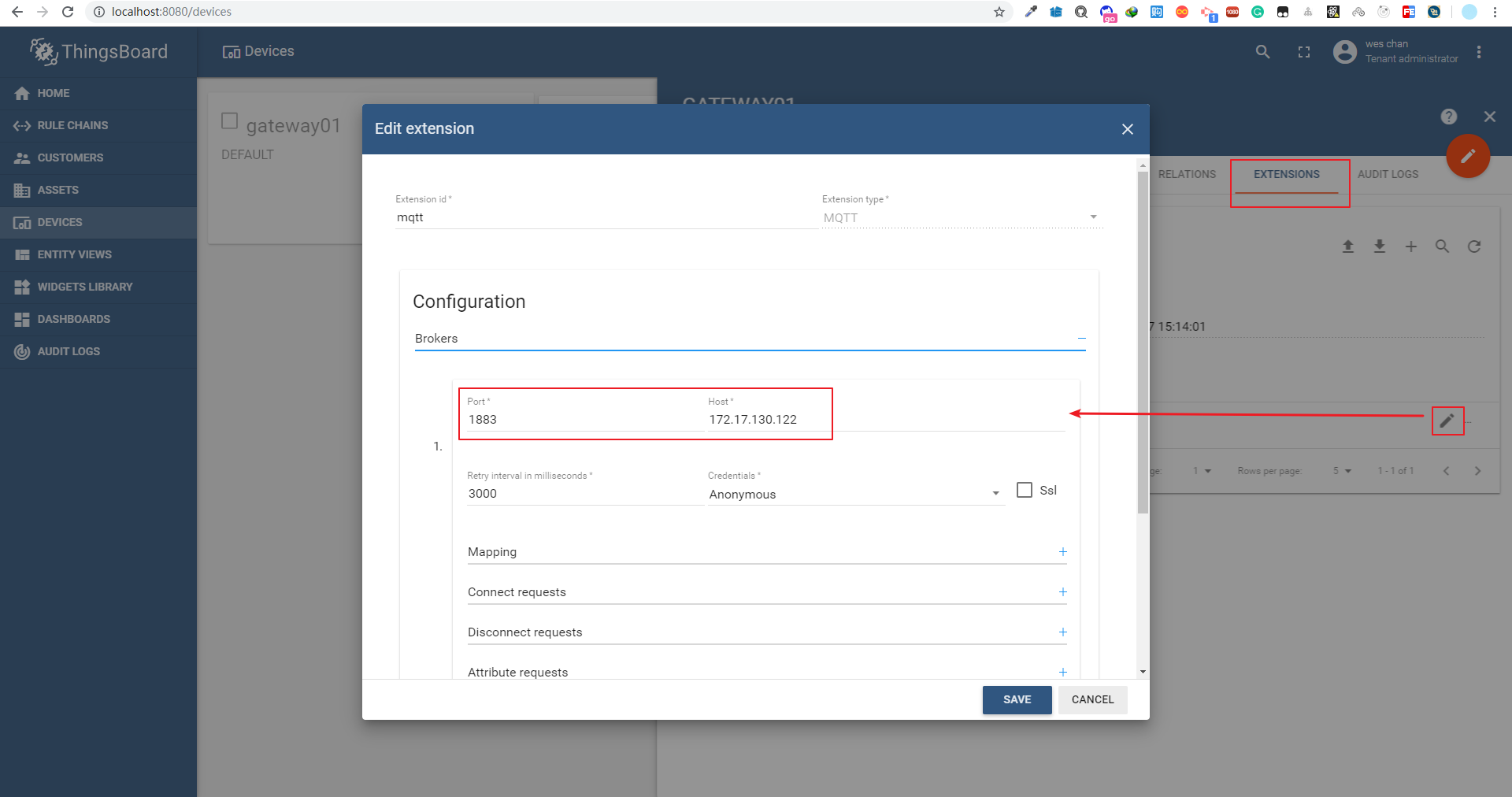
即然本地MQTT Broker是可以的,那么远程的MQTT Broker呢?是否可用呢
在Thingsboard中修改网关的MQTT设置,并保存
再次使用MQTTBox测试
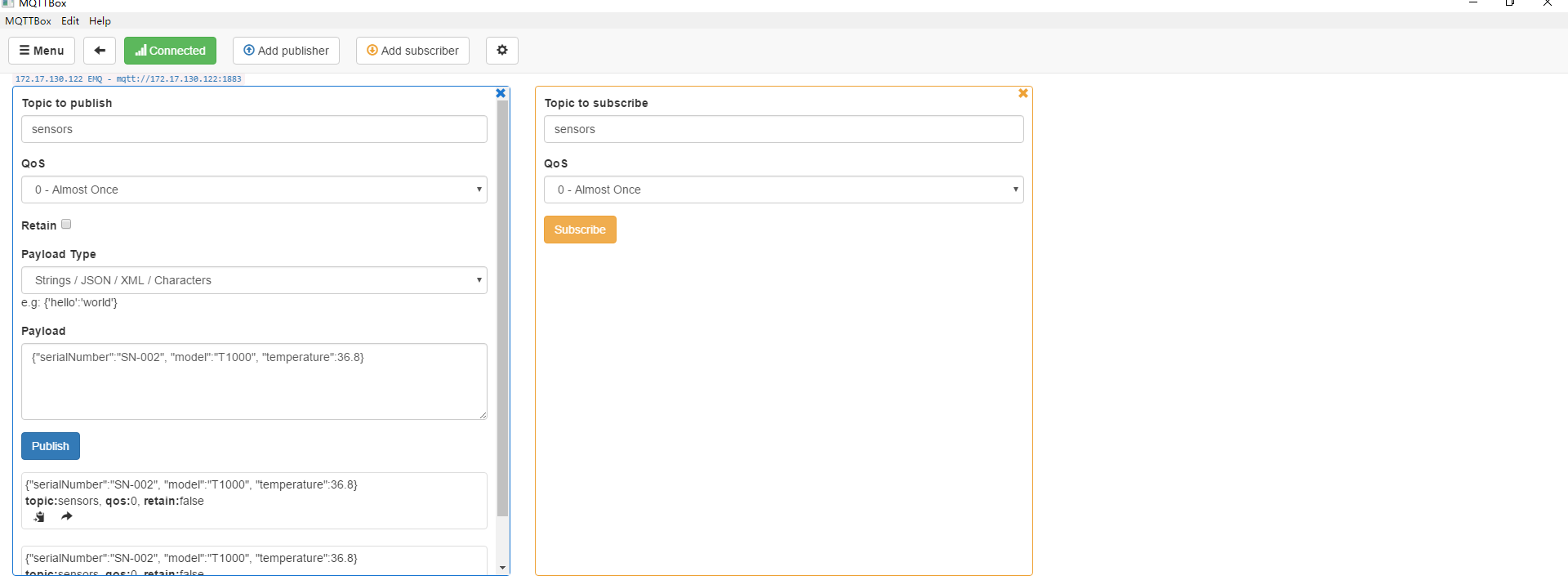
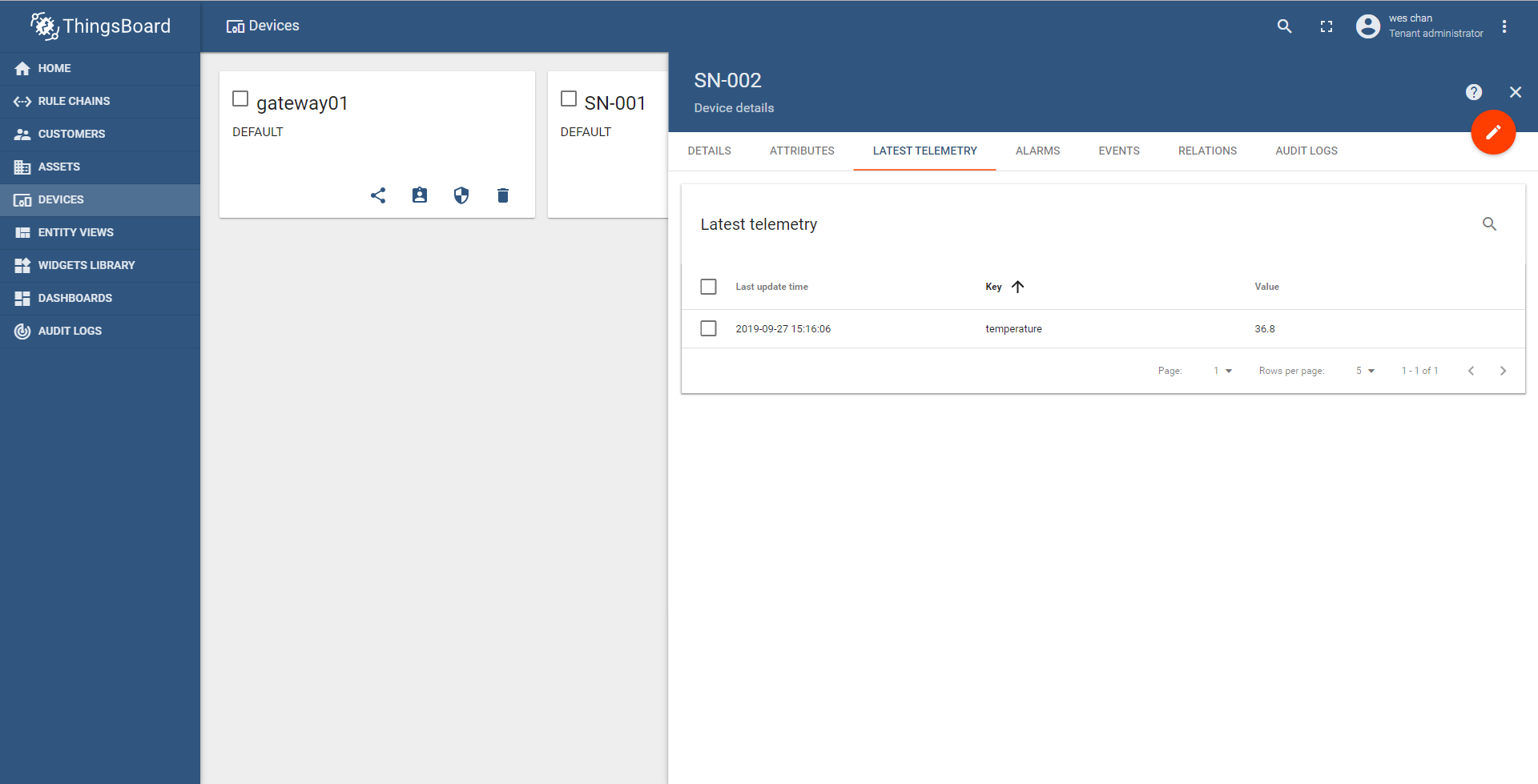
在Thingsboard设备列表中又增加了SN-002的设备,且已经有了遥测值
提醒,这里提醒一下,Thingsboard Gateway需要与Thingsboard配套使用,如果版本不同,则无法进行处理
最终理想的状态