
一、上篇讲了如何将webservice接口生成wsdl并且部署到远程服务器上。外网可进行访问。
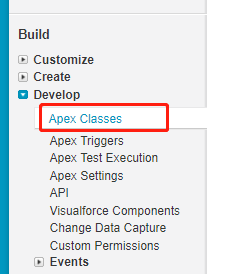
先将wsdl文件进行下载,然后再将wsdl导入到SF中。通过在Develop->Apex Classes中
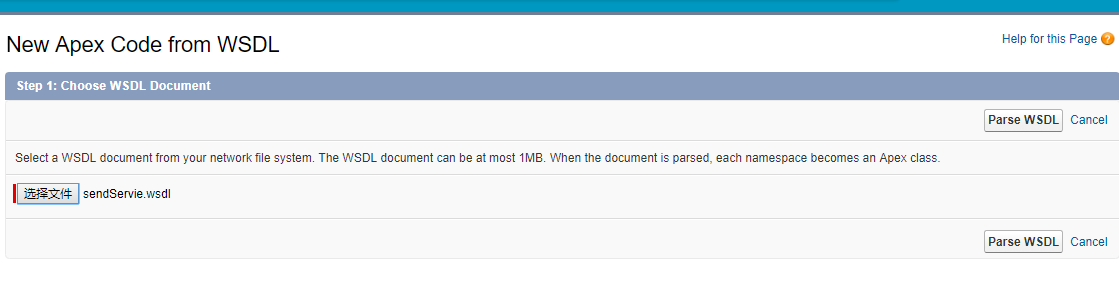
然后点击下一步,可以得到下图
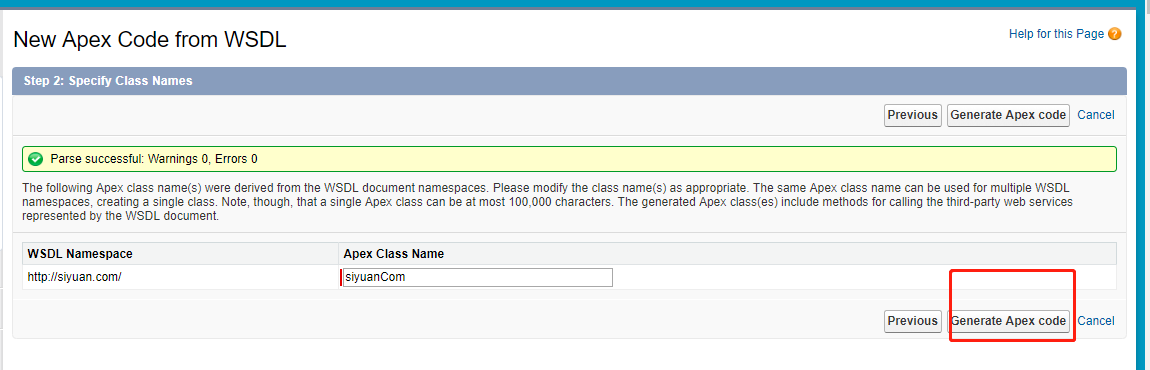
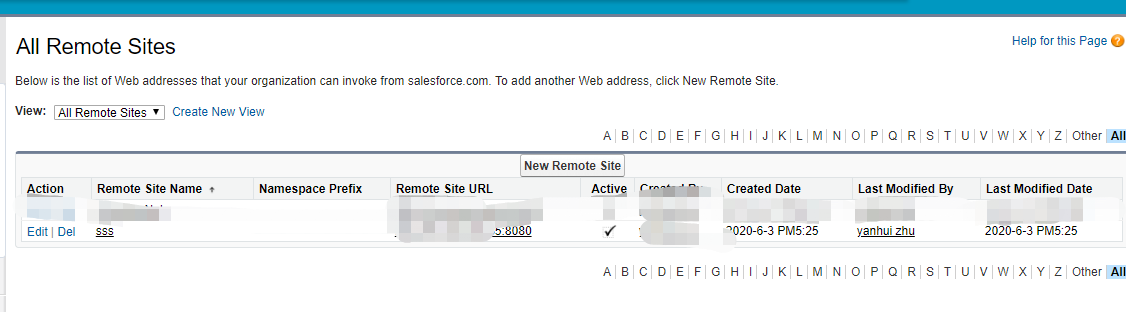
然后再去生成apex的代码。会生成两个类。AsyncWeb 一个是异步调用 web 一个是同步调用 要在远程站点设置访问的url
注意:此url要能够在外网也能访问,否则接口就调用不通
1public class AsyncWeb {
2    public class sendOAResponseFuture extends System.WebServiceCalloutFuture {
3        public Boolean getValue() {
4            web.sendOAResponse response = (web.sendOAResponse)System.WebServiceCallout.endInvoke(this);
5            return response.return_x;
6        }
7    }
8    public class AsyncSendServiceImplPort {
9        public String endpoint_x = 'http://远程主机IP:8080/CXFWebservice/webservice/sendServie';
10        public Map<String,String> inputHttpHeaders_x;
11        public String clientCertName_x;
12        public Integer timeout_x;
13        private String[] ns_map_type_info = new String[]{'http://siyuan.com/', 'web'};
14        public AsyncWeb.sendOAResponseFuture beginSendOA(System.Continuation continuation,String param) {
15            web.sendOA request_x = new web.sendOA();
16            request_x.param = param;
17            return (AsyncWeb.sendOAResponseFuture) System.WebServiceCallout.beginInvoke(
18              this,
19              request_x,
20              AsyncWeb.sendOAResponseFuture.class,
21              continuation,
22              new String[]{endpoint_x,
23              '',
24              'http://siyuan.com/',
25              'sendOA',
26              'http://siyuan.com/',
27              'sendOAResponse',
28              'web.sendOAResponse'}
29            );
30        }
31    }
32}
33
34public class web {
35    public class sendOAResponse {
36        public Boolean return_x;
37        private String[] return_x_type_info = new String[]{'return','http://siyuan.com/',null,'1','1','false'};
38        private String[] apex_schema_type_info = new String[]{'http://siyuan.com/','false','false'};
39        private String[] field_order_type_info = new String[]{'return_x'};
40    }
41    public class sendOA {
42        public String param;
43        private String[] param_type_info = new String[]{'param','http://siyuan.com/',null,'0','1','false'};
44        private String[] apex_schema_type_info = new String[]{'http://siyuan.com/','false','false'};
45        private String[] field_order_type_info = new String[]{'param'};
46    }
47    public class SendServiceImplPort {
48        public String endpoint_x = 'http://远程主机IP:8080/CXFWebservice/webservice/sendServie';
49        public Map<String,String> inputHttpHeaders_x;
50        public Map<String,String> outputHttpHeaders_x;
51        public String clientCertName_x;
52        public String clientCert_x;
53        public String clientCertPasswd_x;
54        public Integer timeout_x;
55        private String[] ns_map_type_info = new String[]{'http://siyuan.com/', 'web'};
56        public Boolean sendOA(String param) {
57            web.sendOA request_x = new web.sendOA();
58            request_x.param = param;
59            web.sendOAResponse response_x;
60            Map<String, web.sendOAResponse> response_map_x = new Map<String, web.sendOAResponse>();
61            response_map_x.put('response_x', response_x);
62            WebServiceCallout.invoke(
63              this,
64              request_x,
65              response_map_x,
66              new String[]{endpoint_x,
67              '',
68              'http://siyuan.com/',
69              'sendOA',
70              'http://siyuan.com/',
71              'sendOAResponse',
72              'web.sendOAResponse'}
73            );
74            response_x = response_map_x.get('response_x');
75            return response_x.return_x;
76        }
77    }
78}
然后再在匿名类中,进行接口调用
1web.SendServiceImplPort us = new web.SendServiceImplPort();
2us.sendOA('hello ss');
3System.debug('mess'+us.sendOA('hello ss'));

可以看到是调用成功的了
也输出了信息
现在去远程的服务器上看调用的一些打印信息
