定义一个分页类,封装起来,保存到目录下面方便调用:pagination.py
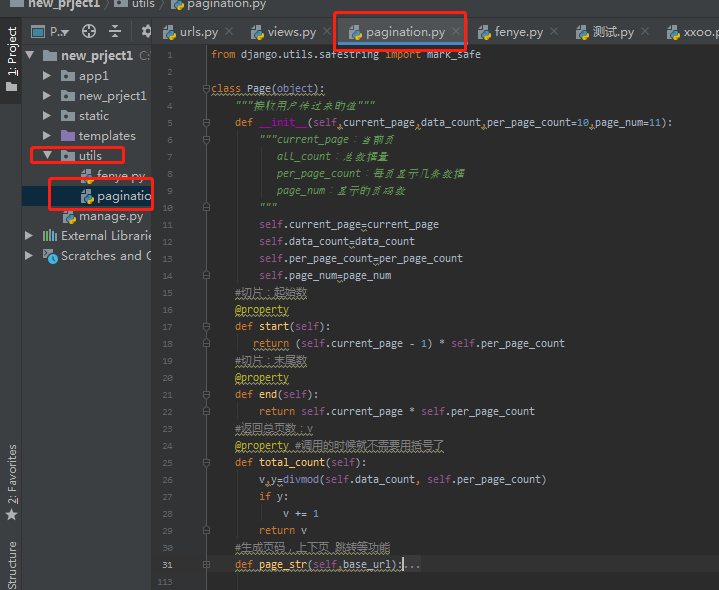
具体完整代码:
1from django.utils.safestring import mark_safe
2#分页类
3class Page(object):
4
5    def __init__(self,current_page,data_count,per_page_count=10,page_num=11):
6        """
7            current_page:当前页
8            data_count:数据量
9            per_page_count:每页显示多少行数据
10            page_num: 显示固定多少行页码
11        """
12        self.current_page = current_page
13        self.data_count = data_count
14        self.per_page_count = per_page_count
15        self.page_num = page_num
16
17    @property
18    def start(self):
19        """
20            切片起始值
21        """
22        return (self.current_page-1) * self.per_page_count
23
24    @property
25    def end(self):
26        """
27            切片末尾值
28        """
29        return self.current_page * self.per_page_count
30    @property
31    def total_count(self):
32        """
33            总页码:v
34            余数:y
35            total_count返回的就是总页码值
36        """
37        v,y=divmod(self.data_count,self.per_page_count)
38        if y:
39            v +=1
40        return v
41    def page_str(self,base_url):
42        """
43            生成页码,上下页, 跳转等功能
44            base_url:接收用户的url
45        """
46        self.base_url=base_url
47        """
48            page_list:页码列表
49        """
50        page_list = []
51        if self.total_count < self.page_num:
52            start_index=1
53            end_index=self.total_count +1
54        else:
55            if self.current_page <= (self.page_num +1)/2:
56                start_index = 1
57                end_index = self.page_num +1
58            else:
59                start_index= self.current_page - (self.page_num -1)/2
60                end_index= self.current_page +(self.page_num +1)/2
61                if self.current_page + (self.page_num -1)/2 > self.total_count:
62                    start_index = self.current_page -self.page_num +1
63                    end_index = self.total_count +1
64        # 上一页
65        if self.current_page == 1:
66
67            prev = '<a class="page" href="javascript:void(0)">上一页</a>'
68        else:
69
70            prev='<a class="page" href="https://my.oschina.net/cmdb/%s/?p=%s">上一页</a>' %(self.base_url,self.current_page - 1)
71
72        page_list.append(prev)
73        # 循环的总页码
74        for i in range(int(start_index),int(end_index)):
75            if i == self.current_page:
76                temp = '<a class= " page active"  href="https://my.oschina.net/cmdb/%s/?p=%s">%s</a>' % (self.base_url, i, i)
77            else:
78                temp= '<a class= "page" href="https://my.oschina.net/cmdb/%s/?p=%s">%s</a> ' % (self.base_url,i,i)
79            page_list.append(temp)
80        #下一页
81        if self.current_page == self.total_count:
82            next = '<a class="page" href="javascript:void(0)">下一页</a>'
83        else:
84
85            next = '<a class="page" href="https://my.oschina.net/cmdb/%s/?p=%s">下一页</a>' % (self.base_url, self.current_page + 1)
86        page_list.append(next)
87        #跳转指定页码
88        jump="""
89            <input type="text" name=choice />
90            <a onclick='jumpto(this,"/cmdb/%s/?p=");' id="ii1"><input type="button" value="Go"/></a>
91            <script>
92             function jumpto(ths,base){
93                    var  val=ths.previousSibling.value;
94                    if (val == "")
95                    {
96                     alert("内容不能为空");
97
98                    }else if(val >%s){
99                    alert("页码不存在");
100                    }else{
101                    location.href = base + val;
102                    }
103                    console.log(this)
104
105                }
106            </script>
107        """ % (self.base_url)
108        page_list.append(jump)
109        #拼接字符串
110        page_str= "".join(page_list)
111        page_str=mark_safe(page_str)
112        return page_str
views视图:
—调用封装好的类
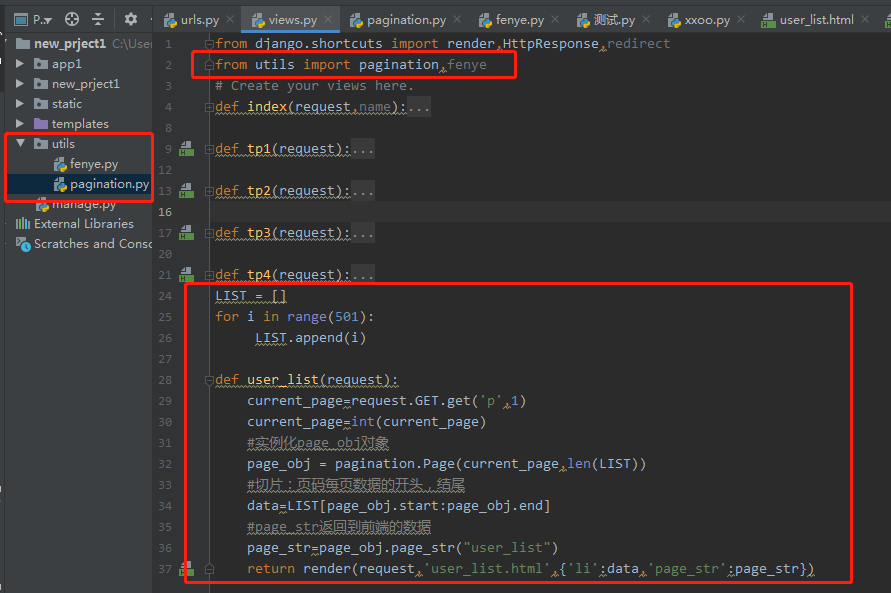
返回的page_str字符串到user_list.html界面进行渲染:
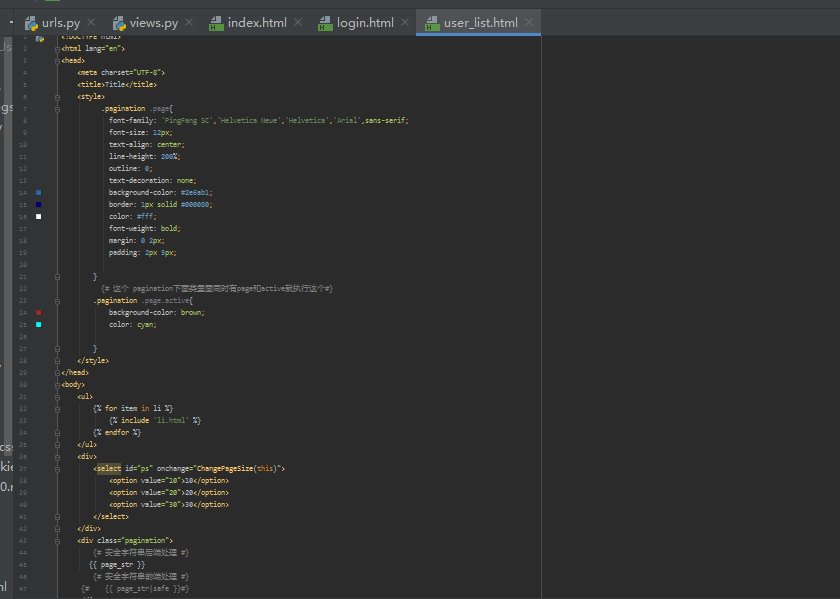
jquery代码:
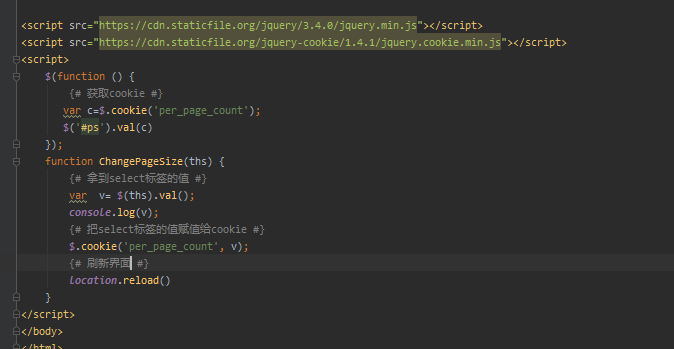
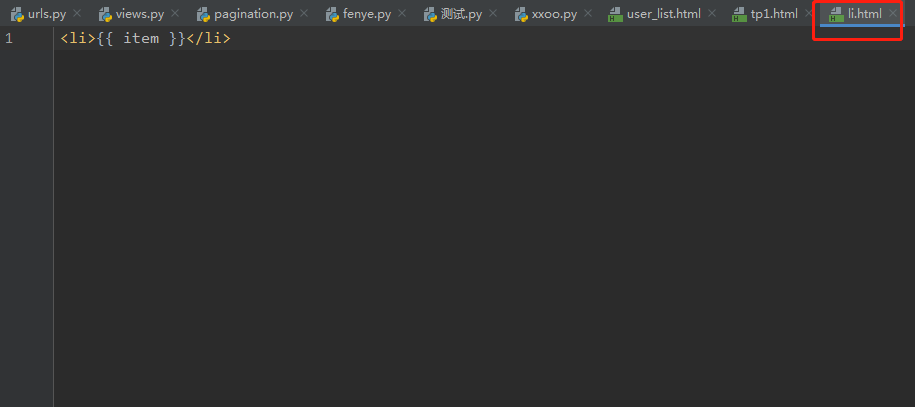
tag:在页面通过include导入