
一、概述
ConfigClient(微服务)从ConfigServer端获取自己对应的配置文件,但是目前的问题是:当远程git仓库配置文件发生改变时,每次都是需要重启ConfigCient(微服务),如果有上百上千个微服务呢?我想我们不会一个个去重启每个微服务,也就是说如何让ConfigServer端通知到ConfigClient端?即ConfigClient端如何感知到配置发生更新?
SpringCloud Bus会向外提供一个http接口,即下图中的/bus/refresh。我们将这个接口配置到git的webhook上,当git上的内容发生改变时,就会自动调用/bus/refresh接口。Bus就会通知ConfigServer,configserver会发布更新消息到消息总线的消息队列,其他服务订阅到该消息就会信息刷新,从而实现整个微服务进行自动刷新。
SpringCloud Bus官网地址:https://www.springcloud.cc/spring-cloud-bus.html
二、实现方式
(1)方式一:某个微服务承担配置刷新的职责
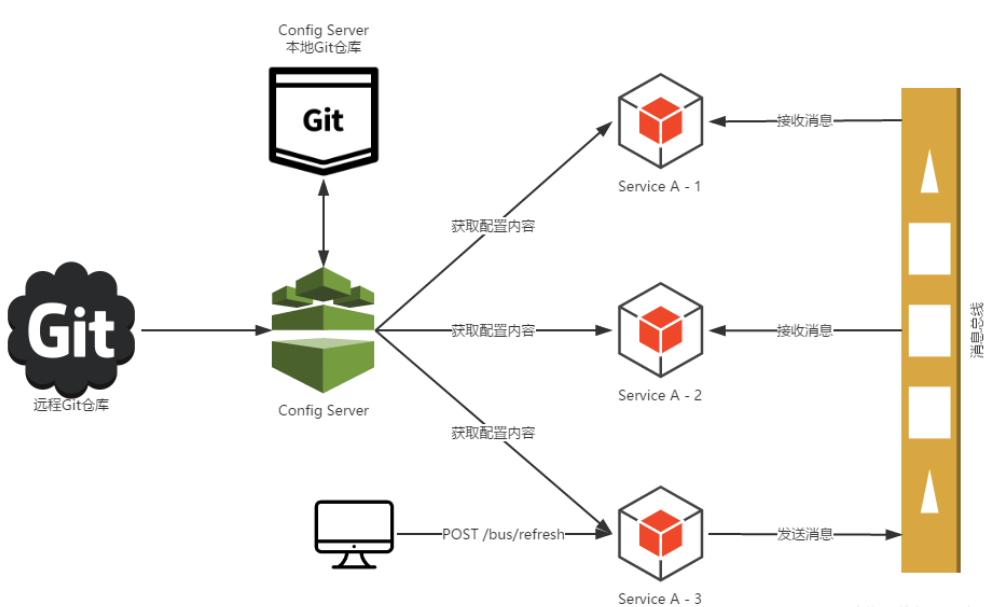
①提交配置出发post请求调用客户端A的/bus/refresh接口
②客户端A收到请求从Server端更新配置并且发送给Spring Cloud Bus消息总线
③Spring Cloud Bus接收消息并通知给其他连线在总线上的客户端,所有总线上的客户端均能接收到消息。
④其他客户端接收到消息,请求Server端获取最新配置
⑤全部客户端均获取到最新的配置
以上存在问题:
①打破微服务的单一原则。微服务本身是业务模块,本不应该承担配置刷新的职责
②WebHook的配置也随着承担刷新配置的微服务节点发生变化。
(2)方式二:配置中心Server端承担起配置刷新的职责,原理图如下:
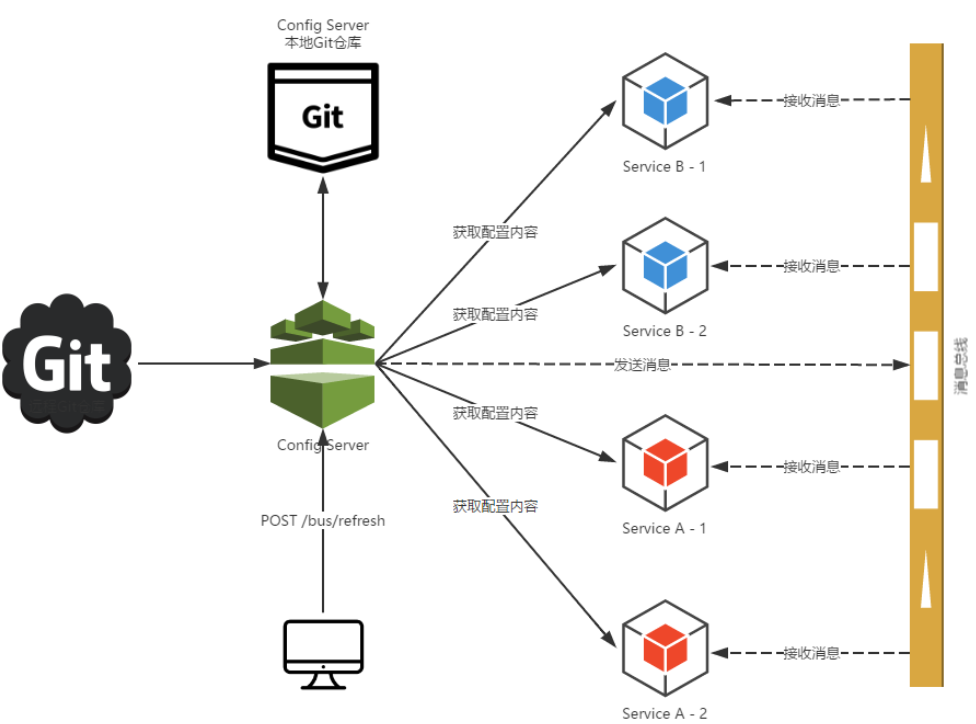
①提交配置触发post请求给server端的/bus/refresh接口
②server端接收到请求并发送给SpringCloud Bus总线
③Sping Cloud Bus接收到消息并通知给其他连接的总线的客户端
④其他客户端接收到通知,请求Server端获取最新配置
⑤全部客户端获取到最新的配置
三、实现步骤
基于方式二的实现,分为Config Server和Config Client配置
0.RabbitMQ的安装
1.ConfigServer服务端配置
1.1添加pom、application.yml配置


1<!--config server-->
2        <dependency>
3            <groupId>org.springframework.cloud</groupId>
4            <artifactId>spring-cloud-config-server</artifactId>
5        </dependency>
6<!-- springcloud-bus依赖实现配置自动更新,rabbitmq -->
7        <dependency>
8            <groupId>org.springframework.cloud</groupId>
9            <artifactId>spring-cloud-starter-bus-amqp</artifactId>
10        </dependency>
pom


1server:
2  port: 3344
3
4spring:
5  application:
6    name: microservice-config-server
7  cloud:
8    config:
9      server:
10        git:
11          uri: https://github.com/Simple-Coder/microservice-config.git #github上的仓库地址
12          search-paths: /**
13          username: ********  #这里配置用户名
14          password: ********  #这里配置密码
15      label: master
16  rabbitmq:
17    host: 39.98.190.54    #公网地址
18    port: 5672
19    username: guest
20    password: guest
21
22#SpringCloud暴露接口,暴露/bus/refresh接口
23management:
24  security:
25    enabled: false
26
27#开启基本的权限,默认为true
28security:
29  basic:
30    enabled: false
application.yml
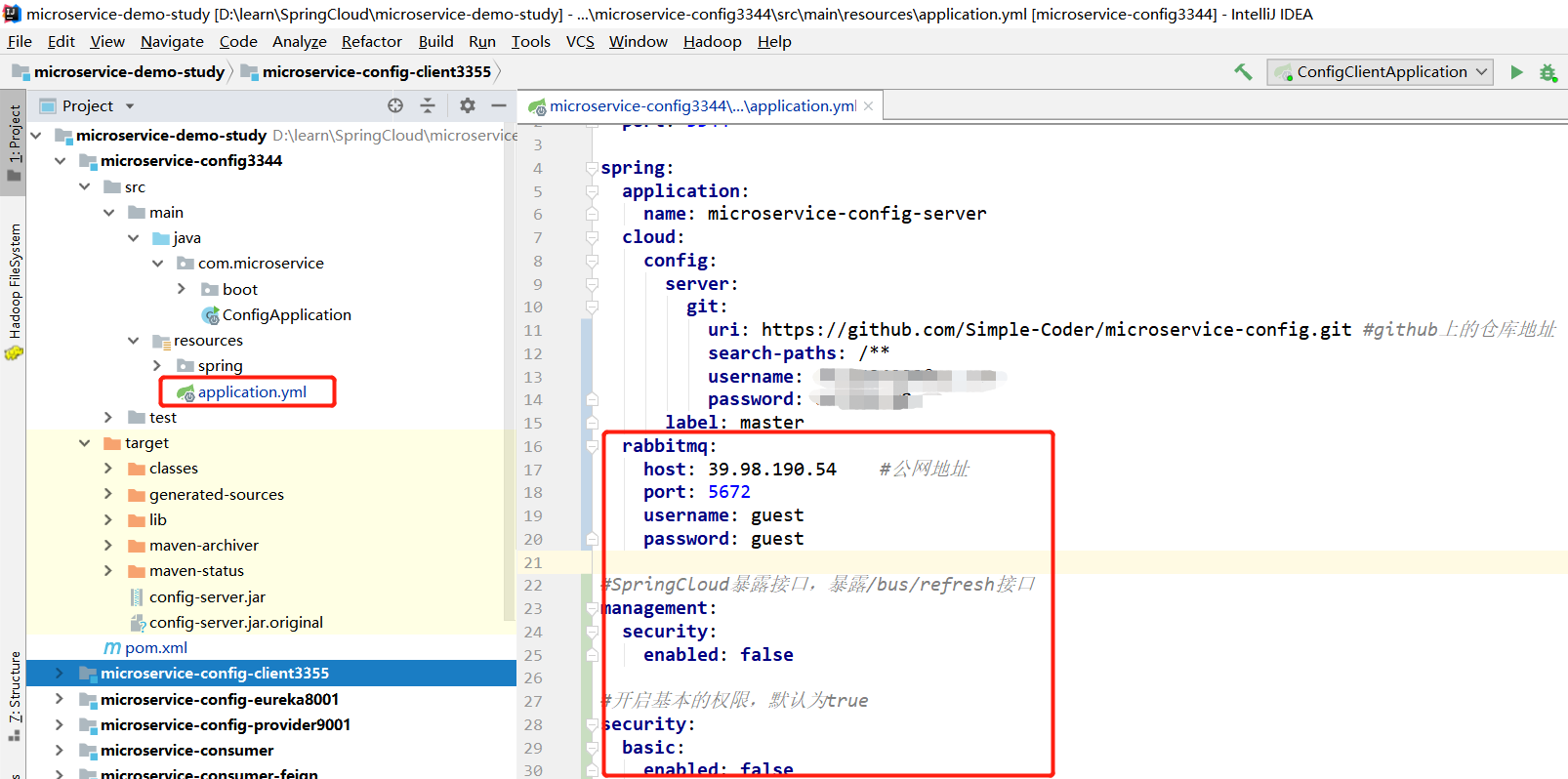
1.2 启动类添加@EnableConfigServer
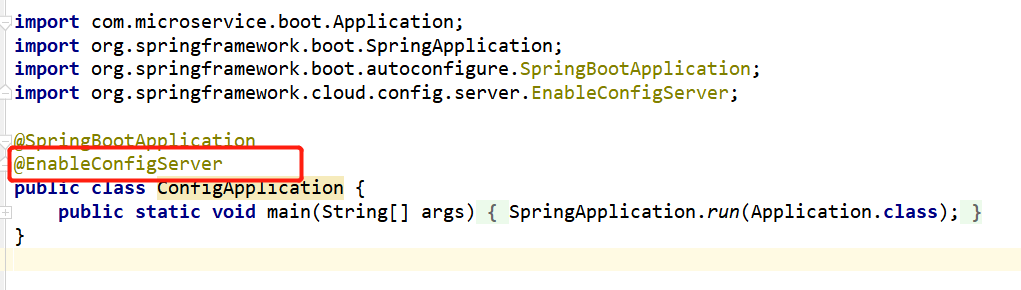
ConfigServer服务端配置完成!
2.ConfigClient服务端配置
2.1添加pom依赖、bootstrap.yml配置


1<!--config-->
2<dependency>
3    <groupId>org.springframework.cloud</groupId>
4    <artifactId>spring-cloud-starter-config</artifactId>
5</dependency>
6 <!--amqp-->
7<dependency>
8    <groupId>org.springframework.cloud</groupId>
9    <artifactId>spring-cloud-starter-bus-amqp</artifactId>
10</dependency>
11 <!--actuator-->
12<dependency>
13    <groupId>org.springframework.boot</groupId>
14    <artifactId>spring-boot-starter-actuator</artifactId>
15</dependency>
pom


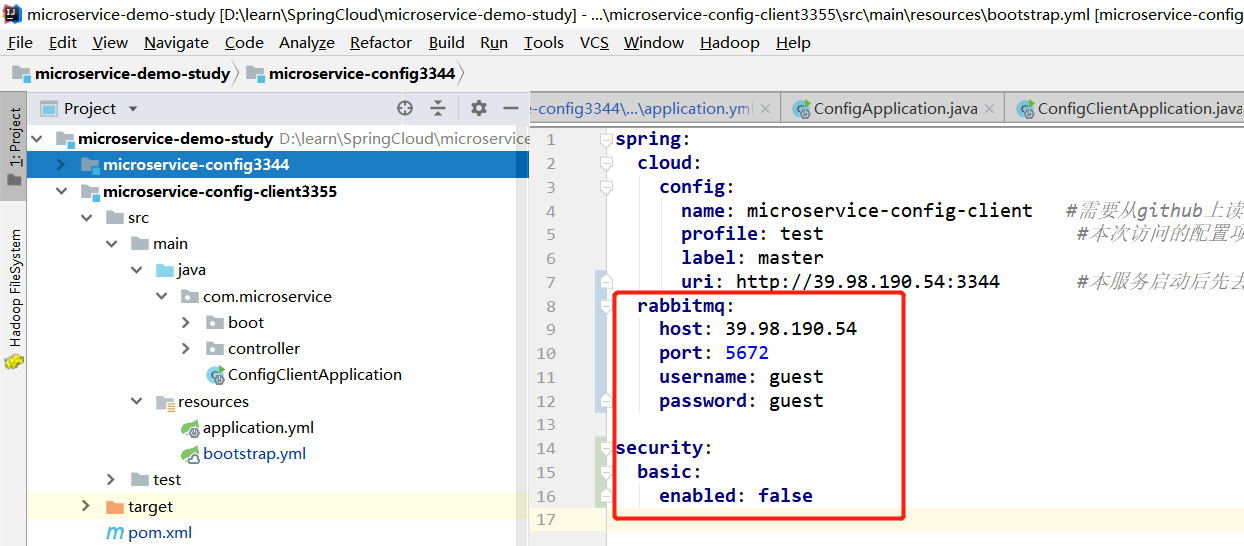
1spring:
2  cloud:
3    config:
4      name: microservice-config-client   #需要从github上读取的资源名称,注意没有yml名称
5      profile: test                       #本次访问的配置项
6      label: master
7      uri: http://39.98.190.54:3344       #本服务启动后先去找3344服务,通过SpringCloudConfig获取github的服务地址
8  rabbitmq:
9    host: 39.98.190.54
10    port: 5672
11    username: guest
12    password: guest
13
14security:
15  basic:
16    enabled: false
bootstrap.yml
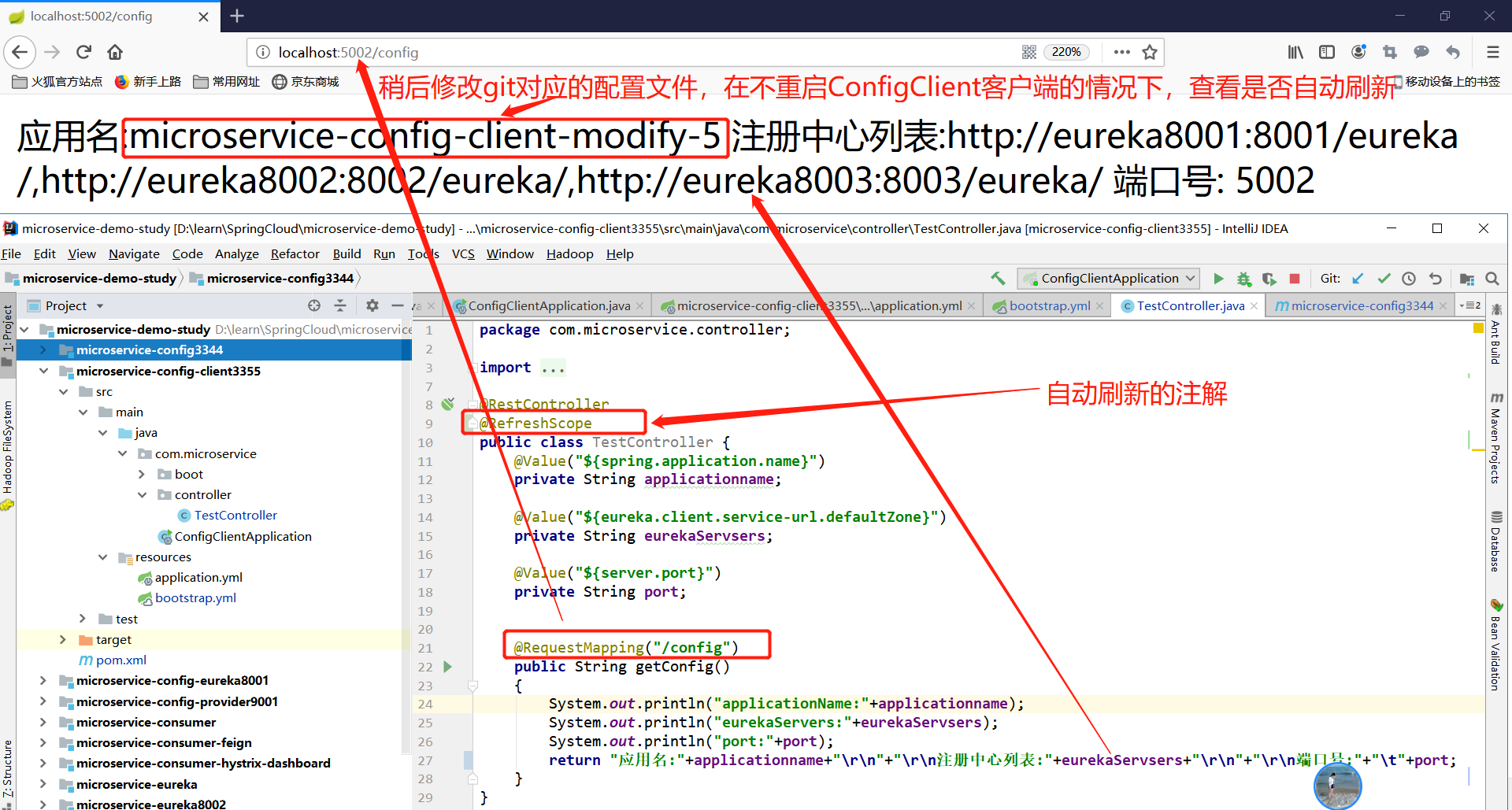
2.2添加注解: @RefreshScope添加在需要刷新的配置文件上
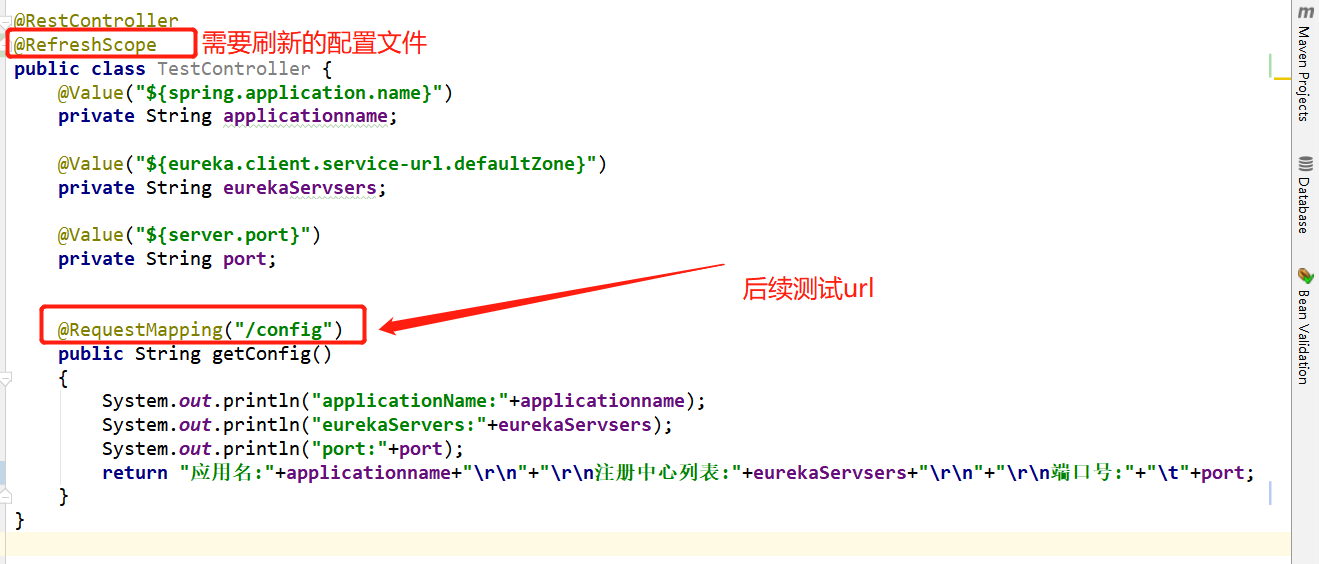
至此,Config Client端配置完成!
3.WebHook配置
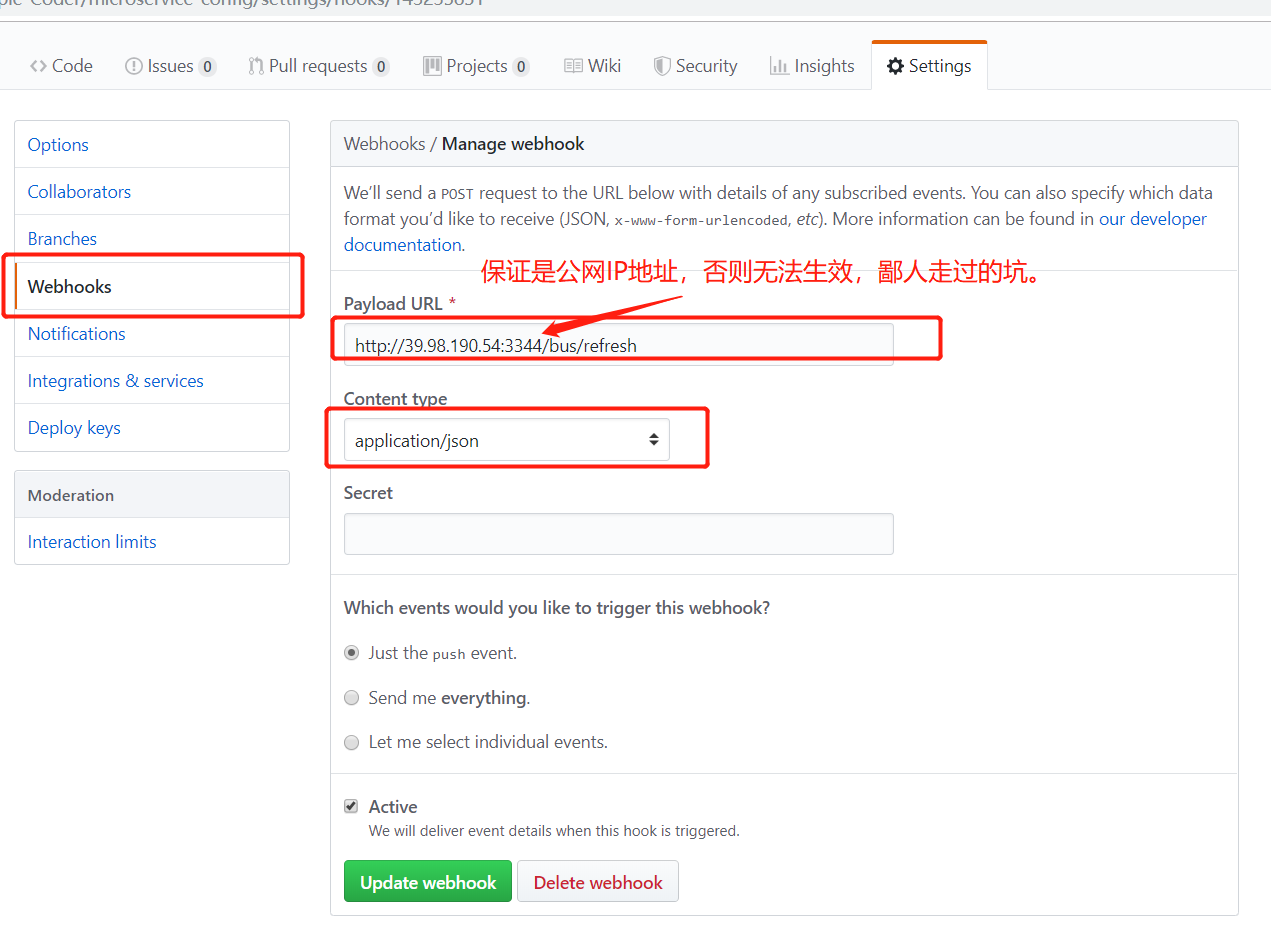
前边:ConfigServer和ConfigClient配置完成,要实现自动刷新需要调用/bus/refresh接口通过ConfigServer
3.1方式一:手动调用(post请求):http://config3344.com:3344/bus/refresh
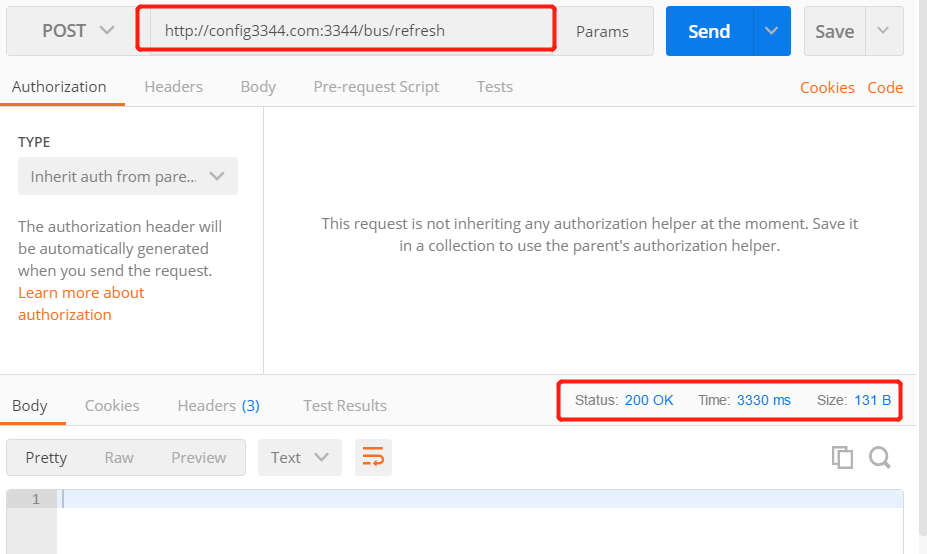
3.2方式二:配置git的webhook ,当git端配置发生改变,自动调用/bus-refresh接口
四、测试
(1)启动ConfigServer(含有公网IP的服务器,我这里买的阿里云服务器)

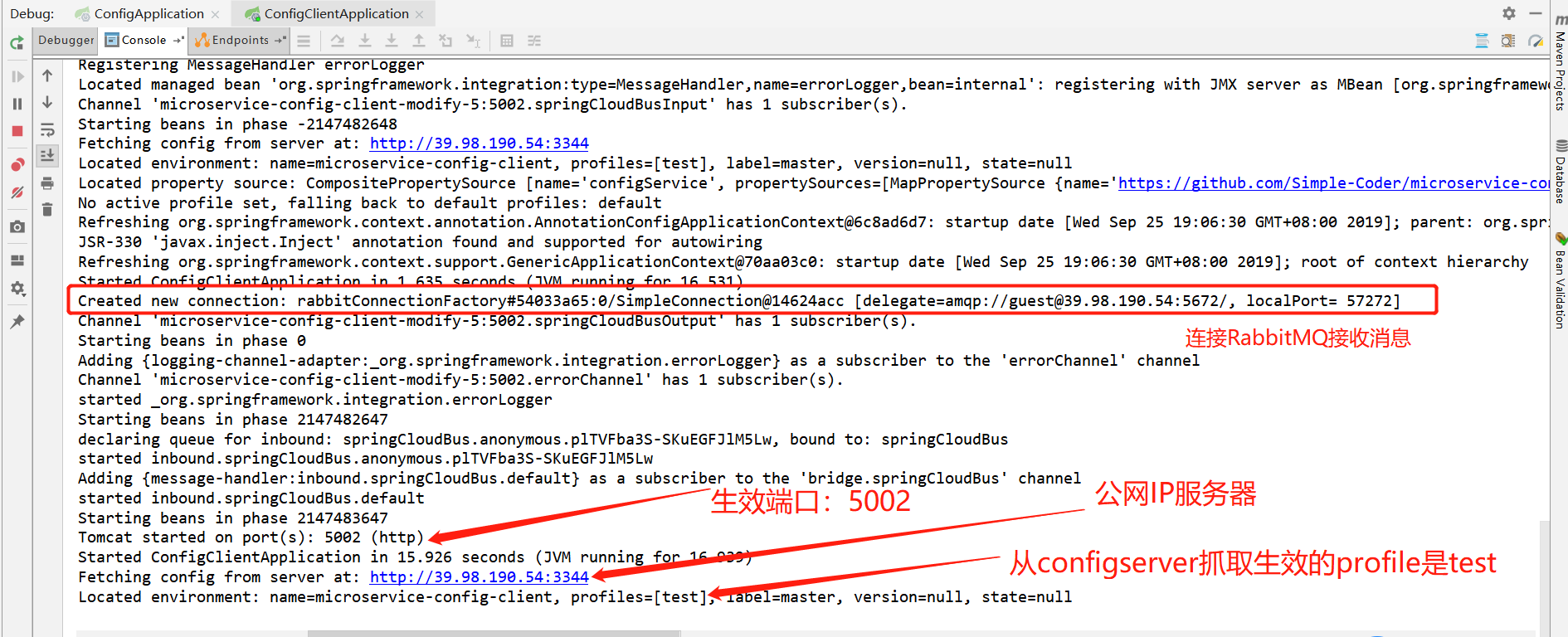
(2)启动ConfigClient:本地代码工程(microservice-config-client3355)
(3)浏览器访问:http://localhost:5002/config
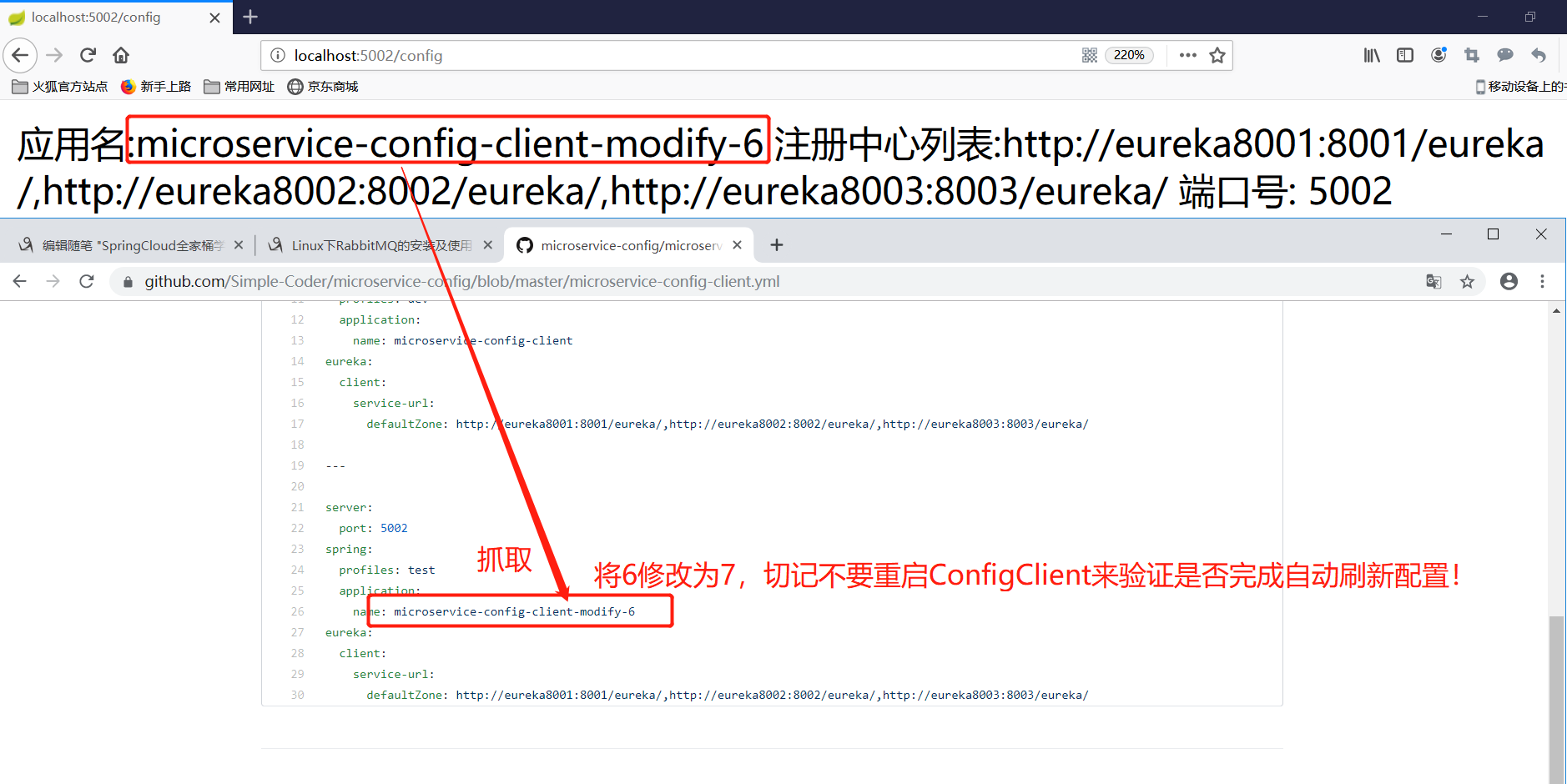
(4)修改配置文件:microservice-config-client.yml
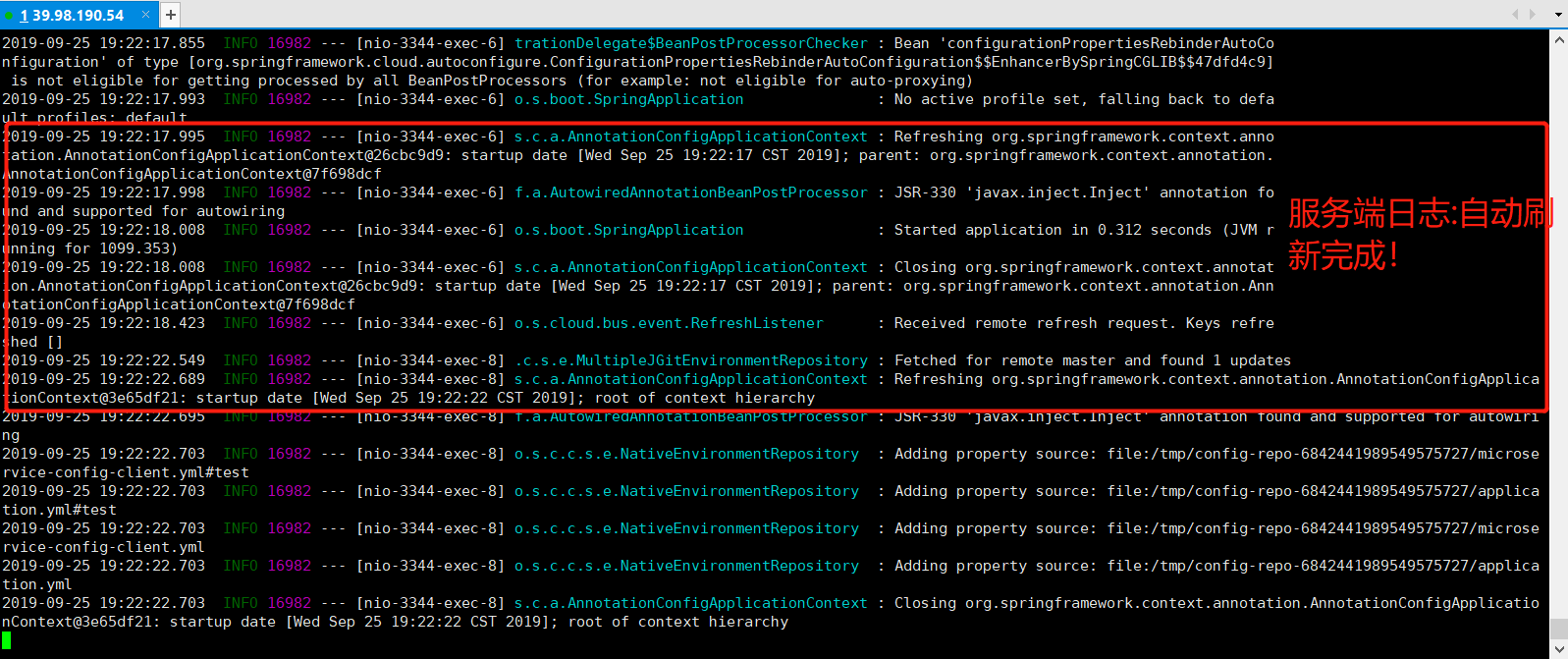
修改完成以后,查看ConfigServer服务端的控制台日志打印如下:
(5)刷新:http://localhost:5002/config
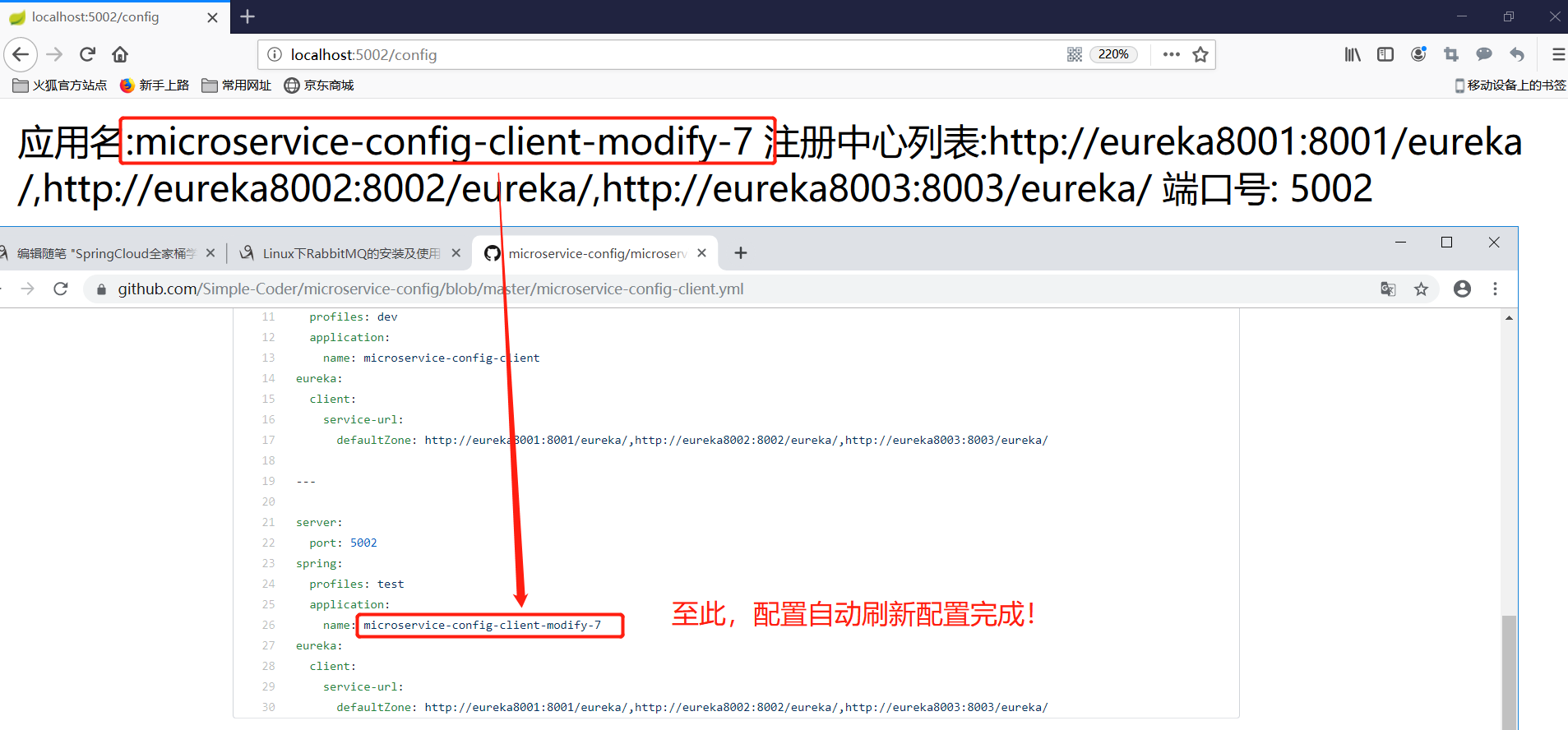
至此,Config配置自动刷新完成!
本项目地址:https://github.com/Simple-Coder/microservice-demo-study
参考链接:https://blog.csdn.net/wtdm_160604/article/details/83720391