
设置redis服务开机自启动。
1.创建配置文件夹
1sudo mkdir /etc/redis
2
3
4sudo cp /usr/local/redis/redis.conf /etc/redis
5
6
7sudo cp /etc/redis/redis.conf /etc/redis/6379.conf
2.使用启动脚本
1 sudo cat /usr/local/redis/utils/redis_init_script
2
3
4#!/bin/sh
5#
6# Simple Redis init.d script conceived to work on Linux systems
7# as it does use of the /proc filesystem.
8
9REDISPORT=6379
10EXEC=/usr/local/bin/redis-server
11CLIEXEC=/usr/local/bin/redis-cli
12
13PIDFILE=/var/run/redis_${REDISPORT}.pid
14CONF="/etc/redis/${REDISPORT}.conf"
15
16case "$1" in
17    start)
18        if [ -f $PIDFILE ]
19        then
20                echo "$PIDFILE exists, process is already running or crashed"
21        else
22                echo "Starting Redis server..."
23                $EXEC $CONF
24        fi
25        ;;
26    stop)
27        if [ ! -f $PIDFILE ]
28        then
29                echo "$PIDFILE does not exist, process is not running"
30        else
31                PID=$(cat $PIDFILE)
32                echo "Stopping ..."
33                $CLIEXEC -p $REDISPORT shutdown
34                while [ -x /proc/${PID} ]
35                do
36                    echo "Waiting for Redis to shutdown ..."
37                    sleep 1
38                done
39                echo "Redis stopped"
40        fi
41        ;;
42    *)
43        echo "Please use start or stop as first argument"
44        ;;
45esac
3.将启动脚本复制到/etc/init.d目录下。命名为redisd。
4.注册开启服务
update-rc.d redisd defaults
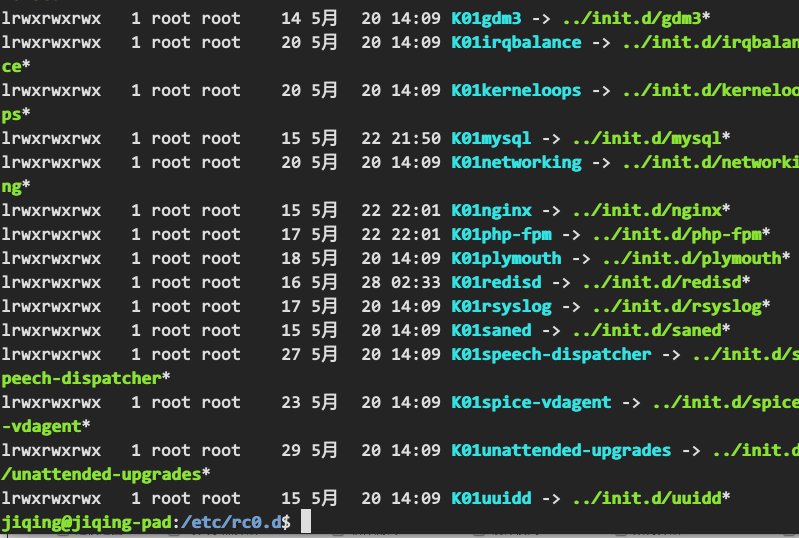
如果没有效果,就在/etc/rc0.d~/etc/rc6.d中建立软连接!
1rc0.d/ rc1.d/ rc2.d/ rc3.d/ rc4.d/ rc5.d/ rc6.d/ rcS.d/
2
5.开启服务
1jiqing@jiqing-pad:~/下载$ service redisd start
2jiqing@jiqing-pad:~/下载$ redis-cli
3127.0.0.1:6379>