开发工具: vscode
一、人物拼图游戏
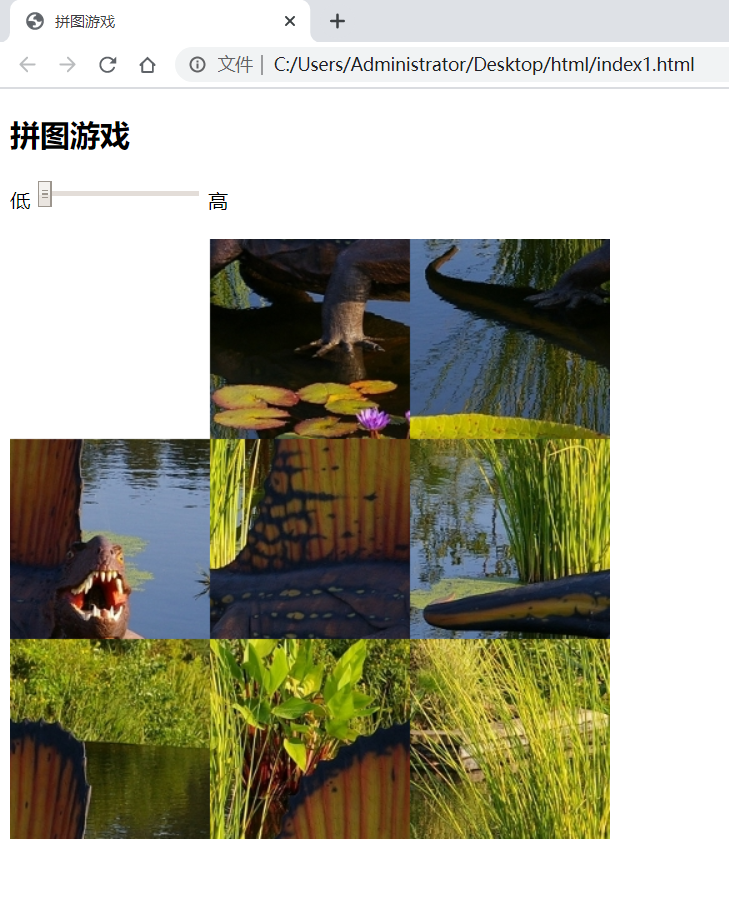
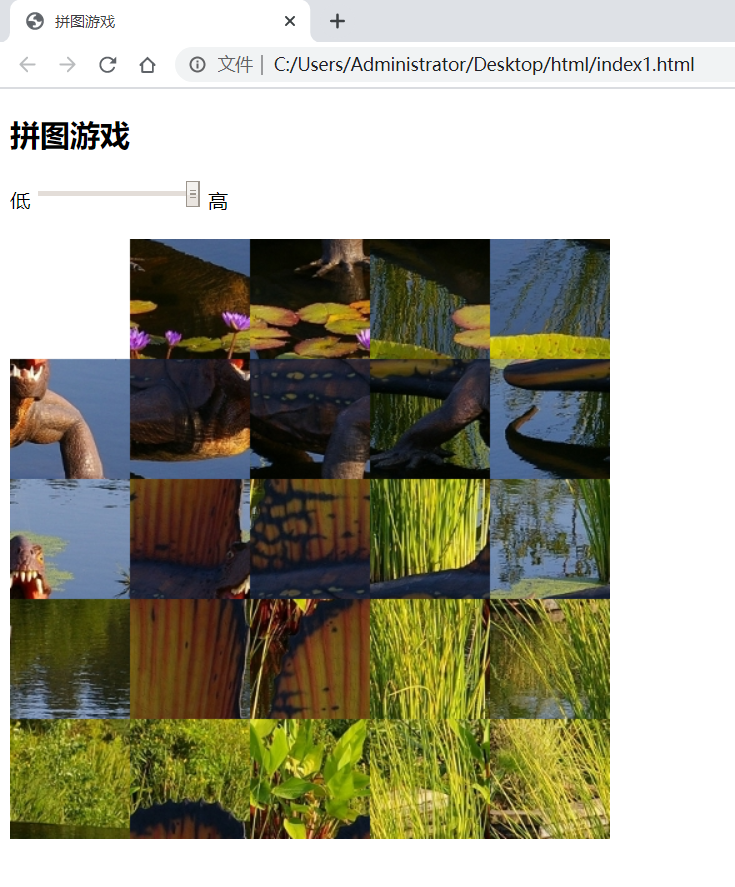
游戏介绍: 拼图游戏将一幅图片分割成若干拼块并将它们随机打乱顺序。当将所有拼块都放回原位置时,就完成了拼图(游戏结束)。
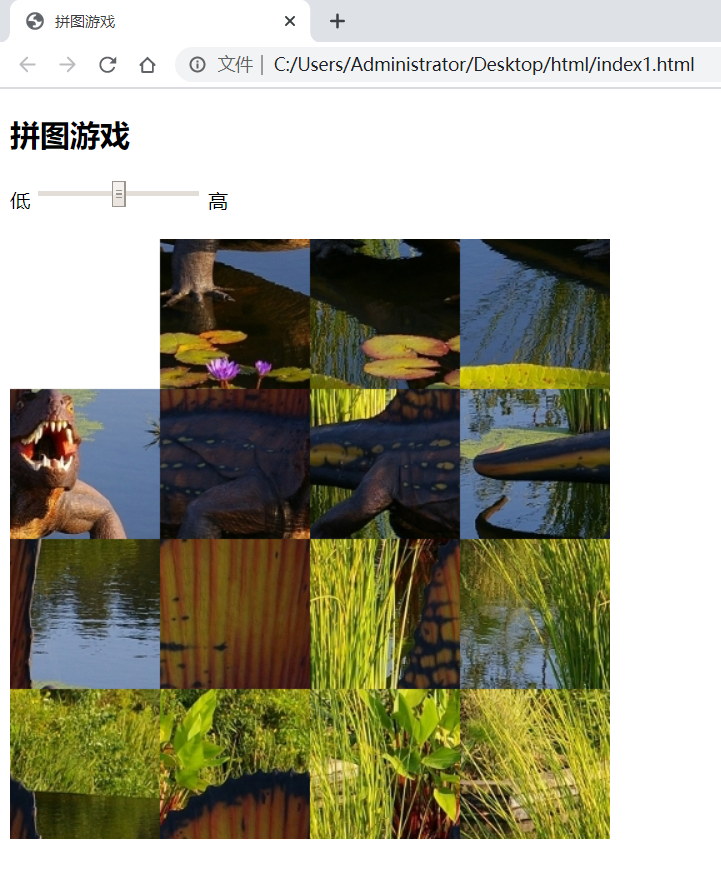
在“游戏”中,单击滑块选择游戏难易,“容易”为3行3列拼图游戏,中间为一个4行4列拼图游戏,“难”为5行5列拼图游戏。拼块以随机顺序排列,玩家用鼠标单击空白块的四周来交换它们的位置,直到所有拼块都回到原位置。
程序设计思路: HTML5可以把图片整合到网页中。使用canvas元素可以在这个空白的画布上填充线条,载入图片文件,甚至动画效果。这里制作拼图游戏用来展示HTML5 canvas的图片处理能力。
游戏程序首先显示以正确顺序排列的图片缩略图,根据玩家设置的分割数,将图片订割成相应tileCount行列数的拼块,并按顺序编号。动态生成一个大小tileCount_tileCount,的数组boardParts,存放用0、1、2到tileCount_ tileCount-1的数,每个数字代表一个拼块(例如4*4的游戏拼块编号如图所示)。
游戏开始时,随机打乱这个数组boardParts,假如boardParts[0]是5,则在左上角显示编号是5的拼块。根据玩家用鼠标单击的拼块和空白块所在位置,来交换该boardParts数组对应的元素,最后依据元素排列顺序来判断是否已经完成游戏。
游戏参考代码:
sliding.js
1var context=document.getElementById('puzzle').getContext('2d');
2
3var img=new Image();
4img.src='defa.jpg';
5img.addEventListener('load',drawTiles,false);
6
7var boardSize=document.getElementById('puzzle').width;
8var tileCount=document.getElementById('scale').value;
9
10var tileSize=boardSize/tileCount;
11
12var clickLoc=new Object;
13clickLoc.x=0;
14clickLoc.y=0;
15
16var emptyLoc=new Object;
17emptyLoc.x=0;
18emptyLoc.y=0;
19
20var solved=false;
21
22var boardParts=new Object;
23setBoard();
24
25document.getElementById('scale').onchange=function(){
26    tileCount=this.value;
27    tileSize=boardSize/tileCount;
28    setBoard();
29    drawTiles();
30};
31
32document.getElementById('puzzle').onmousemove=function(e){
33    clickLoc.x=Math.floor((e.pageX-this.offsetLeft)/tileSize);
34    clickLoc.y=Math.floor((e.pageY-this.offsetTop)/tileSize);
35};
36
37document.getElementById('puzzle').onclick=function(){
38    if (distance(clickLoc.x,clickLoc.y,emptyLoc.x,emptyLoc.y)==1){
39        slideTile(emptyLoc,clickLoc);
40        drawTiles();
41    }
42    if(solved){
43        setTimeout(function(){alert("You solved it!");},500);
44    }
45};
46
47function setBoard(){
48    boardParts=new Array(tileCount);
49    for(var i=0;i<tileCount;++i) {
50        boardParts[i]=new Array(tileCount);
51        for (var j=0;j<tileCount;++j){
52            boardParts[i][j]=new Object;
53            boardParts[i][j].x=(tileCount-1)-i;
54            boardParts[i][j].y=(tileCount-1)-j;
55        }
56    }
57    emptyLoc.x=boardParts[tileCount-1][tileCount-1].x;
58    emptyLoc.y=boardParts[tileCount-1][tileCount-1].y;
59    solved=false;
60}
61
62function drawTiles(){
63    context.clearRect(0,0,boardSize,boardSize);
64    for(var i=0;i<tileCount;++i){
65        for(var j=0;j<tileCount;++j){
66            var x=boardParts[i][j].x;
67            var y=boardParts[i][j].y;
68            if(i!=emptyLoc.x || j!=emptyLoc.y || solved==true){
69                context.drawImage(img,x*tileSize,y*tileSize,tileSize,tileSize,
70                    i*tileSize,j*tileSize,tileSize,tileSize);
71            }
72        }
73    }
74}
75
76function distance(x1,y1,x2,y2) {
77    return Math.abs(x1-x2)+Math.abs(y1-y2);
78}
79
80function slideTile(toLoc,fromLoc){
81    if(!solved){
82        boardParts[toLoc.x][toLoc.y].x=boardParts[fromLoc.x][fromLoc.y].x;
83        boardParts[toLoc.x][toLoc.y].y=boardParts[fromLoc.x][fromLoc.y].y;
84        boardParts[fromLoc.x][fromLoc.y].x=tileCount-1;
85        boardParts[fromLoc.x][fromLoc.y].y=tileCount-1;
86        toLoc.x=fromLoc.x;
87        toLoc.y=fromLoc.y;
88        checkSolved();
89    }
90}
91
92function checkSolved(){
93    var flag=true;
94    for(var i=0;i<tileCount;++i){
95        for(var j=0;j<tileCount;++j){
96            if(boardParts[i][j].x!=i || boardParts[i][j].y!=j){
97                flag=false;
98            }
99        }
100    }
101    solved=flag;
102}
index.html
1<!doctype html>
2<html>
3    <head>
4        <title>拼图游戏</title>
5        <style>
6            .picture{
7                border:1px solid black;
8            }
9        </style>
10    </head>
11    <body>
12        <div id="title">
13            <h2>拼图游戏</h2>
14        </div>
15        <div id="slider">
16            <form>
17                <label>低</label>
18                <input type="range" id="scale" value="4" min="3" max="5" step="1">
19                <label>高</label>
20            </form>
21            <br>
22        </div>
23        <div id="main" class="main">
24            <canvas id="puzzle" width="480px" height="480px"></canvas>
25        </div>
26        <script src="sliding.js"></script>
27    </body>
28</html>
运行结果:
二、雷电飞机射击游戏
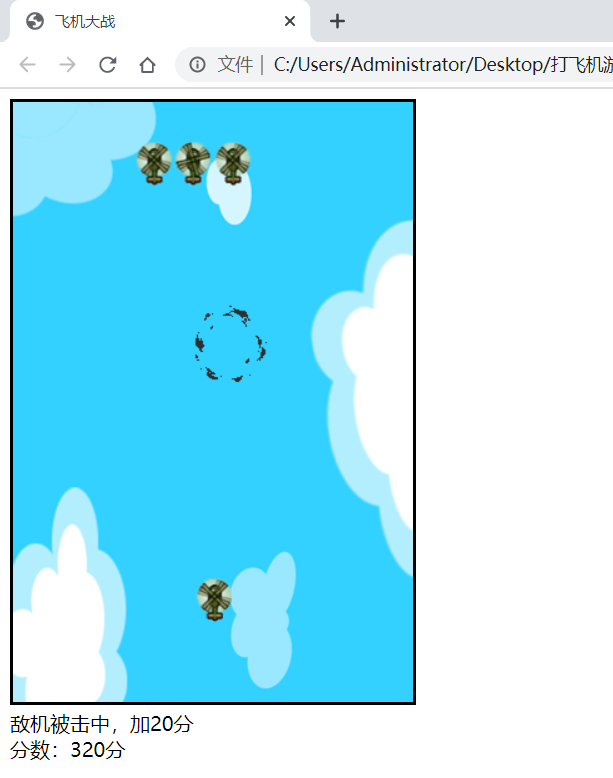
游戏介绍: 通过上下左右控制飞机移动,空格键完成射击
程序设计步骤: 将游戏种所用到的玩家、敌人、子弹等封装成类,planobj()来检测飞机的碰撞
游戏参考代码:
1<!DOCTYPE html>
2<html>
3	<head>
4		<title>飞机大战</title>
5		<meta charset="utf-8">
6	</head>
7	<body>
8		<canvas id='myCanvas' width="320" height="480" style="border: solid">
9			你的浏览器不支持canves画布元素,请更新浏览器获得演示效果。
10		</canvas>
11		<div id="message_txt" style="display: block;">飞机大战</div>
12		<div id="score_txt" style="display: block;">分数:0分</div>
13		<script type="text/javascript">
14			var canvas=document.getElementById('myCanvas');
15			var context=canvas.getContext('2d');
16			document.addEventListener('keydown',onKeydown);
17			//飞机类和其属性
18			var Plan=function(image,x,y,n){
19				this.image=image;
20				this.x=x;
21				this.y=y;
22				this.orignx=x;
23				this.origny=y;
24				this.width=image.width/n;
25				this.height=image.height;
26				this.isCaught=false;
27				this.frm=0;
28				this.dis=0;
29				this.n=n;
30			};
31			Plan.prototype.getCaught=function(bool){
32				this.isCaught=bool;
33				if (bool==false){
34					this.orignx=0;
35					this.origny=this.y;
36				}
37			};
38			Plan.prototype.testPoint=function(x,y){
39				var betweenX=(x>=this.x)&&(x<=this.x+this.width);
40				var betweenY=(y>=this.y)&&(y<=this.y+this.height);
41				return betweenX&&betweenY;
42			};
43
44
45			Plan.prototype.move=function(dx,dy){
46				this.x+=dx;
47				this.y+=dy;
48			};
49			Plan.prototype.Y=function(){
50				return this.y;
51			};
52			//不断下移飞机
53			Plan.prototype.draw=function(ctx){
54				ctx.save();
55				ctx.translate(this.x,this.y);
56				ctx.drawImage(this.image,this.frm*this.width,0,this.width,this.height,0,0,this.width,this.height);
57				ctx.restore();
58				this.y++;
59				this.x=this.orignx+20*Math.sin(Math.PI/100*this.y);
60				this.dis++;
61				if(this.dis>=3){
62					this.dis=0;
63					this.frm++;
64					if(this.frm>=this.n) this.frm=0;
65				}
66			};
67			//原地不动画飞机
68			Plan.prototype.draw2=function(ctx){
69				ctx.save();
70				ctx.translate(this.x,this.y);
71				ctx.drawImage(this.image,this.frm*this.width,0,this.width,this.height,0,0,this.width,this.height);
72				ctx.restore();
73				this.dis++;
74				//3帧换一次图片
75				if(this.dis>=3){
76					this.dis=0;
77					this.frm++;
78					if(this.frm>=this.n) this.frm=0;
79				}
80			};
81			//检测飞机碰撞
82			Plan.prototype.hitTestObject=function(planobj){
83				if(iscolliding(this.x,this.y,this.width,this.height,planobj.x,planobj.y,planobj.width,planobj.height))
84					return true;
85				else
86					return false;
87			}
88
89			function iscolliding(ax,ay,aw,ah,bx,by,bw,bh){
90				if(ay>by+bh||by>ay+ah||ax>bx+bw||bx>ax+aw)
91					return false;
92				else
93					return true;
94			}
95			//子弹类和其属性
96			var Bullet=function(image,x,y){
97				this.image=image;
98				this.x=x;
99				this.y=y;
100				this.orignx=x;
101				this.orignx=y;
102				this.width=image.width/4;
103				this.height=image.height;
104				this.isCaught=false;
105				this.frm=0;
106				this.dis=0;
107			}
108			Bullet.prototype.testPoint=function(x,y){
109				var betweenX=(x>=this.x)&&(x<this.x+this.width);
110				var betweenY=(y>=this.y)&&(y<this.y+this.height);
111				return betweenX&&betweenY;
112			};
113			Bullet.prototype.move=function(dx,dy){
114				this.x+=dx;
115				this.y+=dy;
116			};
117			Bullet.prototype.Y=function(){
118				return this.y;
119			};
120			Bullet.prototype.draw=function(ctx){
121				ctx.save();
122				ctx.translate(this.x,this.y);
123				ctx.drawImage(this.image,this.frm*this.width,0,this.width,this.height,0,0,this.width,this.height);
124				ctx.restore();
125				this.y--;
126				this.dis++;
127				if(this.dis>=10){
128					this.dis=0;
129					this.frm++;
130					if(this.frm>=4) this.frm=0;
131				}
132			};
133			//检测子弹与敌人的碰撞
134			Bullet.prototype.hitTestObject=function(planobj){
135				if(iscolliding(this.x,this.y,this.width,this.height,planobj.x,planobj.y,planobj.width,planobj.height))
136					return true;
137				else
138					return false;
139			}
140			//爆炸动画类和属性
141			var Bomb=function(image,x,y){
142				this.image=image;
143				this.x=x;
144				this.y=y;
145				this.width=image.width/6;
146				this.height=image.height;
147				this.frm=0;
148				this.dis=0;
149			};
150
151
152			Bomb.prototype.draw2=function(ctx){
153				ctx.save();
154				ctx.translate(this.x,this.y);
155				if(this.frm>=6) return ;
156				ctx.drawImage(this.image,this.frm*this.width,0,this.width,this.height,0,0,this.width,this.height);
157				ctx.restore();
158				this.dis++;
159				if(this.dis>=10){
160					this.dis=0;
161					this.frm++;
162				}
163			};
164			var plan1,plan2,plan3,plan4,caughtplan=null;
165			var isClick=false;
166			var mouseX,mouseY,preX,preY;
167			var plans=[];
168			var bullets=[];
169			var bombs=[];
170			var score=0;
171			var overflag=false;
172			var myplane;
173			//导入外部材料图
174			var image=new Image();
175			var image2=new Image();
176			var image3=new Image();
177			var image4=new Image();
178			var image5=new Image();
179			var bakground=new Image();
180			bakground.src='map_0.png';
181			image.src='plan.png';
182			image.onload=function(){
183
184			}
185			image2.src='bomb.png';
186			image2.onload=function(){
187
188			}
189			image3.src='enemy.png';
190			image3.onload=function(){
191				myplane=new Plan(image,300*Math.random(),400,6);
192
193				plan_interval=setInterval(function(){
194					plans.push(new Plan(image,300*Math.random(),20*Math.random(),2));
195				},3000);//3秒产生一架敌机
196				setInterval(function(){
197					context.clearRect(0,0,320,480);
198					context.drawImage(bakground,0,0);
199				//画己方飞机
200					if(!overflag)
201						myplane.draw2(context);
202				//画敌机
203					for(var i=plans.length-1;i>=0;i--){
204						if (plans[i].Y()>400){
205							plans.splice(i,1);//删除敌机
206						}
207						else{
208							plans[i].draw(context);
209						}
210					}
211				//画子弹
212					for (var i=bullets.length-1;i>=0;i--){
213						if (bullets[i].Y()<100){
214							bullets.splice(i,1);//删除子弹
215						}
216						else{
217							bullets[i].draw(context);
218						}
219					}
220				//检测玩家是否撞到敌机
221					for (vari=plans.length-1;i>=0;i--){
222						e1=plans[i];
223						if(e1!=null && myplane!=null && myplane.hitTestObject(e1)){
224							clearInterval(plan_interval);
225							plans.splice(i,1);//删除敌机
226							bombs.push(new Bomb(image2,myplane.x,myplane.y));
227
228							message_txt.innerHTML='敌机碰到玩家自己飞机,游戏结束';
229							overflag=true;
230						}
231					}
232			//判断子弹击中没有
233					for(var j=bullets.length-1;j>=0;j--){
234						var b1=bullets[j];
235						for(var i=plans.length-1;i>=0;i--){
236							e1=plans[i];
237							if (e1!=null && b1!=null && b1.hitTestObject(e1)){
238								plans.splice(i,1);
239								bullets.splice(i,1);
240								bombs.push(new Bomb(image2,b1.x,b1.y-36));
241
242								message_txt.innerHTML='敌机被击中,加20分';
243								score+=20;
244								score_txt.innerHTML='分数:'+score+'分';
245							}
246						}
247					}
248				//画爆炸
249					for (var i=bombs.length-1;i>=0;i--){
250						if (bombs[i].frm>=6){
251							bombs.splice(i,1);
252						}
253						else{
254							bombs[i].draw2(context);
255						}
256					}
257
258				},1000/60);
259			};
260			image4.src='bullet.png';
261			image4.onload=function(){
262
263			};
264			//飞机移动控制
265			function onKeydown(e){
266				if(e.keyCode==32){
267					bullets.push(new Bullet(image4,myplane.x,myplane.y-36));
268				}else if(e.keyCode==37){
269					myplane.move(-10,0);
270				}else if(e.keyCode==39){
271					myplane.move(10,0);
272				}else if(e.keyCode==38){
273					myplane.move(0,-10);
274				}else if(e.keyCode==40){
275					myplane.move(0,10);
276				}
277			}
278		</script>
279	</body>
280</html>
运行结果:
三、FlappyBird游戏
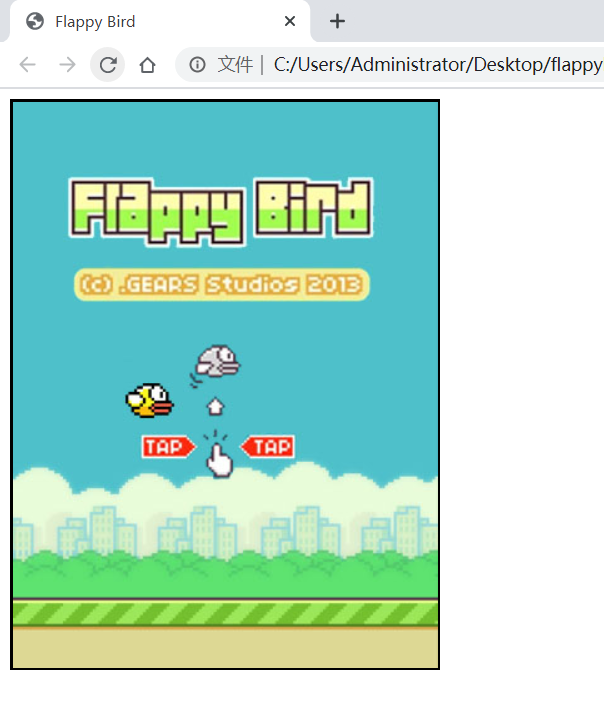
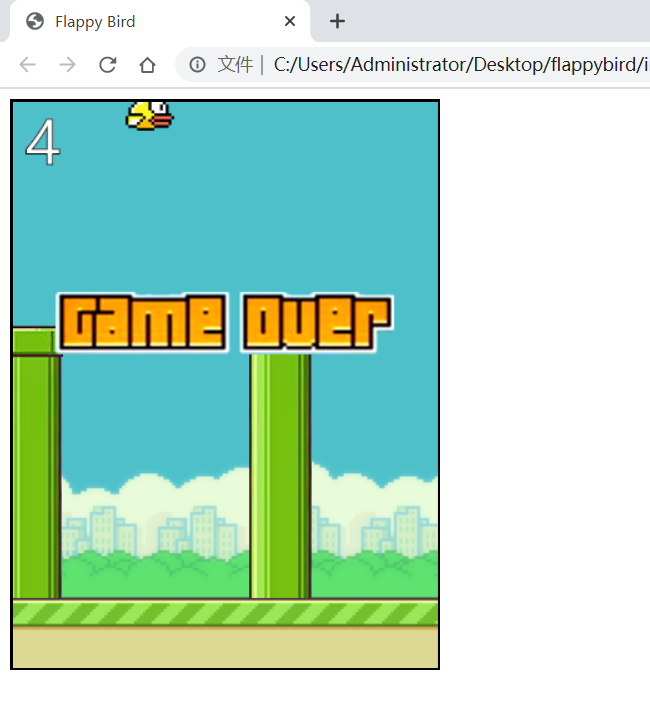
游戏介绍: 通过鼠标点击来控制小鸟,跨越由各种不同长度水管所组成的障碍。
游戏参考代码:
bird.js
1var  canvas=document.getElementById("canvas");
2var c=canvas.getContext("2d");
3
4function Bird(x,y,image) {
5    this.x=x,
6    this.y=y,
7    this.width=image.width/2,
8    this.height=image.height,
9    this.image=image;
10    this.draw=function (context,state) {
11        if(state==="up")
12            context.drawImage(image,0,0,this.width,this.height,this.x,this.y,this.width,this.height);
13        else {
14            context.drawImage(image,this.width,0,this,width,this.height,this.x,this.y,this.width,this.height);
15        }
16    }
17};
18function Obstacle(x,y,h,image) {
19    this.x=x,
20    this.y=y,
21    this.width=image.width/2,
22    this.height=h,
23    this.flypast=false;
24    this.draw=function (context,state) {
25        if(state==="up")
26            context.drawImage(image,0,0,this.width,this.height,this.x,this.y,this.width,this.height);
27        else {
28            context.drawImage(image,this.width,image.height-this.height,this.height,this.width,this.height,this.x,this.y,this.width,this.height)
29        }
30    }
31};
32
33function FlappyBird() {}
34FlappyBird.prototype= {
35    bird: null,
36    bg: null,
37    obs: null,
38    obsList: [],
39
40    mapWidth: 340,
41    mapHeight: 453,
42    startX: 90,
43    startY: 225,
44    obsDistance: 150,
45    obsSpeed: 2,
46    obsInterval: 2000,
47    upSpeed: 8,
48    downSpeed: 3,
49    line: 56,
50    score: 0,
51    touch: false,
52    gameOver: false,
53
54    CreateMap: function () {
55        //背景
56        this.bg = new Image();
57        this.bg.src = "img/bg.png";
58        var startBg = new Image();
59        startBg.src = "img/start.jpg";
60        startBg.onload = function () {
61            c.drawImage(startBg, 0, 0);
62        };
63        //小鸟
64        var image = new Image();
65        image.src = "img/bird.png";
66        image.onload = function () {
67            this.bird = new Bird(this.startX, this.startY, image);
68        }.bind(this);
69
70        //障碍物
71        this.obs = new Image();
72        this.obs.src = "img/obs.png";
73        this.obs.onload = function () {
74            var h = 100;
75            var h2 = this.mapHeight - h - this.obsDistance;
76            var obs1 = new Obstacle(this.mapWidth, 0, h, this.obs);
77            var obs2 = new Obstacle(this.mapWidth, this.mapHeight - h2, h2 - this.line, this.obs);
78            this.obsList.push(obs1);
79            this.obsList.push(obs2);
80        }.bind(this);
81    },
82
83    CreatObs: function () {
84        var h = Math.floor(Math.random() * (this.mapHeight - this.obsDistance - this.line));
85        var h2 = this.mapHeight - h - this.obsDistance;
86        var obs1 = new Obstacle(this.mapWidth, 0, h, this.obs);
87        var obs2 = new Obstacle(this.mapWidth, this.mapHeight - h2, h2 - this.line, this.obs);
88        this.obsList.push(obs1);
89        this.obsList.push(obs2);
90
91        if (this.obsList[0].x < -this.obsList[0].width)
92            this.obsList.splice(0, 2);
93    },
94    DrawObs:function(){
95        c.fillStyle="#00ff00";
96        for(var i=0;i<this.obsList.length;i++){
97            this.obsList[i].x-=this.obsSpeed;
98            if(i%2)
99                this.obsList[i].draw(c,"up");
100            else
101                this.obsList[i].draw(c,"down");
102        }
103    },
104
105    CountScore:function () {
106        if(this.obsList[0].x + this.obsList[0].width < this.startX &&this.obsList[0].flypast==false){
107            this.score+=1;
108            this.obsList[0].flypast=true;
109        }
110    },
111    ShowScore:function () {
112        c.strokeStyle="#000";
113        c.lineWidth=1;
114        c.fillStyle="#fff";
115        c.fillText(this.score,10,50);
116        c.strokeText(this.score,10,50);
117    },
118    CanMove:function () {
119        if(this.bird.y<0 || this.bird.y > this.mapHeight-this.bird.height-this.line){
120            this.gameOver=true;
121        }else{
122            var boundary=[{
123                x:this.bird.x,
124                y:this.bird.y
125            },{
126                x:this.bird.x+this.bird.width,
127                y:this.bird.y
128            },{
129                x:this.bird.x,
130                y:this.bird.y+this.bird.height
131            },{
132                x:this.bird.x+this.bird.width,
133                y:this.bird.x+this.bird.height
134            }];
135            for (var i=0;i<this.obsList.length;i++){
136                for(var j=0;j<4;j++)
137                    if(boundary[j].x>=this.obsList[i].x && boundary[j].x <= this.obsList[i].x+this.obsList[i].width &&
138                    boundary[j].y>=this.obsList[i].y&& boundary[j].y<=this.obsList[i].y+this.obsList[i].height){
139                        this.gameOver=false;
140                        break;
141                    }
142                if(this.gameOver)
143                    break;
144            }
145        }
146    },
147    CheckTouch:function () {
148        if(this.touch){
149            this.bird.y-=this.upSpeed;
150            this.bird.draw(c,"up");
151        }else {
152            this.bird.y+=this.downSpeed;
153            this.bird.draw(c,"down");
154        }
155    },
156    ClearScreen:function () {
157        c.drawImage(this.bg,0,0);
158    },
159    ShowOver:function () {
160        var overImg=new Image();
161        overImg.src="img/over.png";
162        overImg.onload=function () {
163            c.drawImage(overImg,(this.mapWidth-overImg.width)/2,(this.mapHeight-overImg.height)/2-50);
164        }.bind(this);
165        return;
166    }
167};
168
169var game=new FlappyBird();
170var Speed=20;
171var IsPlay=false;
172var GameTime=null;
173var btn_start;
174window.onload=InitGame;
175
176function InitGame() {
177    c.font="3em 微软雅黑";
178    game.CreateMap();
179    canvas.onmousedown=function () {
180        game.touch=true;
181    }
182    canvas.onmouseup=function () {
183        game.touch=false;
184    };
185    canvas.onclick=function () {
186        if (!IsPlay) {
187            IsPlay = true;
188            GameTime = RunGame(Speed);
189        }
190    }
191}
192
193
194function RunGame(speed) {
195    var updateTimer=setInterval(function () {
196        game.CanMove();
197        if(game.gameOver){
198            game.ShowOver();
199            clearInterval(updateTimer);
200            return;
201        }
202        game.ClearScreen();
203        game.DrawObs();
204        game.CheckTouch();
205        game.CountScore();
206        game.ShowScore();
207    },speed);
208    var obsTimer=setInterval(function () {
209        if (game.gameOver){
210            clearInterval(obsTimer);
211            return;
212        }
213        game.CreatObs();
214    },game.obsInterval);
215}
index.html
1<!DOCTYPE html>
2<html lang="en">
3<head>
4    <meta charset="UTF-8">
5    <title>Flappy Bird</title>
6</head>
7<body>
8<canvas id="canvas" width="340" height="453" style="border: 2px solid #000;background: #fff;"></canvas>
9<script src="bird.js" type="text/javascript"></script>
10</body>
11
12</html>
运行结果: